



Local-first AI note taker for meetings and notes on Mac and Windows
This profile is currently managed by the official vendor through the SaaSworthy Vendor Portal. Product details, features, pricing, and media assets are maintained directly by the company.

 Deep Dive with Clara AI
Kimiko is a local-first AI note taker for meetings and notes on Mac and Windows. It records the microphone and computer audio, so it works alongside Zoom, Microsoft Teams, Google Meet and other call apps without a bot joining the call. While people talk, Kimiko writes a live transcript with speaker labels, and notes typed beside it help shape the summary. After the meeting, it writes a summary with decisions and suggested next steps, which can be kept or dismissed as tasks, and answers questions about one meeting, a project or the whole library, each answer linked to its source. Notes export to PDF, Word or Markdown. Kimiko also includes dictation into other apps, started with a keyboard shortcut. Speech recognition and AI run on the user's computer by default, and notes are kept in an encrypted database there. The app still goes online for model downloads, updates, activation and subscription checks. Users who prefer cloud speech or AI can connect Deepgram, ElevenLabs, OpenAI, Anthropic or OpenRouter with their own account, or use Ollama or LM Studio on the same computer. Kimiko runs on Apple silicon Macs (macOS 14.4 or later) and 64-bit Windows 11 PCs. The free trial lasts 14 days or 5 meetings, whichever lasts longer, and needs no account. After that it costs $12 a month or $107.88 a year, tax included, on up to three computers.
Read more


Pricing
Platforms Supported
Organization Types Supported
API Support
Modes of Support
Free Trial
Available
No Credit Card Required, Get Started for Free
Monthly $12.00 $12.00 per month
Annual $107.88 $107.88 per year
Everything in Monthly, billed once a year. Use it on up to 3 of your computers. Tax included.

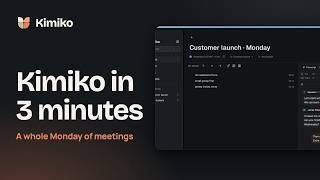
Kimiko in 3 minutes

A meeting summary...

A question across...

Notes written aft...

The Insights view...
Does a bot join my calls?
No. Kimiko captures your microphone and computer audio, so it works alongside apps like Zoom, Microsoft Teams and Google Meet without adding another participant. It can detect a call and offer to start taking notes.
Is Kimiko private out of the box?
Yes. Kimiko starts with local transcription and offers built-in AI for summaries, tasks, and chat. Your notes are stored on your computer. Cloud processing stays off unless you connect a provider, and anonymous usage reports are off by default too. If you choose a cloud provider, the audio or text needed for that feature is sent to it.
How does the free trial work?
Your trial starts with your first recording and lasts 14 days or 5 meetings, whichever lasts longer. No credit card is needed. Download the app and try it with your own meetings before choosing a subscription.
Which computers does Kimiko support?
Kimiko is available for Apple silicon Macs running macOS 14.4 or later, and for 64-bit PCs running Windows 11. For local processing, 16 GB RAM is a practical starting point on Apple silicon Macs and Windows PCs with dedicated graphics. Needs vary by model and computer.
Do I need an AI subscription or API key?
No. Local speech and AI are included in Kimiko. Download the recommended models during setup and use them without a separate AI account. Cloud providers are optional: connect your own account or API key if you choose one. Their charges are separate from your Kimiko subscription.
Can I use Kimiko offline?
Yes. Once the local models are downloaded, transcription, summaries, dictation, and chat can run on your computer. Internet is needed for downloads, activation, subscription verification, and any cloud services you choose.
Can I export my notes?
Yes. Export your summary, notes, or transcript as a PDF, Word document, or Markdown file. Exporting your existing work remains available after your trial or subscription ends.
What are the top alternatives for Kimiko?
Here`s a list of the best alternatives for Kimiko:
Does Kimiko provide API?
No, Kimiko does not provide API.
Vendor Details
Not available
Contact Details
Not available
https://kimiko.app/?utm_source=saasworthy&utm_medium=referral&utm_campaign=listing
Social Media Handles
SaaSworthy may receive compensation from some vendors featured on this page. This does not influence our editorial evaluation or ratings. [email protected]

Looking for the right SaaS
We can help you choose the best SaaS for your specific requirements. Our in-house experts will assist you with their hand-picked recommendations.

Want more customers?
Our experts will research about your product and list it on SaaSworthy for FREE.









