MEET CLARA - THE AI BEHIND SMARTER SOFTWARE CHOICES



Unbounce |
94% SW Score The SW Score ranks the products within a particular category on a variety of parameters, to provide a definite ranking system. Read more 
|
92% SW Score The SW Score ranks the products within a particular category on a variety of parameters, to provide a definite ranking system. Read more 
Weblium
View Details
|
Featured
89% SW Score The SW Score ranks the products within a particular category on a variety of parameters, to provide a definite ranking system. Read more 
Leadpages |
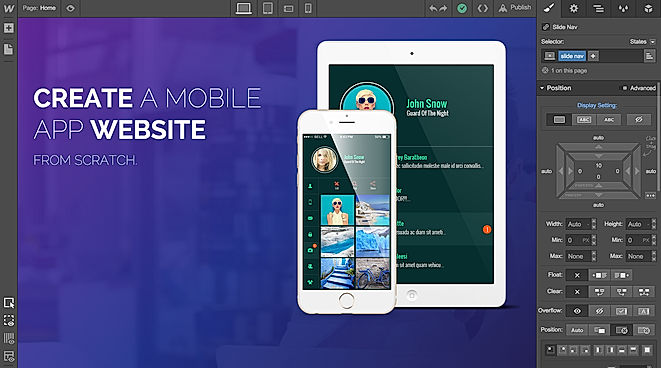
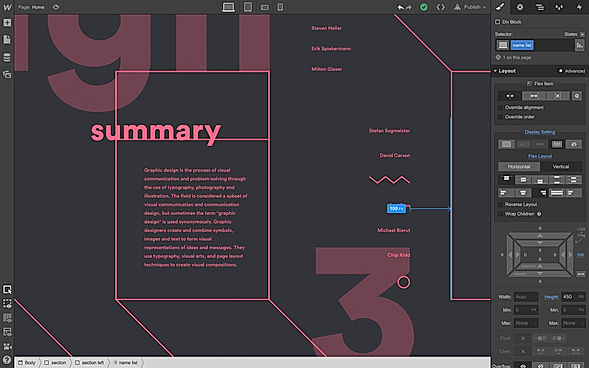
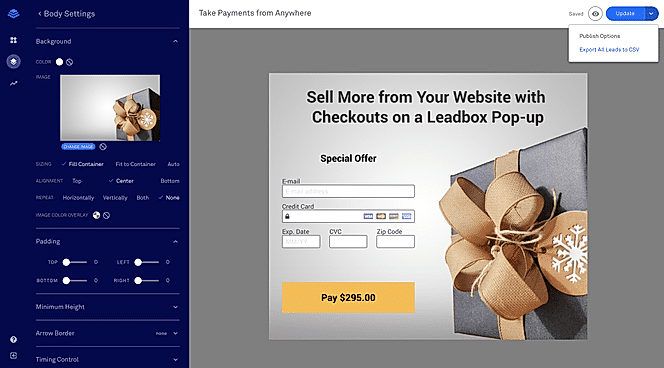
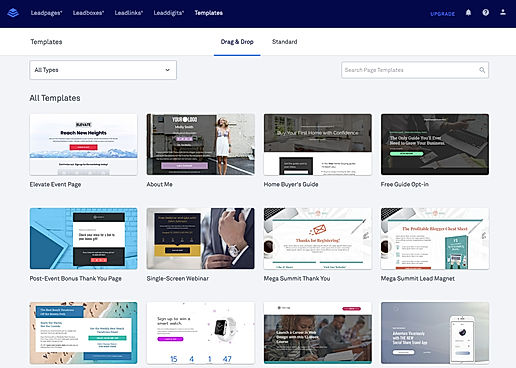
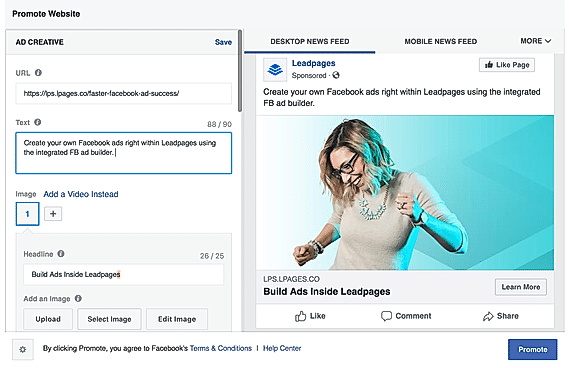
| Description | Webflow is a web design tool that allows users to create web pages without code. The application contains finished websites or, if requested by the designer, exports clean and ready-to-use codes for other hosting sites. With this platform, designers can unleash their creativity. The website builder software is extremely flexible and can support HTML, CSS, and JavaScript. It also offers many design elements and animations. The web builder software (WBS) also saves websites. While web designers previously outsourced coding, they can now design and create websites themselves. Therefore, the application makes the process less demanding and less expensive. For design teams, cooperation is essential to meet customer specifications. The WB software provides a platform where team members can meet and work together to create stunning websites. Also, customers can access work in progress so they can be edited and updated at any time. Webflow Editor, allow publishers or writers can easily insert textual content into the design. In minutes, they can structure new or organized content as they see fit. Read more | Weblium is a website building tool that focuses on ease of use through a visual creation experience. The websites can be built using blocks and templates. The tool also features AI that automatically adjusts the visual look of the site during editing. This rectifies any buggy looking layouts and keeps the performance of the website consistent. The AI also ensures that the look and feel of the website are professional and relevant and fixes and textual errors. Users can edit their pages dynamically, and all settings near the edited areas can be managed using floating toolbars. It is also possible for them to add content such as images, text, and videos with a click. The content is adjusted automatically according to the layout. Elements can be animated, and several settings such as entrance animation, the image appears form, and animation speed can be controlled. The tool also ensures that the websites are responsive and work for multiple devices, and provides image processing for faster loading times. Read more | Leadpages is among the top landing page builders and comes with a slew of mobile-friendly templates inbuilt. They are super easy to customise and custom templates can be created without needing a lot of development skills. However, if the user has a good bit of coding knowledge, the customisation can be taken to a whole different level. The users can use alert bars right across the length and breadth of the landing page to catch the attention of the visitors. It has an integrated Facebook advertisement creator that can be used to pull out advertisements instantly. It comes with A/B testing that allows testing the multiple models for easy comparison. It comes in a simple plugin form for WordPress so that the users can activate it in just a few clicks. With an easy-to-edit metadata field, all the pages are very SEO-friendly. When it comes to building an interactive landing page builder, Leadpages should be the foremost option. Read more |
| Pricing Options |
|
|
|
| SW Score & Breakdown |
94% SW Score The SW Score ranks the products within a particular category on a variety of parameters, to provide a definite ranking system. Read more
|
92% SW Score The SW Score ranks the products within a particular category on a variety of parameters, to provide a definite ranking system. Read more
|
89% SW Score The SW Score ranks the products within a particular category on a variety of parameters, to provide a definite ranking system. Read more
|
| SaaSworthy Awards | # 5 Most Popular # 6 Most Searched | # 14 Highly Rated | # 2 Most Worthy # 2 Fastest Growing |
| Organization Types Supported |
|
|
|
| Platforms Supported |
|
|
|
| Modes of Support |
|
|
|
| API Support |
|
|
|
| User Rating |
|
|
|
| Rating Distribution |
|
|
|
| User Sentiments |
Intuitive Visual Designer, Extensive Design Customization, Comprehensive CMS Functionality, High Quality Code Output Steep Learning Curve, Limited Ecommerce Functionality, Slow Customer Support, Confusing Pricing Structure |
Exceptional Customer Support, User Friendly Interface, Professional & Customizable Templates, Fast Loading Times Limited Design Flexibility, Occasional Technical Issues, Limited E-commerce Functionality, Higher Domain Renewal Costs |
Excellent Customer Service, Ease of Use, High-Quality Templates, Extensive Integrations Limited Customization, Occasional Technical Issues, Limited Design Flexibility, Lack of Advanced Features |
| Review Summary |
Users appreciate Webflow's user-friendly interface, drag-and-drop functionality, and customizable templates. They commend its ability to create professional-looking websites without coding knowledge. However, some users mention occasional glitches, limited third-party integrations, and a learning curve for more complex designs. Additionally, there are concerns about its pricing structure and the lack of advanced features found in traditional website builders. Overall, users find Webflow suitable for beginners and those seeking a no-code solution, but it may not be ideal for experienced web developers or those requiring extensive customization. |
Weblium receives overwhelmingly positive reviews, with users consistently praising its ease of use, attractive templates, and exceptional customer support. Reviewers highlight the platform's fast loading speeds, responsive design, and the helpfulness of the support team, which is often described as "amazing," "super fast," and "always willing to go the extra mile." While some users noted minor limitations, overall, Weblium is considered a top choice for building professional websites without coding knowledge. |
Many Leadpages users applaud its user-friendly interface, customizable templates, and drag-and-drop functionality, enabling effortless creation of landing pages without technical expertise. The software's intuitive design and comprehensive library of templates cater to various industries and purposes. Furthermore, users appreciate its seamless integration with marketing tools, email marketing platforms, and payment gateways, facilitating streamlined marketing campaigns. However, some users have expressed concerns regarding occasional glitches, limited customization options for advanced users, and potential improvements in customer support responsiveness. |
| Pros & Cons |
|
|
Not Available
|
| Read All User Reviews | Read All User Reviews | Read All User Reviews |
AI-Generated from the text of User Reviews
| Pricing Options |
|
|
|
|
Pricing Plans
Monthly Plans
Annual Plans
|
Free Forever Free Basic (Website) $12.00 $15.00 per month CMS (Website) $16.00 $20.00 per month Business (Website) $36.00 $45.00 per month Enterprise (Website) Custom Standard (Ecommerce) $29.00 $42.00 per month Plus (Ecommerce) $74.00 $84.00 per month Advanced (Ecommerce) $212.00 $235.00 per month Starter (Individual plan) Free Lite (Individual plan) $16.00 $24.00 per month Pro (Individual plan) $35.00 $42.00 per month Team (Team plan) $35.00 $42.00 per user / month Enterprise (Team plan) Custom |
Free Free Pro $8.25 $15.00 per month Landing Pro $196.00 $196.00 One-Time Payment Studio Landing page $124.00 $124.00 Studio Site with up to 10 pages $224.00 $224.00 Studio Site with up to 20 pages $399.00 $399.00 |
Pro $30.00 $99.00 per month Standard $5.00 $37.00 per month Advanced Custom |
|
View Detailed Pricing
|
View Detailed Pricing
|
View Detailed Pricing
|
Get personalized recommendations from our experts on call
Trusted by more than 5 Million users across the globe.
Thank you for the enquiry. One of our software analysts will contact you soon.

WebBoss
Webflow Vs WebBoss

WebsiteBuilder
Webflow Vs WebsiteBuilder

Wix
Webflow Vs Wix

Elementor
Webflow Vs Elementor
|

CreateWebsite
Weblium Vs CreateWebsite
Wix
Weblium Vs Wix

Style

AI Web Designer
|
||
| Screenshots |
+ 2 More
|
Not Available |

+ 3 More
|
| Videos |

+ 1 More
|

+ 4 More
|
Not Available |
| Company Details | Located in: San Francisco, CA | Located in: Fort Lauderdale, Florida Founded in: 2016 | Located in: Minnesota, United States |
| Contact Details |
Not available https://webflow.com/ |
+1 844-932-5486 https://weblium.com/ |
Not available https://www.leadpages.net |
| Social Media Handles |
|
|
|
What are the key differences between Webflow and Weblium?
What are the alternatives to Webflow?
Which SaaS products can Webflow integrate with?
Which product is better for e-commerce functionality?
How do the design capabilities of these products differ?
SaaSworthy may receive compensation from some vendors featured on this page. This does not influence our editorial evaluation or ratings. [email protected]

Looking for the right SaaS
We can help you choose the best SaaS for your specific requirements. Our in-house experts will assist you with their hand-picked recommendations.

Want more customers?
Our experts will research about your product and list it on SaaSworthy for FREE.