MEET CLARA - THE AI BEHIND SMARTER SOFTWARE CHOICES

ArcGIS for AutoCAD |
98% SW Score The SW Score ranks the products within a particular category on a variety of parameters, to provide a definite ranking system. Read more 
Visit Website
|
95% SW Score The SW Score ranks the products within a particular category on a variety of parameters, to provide a definite ranking system. Read more 
View Details
|
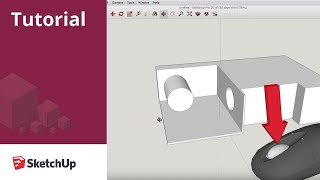
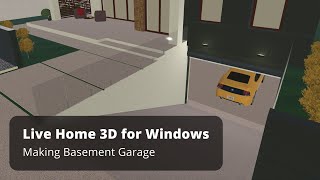
| Description | SketchUp browser-based 3D modeling software is popular for both its impressive usability as well as its functionality. This software finds extensive application in fields like civil and mechanical engineering, interior design, video game design, landscape architecture, film etc. The software features a digital library of free model assemblies and a 3D warehouse. SketchUp Make is the freeware version and SketchUp Pro is the paid version of SketchUp 3d software. Trimble Connect is used to host the 3d models online and it supports collaborative editing and sharing in real-time. The designs can be saved locally as native SKP file or you may export them as an STL file. Read more | Live Home 3D is a multi-platform interior designing application that enables users to create 3D renderings and floor plans. Designers can share and edit documents created within the portal in real-time. The software offers point-and-click building module for 2D plans. Homeowners wishing to redecorate or professionals intending to visualize their projects can utilize this intuitive program to perform various designing tasks such as drawing floor plans, tracing image with Arc Wall or Straight Wall, etc. Designers can paint walls, adjust lighting, apply materials, add new furnitures and arrange them as well. The generated projects can be directly shared on Vimeo and YouTube. Live Home 3D offers 16 dormers and 12 custom roof templates. It has an in-built library of furniture, kitchen sets, appliances, and other items. Designers can import objects within the application and export created designs in multiple formats like JPEG, PNG, TIFF, BMP and more. Professionals can also use the particular to design a 3D walkthrough of their plan. Read more |
| Pricing Options |
|
|
| SW Score & Breakdown |
98% SW Score The SW Score ranks the products within a particular category on a variety of parameters, to provide a definite ranking system. Read more
|
95% SW Score The SW Score ranks the products within a particular category on a variety of parameters, to provide a definite ranking system. Read more
|
| SaaSworthy Awards |
Not Available
|
# 5 Fastest Growing |
| Organization Types Supported |
|
|
| Platforms Supported |
|
|
| Modes of Support |
|
|
| API Support |
|
|
| User Rating |
|
|
| Rating Distribution |
|
|
| User Sentiments |
Vast 3D Model Library, User-Friendly Interface, Extensive Integrations, Advanced Features (AR/VR) Inaccurate 3D Models, Search Functionality Issues, Subscription-Only Model, Software Glitches/Instability |
Not Available
|
| Review Summary |
Users appreciate SketchUp's user-friendly interface, comprehensive set of modeling tools, and robust 3D capabilities. The software's intuitive design makes it easy for users to create and modify 3D models quickly and efficiently. Additionally, SketchUp's strong community support and extensive range of plugins and extensions enhance its functionality and cater to diverse user needs. However, some users have expressed concerns about its limited rendering capabilities, occasional performance issues, and the need for more advanced features for professional-level projects. |
Not Available
|
| Pros & Cons |
|
|
| Read All User Reviews | Read All User Reviews |
AI-Generated from the text of User Reviews
| Pricing Options |
|
|
|
Pricing Plans
Monthly Plans
Annual Plans
|
Go $10.75 $19.99 per user / month Pro $33.25 $99.99 per user / month Studio Annual $68.25 $68.25 per user / month Large teams and Organizations Custom Students, Educators, and Universities Custom Reseller Custom |
Live Home 3D for Mac (macOS) $19.99 $19.99 Live Home 3D Pro for Mac (macOS) $49.99 $49.99 One time payment Live Home 3D for iOS / iPadOS (iOS / iPadOS) Free Live Home 3D Pro for iOS / iPadOS (iOS / iPadOS) $19.99 $19.99 One time payment Live Home 3D for Windows (Windows) Free Live Home 3D Pro for Windows (Windows) $19.99 $19.99 One time payment |
|
View Detailed Pricing
|
View Detailed Pricing
|
Get personalized recommendations from our experts on call
Trusted by more than 5 Million users across the globe.
Thank you for the enquiry. One of our software analysts will contact you soon.
| Videos |
+ 2 More
|
+ 2 More
|
| Company Details | Located in: Boulder, Colorado Founded in: 1999 | Located in: Chicago, Illinois |
| Contact Details |
Not available |
Not available |
| Social Media Handles |
|
|
What are the key features of SketchUp?
What are the key features of Live Home 3D?
What are the alternatives to SketchUp?
What are the alternatives to Live Home 3D?
What are the key differences between SketchUp and Live Home 3D?

Looking for the right SaaS
We can help you choose the best SaaS for your specific requirements. Our in-house experts will assist you with their hand-picked recommendations.

Want more customers?
Our experts will research about your product and list it on SaaSworthy for FREE.