
 MEET CLARA - THE AI BEHIND SMARTER SOFTWARE CHOICES


|
74% SW Score The SW Score ranks the products within a particular category on a variety of parameters, to provide a definite ranking system. Read more 
View Details
|
86% SW Score The SW Score ranks the products within a particular category on a variety of parameters, to provide a definite ranking system. Read more 
View Details
|
Featured
98% SW Score The SW Score ranks the products within a particular category on a variety of parameters, to provide a definite ranking system. Read more 
Confetti |
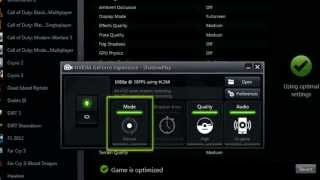
| Description | NVIDIA ShadowPlay makes it simple to capture and share top-quality snapshots, live broadcasts, and recordings with one's peers. The software functions as gameplay recording software, allowing users to actively film gaming clips as long as they desire. Users can record at 60 fps in 4K HDR or 30 fps in 8K HDR. And because the software is hardware amplified, it can be left running at all times without interfering with overall gaming performance. NVIDIA Highlights captures crucial times, dramatic kills, and game-winning performances effortlessly, guaranteeing that one's best moments are recorded. GeForce Experience allows users to pick their preferred clip and share it with the world. Furthermore, the GeForce Experience function makes it simple and quick to broadcast one's favourite games. One can start a gaming broadcast on well-known live streaming providers with just a few clicks. The software also has a camera and configurable visual overlays, allowing users to customise their live stream even more. Read more | Streamlabs OBS is an active live streaming software for content creators to help them stream videos on YouTube, Twitch, Facebook and other platforms of their choice. An inbuilt layout editor and drag & drop functionality within the particular allows users to personalize their live streaming platform as per convenience and create a unique UI as well. Moreover, users can record their live stream videos or choose the sources appearing in the live stream. They can easily save replays of their clips or live streams, enabling viewers to watch them later. Streamlabs OBS’s simple and user-friendly interface allows users to view recent events and chats within a single screen. It can also be used to create custom video intros for YouTube and Twitch channels using a variety of pre-made templates already available. Further, a wide range of unique shapes and symbols available within the particular can be used to design unique logos as per convenience. Read more | Confetti makes it easy to discover and book hundreds of live-hosted team-building experiences designed to enhance the company culture. The growing catalog features exclusive, exciting experiences tailored to the season and meet the team’s needs. We’ve revolutionized corporate event planning with a simple process to plan, book, and pay instantly. The expert event coordinators ensure a smooth, seamless experience for users and a memorable time for team members. From detailed event briefings to customized invites, Confetti supports users every step of the way. The live hosts are not only experts in their fields but are also trained to create engaging experiences that bring everyone together—even the quietest team members. Whether planning a virtual event or an in-person experience, Confetti helps to build stronger teams and unforgettable memories. Let’s make planning fun and effortless! Read more | Riverside’s AI-powered platform lets you record, edit, repurpose, and distribute studio-quality content as easily as having a full production crew. Whether you're recording solo or with guests, achieve top-quality results every time. The platform streamlines your workflow from start to finish. Turn one recording into multiple clips with AI, stream in HD to several destinations at once, and publish directly to YouTube, Spotify, and Apple Podcasts. Riverside’s AI automatically generates a polished cut of your session, complete with transcripts and show notes. Editing is made simple with the text-based editor—just search, cut, and paste in the transcript to edit your video. Separate track recording allows you to easily remove crosstalk and change layouts. Maintain a consistent brand by adding your logo, colors, and intro/outro, then apply them with a single click. You can also generate customizable animated captions instantly, perfect for creating engaging reels and TikToks. With Riverside, you have a powerful partner to help you focus on content creation and audience growth. Read more |
| Pricing Options |
|
|
|
|
| SW Score & Breakdown |
74% SW Score The SW Score ranks the products within a particular category on a variety of parameters, to provide a definite ranking system. Read more
|
86% SW Score The SW Score ranks the products within a particular category on a variety of parameters, to provide a definite ranking system. Read more
|
98% SW Score The SW Score ranks the products within a particular category on a variety of parameters, to provide a definite ranking system. Read more
|
|
| Organization Types Supported |
|
|
|
|
| Platforms Supported |
|
|
|
|
| Modes of Support |
|
|
|
|
| API Support |
|
|
|
|
| User Rating |
|
|
|
|
| Rating Distribution |
|
|
|
|
| User Sentiments |
Not Available
|
User-Friendly Interface, Customization Options, Extensive Integrations, High-Quality Streaming High CPU Usage, Occasional Software Glitches, Limited Functionality in Free Version, Confusing Features |
Not Available
|
Not Available
|
| Review Summary |
Not Available
|
Streamlabs is a popular streaming software lauded for its user-friendly interface, making it accessible for both beginners and experienced streamers. Users praise its customizable features, including overlays, alerts, and chatbots, which enhance viewer engagement. Multi-streaming capabilities, allowing simultaneous broadcasts across multiple platforms, are also well-received. However, some users express concerns about the resource-intensive nature of the software, particularly on lower-end computers. While the free version offers basic functionality, premium features are locked behind a paywall, which can be a drawback for budget-conscious streamers. |
Not Available
|
Riverside.fm receives mixed reviews, with users praising its high-quality audio and ease of use for remote podcast recording. The platform’s intuitive interface, AI-powered editing features, and integration with Spotify are frequently commended. However, users often report encountering sync issues, missing files, and technical glitches. Customer service, while sometimes helpful, is criticized for its inconsistent responses and lack of transparency. Some users mention concerns about pricing and limited features, highlighting a need for more flexible options and robust integration with other platforms. |
| Pros & Cons |
|
|
Not Available
|
Not Available
|
| Read All User Reviews | Read All User Reviews | Read All User Reviews | Read All User Reviews |
AI-Generated from the text of User Reviews
| Pricing Options |
|
|
|
|
|
Pricing Plans
Monthly Plans
Annual Plans
|
NVIDIA ShadowPlay Custom |
Streamlabs OBS Custom |
Pay As You Go Others Plus Others Pro Others Enterprise Custom Annual Event Planning Custom |
Free Free Pro $24.00 $29.00 per month Live $34.00 $39.00 per month Webinar $79.00 $99.00 per month Business Custom |
|
View Detailed Pricing
|
View Detailed Pricing
|
View Detailed Pricing
|
View Detailed Pricing
|
Get personalized recommendations from our experts on call
Trusted by more than 5 Million users across the globe.
Thank you for the enquiry. One of our software analysts will contact you soon.

XSplit
NVIDIA ShadowPlay Vs XSplit

SunShot

Boomcaster
NVIDIA ShadowPlay Vs Boomcaster
|

Stream Club
Streamlabs OBS Vs Stream Club

Restream
Streamlabs OBS Vs Restream

Be.Live
Streamlabs OBS Vs Be.Live

YouStreamer
Streamlabs OBS Vs YouStreamer

Present Live
Streamlabs OBS Vs Present Live
|
|||
| Screenshots |

+ 2 More
|

+ 8 More
|
Not Available | Not Available |
| Videos |
+ 1 More
|
+ 4 More
|
Not Available |
+ 1 More
|
| Company Details | Located in: Santa Clara, California | Located in: San Francisco, California | Located in: Boca Raton, Florida Founded in: 2017 | Located in: Dover, DE, USA Founded in: 2019 |
| Contact Details |
+1 (408) 486-2000 https://www.nvidia.com/en-us/geforce/geforce-experience/shadowplay/ |
Not available https://streamlabs.com/streamlabs-obs-live-streaming-software |
+1 917-310-3193 https://www.withconfetti.com/ |
Not available https://riverside.com/ |
| Social Media Handles |
Not available |
|
|
|
What are the key differences between NVIDIA ShadowPlay and Streamlabs OBS?
What are the alternative products to NVIDIA ShadowPlay?
Which product offers more customization options for live streams?
Can I use NVIDIA ShadowPlay to record my gameplay in 4K HDR?
Which product is better suited for professional live streaming?
SaaSworthy may receive compensation from some vendors featured on this page. This does not influence our editorial evaluation or ratings. [email protected]

Looking for the right SaaS
We can help you choose the best SaaS for your specific requirements. Our in-house experts will assist you with their hand-picked recommendations.

Want more customers?
Our experts will research about your product and list it on SaaSworthy for FREE.


