MEET CLARA - THE AI BEHIND SMARTER SOFTWARE CHOICES
MEET CLARA - THE AI BEHIND SMARTER SOFTWARE CHOICES
MEET CLARA - THE AI BEHIND SMARTER SOFTWARE CHOICES
|
93% SW Score The SW Score ranks the products within a particular category on a variety of parameters, to provide a definite ranking system. Read more 
View Details
|
94% SW Score The SW Score ranks the products within a particular category on a variety of parameters, to provide a definite ranking system. Read more 
View Details
|
86% SW Score The SW Score ranks the products within a particular category on a variety of parameters, to provide a definite ranking system. Read more 
View Details
|
89% SW Score The SW Score ranks the products within a particular category on a variety of parameters, to provide a definite ranking system. Read more 
View Details
|
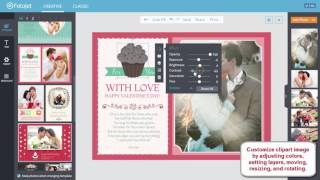
| Description | FotoJet is a no cost photo editing tool used to create graphic designs with it’s top-notch design tools. This software gives access to free services such as OpenClipart to personalize your designs. It can be accessed immediately without any registration and allows you to instantly utilize the software. In addition, this software has plenty of templates available in it’s free version that you can use for creating efficient design. It is well equipped with bundle of features such as overlays, fonts and shapes to enhance your designs. It also integrates easily with Pixabay and OpenClipart and provides professional design. Read more | Befunky is a simple yet powerful photo editing tool that is used for graphic design. The easy-to-use tools of this application empower amateur photographers and provide a robust platform to create beautiful, pro-level photographs. Befunky incorporates basic photography tools like crop, touch up and resizing tools. The software comes with innovative features like the option to turn photos into works of art by providing a photo to art and a photo to cartoon tool. The latter uses various presets in order to turn normal photographs into artworks. This tool allows the users to turn mundane backgrounds into transparent and textured backgrounds, which gets rid of all the distractions and redundancies within a photograph. Users are able to add lens flares and watermarks in post-production, allowing the photographers the freedom to go further with their photos, creating collages. Befunky has a useful Pinterest pin maker feature that is useful for social media influencers. It is a versatile app not only for photographers but for graphic designers as well. The pattern and customizable graphic tools work seamlessly with its own invitation and banner maker tools, making it an absolute must-have application for both amateur photographers and graphic designers alike, helping them to create and retouch on-the-go. Read more | Affinity Photo has become the first choice for photography and creative professionals around the world, who love its speed, power, and precision. Born to work hand-in-hand with the latest powerful computer technology, it’s the only fully-loaded photo editor integrated across macOS, Windows, and iOS. Whether you want to make quick corrections or spend time on a detailed retouch, Affinity Photo has a complete set of retouching tools and dedicated features to help. Read more | Paintshop Pro is a Photo Editing Software. Depend on a versatile range of professional image editing tools to make every shot, the best shot. Easily crop areas of your photo to alter the focus using composition guides, Golden Ratio and Rule of Thirds. Resize with ease using one of several presets, or resize by pixels, percentage or print size. Restore and repair old photos with the Scratch Remover and Fade Correction tools to enhance contrast and color to faded photos. Automatically correct distortions, vignetting and chromatic aberrations in your photos with Lens Correction tools and use the Straighten tool to fix a crooked horizon, or the Perspective Correction tool to make a photo appear as though it was taken from a different angle. Read more |
| Pricing Options |
|
|
|
|
| SW Score & Breakdown |
93% SW Score The SW Score ranks the products within a particular category on a variety of parameters, to provide a definite ranking system. Read more
|
94% SW Score The SW Score ranks the products within a particular category on a variety of parameters, to provide a definite ranking system. Read more
|
86% SW Score The SW Score ranks the products within a particular category on a variety of parameters, to provide a definite ranking system. Read more
|
89% SW Score The SW Score ranks the products within a particular category on a variety of parameters, to provide a definite ranking system. Read more
|
| Total Features |
13 Features
|
12 Features
|
8 Features
|
9 Features
|
| Common Features for All |
Auto Select
Batch Editing
Built-in Templates
Cloud Storage
Collaborative Editing
Effects and Filters
Enhancement Tools
Import from web
Import-Export Option
Remove objects
Revision Control
Social Media Integration
Text Tool
Transform tools
|
Auto Select
Batch Editing
Built-in Templates
Cloud Storage
Collaborative Editing
Effects and Filters
Enhancement Tools
Import from web
Import-Export Option
Remove objects
Revision Control
Social Media Integration
Text Tool
Transform tools
|
Auto Select
Batch Editing
Built-in Templates
Cloud Storage
Collaborative Editing
Effects and Filters
Enhancement Tools
Import from web
Import-Export Option
Remove objects
Revision Control
Social Media Integration
Text Tool
Transform tools
|
Auto Select
Batch Editing
Built-in Templates
Cloud Storage
Collaborative Editing
Effects and Filters
Enhancement Tools
Import from web
Import-Export Option
Remove objects
Revision Control
Social Media Integration
Text Tool
Transform tools
|
| Organization Types Supported |
|
|
|
|
| Platforms Supported |
|
|
|
|
| Modes of Support |
|
|
|
|
| User Rating |
|
|
|
|
| Rating Distribution |
|
|
|
|
| User Sentiments |
Easy to Use, Great Collage Maker, Good Photo Editor, Free Version Available Limited Features in Free Version, Subscription Issues, Occasional Saving Issues, Limited Mobile Functionality |
User-Friendly Interface, Extensive Photo Editing Features, Versatile Collage Maker, Free Version Availability Recent Update Issues, Paywalled Features, App Performance Issues, Limited Mobile Functionality |
Not Available
|
Not Available
|
| Review Summary |
"Based on user reviews, FotoJet Designer receives mixed feedback. Users appreciate its user-friendly interface, extensive templates, and diverse editing features, making it suitable for beginners and occasional users. However, some users mention occasional glitches, a learning curve for advanced editing, and limitations in customization options. Overall, FotoJet Designer is considered a reliable and accessible tool for basic photo editing and design tasks." |
Users appreciate Befunky's ease of use, affordability, and wide range of editing tools. They find it particularly suitable for beginners and non-designers. The platform is praised for its user-friendly interface, intuitive design, and comprehensive tutorials. Many users highlight the value for money, citing the extensive features and affordable pricing. However, some users express concerns regarding the lack of advanced editing options and occasional glitches. Additionally, the mobile app is sometimes criticized for its limited functionality compared to the desktop version. |
Affinity Photo is highly praised as a powerful, affordable alternative to Adobe Photoshop, particularly for its feature-rich capabilities, intuitive interface, and one-time purchase model. Users appreciate its speed, ease of use, and cross-platform compatibility, making it a suitable option for both professionals and casual users. However, some users point to a steep learning curve, especially for those transitioning from other software, while others mention limitations in file format support and advanced features compared to industry giants like Photoshop. Despite these minor drawbacks, Affinity Photo remains a highly regarded choice for a variety of photo editing and design tasks. |
User reviews of Corel PaintShop Pro are generally positive, praising its affordability, user-friendliness, and wide range of features for both basic and advanced photo editing. Many users find it a viable alternative to Adobe Photoshop, particularly for those on a budget. However, some reviews highlight drawbacks such as slow loading times, limited plugin compatibility, and a somewhat cluttered interface. While Corel PaintShop Pro is well-regarded for its ease of use, it may not be as comprehensive or intuitive as industry-leading software like Photoshop. |
| Read All User Reviews | Read All User Reviews | Read All User Reviews | Read All User Reviews |
AI-Generated from the text of User Reviews
| Pricing Options |
|
|
|
|
|
Pricing Plans
Monthly Plans
Annual Plans
|
Free Free Plus $3.33 $6.99 per month |
Free Free BeFunky Plus $6.99 $14.99 per month |
Affinity Photo Others |
PaintShop Pro 2021 Others PaintShop Pro 2021 Ultimate Others Photo Video Bundle Ultimate Others |
|
View Detailed Pricing
|
View Detailed Pricing
|
View Detailed Pricing
|
View Detailed Pricing
|
Get personalized recommendations from our experts on call
Trusted by more than 5 Million users across the globe.
Thank you for the enquiry. One of our software analysts will contact you soon.
| Screenshots | Not Available |

+ 6 More
|
Not Available |

|
| Videos |
+ 3 More
|
+ 1 More
|

+ 1 More
|

+ 2 More
|
| Company Details | Located in: Hong Kong | Located in: Portland, Oregon Founded in: 2007 | Located in: Nottingham, England | Located in: Ottawa, Canada |
| Contact Details |
Not available |
Not available |
+44 (0)115 9142000 |
Not available |
| Social Media Handles |
|
|
Not available |
|

Looking for the right SaaS
We can help you choose the best SaaS for your specific requirements. Our in-house experts will assist you with their hand-picked recommendations.

Want more customers?
Our experts will research about your product and list it on SaaSworthy for FREE.