MEET CLARA - THE AI BEHIND SMARTER SOFTWARE CHOICES
MEET CLARA - THE AI BEHIND SMARTER SOFTWARE CHOICES
MEET CLARA - THE AI BEHIND SMARTER SOFTWARE CHOICES
|
94% SW Score The SW Score ranks the products within a particular category on a variety of parameters, to provide a definite ranking system. Read more 
View Details
|
98% SW Score The SW Score ranks the products within a particular category on a variety of parameters, to provide a definite ranking system. Read more 
|
88% SW Score The SW Score ranks the products within a particular category on a variety of parameters, to provide a definite ranking system. Read more 
View Details
|
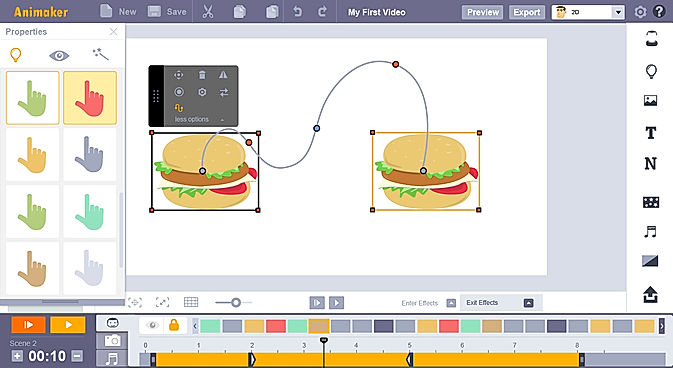
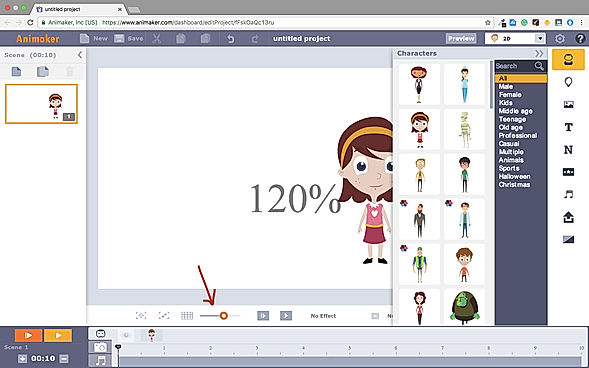
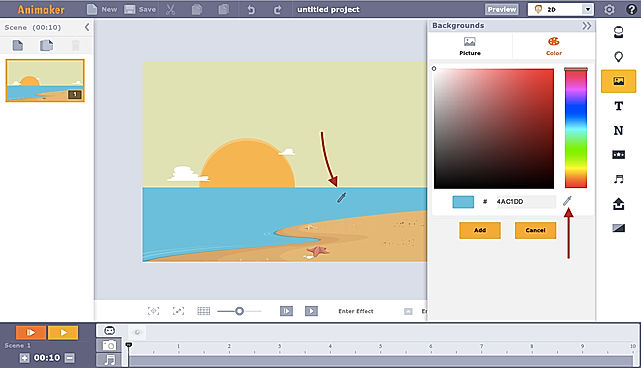
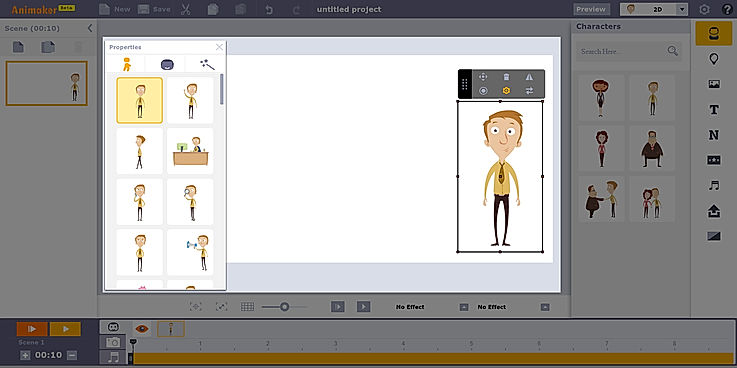
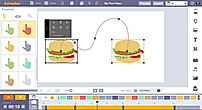
| Description | Animaker is a platform for beginners, professionals, and non-designers to create animated and live-action videos, best suited for entrepreneurs, classroom storytellers, content marketers or HR teams. It helps users create different types of content like 2D animation, whiteboard videos, infographic videos, vertical videos, GIFs, YouTube thumbnail maker, and much more. Users can create eye-popping animated videos effortlessly with just a few clicks. Users can access billions of unique characters that they can use in the videos, or they can use over 1000 stock videos and photos as a template to edit videos as per need in less than 5 minutes. Animaker allows users to upload and edit videos at 4K video quality and do instant resizing for all social platforms. This means users don't have to create different videos for different platforms. The platform is simple, convenient, and user-friendly with which the videos can be made in a few minutes. Read more | Vyond, the online animation software allows users to create professional animated videos for marketing, eLearning, training and other industries. Users can create dynamic videos for any audience through this software. Vyond gives users whiteboard animations and modern casual settings to address their employees around the world. Users can create animated GIFs and MP4 in just a click. One can create his or her own templates or use from the ones present in the software. Users can also add graphs, dynamic charts to their animations to communicate with the rest of the world. The scalability offered by the software allows an individual to create content at high speed. Besides the above, the human resource department in a company can improve collaborations and eliminate communication gaps through elaborated video content. Users can begin with the setup within minutes and get their message across successfully. Lastly, from sales enablement to compliance, users can make videos that fit their business needs and reach business objectives without fail. They can use customizable templates from the content library and create desirable content within a few seconds. Read more | Steve AI is an online video-making software that can create videos and animations within seconds. It leverages the power of AI to turn text into stunning videos in a matter of minutes. Steve AI automates time-consuming design tasks, saving hours of work so that the team can focus on being creative. With Steve AI, you can create YouTube videos using over 1000 customizable video templates, AI-generated scripts, rich graphics, videos, and music assets. The platform also offers seamless collaboration across devices. You can use your photos to create videos, add text to describe the photos and videos, and even add a photo to your video content. If you're looking to create Twitter ads, Steve AI can help you hook your viewers quickly. The platform lets you create cartoon videos with just your script in a minute, and easily make professional animated videos for brand awareness, content marketing, and thought leadership. Steve AI's Facebook video maker allows you to create Facebook ads, video slideshows, newsfeed videos, stories, and cover videos. You can choose from customizable templates to create your videos. Read more | Riverside’s AI-powered platform lets you record, edit, repurpose, and distribute studio-quality content as easily as having a full production crew. Whether you're recording solo or with guests, achieve top-quality results every time. The platform streamlines your workflow from start to finish. Turn one recording into multiple clips with AI, stream in HD to several destinations at once, and publish directly to YouTube, Spotify, and Apple Podcasts. Riverside’s AI automatically generates a polished cut of your session, complete with transcripts and show notes. Editing is made simple with the text-based editor—just search, cut, and paste in the transcript to edit your video. Separate track recording allows you to easily remove crosstalk and change layouts. Maintain a consistent brand by adding your logo, colors, and intro/outro, then apply them with a single click. You can also generate customizable animated captions instantly, perfect for creating engaging reels and TikToks. With Riverside, you have a powerful partner to help you focus on content creation and audience growth. Read more |
| Pricing Options |
|
|
|
|
| SW Score & Breakdown |
94% SW Score The SW Score ranks the products within a particular category on a variety of parameters, to provide a definite ranking system. Read more
|
98% SW Score The SW Score ranks the products within a particular category on a variety of parameters, to provide a definite ranking system. Read more
|
88% SW Score The SW Score ranks the products within a particular category on a variety of parameters, to provide a definite ranking system. Read more
|
|
| SaaSworthy Awards | # 2 Most Worthy # 1 Fastest Growing | # 1 Most Worthy # 3 Fastest Growing |
Not Available
|
Not Available
|
| Organization Types Supported |
|
|
|
|
| Platforms Supported |
|
|
|
|
| Modes of Support |
|
|
|
|
| API Support |
|
|
|
|
| User Rating |
|
|
|
|
| Rating Distribution |
|
|
|
|
| User Sentiments |
Ease of Use, Vast Selection of Animated Characters and Props, Helpful Customer Support, Accurate Text-to-Speech Feature Long Video Rendering Times, Software Glitches and Crashes, Limited Features in Free Version, Expensive Subscription Plans |
Ease of Use, Extensive Library of Assets, High-Quality Animations, AI-powered Video Creation Limited Character Customization, Occasional Software Glitches/Slowness, Lack of Advanced Editing Features, Expensive Subscription Plans |
Not Available
|
Not Available
|
| Review Summary |
Users praise Animaker for its user-friendly interface, extensive template library, and vast collection of assets. They appreciate the drag-and-drop functionality, which makes creating animations effortless, even for beginners. However, some users complain about limited customization options, occasional glitches, and the need for a steeper learning curve to fully harness the software's potential. Overall, Animaker is a popular choice for creating engaging animations, with users highlighting its ease of use and rich features, while suggesting improvements in customization and stability. |
Vyond users appreciate its user-friendly interface, customizable templates, and extensive media library, making it suitable for creating professional-looking animated videos. The product's drag-and-drop functionality and intuitive controls simplify the video creation process, enabling users of varying skill levels to produce engaging content. Additionally, Vyond's vast library of pre-built templates, characters, and animations accelerates the video creation process, saving time and effort. However, some users have reported occasional glitches and limitations in customization options, suggesting room for improvement in certain areas. |
Not Available
|
Riverside.fm receives mixed reviews, with users praising its high-quality audio and ease of use for remote podcast recording. The platform’s intuitive interface, AI-powered editing features, and integration with Spotify are frequently commended. However, users often report encountering sync issues, missing files, and technical glitches. Customer service, while sometimes helpful, is criticized for its inconsistent responses and lack of transparency. Some users mention concerns about pricing and limited features, highlighting a need for more flexible options and robust integration with other platforms. |
| Pros & Cons |
|
|
Not Available
|
Not Available
|
| Read All User Reviews | Read All User Reviews | Read All User Reviews | Read All User Reviews |
AI-Generated from the text of User Reviews
| Pricing Options |
|
|
|
|
|
Pricing Plans
Monthly Plans
Annual Plans
|
Free Free Basic $15.00 $27.00 per month Starter $25.00 $45.00 per month Pro $43.00 $79.00 per month Enterprise Custom |
Essential $24.91 $49.00 per user / month Premium $54.08 $89.00 per user / month Professional $83.25 $159.00 per user / month Enterprise Custom |
Basic $15.00 $20.00 per month Starter $45.00 $60.00 per month Pro $60.00 $80.00 per month Enterprise Custom |
Free Free Pro $24.00 $29.00 per month Live $34.00 $39.00 per month Webinar $79.00 $99.00 per month Business Custom |
|
View Detailed Pricing
|
View Detailed Pricing
|
View Detailed Pricing
|
View Detailed Pricing
|
Get personalized recommendations from our experts on call
Trusted by more than 5 Million users across the globe.
Thank you for the enquiry. One of our software analysts will contact you soon.
| Screenshots |
+ 3 More
|

|
Not Available | Not Available |
| Videos |

|

+ 3 More
|
+ 2 More
|
+ 1 More
|
| Company Details | Located in: Palo Alto, California Founded in: 2015 | Located in: San Mateo, California Founded in: 2007 | Located in: San Francisco, California | Located in: Dover, DE, USA Founded in: 2019 |
| Contact Details |
Not available |
+1 888-360-9639 |
Not available |
Not available |
| Social Media Handles |
|
|
|
|

Looking for the right SaaS
We can help you choose the best SaaS for your specific requirements. Our in-house experts will assist you with their hand-picked recommendations.

Want more customers?
Our experts will research about your product and list it on SaaSworthy for FREE.