MEET CLARA - THE AI BEHIND SMARTER SOFTWARE CHOICES



Descript |
93% SW Score The SW Score ranks the products within a particular category on a variety of parameters, to provide a definite ranking system. Read more 
|
85% SW Score The SW Score ranks the products within a particular category on a variety of parameters, to provide a definite ranking system. Read more 
View Details
|
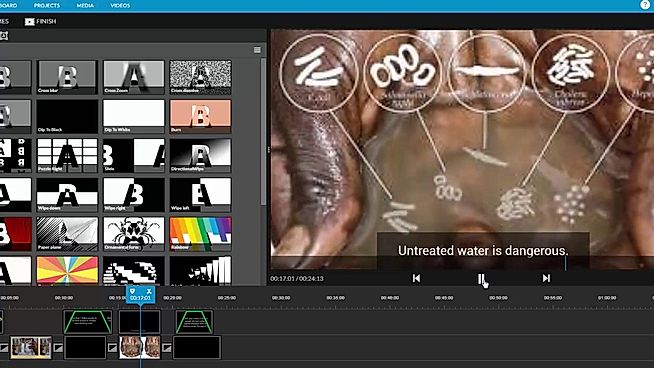
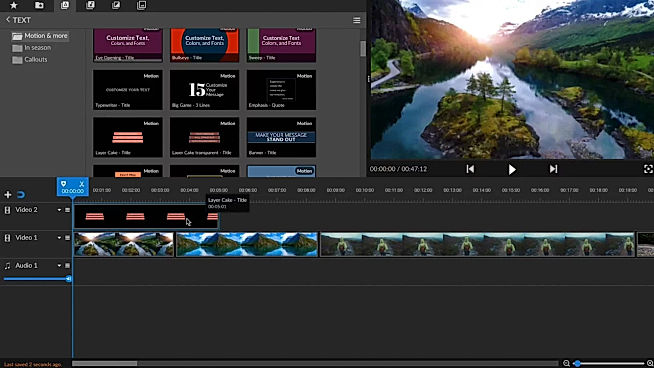
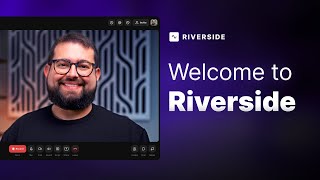
| Description | WeVideo helps to create stunningly gorgeous professional-grade videos and offers impressive video editing solution. This video editing software comes with screencasting capabilities. It is mobile-friendly and can be run on Android native & iOS native. WeVideo allows you to upload an image/logo of your company or of anything you like, and overlay such graphics onto the video player for spreading brand awareness. Social sharing feature helps in sharing the videos on social media channels for helping the users enjoy better prominence, through wider coverage. WeVideo comes with other important video editing features, like speed adjustment, text overlay, video capture, audio tools etc. Read more | Screencastify is a screen recording tool for Google Chrome, enabling users to record what they are working on in the browser. With this tool, users can capture their tab, whole screen or just their webcam. They can add the webcam anywhere in the recording and add narration with a microphone. The solution also works in offline mode and does not require an internet connection for recording. It offers several other functionalities, like Mouse spotlight, Drawing pen tool and click highlighting, to create more attractive videos. Screencastify provides various methods to share videos on different platforms. It autosaves the recordings over Google Drive that allows users to instantly share the video with just a link. Users can also directly upload the video on YouTube. Videos can be exported as an MP4, animated GIF or MP3 formats. It can be added to Google Chrome as an extension and make it into use within minutes. Read more | Riverside’s AI-powered platform lets you record, edit, repurpose, and distribute studio-quality content as easily as having a full production crew. Whether you're recording solo or with guests, achieve top-quality results every time. The platform streamlines your workflow from start to finish. Turn one recording into multiple clips with AI, stream in HD to several destinations at once, and publish directly to YouTube, Spotify, and Apple Podcasts. Riverside’s AI automatically generates a polished cut of your session, complete with transcripts and show notes. Editing is made simple with the text-based editor—just search, cut, and paste in the transcript to edit your video. Separate track recording allows you to easily remove crosstalk and change layouts. Maintain a consistent brand by adding your logo, colors, and intro/outro, then apply them with a single click. You can also generate customizable animated captions instantly, perfect for creating engaging reels and TikToks. With Riverside, you have a powerful partner to help you focus on content creation and audience growth. Read more |
| Pricing Options |
|
|
|
| SW Score & Breakdown |
93% SW Score The SW Score ranks the products within a particular category on a variety of parameters, to provide a definite ranking system. Read more
|
85% SW Score The SW Score ranks the products within a particular category on a variety of parameters, to provide a definite ranking system. Read more
|
|
| SaaSworthy Awards | # 2 Most Worthy # 4 Highly Rated |
Not Available
|
Not Available
|
| Organization Types Supported |
|
|
|
| Platforms Supported |
|
|
|
| Modes of Support |
|
|
|
| API Support |
|
|
|
| User Rating |
|
|
|
| Rating Distribution |
|
|
|
| User Sentiments |
User-friendly interface, Extensive Stock Media Library, Cloud-based accessibility, Comprehensive Editing Features Limited Free Version Functionality, Slow Upload/Export Speeds, Occasional Software Glitches/Crashes, Complex Navigation and Workflow |
Ease of Use, Seamless Google Drive Integration, Efficient Screen Recording, Effective for Creating Tutorials Limited Recording Time in Free Version, Occasional Performance Issues, Limited Editing Features, Basic Annotation Tools |
Not Available
|
| Review Summary |
WeVideo users widely commend its intuitive interface, ease of use, and extensive features that cater to both beginners and professionals. Reviewers highlight its user-friendly drag-and-drop editor, rich templates, and wide range of customizable options. Additionally, the platform's integration with stock media libraries and social media platforms is seen as a major advantage. However, some users have reported experiencing occasional technical glitches and limited customer support, suggesting room for improvement in these areas. |
Screencastify receives high praise for its user-friendliness, making it easy to capture and share screen recordings for a variety of purposes, including tutorials, demonstrations, and troubleshooting. Users appreciate its seamless integration with Google Drive and Chrome, offering convenient recording and sharing options. While the free version is limited in recording time and features, many users find it sufficient for their needs. Some drawbacks include the lack of advanced editing features and occasional performance issues on older machines. Overall, Screencastify excels as a straightforward, accessible tool for capturing and sharing quick, informative screen recordings. |
Riverside.fm receives mixed reviews, with users praising its high-quality audio and ease of use for remote podcast recording. The platform’s intuitive interface, AI-powered editing features, and integration with Spotify are frequently commended. However, users often report encountering sync issues, missing files, and technical glitches. Customer service, while sometimes helpful, is criticized for its inconsistent responses and lack of transparency. Some users mention concerns about pricing and limited features, highlighting a need for more flexible options and robust integration with other platforms. |
| Pros & Cons |
|
Not Available
|
Not Available
|
| Read All User Reviews | Read All User Reviews | Read All User Reviews |
AI-Generated from the text of User Reviews
| Pricing Options |
|
|
|
|
Pricing Plans
Monthly Plans
Annual Plans
|
Free Free Power $4.99 $9.99 per month Unlimited $7.99 $15.99 per month Professional $19.99 $39.99 per month Business $36.99 $73.99 per month Individual Free Plan Free WeVideo for Teachers $89.00 $89.00 per year WeVideo for Classroom $299.00 $299.00 per year WeVideo for Schools Custom |
Free Free Unlimited $49.00 $49.00 per year |
Free Free Pro $24.00 $29.00 per month Live $34.00 $39.00 per month Webinar $79.00 $99.00 per month Business Custom |
|
View Detailed Pricing
|
View Detailed Pricing
|
View Detailed Pricing
|
Get personalized recommendations from our experts on call
Trusted by more than 5 Million users across the globe.
Thank you for the enquiry. One of our software analysts will contact you soon.
| Screenshots |
+ 1 More
|
Not Available | Not Available |
| Videos |

+ 1 More
|
+ 2 More
|
+ 1 More
|
| Company Details | Located in: Menlo, California Founded in: 2011 | Located in: Chicago, Illinois Founded in: 2013 | Located in: Dover, DE, USA Founded in: 2019 |
| Contact Details |
+1 650-800-3400 |
Not available |
Not available |
| Social Media Handles |
|
|
|
What are the key features of WeVideo?
What are the key features of Screencastify?
What are the alternatives to WeVideo?
What are the alternatives to Screencastify?
Which product is better for beginners?

Looking for the right SaaS
We can help you choose the best SaaS for your specific requirements. Our in-house experts will assist you with their hand-picked recommendations.

Want more customers?
Our experts will research about your product and list it on SaaSworthy for FREE.