
 MEET CLARA - THE AI BEHIND SMARTER SOFTWARE CHOICES



Descript |
81% SW Score The SW Score ranks the products within a particular category on a variety of parameters, to provide a definite ranking system. Read more 
View Details
|
80% SW Score The SW Score ranks the products within a particular category on a variety of parameters, to provide a definite ranking system. Read more 
View Details
|
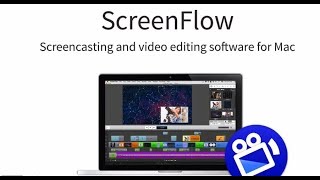
| Description | ScreenFlow is an intuitive video editing and screen recording software that helps businesses and professionals easily create stunning videos, edit them and share them across different platforms. The software has the capability to record screens in high quality, whether it is multiple screen recording at once or by utilising retina displays. It provides over 500,000 unique media clips that can be included in the original video to make it more attractive. There are various powerful video editing tools present in the software, such as transitions, text animations, freehand annotations, video animations and multichannel audio, along with tutorials so that users can clearly understand all its features. ScreenFlow allows businesses to organise their projects with multi-track editing, nested clips, colour labels and markers besides offering full access to media files stored in their computer. It also comes with a number of preset export settings to share the best quality videos. Read more | Free browser extension that generates beautiful step-by-step guides while work. Tango documents step-by-step actions with automatic screenshots and written instructions. Trim, revise, and finalize new step-by-step Workflow. Add text descriptions. Blur, resize, and annotate all screenshots. Link, download, paste, or embed Workflow in existing docs, LMS, or team chat. Read more | Riverside’s AI-powered platform lets you record, edit, repurpose, and distribute studio-quality content as easily as having a full production crew. Whether you're recording solo or with guests, achieve top-quality results every time. The platform streamlines your workflow from start to finish. Turn one recording into multiple clips with AI, stream in HD to several destinations at once, and publish directly to YouTube, Spotify, and Apple Podcasts. Riverside’s AI automatically generates a polished cut of your session, complete with transcripts and show notes. Editing is made simple with the text-based editor—just search, cut, and paste in the transcript to edit your video. Separate track recording allows you to easily remove crosstalk and change layouts. Maintain a consistent brand by adding your logo, colors, and intro/outro, then apply them with a single click. You can also generate customizable animated captions instantly, perfect for creating engaging reels and TikToks. With Riverside, you have a powerful partner to help you focus on content creation and audience growth. Read more |
| Pricing Options |
|
|
|
| SW Score & Breakdown |
81% SW Score The SW Score ranks the products within a particular category on a variety of parameters, to provide a definite ranking system. Read more
|
80% SW Score The SW Score ranks the products within a particular category on a variety of parameters, to provide a definite ranking system. Read more
|
|
| Organization Types Supported |
|
|
|
| Platforms Supported |
|
|
|
| Modes of Support |
|
|
|
| User Rating |
|
Not Available
|
|
| Rating Distribution |
|
Not Available
|
|
| User Sentiments |
User-friendly interface, High-quality screen recording, Efficient video editing capabilities, Intuitive timeline Limited export options, Lack of advanced features, Occasional software instability, Limited OS compatibility |
Not Available
|
Not Available
|
| Review Summary |
Screenflow users appreciate its user-friendly interface, robust editing capabilities, and professional-quality output. Reviewers find it intuitive to navigate and edit, even for beginners. The ability to easily record, edit, and enhance screencasts is highlighted as a key strength. Additionally, users praise the extensive range of features, such as annotation tools, transitions, animations, and integrations with other software, allowing for versatile and creative video creation. However, some users mention occasional stability issues and a learning curve for advanced features. Overall, Screenflow is well-received for its ease of use, feature-richness, and high-quality output, making it a popular choice among professionals and content creators. |
Not Available
|
Riverside.fm receives mixed reviews, with users praising its high-quality audio and ease of use for remote podcast recording. The platform’s intuitive interface, AI-powered editing features, and integration with Spotify are frequently commended. However, users often report encountering sync issues, missing files, and technical glitches. Customer service, while sometimes helpful, is criticized for its inconsistent responses and lack of transparency. Some users mention concerns about pricing and limited features, highlighting a need for more flexible options and robust integration with other platforms. |
| Read All User Reviews | Read All User Reviews |
AI-Generated from the text of User Reviews
| Pricing Options |
|
|
|
|
Pricing Plans
Monthly Plans
Annual Plans
|
ScreenFlow $129.00 $129.00 ScreenFlow Super Pak $175.00 $175.00 ScreenFlow Super Pak Plus $209.00 $209.00 |
Documentation $20.00 $24.00 per user / month Documentation & Digital Adoption Custom |
Free Free Pro $24.00 $29.00 per month Live $34.00 $39.00 per month Webinar $79.00 $99.00 per month Business Custom |
|
View Detailed Pricing
|
View Detailed Pricing
|
View Detailed Pricing
|
Get personalized recommendations from our experts on call
Trusted by more than 5 Million users across the globe.
Thank you for the enquiry. One of our software analysts will contact you soon.
| Screenshots |

|
Not Available | Not Available |
| Videos |
|

+ 1 More
|
+ 1 More
|
| Company Details | Located in: Nevada City, California |
Not available |
Located in: Dover, DE, USA Founded in: 2019 |
| Contact Details |
+1 530-470-1300 http://www.telestream.net/screenflow/overview.htm |
Not available https://www.tango.us/ |
Not available https://riverside.com/ |
| Social Media Handles |
|
|
|

Looking for the right SaaS
We can help you choose the best SaaS for your specific requirements. Our in-house experts will assist you with their hand-picked recommendations.

Want more customers?
Our experts will research about your product and list it on SaaSworthy for FREE.


