MEET CLARA - THE AI BEHIND SMARTER SOFTWARE CHOICES


|
96% SW Score The SW Score ranks the products within a particular category on a variety of parameters, to provide a definite ranking system. Read more 
View Details
|
89% SW Score The SW Score ranks the products within a particular category on a variety of parameters, to provide a definite ranking system. Read more 
|
Featured
92% SW Score The SW Score ranks the products within a particular category on a variety of parameters, to provide a definite ranking system. Read more 
Wave.video |
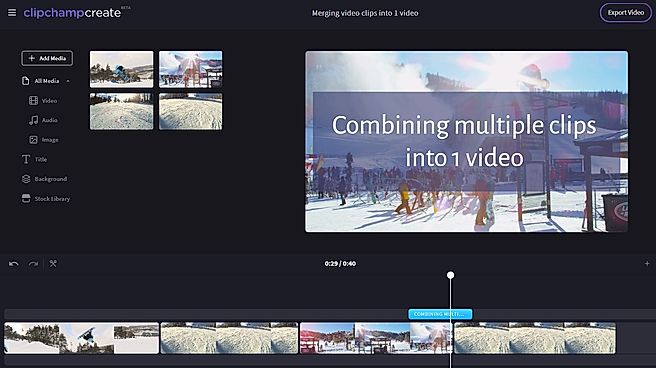
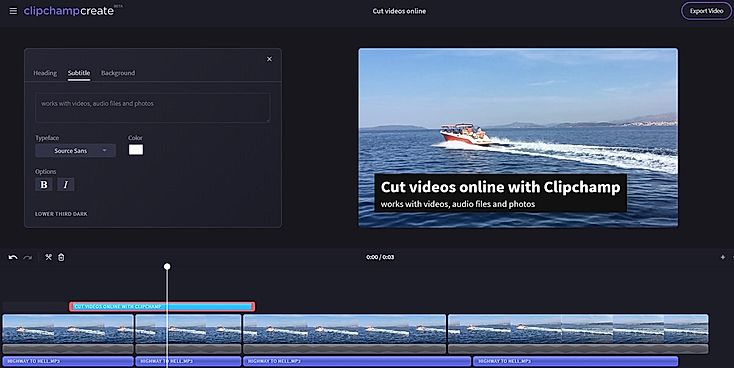
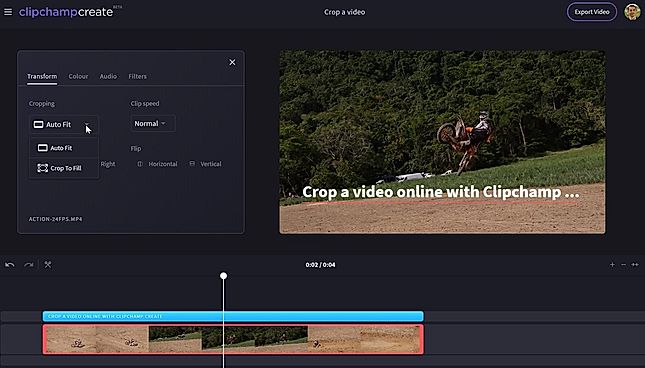
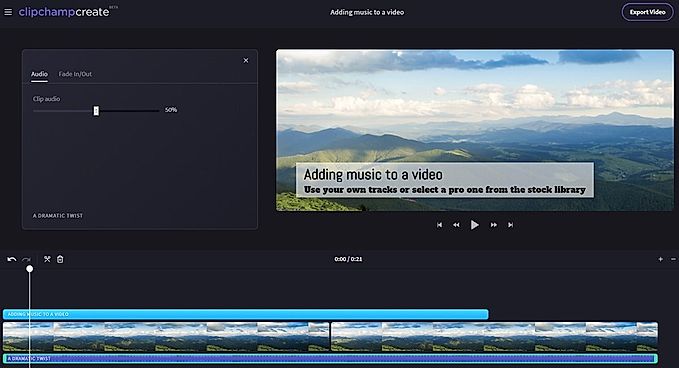
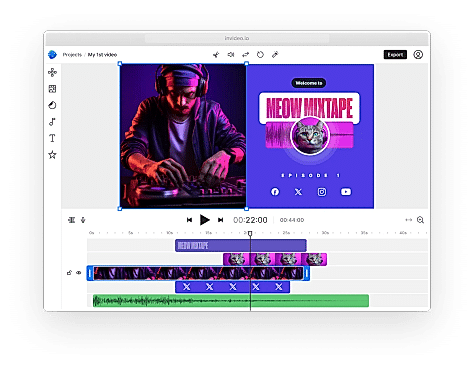
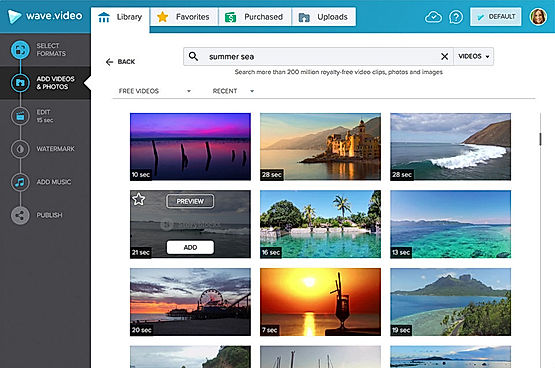
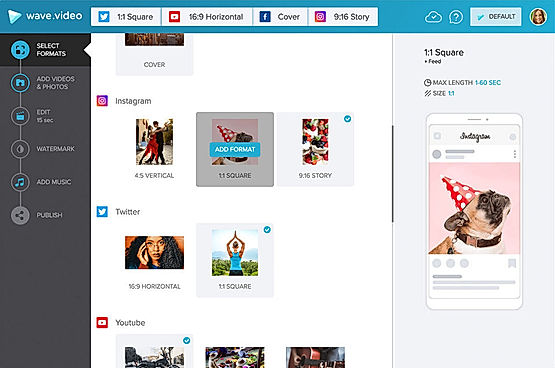
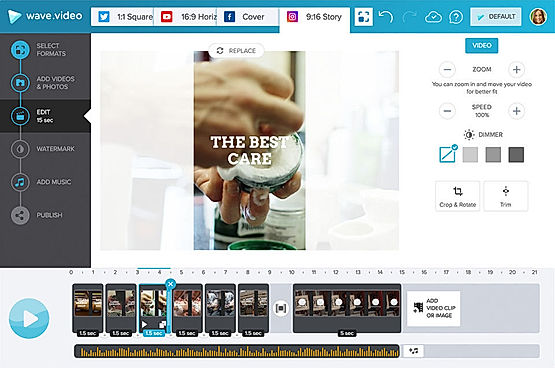
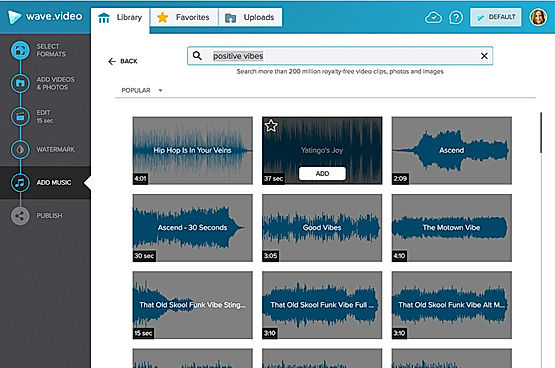
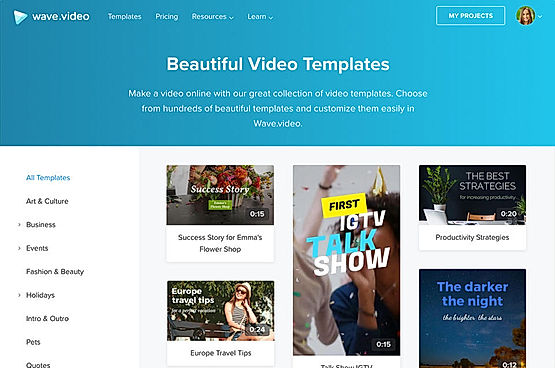
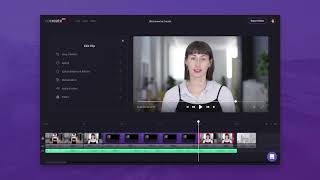
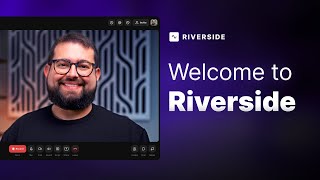
| Description | ClipChamp video editing software helps in designing your own slideshows. Users can upload not just videos, but also photos and music. Users can get access to a host of credible video editing features that can help to produce professional-grade stunning video content. Trim & cut options help to crop off the unnecessary video parts. Split & combine feature helps splitting longer videos into smaller parts, delete the unnecessary ones and then combine the important ones to give the final shape to the video. Adding still photos & audio tracks and adjusting the audio level are very much possible with the help of ClipChamp video editing software. ClipChamp features filter options too. Read more | Creating videos that captivate and engage audience shouldn’t be hard. Invideo AI is here to help and make videos quickly and easily without the herculean task of assembling documents, editing audio, or designing special effects programs. With just one thought, Invideo AI will generate a script that fits topic perfectly before creating scenes for adding voiceovers to bring it all together. Invideo AI provides an array of options designed specifically with professionals in mind. This platform works seamlessly to give the essential tools needed to make a highly effective video tailored for success. Change visuals at the drop of a hat – add and manicure clips and music quickly using our intuitive editor! Output stunning 4K videos with crystal clear audio so it looks like it was created by an experienced production team—all at a fraction of the time. Don’t let unpredictable budgets interrupt or limit creativity ever again; let Invideo AI be the driving force behind idea. So go ahead, study up on particulars of a project or get creative -invite romance into any project -let invideo take care of capturing that certain something in each video. Read more | Wave.video is an online video maker, host and editor that can be used to generate interesting and engaging clips for social media, websites, blogs and emails. At Wave.video, there are more than 200 million stock images, videos and audio clips available to choose from. Users can personalise their contents with templates, style their videos, add captions or subtitles and post them on the targeted platforms. They can also apply colour filters, insert voiceovers, add animated texts, trim the content, combine different clips and modify the aspect ratio. The available templates are divided into several categories, including Social Media, Industry, Ads and Promotions. There is also a different section for stock libraries, visual effects and graphic elements. Wave.video offers real-time integration with external platforms like Vimeo, Dropbox, Facebook, Wistia, Google Drive, Youtube, Twitter and Hubspot. Some of the vital functionalities offered by the solution are ad-free video hosting, an inspirational calendar comprising video ideas, a personalised video player, auto-generated landing pages. Read more | Riverside’s AI-powered platform lets you record, edit, repurpose, and distribute studio-quality content as easily as having a full production crew. Whether you're recording solo or with guests, achieve top-quality results every time. The platform streamlines your workflow from start to finish. Turn one recording into multiple clips with AI, stream in HD to several destinations at once, and publish directly to YouTube, Spotify, and Apple Podcasts. Riverside’s AI automatically generates a polished cut of your session, complete with transcripts and show notes. Editing is made simple with the text-based editor—just search, cut, and paste in the transcript to edit your video. Separate track recording allows you to easily remove crosstalk and change layouts. Maintain a consistent brand by adding your logo, colors, and intro/outro, then apply them with a single click. You can also generate customizable animated captions instantly, perfect for creating engaging reels and TikToks. With Riverside, you have a powerful partner to help you focus on content creation and audience growth. Read more |
| Pricing Options |
|
|
|
|
| SW Score & Breakdown |
96% SW Score The SW Score ranks the products within a particular category on a variety of parameters, to provide a definite ranking system. Read more
|
89% SW Score The SW Score ranks the products within a particular category on a variety of parameters, to provide a definite ranking system. Read more
|
92% SW Score The SW Score ranks the products within a particular category on a variety of parameters, to provide a definite ranking system. Read more
|
|
| SaaSworthy Awards | # 14 Highly Rated # 3 Fastest Growing | # 9 Highly Rated | # 10 Highly Rated # 9 Fastest Growing |
Not Available
|
| Organization Types Supported |
|
|
|
|
| Platforms Supported |
|
|
|
|
| Modes of Support |
|
|
|
|
| API Support |
|
|
|
|
| User Rating |
|
|
|
|
| Rating Distribution |
|
|
|
|
| User Sentiments |
User-Friendly Interface, No Watermark on Free Version, Extensive Free Features, Versatile Editing Capabilities Occasional Glitches and Bugs, Slow Export Times, Limited Resolution on Free Version, Inconsistent File Linking |
Ease of use, Extensive template library, High-quality video output, Responsive customer support Occasional software bugs, Limited video length, Limited stock video customization, Limited export options |
Not Available
|
Not Available
|
| Review Summary |
Users applaud Clipchamp's user-friendliness, praising its intuitive interface and ease of use, making it accessible to both beginners and professionals. Reviewers highlight the extensive library of templates and stock assets, enabling users to create polished videos without the hassle of starting from scratch. Additionally, Clipchamp's integration with cloud storage platforms like Google Drive and Dropbox is lauded for its convenience and seamless workflow. However, some users have expressed concerns regarding the limited editing capabilities and occasional glitches, suggesting that the platform might not be suitable for advanced video editing tasks. |
InVideo customer reviews highlight its user-friendly interface, extensive features, and the ability to create professional-looking videos quickly and easily. Reviewers appreciate the wide range of templates, stock footage, and music available, as well as the intuitive drag-and-drop editor. Some users mention occasional glitches and limitations in customization, but overall, InVideo is praised for its ease of use, affordability, and the quality of videos it enables users to produce. |
Based on user reviews, Wave.video is generally praised for its user-friendly interface, ease of use, and wide range of features. Many users appreciate the intuitive drag-and-drop functionality, customizable templates, and the ability to create professional-looking videos without prior experience. Additionally, the platform's extensive media library, including stock images, videos, and music, is seen as a valuable asset. However, some users have expressed concerns regarding the limited video editing capabilities, occasional glitches, and the need for more flexibility in customizing certain aspects of the videos. |
Riverside.fm receives mixed reviews, with users praising its high-quality audio and ease of use for remote podcast recording. The platform’s intuitive interface, AI-powered editing features, and integration with Spotify are frequently commended. However, users often report encountering sync issues, missing files, and technical glitches. Customer service, while sometimes helpful, is criticized for its inconsistent responses and lack of transparency. Some users mention concerns about pricing and limited features, highlighting a need for more flexible options and robust integration with other platforms. |
| Pros & Cons |
|
|
Not Available
|
Not Available
|
| Read All User Reviews | Read All User Reviews | Read All User Reviews | Read All User Reviews |
AI-Generated from the text of User Reviews
| Pricing Options |
|
|
|
|
|
Pricing Plans
Monthly Plans
Annual Plans
|
Basic Free Creator $6.00 $9.00 per month Business $13.00 $19.00 per month Business Platinum $27.00 $39.00 per month |
Free Free Plus $20.00 $25.00 per month Max $48.00 $60.00 per month Generative $96.00 $120.00 per month |
Free Free Creator $24.00 $30.00 per month Business $48.00 $60.00 per month |
Free Free Pro $24.00 $29.00 per month Live $34.00 $39.00 per month Webinar $79.00 $99.00 per month Business Custom |
|
View Detailed Pricing
|
View Detailed Pricing
|
View Detailed Pricing
|
View Detailed Pricing
|
Get personalized recommendations from our experts on call
Trusted by more than 5 Million users across the globe.
Thank you for the enquiry. One of our software analysts will contact you soon.

iMovie
ClipChamp Vs iMovie

VideoStudio Pro
ClipChamp Vs VideoStudio Pro
|

Invideo AI
InVideo Vs Invideo AI

Video Editor AI
InVideo Vs Video Editor AI

Fliki
InVideo Vs Fliki
|
|||
| Screenshots |

+ 3 More
|

+ 1 More
|
+ 4 More
|
Not Available |
| Videos |
+ 1 More
|

+ 3 More
|

+ 1 More
|
+ 1 More
|
| Company Details | Located in: Brisbane, Australia Founded in: 2013 | Located in: San Francisco, California Founded in: 2017 | Located in: Boston, Massachusetts Founded in: 2017 | Located in: Dover, DE, USA Founded in: 2019 |
| Contact Details |
Not available https://clipchamp.com/en/ |
+1 415 670 9803 https://invideo.io/ |
+1 800-928-3998 https://wave.video/ |
Not available https://riverside.com/ |
| Social Media Handles |
|
|
|
|
What are the key features of ClipChamp?
What are the key features of InVideo?
What are the alternatives to ClipChamp?
What are the alternatives to InVideo?
What are the advantages of using ClipChamp?

Looking for the right SaaS
We can help you choose the best SaaS for your specific requirements. Our in-house experts will assist you with their hand-picked recommendations.

Want more customers?
Our experts will research about your product and list it on SaaSworthy for FREE.