
 MEET CLARA - THE AI BEHIND SMARTER SOFTWARE CHOICES



NinjaOne (NinjaRMM) |
75% SW Score The SW Score ranks the products within a particular category on a variety of parameters, to provide a definite ranking system. Read more 
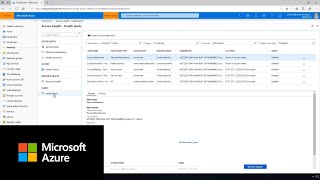
Azure Service Health
View Details
|
Featured
73% SW Score The SW Score ranks the products within a particular category on a variety of parameters, to provide a definite ranking system. Read more 
SuperOps RMM |
| Description | Azure Monitor helps you maximize the performance and availability of your applications and proactively identify problems in seconds. Store and analyze all your operational telemetry in a centralized, fully managed, scalable data store that’s optimized for performance and cost. Analyze and optimize the performance of your infrastructure, including virtual machines (VMs), Azure Kubernetes Service (AKS), Azure Storage, and databases. Monitor and diagnose networking issues without logging into your virtual machines. Read more | Azure Service Health notifies you about Azure service incidents and planned maintenance so you can take action to mitigate downtime. Review active incidents, planned maintenance, and health advisories in a personalized dashboard for service health based on your Azure subscriptions, services, and regions. Configure customizable alerts to notify you of service incidents, planned maintenance, and health advisories. Receive alerts via your preferred channels, including email, SMS, push notification, webhook, and popular IT service management tools such as ServiceNow. Read more | SuperOps RMM is the perfect monitoring tool for IT environments, empowering professionals to stay in-the-know and take control of their client’s assets. With the automatic scanning feature provided by the discovery agent, users can easily monitor inventory across clients. This includes tracking custom fields to ensure all asset details, history, files, documents, and associated tickets are up-to-date. Designed to facilitate collaboration and automation, SuperOps RMM allows users to create customized tasks with real-time alerts and notifications on incidents. With spammable workflows, users can save time while still ensuring their clients’ assets are secure and up-to-date. Whether its a small or medium-scale business, SuperOps RMM is the perfect fit for monitoring IT environment and helping to ensure optimal results. Enjoy the convenience of easy tracking and collaboration, as well as the peace-of-mind that comes with real-time alerts and secure asset management. Make the most of IT environment with SuperOps RMM. Read more |
| Pricing Options |
|
|
|
| SW Score & Breakdown |
|
75% SW Score The SW Score ranks the products within a particular category on a variety of parameters, to provide a definite ranking system. Read more
|
73% SW Score The SW Score ranks the products within a particular category on a variety of parameters, to provide a definite ranking system. Read more
|
| Organization Types Supported |
|
|
|
| Platforms Supported |
|
|
|
| Modes of Support |
|
|
|
| API Support |
|
|
|
| User Rating |
|
|
|
| Rating Distribution |
|
|
|
| User Sentiments |
Centralized Monitoring, Log Management, Real-time Insights, Customizable Dashboards Complex UI/UX, Limited Third-party Integrations, Occasional Performance Issues, Alert Configuration Challenges |
Not Available
|
Not Available
|
| Review Summary |
Azure Monitor is a powerful tool for monitoring Azure resources, offering real-time visibility and insights into performance, availability, and security. Users praise its ability to centralize logs, provide detailed metrics, and integrate seamlessly with other Azure services. However, some users report challenges with complexity, specifically for those less familiar with Azure, and highlight the need for more robust non-Azure resource monitoring support. The UI can be complex despite its user-friendly nature, and cost considerations can be a factor, particularly for high-volume logging needs. |
Not Available
|
Not Available
|
| Pros & Cons |
|
|
Not Available
|
| Read All User Reviews | Read All User Reviews | Read All User Reviews |
AI-Generated from the text of User Reviews
| Pricing Options |
|
|
|
|
Pricing Plans
Monthly Plans
Annual Plans
|
Azure Monitor Others |
Azure Service Health Custom |
Standard $79.00 $89.00 per user / month Pro $99.00 $119.00 per user / month Super $129.00 $149.00 per user / month |
|
View Detailed Pricing
|
View Detailed Pricing
|
View Detailed Pricing
|
Get personalized recommendations from our experts on call
Trusted by more than 5 Million users across the globe.
Thank you for the enquiry. One of our software analysts will contact you soon.

Dynatrace
Azure Monitor Vs Dynatrace

Azure Cloud Services
|

Azure Network Watcher
Azure Service Health Vs Azure Network Watcher

vRealize Network Insight
Azure Service Health Vs vRealize Network Insight
|
||
|
View All Azure Monitor Alternatives
|
View All Azure Service Health Alternatives
|
| Screenshots |

+ 3 More
|

|
Not Available |
| Videos |

+ 2 More
|
|
Not Available |
| Company Details | Located in: Redmond, Washington | Located in: Redmond, Washington | Located in: Claymont, Delaware Founded in: 2020 |
| Contact Details |
Not available https://azure.microsoft.com/en-us/services/monitor/ |
Not available https://azure.microsoft.com/en-us/features/service-health/ |
+1 628-270-9924 https://superops.ai/rmm |
| Social Media Handles |
|
Not available |
Not available |
What are the key differences between Azure Monitor and Azure Service Health?
What are the alternatives to Azure Monitor?
What are the alternatives to Azure Service Health?
Which product is better for monitoring the health of Azure services?
Can Azure Monitor be integrated with other SaaS products?
SaaSworthy may receive compensation from some vendors featured on this page. This does not influence our editorial evaluation or ratings. [email protected]

Looking for the right SaaS
We can help you choose the best SaaS for your specific requirements. Our in-house experts will assist you with their hand-picked recommendations.

Want more customers?
Our experts will research about your product and list it on SaaSworthy for FREE.


