|
87% SW Score The SW Score ranks the products within a particular category on a variety of parameters, to provide a definite ranking system. Read more 
View Details
|
95% SW Score The SW Score ranks the products within a particular category on a variety of parameters, to provide a definite ranking system. Read more 
View Details
|
Featured
98% SW Score The SW Score ranks the products within a particular category on a variety of parameters, to provide a definite ranking system. Read more 
|
Featured
73% SW Score The SW Score ranks the products within a particular category on a variety of parameters, to provide a definite ranking system. Read more 
SuperOps RMM |
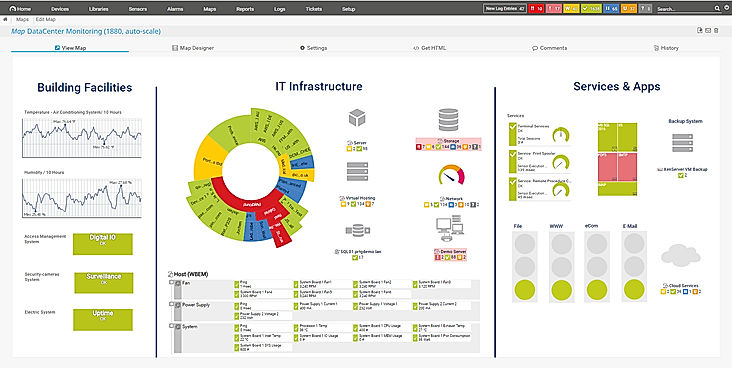
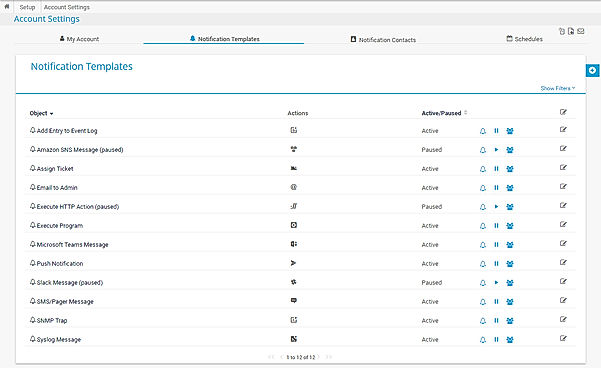
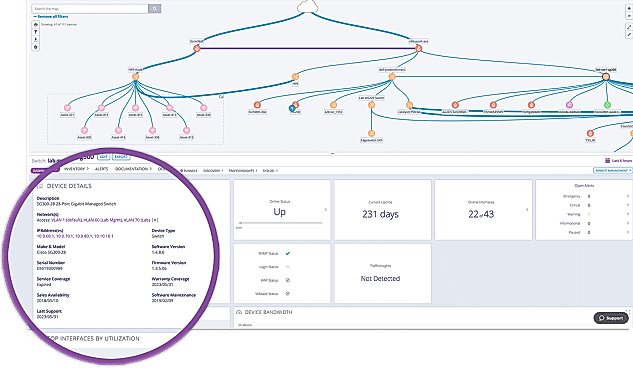
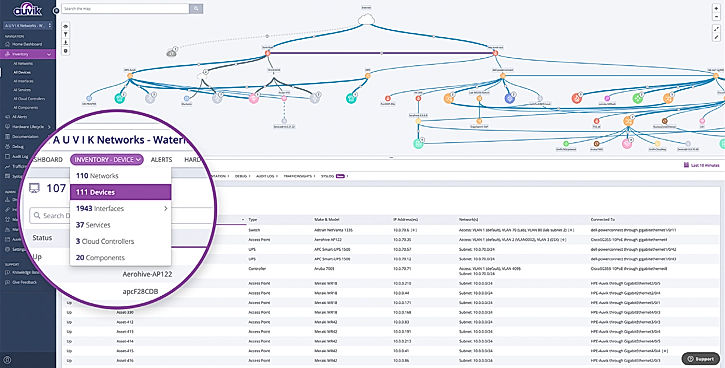
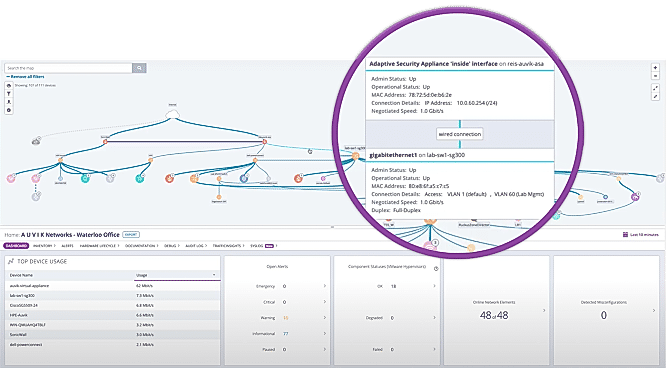
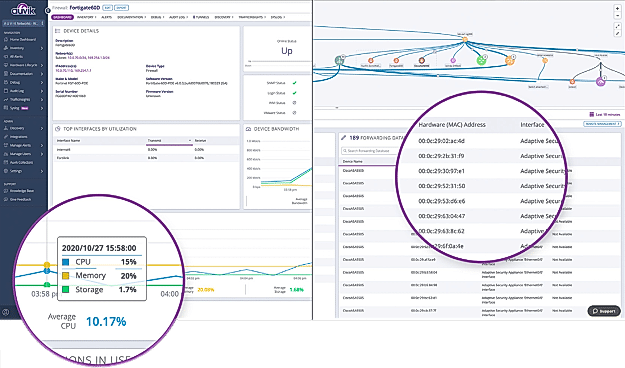
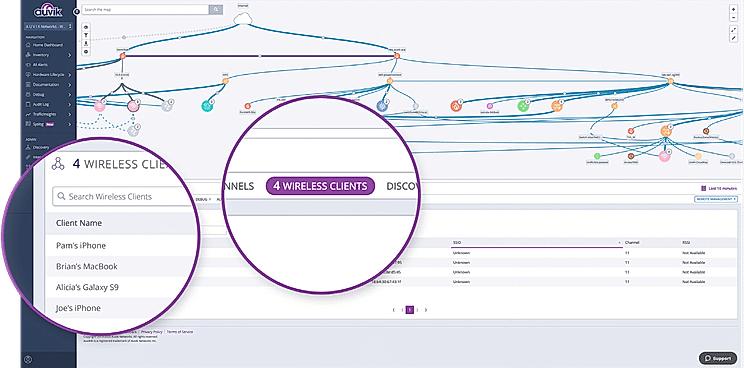
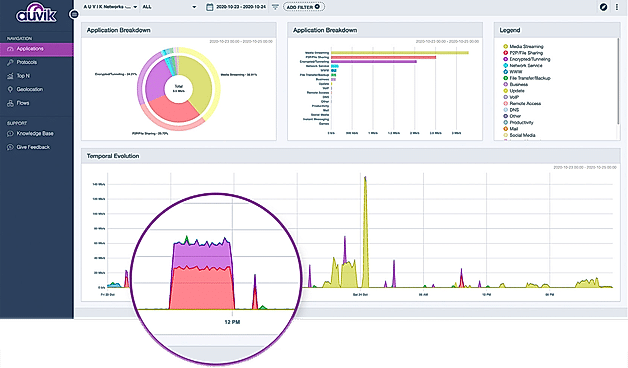
| Description | Observium is a network monitoring and management software and it can be run on a multiple platform/device/operating system.It offers a robust yet user-friendly interface to check the health and performance of your network.It helps in resource management, server monitoring, SLA monitoring, uptime monitoring and bandwidth monitoring.This is an auto-discovering low-maintenance network monitoring platform.The software enhances visibility of your network infrastructure, allows, 3rd party software integration, supports long term network metric collection and enables users to proactively troubleshoot potential threats. Observium features traffic accounting, threshold alerting system etc. Read more | PRTG Network Monitor is a comprehensive network monitoring software that helps organisations keep their systems, devices, traffic and applications free from any troubles. The software provides powerful and easy-to-use solutions to businesses of all sizes. In an organisation’s network, it focuses on the bandwidth, database, running applications, cloud storage, server, LAN and Simple Network Management Protocol, ensuring seamless operations. PRTG Network Monitor integrates with pre-existing components of users’ network and analyses live status information to provide the best solutions. The software is customisable and its functionalities can be extended for using HTTP API and custom sensors. PRTG Network Monitor is an AI-based platform that automatically solves cluster failover solutions avoiding any delay. The software can monitor several networks in different locations and within the organisation with PRTG Remote Probes. It provides in-depth reports based on live and historical data monitoring, enabling users to take the right action at the right time. Read more | Auvik is cloud-based network management software. Complete your network picture with automated network discovery, inventory, and documentation that updates in real-time as the network evolves. Respond to network issues in real-time and dive deep into problems with Syslog so your users are always connected to the business-critical resources they need to do their job. Quickly see the big network picture, narrow down possible devices to investigate, and zoom in to get the info you need. Remotely connect network devices in Auvik’s inventory and troubleshoot issues without ever leaving your desk. Read more | SuperOps RMM is the perfect monitoring tool for IT environments, empowering professionals to stay in-the-know and take control of their client’s assets. With the automatic scanning feature provided by the discovery agent, users can easily monitor inventory across clients. This includes tracking custom fields to ensure all asset details, history, files, documents, and associated tickets are up-to-date. Designed to facilitate collaboration and automation, SuperOps RMM allows users to create customized tasks with real-time alerts and notifications on incidents. With spammable workflows, users can save time while still ensuring their clients’ assets are secure and up-to-date. Whether its a small or medium-scale business, SuperOps RMM is the perfect fit for monitoring IT environment and helping to ensure optimal results. Enjoy the convenience of easy tracking and collaboration, as well as the peace-of-mind that comes with real-time alerts and secure asset management. Make the most of IT environment with SuperOps RMM. Read more |
| Pricing Options |
|
|
|
|
| SW Score & Breakdown |
87% SW Score The SW Score ranks the products within a particular category on a variety of parameters, to provide a definite ranking system. Read more
|
95% SW Score The SW Score ranks the products within a particular category on a variety of parameters, to provide a definite ranking system. Read more
|
98% SW Score The SW Score ranks the products within a particular category on a variety of parameters, to provide a definite ranking system. Read more
|
73% SW Score The SW Score ranks the products within a particular category on a variety of parameters, to provide a definite ranking system. Read more
|
| Organization Types Supported |
|
|
|
|
| Platforms Supported |
|
|
|
|
| Modes of Support |
|
|
|
|
| API Support |
|
|
|
|
| User Rating |
|
|
|
|
| Rating Distribution |
|
|
|
|
| User Sentiments |
Not Available
|
Ease of Use, Comprehensive Monitoring Capabilities, Extensive Customizability, Effective Alerting System Limited Linux Support, Occasional Performance Issues, Steep Learning Curve, Sensor-Based Pricing Model |
Easy to Use Interface, Automatic Network Mapping, Comprehensive Network Monitoring, Extensive Integrations Network Map Issues, High Pricing, Alert Configuration Challenges, Limited Server Resource Monitoring |
Not Available
|
| Review Summary |
Not Available
|
PRTG Network Monitor garners praise for its comprehensive monitoring capabilities, customizable alerts, and user-friendly interface. Reviewers appreciate its ability to monitor various aspects of IT infrastructure, including network performance, server uptime, and application availability. They also highlight the customizable dashboards and reporting features that enable tailored monitoring and analysis. However, some users mention occasional performance issues and a learning curve associated with setting up complex monitoring scenarios. Overall, PRTG Network Monitor is well-received for its robust monitoring features and customization options, making it a reliable choice for IT professionals seeking a comprehensive monitoring solution. |
Users praise Auvik for its user-friendly interface, powerful network monitoring capabilities, and excellent customer support. They appreciate its ability to provide comprehensive visibility into network performance, identify and troubleshoot issues quickly, and generate detailed reports for analysis. Additionally, users highlight Auvik's scalability, flexibility, and compatibility with various devices and platforms. However, some users mention occasional glitches and performance issues, particularly when dealing with large networks. Overall, Auvik is highly regarded for its ease of use, powerful features, and exceptional customer support. |
Not Available
|
| Pros & Cons |
Not Available
|
|
Not Available
|
Not Available
|
| Read All User Reviews | Read All User Reviews | Read All User Reviews | Read All User Reviews |
AI-Generated from the text of User Reviews
| Pricing Options |
|
|
|
|
|
Pricing Plans
Monthly Plans
Annual Plans
|
Community Free Professional Others Enterprise Others |
PRTG 500 $1,750.00 $1,750.00 PRTG 1000 $3,200.00 $3,200.00 PRTG 2500 $6,500.00 $6,500.00 PRTG 5000 $11,500.00 $11,500.00 PRTG XL1 $15,500.00 $15,500.00 PRTG Enterprise Custom |
Essentials Custom Performance Custom |
Standard $79.00 $89.00 per user / month Pro $99.00 $119.00 per user / month Super $129.00 $149.00 per user / month |
|
View Detailed Pricing
|
View Detailed Pricing
|
View Detailed Pricing
|
View Detailed Pricing
|
Get personalized recommendations from our experts on call
Trusted by more than 5 Million users across the globe.
Thank you for the enquiry. One of our software analysts will contact you soon.

Zabbix
Observium Vs Zabbix

SolarWinds ipMonitor
Observium Vs SolarWinds ipMonitor

Nagios XI
Observium Vs Nagios XI

SolarWinds Network Performance Monitor
Observium Vs SolarWinds Network Performance Monitor
|
Zabbix
PRTG Network Monitor Vs Zabbix

Wireshark
PRTG Network Monitor Vs Wireshark

ManageEngine OpManager
PRTG Network Monitor Vs ManageEngine OpManager
Nagios XI
PRTG Network Monitor Vs Nagios XI

OP5 Monitor
PRTG Network Monitor Vs OP5 Monitor
|
|||
|
View All PRTG Network Monitor Alternatives
|
| Screenshots |

+ 3 More
|
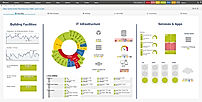
+ 1 More
|
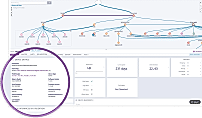
+ 5 More
|
Not Available |
| Videos | Not Available |
+ 2 More
|

|
Not Available |
| Company Details | Located in: United Kingdom | Located in: Nuremberg, Germany Founded in: 1997 | Located in: Waterloo, Canada Founded in: 2011 | Located in: Claymont, Delaware Founded in: 2020 |
| Contact Details |
Not available https://www.observium.org/ |
+49 911 93775-0 https://www.paessler.com/prtg |
1-226-214-0841 https://www.auvik.com/ |
+1 628-270-9924 https://superops.ai/rmm |
| Social Media Handles |
|
|
|
Not available |
What are the key differences between Observium and PRTG Network Monitor?
What are the alternative products to Observium?
Which product is better for monitoring network infrastructure?
How do the real-time monitoring capabilities of these products compare?
Can I integrate Observium with other SaaS products?
SaaSworthy may receive compensation from some vendors featured on this page. This does not influence our editorial evaluation or ratings. [email protected]

Looking for the right SaaS
We can help you choose the best SaaS for your specific requirements. Our in-house experts will assist you with their hand-picked recommendations.

Want more customers?
Our experts will research about your product and list it on SaaSworthy for FREE.