MEET CLARA - THE AI BEHIND SMARTER SOFTWARE CHOICES



Atera |
94% SW Score The SW Score ranks the products within a particular category on a variety of parameters, to provide a definite ranking system. Read more 
|
76% SW Score The SW Score ranks the products within a particular category on a variety of parameters, to provide a definite ranking system. Read more 
View Details
|
Featured
72% SW Score The SW Score ranks the products within a particular category on a variety of parameters, to provide a definite ranking system. Read more 
SuperOps RMM |
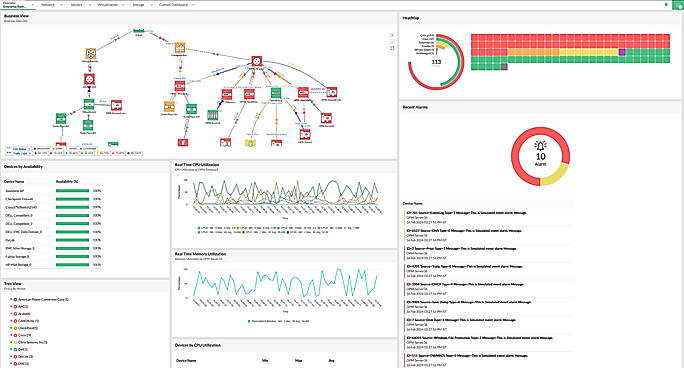
| Description | ManageEngine OpManager is an integrated on-premise network monitoring software with in-built, AI-powered monitoring. OpManager provides real-time network visibility and facilitates rapid IT response workflows with alerts, reports, automation, and integrations. OpManager also incorporates a range of add-ons and plugins to elicit traffic analysis, configuration management, firewall policy analysis, IPAM, and application performance monitoring. Read more | Spectrum is an online-based Network Monitoring Software. Switch to the AWS Region in which your service (server instance, in case of EC2) has been initiated. Create a new product on Spectrum and enter your AWS IAM User credentials with full CloudWatch access. Create an SNS Topic (give it any name) and create a HTTPS Subscription to our magic URL. Configure your CloudWatch alarm to send a Notification to this AWS Topic on Alarm and OK state. Read more | SuperOps RMM is the perfect monitoring tool for IT environments, empowering professionals to stay in-the-know and take control of their client’s assets. With the automatic scanning feature provided by the discovery agent, users can easily monitor inventory across clients. This includes tracking custom fields to ensure all asset details, history, files, documents, and associated tickets are up-to-date. Designed to facilitate collaboration and automation, SuperOps RMM allows users to create customized tasks with real-time alerts and notifications on incidents. With spammable workflows, users can save time while still ensuring their clients’ assets are secure and up-to-date. Whether its a small or medium-scale business, SuperOps RMM is the perfect fit for monitoring IT environment and helping to ensure optimal results. Enjoy the convenience of easy tracking and collaboration, as well as the peace-of-mind that comes with real-time alerts and secure asset management. Make the most of IT environment with SuperOps RMM. Read more |
| Pricing Options |
|
|
|
| SW Score & Breakdown |
94% SW Score The SW Score ranks the products within a particular category on a variety of parameters, to provide a definite ranking system. Read more
|
76% SW Score The SW Score ranks the products within a particular category on a variety of parameters, to provide a definite ranking system. Read more
|
72% SW Score The SW Score ranks the products within a particular category on a variety of parameters, to provide a definite ranking system. Read more
|
| Organization Types Supported |
|
|
|
| Platforms Supported |
|
|
|
| Modes of Support |
|
|
|
| API Support |
|
|
|
| User Rating |
|
|
Not Available
|
| Rating Distribution |
|
|
Not Available
|
| User Sentiments |
Comprehensive Monitoring Capabilities, Real-time Monitoring, User-Friendly Interface, Customizable Dashboards Complex Initial Setup, Occasional Update Issues, Limited Third-party Integrations, Steep Learning Curve |
Not Available
|
Not Available
|
| Review Summary |
Users praise ManageEngine OpManager's comprehensive monitoring capabilities, ease of use and customization options. They appreciate the detailed insights and reports generated by the tool. The ability to monitor various IT infrastructure components and applications is also a plus. However, some reviewers mention occasional performance issues and suggest improvements in the user interface for better navigation. Overall, ManageEngine OpManager is well-received for its monitoring prowess, user-friendly interface, and customization options, making it a popular choice among IT professionals. |
Not Available
|
Not Available
|
| Read All User Reviews | Read All User Reviews |
AI-Generated from the text of User Reviews
| Pricing Options |
|
|
|
|
Pricing Plans
Monthly Plans
Annual Plans
|
Standard Edition Others Professional Edition Others Enterprise Edition Others |
Spectrum Custom |
Standard $79.00 $89.00 per user / month Pro $99.00 $119.00 per user / month Super $129.00 $149.00 per user / month |
|
View Detailed Pricing
|
View Detailed Pricing
|
View Detailed Pricing
|
Get personalized recommendations from our experts on call
Trusted by more than 5 Million users across the globe.
Thank you for the enquiry. One of our software analysts will contact you soon.
|
|
|||
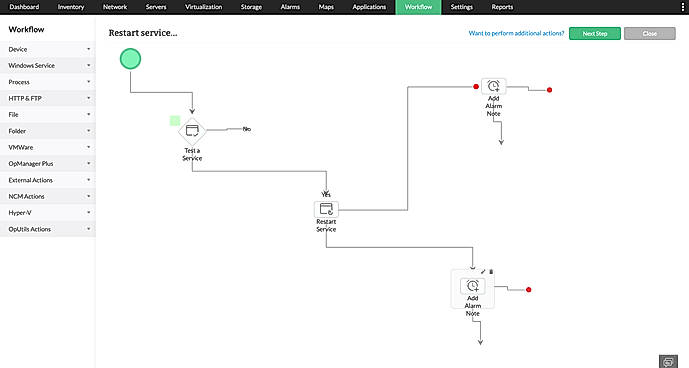
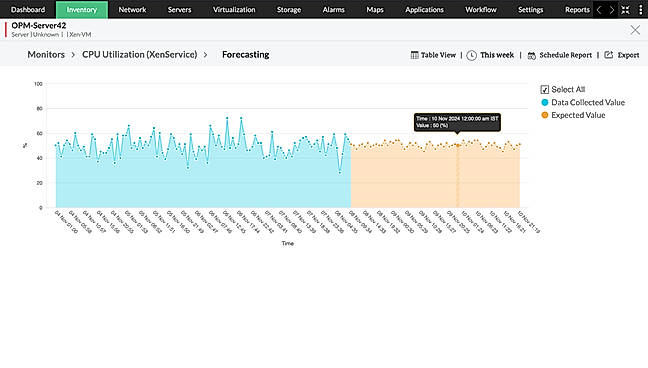
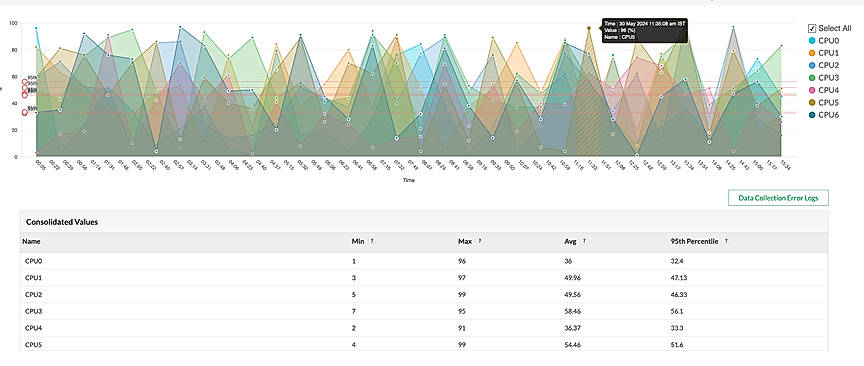
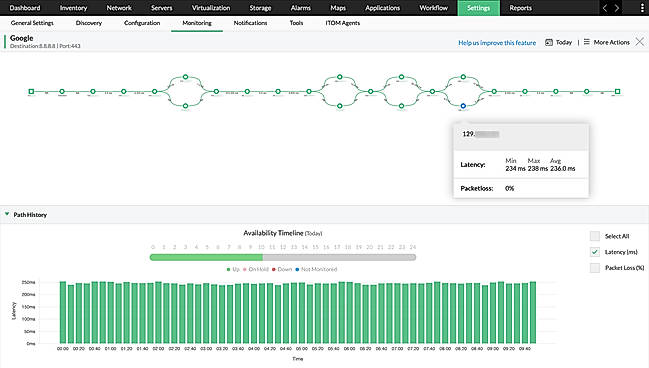
| Screenshots |
+ 5 More
|

|
Not Available |
| Videos |

+ 1 More
|
Not Available | Not Available |
| Company Details | Located in: Pleasanton, CA |
Not available |
Located in: Claymont, Delaware Founded in: 2020 |
| Contact Details |
+1-888-720-9500 |
Not available |
+1 628-270-9924 |
| Social Media Handles |
|
|
Not available |

Looking for the right SaaS
We can help you choose the best SaaS for your specific requirements. Our in-house experts will assist you with their hand-picked recommendations.

Want more customers?
Our experts will research about your product and list it on SaaSworthy for FREE.