MEET CLARA - THE AI BEHIND SMARTER SOFTWARE CHOICES


|
80% SW Score The SW Score ranks the products within a particular category on a variety of parameters, to provide a definite ranking system. Read more 
View Details
|
97% SW Score The SW Score ranks the products within a particular category on a variety of parameters, to provide a definite ranking system. Read more 
View Details
|
Featured
98% SW Score The SW Score ranks the products within a particular category on a variety of parameters, to provide a definite ranking system. Read more 
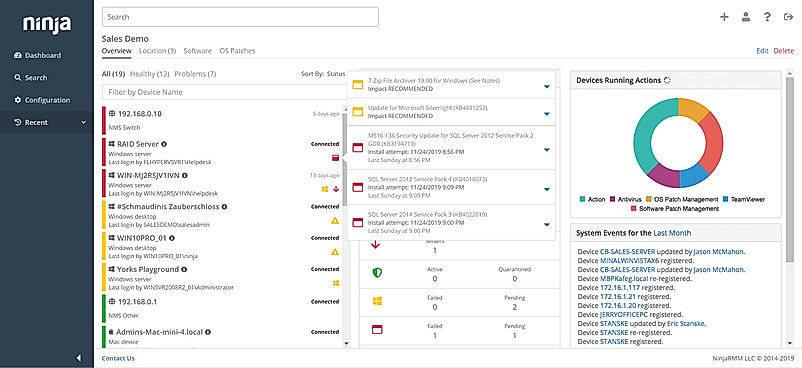
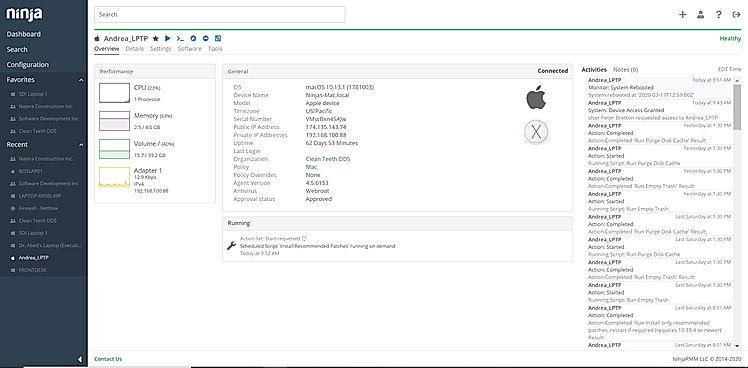
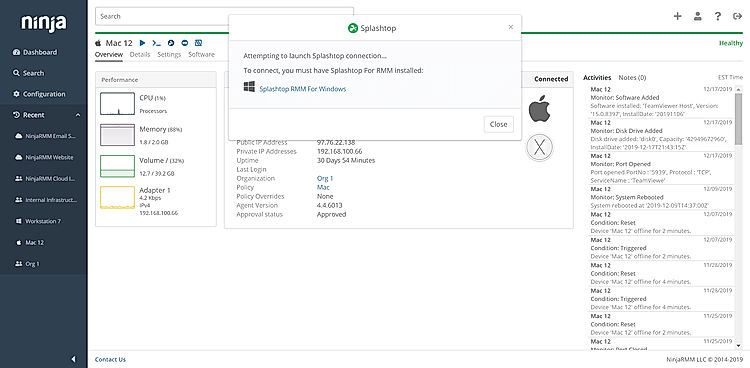
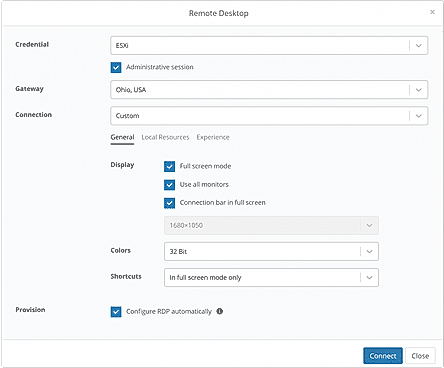
NinjaOne (NinjaRMM) |
Featured
74% SW Score The SW Score ranks the products within a particular category on a variety of parameters, to provide a definite ranking system. Read more 
SuperOps RMM |
| Description | ManageEngine Desktop Central is a mobile device and desktop management software that helps organizations in monitoring servers, desktops, laptops and mobiles from a central location. The software automates patch deployment related to OS and other third-party applications to shield security threats. It simplifies distribution so that users can install and uninstall software with built-in templates for package creation. Users can troubleshoot remote desktops and multi-user collaboration, file transfer, video recording and more. They also get to manage IT assets, software metering, prohibited software, software license with the same. To provide complete desktop management, ManageEngine Desktop Central offers 50+ predefined configurations including Power Management, Security Policies, USB Device Management, and more. Users can scan and detect missing service packs in their OS and apps besides automating deployment to stay up-to-date. It also includes 100+ unique reports that provide a quick and complete insight into the Active Directory infrastructure. Users can also define roles with the selective privilege to employees for effective management. Read more | IBM Maas360 is a mobile device management tool for enterprises, following business patterns like BYOD, CYOD or a corporate-liable environment. The software helps with the containerization of mission-critical resources, security threat prevention facilities, behavioral analysis and risk insights. Additionally, users can get the solution to offer protection against potential threats, which might impact the security features of the enrolled devices. Updated risk scores for enrolled users, facilitate appropriate safety in real-time. Active partnership with Wandera lets users, avail protection against man in the middle, phishing, crypto-jacking and other relevant threats. IBM Maas360 runs timely health checkups in detail, showcasing the current security state besides delivering custom recommendations for future planning and improvements. Further, users can adopt top graded services available with the particular, to build a UEM foundation besides making plans for the growth of tablet, kiosk, and mobile phone inventory. They can also ensure proper protection of user privacy and corporate data by optimizing metrics like mobile threat defense, operational excellence and AI insights. Read more | NinjaOne automates the hardest parts of IT, delivering visibility, security, and control over all endpoints for more than 20,000 customers. The NinjaOne platform increases productivity while reducing risk and IT costs. Organizations use NinjaOne, including its wide range of IT and security integrations, for use cases such as endpoint management, patch management, mobile device management, software deployment, remote access, endpoint backup, and more. Read more | SuperOps RMM is the perfect monitoring tool for IT environments, empowering professionals to stay in-the-know and take control of their client’s assets. With the automatic scanning feature provided by the discovery agent, users can easily monitor inventory across clients. This includes tracking custom fields to ensure all asset details, history, files, documents, and associated tickets are up-to-date. Designed to facilitate collaboration and automation, SuperOps RMM allows users to create customized tasks with real-time alerts and notifications on incidents. With spammable workflows, users can save time while still ensuring their clients’ assets are secure and up-to-date. Whether its a small or medium-scale business, SuperOps RMM is the perfect fit for monitoring IT environment and helping to ensure optimal results. Enjoy the convenience of easy tracking and collaboration, as well as the peace-of-mind that comes with real-time alerts and secure asset management. Make the most of IT environment with SuperOps RMM. Read more |
| Pricing Options |
|
|
|
|
| SW Score & Breakdown |
80% SW Score The SW Score ranks the products within a particular category on a variety of parameters, to provide a definite ranking system. Read more
|
97% SW Score The SW Score ranks the products within a particular category on a variety of parameters, to provide a definite ranking system. Read more
|
98% SW Score The SW Score ranks the products within a particular category on a variety of parameters, to provide a definite ranking system. Read more
|
74% SW Score The SW Score ranks the products within a particular category on a variety of parameters, to provide a definite ranking system. Read more
|
| Organization Types Supported |
|
|
|
|
| Platforms Supported |
|
|
|
|
| Modes of Support |
|
|
|
|
| API Support |
|
|
|
|
| User Rating |
|
|
|
|
| Rating Distribution |
|
|
|
|
| User Sentiments |
Not Available
|
Not Available
|
Ease of Use, Fast and Reliable Remote Access, Comprehensive Patch Management, Excellent Customer Support Limited Third-Party Software Patching Support, Limited MacOS Support, Inadequate Reporting Functionality, Occasional Software Bugs |
Not Available
|
| Review Summary |
Not Available
|
Not Available
|
The general consensus among reviewers is that NinjaRMM is a comprehensive and powerful RMM tool that offers a wide range of features to help MSPs streamline their operations. It is praised for its user-friendly interface, customizable dashboards, and robust reporting capabilities. However, some users have expressed concerns about the occasional occurrence of bugs and glitches, as well as the need for improved documentation and customer support. Overall, NinjaRMM is a solid choice for MSPs seeking a feature-rich and reliable RMM solution, though there is room for improvement in terms of stability and support. |
Not Available
|
| Read All User Reviews | Read All User Reviews | Read All User Reviews | Read All User Reviews |
AI-Generated from the text of User Reviews
| Pricing Options |
|
|
|
|
|
Pricing Plans
Monthly Plans
Annual Plans
|
Free Free Professional $795.00 $795.00 per year Enterprise $945.00 $945.00 per year UEM $1,095.00 $1,095.00 per year |
Essentials $8.00 $8.00 per user / month Deluxe $10.00 $10.00 per user / month Premier - Recommended bundle $12.50 $12.50 per user / month Enterprise $18.00 $18.00 per user / month |
NinjaOne Custom |
Standard $79.00 $89.00 per user / month Pro $99.00 $119.00 per user / month Super $129.00 $149.00 per user / month |
|
View Detailed Pricing
|
View Detailed Pricing
|
View Detailed Pricing
|
View Detailed Pricing
|
Get personalized recommendations from our experts on call
Trusted by more than 5 Million users across the globe.
Thank you for the enquiry. One of our software analysts will contact you soon.
|
|
||||
| Screenshots |

+ 6 More
|

+ 1 More
|
+ 3 More
|
Not Available |
| Videos |

+ 3 More
|
Not Available |

+ 4 More
|
Not Available |
| Company Details | Located in: Pleasanton, California | Located in: New York, New York | Located in: Austin, TX | Located in: Claymont, Delaware Founded in: 2020 |
| Contact Details |
+1-888-720-9500 https://www.manageengine.com/products/desktop-central/ |
+1 800-426-4968 https://www.ibm.com/products/maas360 |
+1 888 542-8339 https://www.ninjaone.com/ |
+1 628-270-9924 https://superops.ai/rmm |
| Social Media Handles |
|
|
|
Not available |

Looking for the right SaaS
We can help you choose the best SaaS for your specific requirements. Our in-house experts will assist you with their hand-picked recommendations.

Want more customers?
Our experts will research about your product and list it on SaaSworthy for FREE.