
 MEET CLARA - THE AI BEHIND SMARTER SOFTWARE CHOICES


|
73% SW Score The SW Score ranks the products within a particular category on a variety of parameters, to provide a definite ranking system. Read more 
View Details
|
78% SW Score The SW Score ranks the products within a particular category on a variety of parameters, to provide a definite ranking system. Read more 
View Details
|
Featured
98% SW Score The SW Score ranks the products within a particular category on a variety of parameters, to provide a definite ranking system. Read more 
signNow |
Featured
94% SW Score The SW Score ranks the products within a particular category on a variety of parameters, to provide a definite ranking system. Read more 
Foxit Reader |
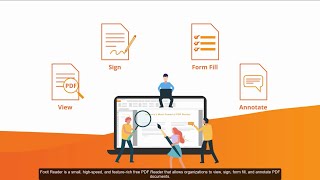
| Description | Adobe Acrobat DC is the most trusted software for viewing, signing, sharing, annotating and printing PDF files. It is the only software that can be used to easily operate and interact with all types of content, forms and multimedia files. Further, Adobe Acrobat DC allows users or client companies to make their PDFs as useful as possible. For starters, PDFs made using Adobe Acrobat DC are accessible from all sorts of devices and seldom come up with accessibility issues. The action wizard from Adobe allows users to incorporate customised actions in PDFs saving time and master keystrokes. Further, Adobe Acrobat DC makes it excessively convenient to convert these PDFs into versions that comply with the standards of the ISO. These includePDF/X, PDF/An and PDF/E versions respectively. Adobe Acrobat DC has a huge set of tools that have been incorporated to enhance the utility of PDF files. The tools also enable converting these files into Word documents, jpg and spreadsheets. Read more | pdfDocs is a project-centric PDF management application that can be used to generate, collate, edit, annotate, redact and secure content within a PDF in real-time. Users can also save, email and print documents from within the unique Organiser workspace besides merging documents within a document monitoring system. pdfDocs can also be used to generate electronic PDF binders. It automates the process of assembling and converting vast amounts of documents into single or multi-PDF files. This can be finally distributed to clients or third parties quickly and securely. Furthermore, users can set up organiser workspaces for specific cases, matters or projects complete with output and security settings that can be shared on a network drive. Users can make changes to the PDF documents quickly and easily with no conversion to Word. Markup tools provided by the same enable individuals to create clear and consistent lines when put to screen. Furthermore, real-time integrations with external systems like iManage, NetDocuments, Office 365 and SharePoint are of great help. Read more | airslate signNow is an innovative electronic signature software that facilitates the easy signing of digital documents along with their editing, storing, and sharing. It assists the users in adding online e-signatures to their documents and helps them in building online fillable templates. With signNow, users just have to upload their documents online and add the person from whom they want the e-signatures and the desired place of sign and hit send, and voila, the work is done. It ensures complete security and safety while sharing and receiving the documents. The software does not require registration of the receiver and users can add multiple signers while mailing out the document. Users can also set reminders and track their progress all while getting bank-level security with signNow. It is a very easy-to-use, fully-featured, and cost-effective solution that can integrate with many other platforms like Google Apps for Work, Salesforce, Office 365, and SharePoint. It provides flexibility to the users that can be used to leverage the power and usability of signNow. Users get a free trial, a freemium version, 24/7 live assistance, and a variety of premium plans to choose from with this software. Read more | Foxit Reader is the industry’s most powerful pdf reader. When teams collaborate and share information, they work at their best. Foxit PDF Reader links knowledge workers together to increase flexibility and results. JAWS (Job Access With Speech) compatibility allowing blind and visually impaired users to read the screen either with a text-to-speech output or by a refreshable Braille. Leverage existing forms and workflow with standard PDF (Acro forms) and XFA (XML Form Architecture) form filling. Read more |
| Pricing Options |
|
|
|
|
| SW Score & Breakdown |
73% SW Score The SW Score ranks the products within a particular category on a variety of parameters, to provide a definite ranking system. Read more
|
78% SW Score The SW Score ranks the products within a particular category on a variety of parameters, to provide a definite ranking system. Read more
|
98% SW Score The SW Score ranks the products within a particular category on a variety of parameters, to provide a definite ranking system. Read more
|
94% SW Score The SW Score ranks the products within a particular category on a variety of parameters, to provide a definite ranking system. Read more
|
| SaaSworthy Awards |
Not Available
|
Not Available
|
# 2 Most Worthy # 1 Highly Rated |
Not Available
|
| Organization Types Supported |
|
|
|
|
| Platforms Supported |
|
|
|
|
| Modes of Support |
|
|
|
|
| API Support |
|
|
|
|
| User Rating |
Not Available
|
Not Available
|
|
|
| Rating Distribution |
Not Available
|
Not Available
|
|
|
| User Sentiments |
Ease of Use, PDF Editing Capabilities, Security Features, Document Conversion Subscription Cost, Occasional Software Glitches, Complex UI for Advanced Features, Occasional Font Issues |
Not Available
|
Ease of Use, Affordable Pricing, Mobile Functionality, Extensive Integrations Document Editing Limitations, Occasional Technical Issues, Confusing Mobile App Experience, Inconsistent Email Notifications |
Not Available
|
| Review Summary |
Adobe Acrobat DC users praise its wide range of features for creating, editing, and converting PDF documents, highlighting its user-friendly interface and seamless integration with other Adobe products. Many reviewers appreciate the ability to collaborate on documents in real-time, leaving comments and suggestions for others to see. However, some users express concerns about the occasional occurrence of glitches and crashes, particularly when handling large files. Additionally, a few reviewers mention that the pricing can be expensive for individuals or small businesses. |
Not Available
|
Users generally agree that the software is easy to use and offers a variety of features that make the e-signing process efficient and convenient. Users also appreciate the document tracking and analytics features, which provide valuable insights into document status and performance. However, some users have reported issues with customer support, such as slow response times and a lack of helpfulness. Additionally, some users have expressed concerns about the pricing structure, which they feel is somewhat expensive compared to other similar software. |
Not Available
|
| Read All User Reviews | Read All User Reviews |
AI-Generated from the text of User Reviews
| Pricing Options |
|
|
|
|
|
Pricing Plans
Monthly Plans
Annual Plans
|
Acrobat Standard DC (Individuals) Others Adobe Acrobat DC (Individuals) Others Acrobat DC for teams (Business) $16.14 $16.14 per month Acrobat DC for enterprise (Business) Custom |
pdfDocs Professional $136.00 $136.00 per year Enterprise Custom eLearning Custom |
Business $8.00 $20.00 per user / month Business Premium $15.00 $30.00 per user / month Enterprise $30.00 $50.00 per user / month airSlate Business Cloud $50.00 $50.00 per user / month |
Foxit Reader Custom |
|
View Detailed Pricing
|
View Detailed Pricing
|
View Detailed Pricing
|
View Detailed Pricing
|
Get personalized recommendations from our experts on call
Trusted by more than 5 Million users across the globe.
Thank you for the enquiry. One of our software analysts will contact you soon.
| Screenshots |

+ 1 More
|

+ 1 More
|

+ 5 More
|
Not Available |
| Videos |

+ 2 More
|

+ 1 More
|
+ 1 More
|
|
| Company Details | Located in: San Jose, California | Located in: Pittsburgh, Pennsylvania | Located in: Brookline, Massachusetts Founded in: 2011 | Located in: Fremont, California |
| Contact Details |
Not available https://acrobat.adobe.com/us/en/acrobat.html |
+1 877 236 2726 https://www.docscorp.com/products/pdfdocs/pdf-management/ |
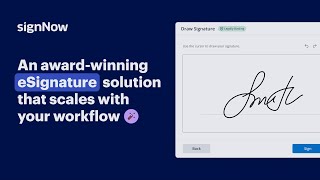
+1 800-831-2050 https://www.signnow.com/ |
1-866-693-6948 https://www.foxitsoftware.com/pdf-reader/ |
| Social Media Handles |
|
|
|
|

Looking for the right SaaS
We can help you choose the best SaaS for your specific requirements. Our in-house experts will assist you with their hand-picked recommendations.

Want more customers?
Our experts will research about your product and list it on SaaSworthy for FREE.


