

These days, competition in the market is intense. Every customer interaction counts. Be it chasing new leads, keeping up with existing contacts, or solving support issues, how you handle these moments can make or break your results. In fact, 91% of companies with 10 or more employees now use CRM software to manage their sales and customer interactions. That’s where Operational CRM comes in.
Operational CRM is all about your customer-facing processes. It pulls together your data, automates tasks, and connects your sales, marketing, and service teams. The goal? Make sure every customer touchpoint is organized, timely, and informed. Instead of leaving things scattered, everyone works from the same playbook. It’s how businesses manage customer relationships while making each interaction smoother and more satisfying, which helps drive growth.
What is Operational CRM?
Think of Operational CRM as a system that takes care of the front lines, sales, marketing, and customer service. It makes daily customer interactions easier by pulling contact info, automating workflows, and tracking every conversation, all in one place. Leads get captured, nurtured, converted, supported, and retained. No guesswork, just a consistent, data-driven approach.
What Does Operational CRM Software Actually Do?
For starters, it keeps all your customer and lead data in one spot. Operational CRM Software handles repetitive tasks like follow-ups, email sequences, and campaign schedules automatically. Every customer chat, call, or email gets logged and tied back to the right record. Sales, marketing, and service teams stay in sync, and the whole customer journey, from first contact to loyal customer, is tracked and managed. Bottom line, operational CRM makes customer-facing work run smoother and faster.
Core Functions of Operational CRM
1. Sales Operations
- Capture and qualify leads
- Track opportunities and manage the pipeline
- Log activities and set reminders
- Handle quotes and orders
- Automate follow ups and notifications
2. Marketing Operations
- Plan and run campaigns
- Segment lists for targeted outreach
- Automate lead nurturing
- Track campaign results
3. Customer Service Operations
- Create and route support cases
- Track tickets and resolutions
- Offer self-service portals and knowledge bases
- Monitor SLAs and escalation workflows
Operational CRM vs Other CRM Types
| Type of CRM | Primary Focus | Main Strengths | Typical Use Case |
| Operational CRM | Automating sales, marketing, and service workflows | Efficiency, execution, process automation | Streamlining front-office operations |
| Analytical CRM | Analyzing customer data for insights and forecasting | Data-driven decisions, segmentation | Understanding customer behavior and trends |
| Collaborative CRM | Facilitating communication across teams and departments | Unified view, information sharing, teamwork | Enhancing cross-departmental collaboration |
8 Key Features of Operational CRM
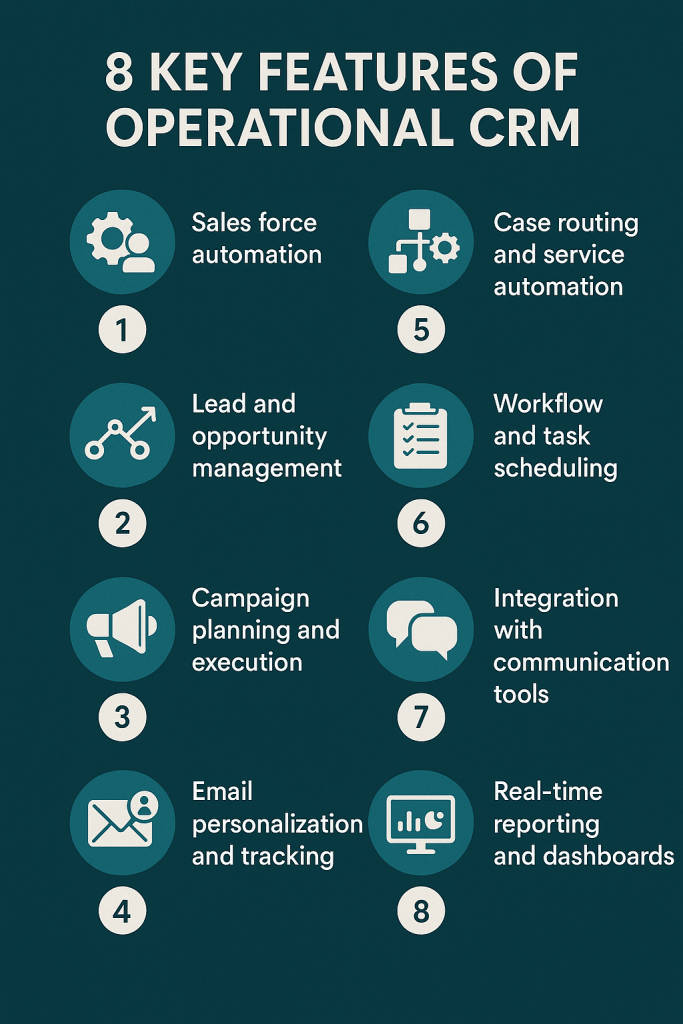
- Sales force automation: track deals, automate sales tasks, manage your pipeline
- Lead and opportunity management: capture, score, and convert leads
- Campaign planning and execution: run and monitor marketing campaigns
- Email personalization and tracking: send targeted emails and see who’s engaging. Automated emails see 52 % higher open rates, 332 % higher click rates and over 2,300 % better conversion rates compared to regular scheduled campaigns.
- Case routing and service automation: assign requests and keep tabs on resolutions
- Workflow and task scheduling: automate reminders and next steps
- Integration with communication tools: connect emails, phone, chat, and social media
- Real-time reporting and dashboards: see what’s happening across sales, marketing, and service
You May Also Like: Best Real Estate CRM Softwares
Top 7 Benefits of Operational CRM
- Efficiency: Automation takes care of the boring stuff, so your team can focus on what matters
- More revenue: Organized pipelines and routine follow ups help you close deals faster
- Better customer relationships: Personalized communication keeps people coming back
- Stronger data management: Everything’s in one place, so it’s accurate and easy to find
- Collaboration: Sales, marketing, and service teams work together, not in silos
- Productivity boost: Daily workflows get streamlined
- Smooth handoffs: Everyone knows the customer’s history, so transitions feel seamless
7 Top Operational CRM Software
1. HubSpot CRM
HubSpot CRM pulls together sales, marketing, and customer service into one easy-to-use platform. You get lead tracking, automated emails, live chat, deal management, and reporting, all in a single dashboard. It’s clean, simple to navigate, and connects smoothly with tons of other tools. Even if you’re just starting out or leading a big team, HubSpot’s flexibility makes it a solid pick if you want everything in one place.
Pros:
- The free plan covers pretty much everything you need
- Seamless integration with other HubSpot tools
- Easy to get started, even if you’re new to CRMs
Cons:
- You’ll need to pay for higher levels of automation
- Costs can creep up as your contacts and features grow
Pricing:
Free forever for the basics. Paid plans start at 20 USD per user per month (Starter CRM Suite).
Best For:
Small and midsize businesses that want an all-in-one CRM that’s easy to grow with.
2. Zoho CRM
Zoho CRM is all about power and affordability. It handles leads, automates workflows, and gives you AI-driven sales tips. You can tweak dashboards and reports to fit your style, and the mobile app keeps you connected on the go. Plus, it plays nicely with Zoho’s full suite and plenty of other apps, so you’re not boxed in.
Pros:
- Packed with features, but still easy on the budget
- Dashboards and reports are super customizable
- Links up with other Zoho apps without hassle
Cons:
- The interface can feel overwhelming at first
- Customer support quality depends on your plan
Pricing:
Starts at 14 USD per user per month (billed annually).
Best For:
Startups and SMBs that want a flexible, affordable CRM with strong automation.
3. Freshsales (by Freshworks)
Freshsales gives you a clear overview of leads, deals, and communication, so sales teams can move fast. The built-in AI scores leads for you, there’s email tracking, and the visual pipelines help you see everything at a glance. It even has a built-in phone system, and it’s a breeze to use.
Pros:
- AI-powered lead scoring right out of the box
- Works well with Freshdesk and Freshmarketer
- Interface is clean and straightforward
Cons:
- Limited marketing automation tools
- Custom reporting only in the pricier plans
Pricing:
Free plan available. Paid options start at 15 USD per user per month (Growth plan).
Best For:
Sales teams that want an easy to use, AI powered CRM to keep their pipelines moving.
4. Pipedrive
Pipedrive lives and breathes sales. It lets you drag and drop deals through the pipeline, automates repetitive tasks, and keeps everyone organized with reminders and custom workflows. The dashboard is visual and intuitive, so you’re not wasting time figuring things out.
Pros:
- Super visual, with easy drag and drop tools
- Strong on automation and forecasting
- Quick setup at a fair price
Cons:
- Not much for marketing features
- Reporting and customization are basic unless you pay more
Pricing:
Starts at 14 USD per user per month (billed annually).
Best For:
Sales teams that want a simple, action focused CRM they can set up fast.
5. Salesforce Sales Cloud
Salesforce Sales Cloud is the heavyweight in the room. It’s packed with deep customization, sharp analytics, and can grow as big as you need. You can automate almost anything, pull in data from tons of other apps, and it handles complex sales setups with ease. Just know there’s a learning curve, but it pays off if you need serious power.
Pros:
- Endless ways to customize and scale
- Advanced AI and analytics built in
- Huge library of app integrations
Cons:
- Steep learning curve, especially at first
- Gets expensive for small teams
Pricing:
Plans start at 25 USD per user per month (Essentials plan, billed annually).
Best For:
Enterprises and bigger businesses that want deep customization and automation across teams.
6. monday CRM
monday CRM takes the best of monday.com’s project management and adds CRM features, so you get sales tracking, team collaboration, and workflow automation all together. You can build custom pipelines, automate tasks, and see progress with visual boards. The interface is modern and flexible, making it easy to fit your team’s unique processes.
Pros:
- Workflows and dashboards are easy to tailor
- Great for collaboration and project management
- Modern, drag and drop interface
Cons:
- Reporting features aren’t as deep as others
- Some integrations need extra setup
Pricing:
Starts at 12 USD per seat per month (billed annually).
Best For:
Teams that want a flexible, highly visual CRM with strong collaboration and workflow tools.
7. Copper CRM
Copper CRM is built right into Google Workspace, so it just fits if your team lives in Gmail, Google Calendar, and Google Drive. It grabs contacts, emails, and events automatically, so you barely have to touch manual data entry. The interface is clean and simple, and the automation tools actually save you time instead of piling on more work.
Pros:
- Works natively with Google Workspace
- Simple, easy to navigate design
- Automatically pulls in contacts and syncs emails
Cons:
- Not much room for advanced customization
- Doesn’t play well with tools outside the Google world
Pricing:
Starts at 29 USD per user per month (billed annually).
Best For:
Small teams and startups using Google Workspace that want a straightforward CRM with solid automation.
How to Choose the Right Operational CRM
Common Challenges in Implementing Operational CRM
- Data migration issues: Clean and standardize data to avoid duplicates and errors.
- Low user adoption: Simplify workflows and provide comprehensive training.
- Integration gaps: Verify CRM compatibility with all key tools and platforms.
- Overcomplicated automation: Avoid unnecessary processes that add confusion.
- Change resistance: Communicate benefits early and involve users during setup.
- Maintenance burden: Regularly review workflows and remove unused automations.
Final Thoughts
Operational CRM isn’t just another piece of software. It’s the backbone of customer-driven growth. It brings order to daily work, keeps your data straight, and helps everyone stay on the same page with customers. When you set it up right, you help your team work smarter, close deals faster, and deliver the kind of customer experience that turns new relationships into lasting ones.
FAQs
1. What are the 4 types of CRM?
Operational, Analytical, Collaborative, and Strategic.
2. What is the primary focus of operational CRM?
To automate and manage daily sales, marketing, and service activities.
3. What is the difference between CRM and operational CRM?
CRM is a broad term for customer management, while operational CRM specifically automates front-office processes.
4. What is the operational model of CRM?
It focuses on automation, integration, and unified data for efficient customer interactions.
5. What does operational CRM typically support?
It supports lead management, campaign automation, sales tracking, service workflows, and multichannel communication.
