

Customer Relationship Management (CRM) software is an integral software used by most organizations. Using this software, businesses can improve and streamline the various processes through which they can interact with their current and potential customers. One name which is immensely popular in the CRM software category is Zoho CRM. With its ability to integrate with other Zoho suite apps, this CRM software figures right on top of the list of best CRM software. From engaging multi-channel communication to enabling the implementation of multiple tasks to provide key CRM insights, Zoho software works perfectly for both small as well as large enterprises.
Table of Contents
Why do we need an alternative for Zoho CRM?

Though Zoho CRM offers maximum features and benefits, there are possibilities that it might not suit your business needs in terms of flexibility, third-party integrations, usability, etc. If that is the case, then here are the top five Zoho CRM alternatives that you should check out.
HubSpot CRM

If you are looking for an easy-to-use CRM software that suits businesses of all sizes and types, HubSpot CRM is your best bet! One of the key USPs of HubSpot CRM is that it comes with a forever free-to-use option. Using this software, you can automate various tasks which enables your salespeople to focus more on work rather than manual data entry. The free plan allows a bandwidth of 1,000,000 contacts, storage, and users, with no expiry date. You can also use HubSpot CRM to send out scheduled personalized emails, get notifications when a lead opens the mail, follow up with potential leads, and more.
Features
Better log and track of emails
Use documents tool to build a marketing and sales content library
Create email templates
Easy sharing of meeting links
Create snippets for common texts
Sequence tool to enroll and unenroll contacts
Add personalized videos to CRM mails
Pros
– Create an inclusive customer engagement platform by connecting the HubSpot CRM to Marketing, Sales, and Service Hubs.
– The dashboard allows you a clear picture of your sales team’s timelines and tools to create reports, track performances, sort deals, future projections, and more.
– With HubSpot CRM, you can easily track your interactions with potential customers as every information that you log in is saved in the database.
Cons
– HubSpot CRM’s reporting tool is not very in-depth.
– This software is lacking in terms of flexibility, especially for larger organizations that have multiple revenue streams.
Pricing
Apart from the free plan, there are three paid plans available:
– Starter Plan – $40/monthly/billed annually
– Professional Plan – $400/monthly/billed annually
– Enterprise Plan – $1,200/monthly/billed annually
Why Choose HubSpot CRM over Zoho?
HubSpot CRM has a more intuitive interface and is comparatively much easier to use. Also, its freemium option supports almost a million contacts with unlimited users and storage.
Salesforce
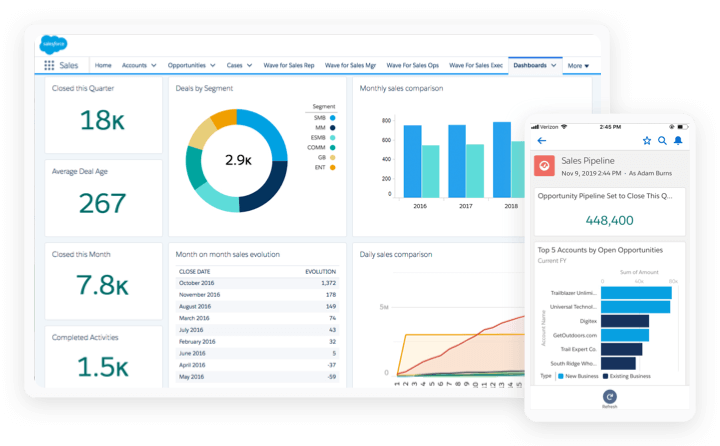
Salesforce is an all-in-one CRM software that comes packed with a number of features and benefits, enabling sales, marketing, and services of your products. From enabling your sales agents to solve customer issues quickly to gain more insights on customer behavior to building communities for collaboration with your customers, employees, and partners.
Features
Hassle-free and cloud-based contact management
Opportunity management that allows you to view your customer’s activity timeline
Ready-made email templates
Quote management with productivity and forecasting tracking to simplify various business processes
Einstein Analytics provides insights and data to help the business grow
Pros
– There are a number of reporting widgets available which can be customized as per the business/industry needs.
– Since Salesforce CRM is cloud-based, employees can easily access it from anywhere in the world.
– Salesforce CRM is compatible with all browsers (IE, Chrome, Opera, etc.,)
– Easy access to functionalities like link sharing, file upload, status updates, news viewing, etc., right from the dashboard.
– No installation or hardware required.
Cons
– Customizations will cost you extra and can be expensive, especially for small businesses.
– Though Salesforce CRM is easy to use, it can be also quite complex and overwhelming for some companies.
– Generating reports, even basic ones, can be intricate and complex.
Pricing
There are no free plans offered by Salesforce CRM. You can choose from their four paid plans:
– Essentials – $25/user/monthly/billed annually
– Professional – $75/user/monthly/billed annually
– Enterprise – $150/user/monthly/billed annually
– Unlimited – $300/user/monthly/billed annually
Why Choose Salesforce CRM over Zoho?
Compared to Zoho CRM, the Salesforce CRM is highly customizable, easier to use, and comes with a wide range is CRM functionalities.
Pipedrive

Pipedrive CRM is a great alternative to Zoho CRM. It is an easy-to-use software with intuitive interfaces and clean layouts, enabling you to better manage your customer relationship. Built around the methodology of sales pipeline monitoring, this software allows you to stay organized and control the various sales processes.
Features
Activities feature which showcases details about your existing activities, follow-up on various accounts, etc.
Custom columns and filters helps to save time
Custom email templates
Logging lead-ins which makes viewing your entire sales pipeline in a simplified manner
Scheduler feature which allows employees to maintain a unified calendar.
Pros
– Easy to use with intuitive UI design.
– Third-party app integrations.
– Top-notch communication tracking.
– Customizable pipelines and deal stages.
– Affordable options.
Cons
– Not suitable for large businesses.
– No integration with large-scale companies like Oracle, SAP, etc.
– Limited solutions for marketing.
– No separate lists for new leads and contacts.
Pricing
Pipedrive CRM does not offer any free plan. You can choose from their four paid plans:
– Essential – $12.50/user/monthly/billed annually
– Advanced – $24.90/user/monthly/billed annually
– Professional – $49.90/user/monthly/billed annually
– Enterprise – $99/monthly
Why Choose Pipedrive over Zoho?
The customization feature offered by Pipedrive is astounding. From pipelines to dashboards to special reports to activities, and more, you can customize anything you want and tailor it according to your business needs.
Insightly
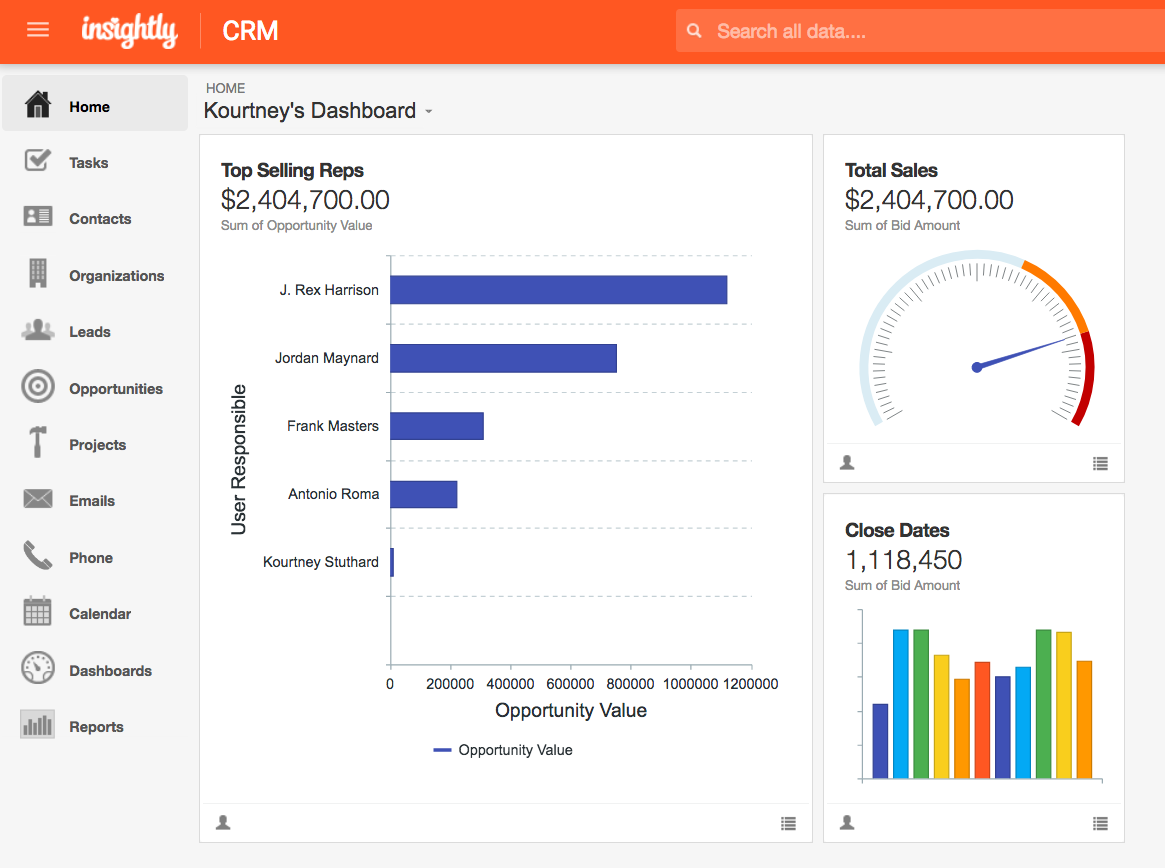
With more than 25,000 companies worldwide using Insightly CRM, it is not surprising to see why this CRM software figures in our list of top five Zoho CRM alternatives. This cloud-based software is a great alternative for small and medium businesses looking to enhance their leads, project, and sales management.
Features
Templates for a repetitive set of tasks and events
Automatic save of files from Box, Dropbox, Microsoft OneDrive, Google Drive, etc.
Automation of projects and processes
Create, track, and assign milestones, events, etc.
Pros
– The software includes a lead routing tool that ensures timely lead follow-ups.
– Insightly allows you to use the drag and drop feature to explore various trends and patterns of data and create visually appealing reports.
– The linking tool allows you to quickly find new opportunities and build better relationships.
– Compatible with Apple and Android products.
Cons
– You will need to pay extra for email integrations.
– The UX/UI of Insightly is not as great as some of the other Zoho CRM alternatives.
Pricing
Apart from the free plan, you can choose from six different paid plans of Insightly CRM:
– Plus (CRM) – $29/user/month
– Professional (CRM) – $49/user/month
– Enterprise (CRM) – $99/user/month
– Plus (Marketing) – $299/month
– Professional (Marketing) – $599/month
– Enterprise (Marketing) – $1299/month
Why Choose Insightly over Zoho?
Three main reasons why Insightly is a great alternative to Zoho CRM are better collaboration tools, unified product management, and automatic detection of client’s social profiles.
Nimble
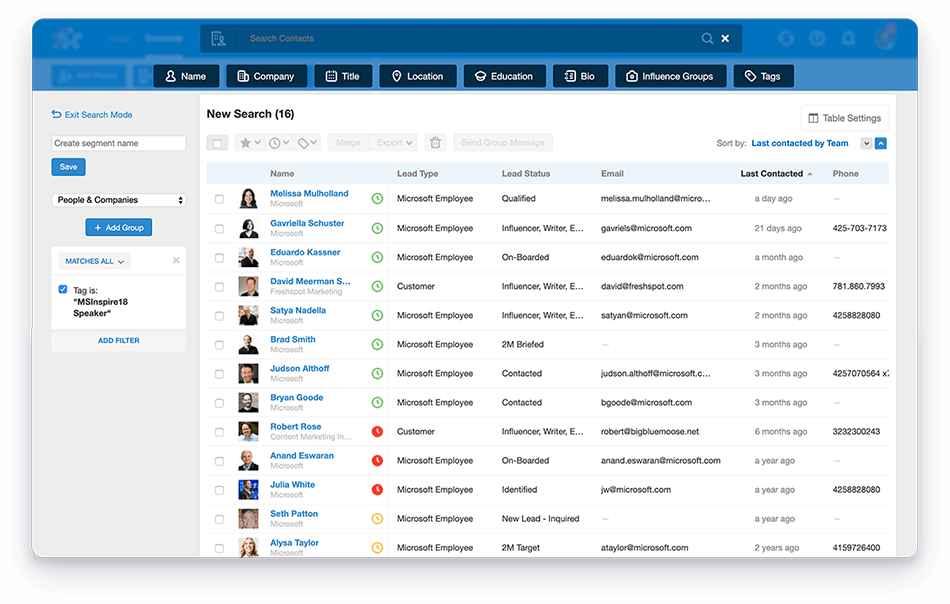
The Nimble software is another great Zoho CRM alternative that comes with a lot of CRM features and benefits. You can use a variety of tools and features to improve and enhance your sales and customer relationship. Nimble also allows its users to interact with customers on different platforms, automatically update client information from different sources of data, etc.
Features
Contact management allows up to 25,000 contacts in its free plan
Unlimited storage of contacts on the system
Use tags to segment and flag various data types
The ‘Today’ dashboard allows you to look at your upcoming activities, engagement opportunities, deals, etc.
Identify your contact’s social profile
Pros
– Easy-to-use interface.
– Top-notch integration with Office 365 and Google Apps.
– Compatible with mobile platforms.
– The ‘Smart Contact app makes it extremely easy to add contacts to Nimble.
– Access to different Pie Sync apps which facilitates better two-way sync between various business apps and Nimble.
Cons
– Usage of emails within Nimble is not user-friendly.
– No autoresponder functionality.
– When you export the Nimble tags, they become unusable.
Pricing
Nimble offer a 14-day free trial post which you will have to opt for their paid plan:
– Nimble Business – $19/user/monthly/billed annually
Why Choose Nimble over Zoho?
Some of the reasons to choose Nimble include automatic customer data updates from different platforms, an easy-to-use interface, leverage social platforms to build relationships and qualify leads, etc.
Conclusion
When it comes to CRM software, there are plenty of options available. All that you need to do is explore their features, benefits, cons, and pricing in detail and choose the one that suits your business needs the best. Here is SaaSworthy’s list of top CRM software, check it out!
