

It is critical for small businesses to run payroll accurately and timely to develop trust with employees and stay compliant with regulations. However, paying for payroll services can get costly; fortunately, many free payroll software utilities exist that can deliver robust features for startup businesses, nonprofits and growing organizations. According to a study by EY, a company’s payroll process has on average an 80% accuracy rate, meaning 20% of payrolls contain errors, and each error costs about $291 to fix. In this blog, we will discuss what payroll software is, provide a list of the top 10 free payroll software solutions, features that are desirable for small businesses, and some common limitations.
What is Payroll Software and Why Is It Vital for Small Businesses?
Payroll software simplifies the calculation of employee wages, tax deductions, payments and the generation of tax forms. For small companies, engaging active payroll software online, without added costs or fees, will lower administrative tasks and lower errors vs. manual spreadsheets.
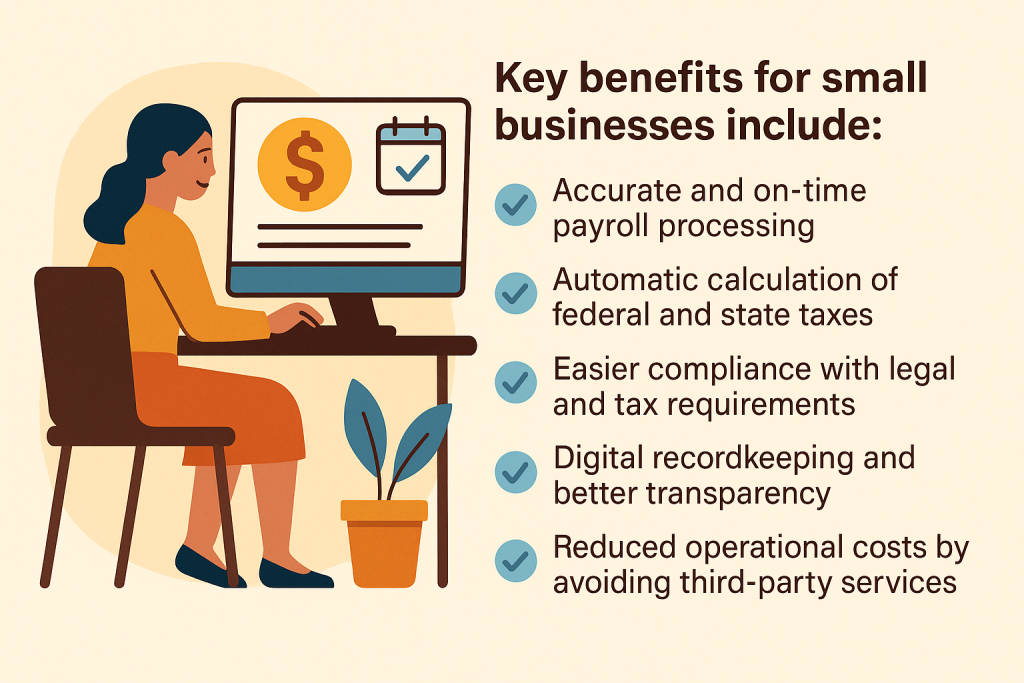
For many startups and nonprofits, free payroll solutions provide a great starting point before scaling to paid versions.
Top 11 Free Payroll Software Solutions
Below are ten of the best free payroll software for small businesses in 2026. Each description includes key features, pros and cons, pricing info, and what type of business it suits best.
1. Paycor
Paycor
Paycor is a full-service HR and payroll platform that supports more than 30,000 businesses across the U.S. Payroll is simple with automatic calculations, employee self-service, and time-tracking capabilities. Paycor has a modern interface that is easy to navigate, making it ideal for business owners without a lot of accounting experience. It also scales well, so as your business grows and your workforce expands, you can upgrade at an easy pace.
- Features: Automated payroll, tax calculations, time tracking, employee self-service, HR integrations
- Pros: Clean interface, scalable to paid plans, good reporting
- Cons: Some advanced analytics are behind a paywall
- Pricing: Free basic version; paid plans start after 10 employees
- Best For: Small businesses looking for an easy-to-use payroll and HR combo
2. Rippling

Rippling
Rippling takes a different approach than most on this list — it’s a unified HR, IT, and finance platform rather than a dedicated free payroll tool, and it doesn’t offer a self-service free trial for payroll. Instead, businesses evaluate it through a guided demo tailored to their specific workflow. What makes Rippling stand out is its depth: it runs payroll across all 50 U.S. states and 50+ countries, handles contractor payments in 185+ currencies, and syncs employee data automatically across HR, IT, and finance so nothing has to be entered twice. It’s built more for scaling businesses than bootstrapped startups, but its modular pricing means you only pay for the products you actually use.
Features: Global payroll (50+ countries), multi-state U.S. tax compliance, automated data sync across HR/IT/finance, 650+ integrations, workflow automation
Pros: Extremely powerful automation, scales well internationally, no reliance on third-party services for core functionality
Cons: No free trial or free tier for payroll, pricing isn’t publicly listed, can get expensive as you add modules
Pricing: Demo-only (no self-serve trial); starts around $8/employee/month for the base platform plus separate per-employee fees for payroll and other modules
Best For: Growing businesses that want HR, IT, and payroll unified in one system and don’t mind paying for that consolidation
3. Gusto

Gusto
Gusto provides a very user-friendly payroll process, including a free tier that is ideal for small teams that prefer an easy and automated experience. They handle your direct deposits and the calculations for federal and state taxes, and they conveniently generate your 1099s and W-2s. Gusto integrates well with popular accounting applications, which is great for companies that want to have everything synced together, all in one application. Through onboarding and its clean dashboard, you’ll save time during setup and payroll runs.
- Features: Automated tax filing, W-2/1099 support, direct deposit, onboarding tools
- Pros: Excellent UX, strong tax compliance, integrates with popular accounting apps
- Cons: Most automation is part of paid tiers
- Pricing: Free trial for basic payroll; paid plans from $40/month + $6 per employee
- Best For: Businesses needing user-friendly payroll with tax support
You May Also Read: Top 10 Cloud-based Payroll Software
4. Wave Payroll

Wave Payroll
Wave Payroll synergizes perfectly with Wave’s accounting software, which is free. This pairing is common for freelancers and very small businesses. The free version works great for payroll performed manually by the business owner, meaning they can accurately calculate and put the payment into their books without hassle. While automated tax service is available in limited states, the integration of Wave Payroll with Wave Accounting is seamless. Wave Payroll is great for businesses that are in more control of calculating manually, but still want to keep accurate records.
- Features: Accounting integration, manual payroll calculations, pay stubs, reports
- Pros: Seamless with Wave Accounting, simple UI, good for bookkeeping
- Cons: Automated tax filing is only available in some states
- Pricing: Free for manual payroll; tax service starts at $20/month in supported states
- Best For: Freelancers or very small businesses using Wave Accounting
5. Payroll4Free
Payroll4Free performs precisely as its name states – it is a truly free payroll platform, with no cap to the number of employees you can include, other than 25 employees. The program includes most of the essential core features: payroll calculations, tax forms, and limited direct deposit. Although the interface does appear dated, Payroll4Free offers a large number of features for a free platform. Optional paid services involving tax deposits are also available if you’re willing to pay for this feature, making it flexible as your team grows.
- Features: Payroll calculations, direct deposit (with limits), tax forms, employee self-service
- Pros: Fully free for up to 25 employees, solid reporting
- Cons: Interface feels outdated, limited customer support
- Pricing: 100% free; optional $12.50/month for Payroll4Free to handle tax deposits
- Best For: Businesses under 25 employees wanting a fully free solution
6. Square Payroll

Zoho CRM
Square Payroll is ideal for organizations currently operating on Square POS, specifically in the retail and hospitality industries. Square Payroll offers a free payroll option for contractors only and a paid option for employees. Payroll can be processed directly from Square’s timecards, which integrates seamlessly, but allows businesses to run payroll based on the hours worked. Square Payroll also automatically files taxes, offers direct deposits, and is clean and modern-looking. It is an excellent starting point for organizations that have contract workers, or operate on a seasonal basis, or hire freelancers.
- Features: Automated payroll, tax filing, direct deposits, contractor-only free option
- Pros: Excellent for hourly workers, syncs with Square POS, clean UI
- Cons: Full employee payroll is paid only
- Pricing: Free for contractors; $35/month + $5 per employee for full payroll
- Best For: Contractor-heavy businesses using Square POS
7. QuickBooks Payroll
QuickBooks Payroll
QuickBooks Payroll is a reputable name in accounting and payroll services in US, offering a comprehensive solution with a free trial period. Its strengths are tax compliance, automated calculations, and integration with QuickBooks Accounting. This is ideal for businesses that want to manage their finances and payroll in one application. While the free option is initially time-limited, businesses can take advantage of the free trial period to access all premium features and see if the product works for them.
- Features: Tax calculations, direct deposit, W-2/1099 support, HR tools
- Pros: Trusted brand, seamless accounting integration, strong compliance tools
- Cons: Limited free version, paid plans required for most features
- Pricing: Free trial available; paid plans start at $45/month
- Best For: Businesses already using QuickBooks
8. Zoho Payroll
Zoho Payroll
Zoho Payroll provides a free plan that is capable, covering up to 10 employees. This makes Zoho ideal for startups and small teams. The platform offers necessary payroll functions like salary calculation, compliance, and employee self-service. Since the software is part of the Zoho brand, it works with other prescribed and endorsed Zoho apps so it can provide companies a back office solution from end to end. Some advanced functions are only available at the paid tiers, but the free version of Zoho Payroll is an excellent choice for companies that operate in regions eligible for use (like the US and India).
- Features: Automated payroll, tax compliance, employee self-service, reports
- Pros: Smooth integration with the Zoho ecosystem, simple setup
- Cons: Limited advanced features, mostly India/US focused
- Pricing: Free for up to 10 employees; paid plans available after
- Best For: Startups using Zoho tools or operating in supported regions
You May Also Read: Best Payroll Software for Accountants
9. Homebase

Homebase
Homebase centers on time tracking and scheduling, but it also has some basic payroll features that are free for small businesses. Homebase’s straightforward interface allows business owners to track employee hours and translate them to accurate payroll. Homebase does not have advanced tax filing features, but it integrates with payroll services and includes an employee portal. If you have a small hospitality or retail staff, Homebase offers a straightforward way to easily manage hourly payroll without needing multiple tools.
- Features: Time tracking, scheduling, basic payroll calculations, integrations
- Pros: Great for retail and restaurants, employee portal included
- Cons: Payroll features are basic, tax filing is not automated
- Pricing: Free for basic payroll; paid add-ons available
- Best For: Hourly teams wanting an all-in-one scheduling and payroll tool
10. SurePayroll

SurePayroll
SurePayroll offers small businesses a dependable platform that automates payroll. It includes a free trial that gives access to key features like automated calculations, tax filings, and compliance features. The software is easily set up, making it easy for small businesses to transition from a manual system. While it leaps when choosing to either continue with a paid plan or not, the free trial gives their teams time to determine if Sure Payroll is a company they want to work with.
- Features: Automated payroll, tax calculations, compliance support, reports
- Pros: Backed by Paychex, reliable compliance tools, and easy onboarding
- Cons: Free trial only; ongoing use requires payment
- Pricing: Free trial available; paid plans vary
- Best For: Businesses testing payroll automation before committing
11. OnPay

OnPay
OnPay is unique in offering a fully-fledged free trial for 30 days, giving businesses access to all premium tools during the trial period. Automated payroll, tax filing, HR tools, and unlimited pay runs are standard. The interface is clean and functional for businesses that employ both W-2 employees and 1099 contractors. OnPay will require payment after the trial, but the straightforward pricing and effective tools make it an excellent way to evaluate a premium payroll system.
- Features: Automated tax filing, unlimited pay runs, HR tools, direct deposit
- Pros: Full-featured trial, supports both W-2 and 1099, clean dashboard
- Cons: Only free for the trial period
- Pricing: Free 30-day trial; $40/month + $6 per employee after
- Best For: Businesses needing to evaluate a premium payroll platform
Top 9 Features to Look for in Free Payroll Software
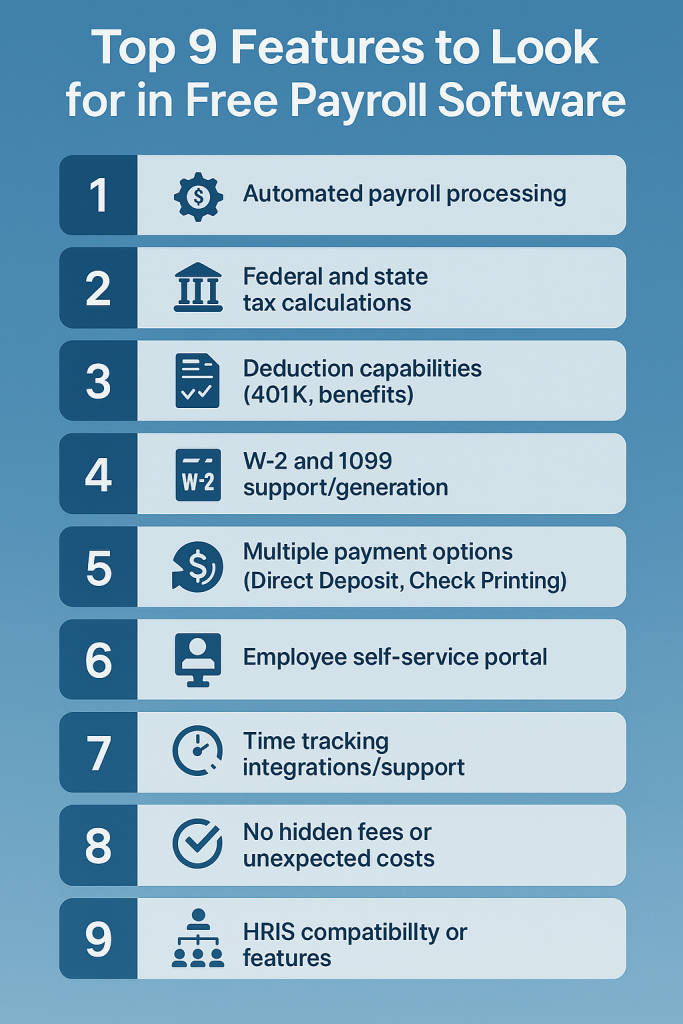
When selecting payroll software for free, make sure it covers these core features:
1. Automated payroll processing
Automated payroll processing determines wages, taxes, and deductions without any manual entry. This drives down errors, speeds up payroll processing, and ensures that employees are paid accurately and punctually. It allows for the reallocation of valuable time that small business owners can utilize to grow their business.
2. Federal and state tax calculations
Correctly calculating taxes is essential to maintain compliance. A decent free payroll software will automatically calculate and comply with state and federal tax rates, update when regulations change, and ensure that each employee is taxed appropriately. All of this reduces the risk of filing errors and tax compliance issues.
3. Deduction capabilities (401K, benefits)
Your software should accommodate typical deductions, including retirement plans, health benefits, and other withholdings. This enables employee contributions to be accurately calculated and reflected on a pay stub, as well as makes payroll easier and prevents disputes based on back-and-forth missing or incorrect calculations.
4. W-2 and 1099 support/generation
Employees and contractors need to have the correct W-2 and 1099 forms. Payroll software that can generate W-2 and 1099 forms automatically makes it much easier to stay compliant with year-end tax reporting obligations, avoiding any last-minute rush during tax time.
5. Multiple payment options (Direct Deposit, Check Printing)
By providing a variety of payment options, employees are afforded flexibility and enhanced satisfaction. Choose a payroll software that facilitates direct deposit for convenience and one that allows for paper check printing for employees who prefer paper, but be careful about hidden fees.
6. Employee self-service portal
The employee’s self-service portal allows employees to access pay stubs, tax documents, and personal information in a secure online manner. This not only lightens the HR workload but also enables transparency and frees employees to update their specifics or download documents when they want without waiting for HR’s response.
7. Time tracking integrations/support
By integrating payroll with time tracking tools, hours worked will flow directly into actual payroll calculations. This is especially beneficial for businesses with hourly employees or shifts, since it reduces error rates and manual transfer of data.
8. No hidden fees or unexpected costs
Genuine free payroll software will be upfront about the pricing. Do not fall for hidden costs beyond the free options, such as tax filing charges and direct deposit. The best systems provide a straightforward free tier to help estimate the costs before using the service.
9. HRIS compatibility or features
Your company may require HR functions, such as employee records, onboarding, and performance tracking, as it grows. If your payroll software integrates with an HRIS (Human Resource Information Systems) or includes basic HR features, this compatibility will help you scale while minimizing the challenge of switching platforms later on.
How to Choose the Best Free Payroll Software for Your Business?
Think about how many workers you employ, your location, and whether or not the business needs to be able to file taxes automatically with the software. Search for technologies that integrate with your current accounting or human resources programs. If your business expands quickly, make sure to select a platform that allows for affordable upgrades without complicated data migration.
6 Limitations of Free Payroll Software
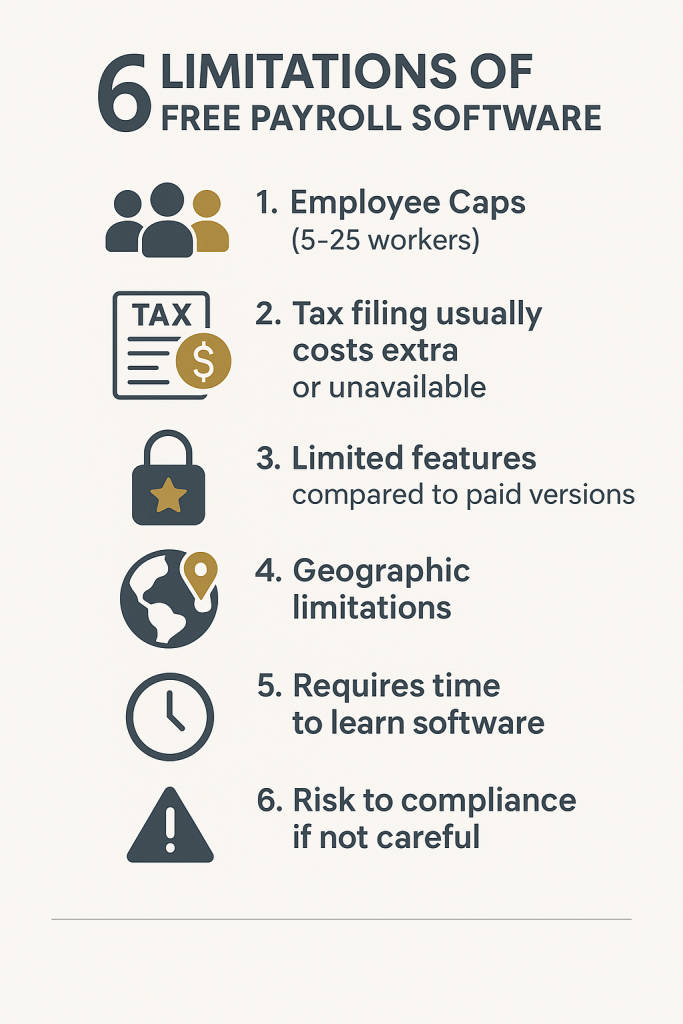
While free tools are great for startups, they come with some trade-offs:
1. Employee Caps (5-25 workers)
Most free plans limit the number of employees they support.
2. Tax filing usually costs extra or unavailable
Some tools require you to manually handle tax deposits.
3. Limited features compared to paid versions
Advanced HR tools, analytics, or integrations may be locked.
4. Geographic limitations
Some software works only in the US or select states.
5. Requires time to learn software
There is usually a learning curve for setup and navigation.
6. Risk to compliance if not careful
Without tax filing automation, mistakes can affect legal compliance.
FAQs
1. Do all companies need payroll software tools?
No, however, payroll software has the potential to make calculations, tax compliance and filing, and reporting easier, thus making it useful for most businesses.
2. How can payroll be managed without software?
You can use manual spreadsheets and calculators instead of expensive payroll software, but they do take longer and increase the potential for data entry errors.
3. Are there hidden costs with free payroll software?
Some free payroll solutions provide access to pay your employees, but charge you to file taxes and report features. Review each potential solution before use.
4. Can nonprofits use free payroll software?
Yes, there are now free payroll solutions such as Wave or Payroll4Free that work great for nonprofits with only a few employees.
5. Is free payroll software secure and compliant?
Most trustworthy payroll software does follow tax guidelines and uses encryption; however, you should always be sure the system you select will follow compliance in your region.
6. Can employees access their own payroll records?
Yes, many free payroll solutions can provide a self-service option for employees to view their pay stubs or forms
