


Employee scheduling can be a difficult task as managing everything from employee’s time to day-offs can prove to be a challenge. Also, it’s hard to keep track of everything simultaneously, and the more your organization expands, the more difficult the task of scheduling becomes. Employees are the most crucial part of your organization, and you should provide them with the best employee scheduling software to prevent high turnover. You can find many open source employee scheduling software in the market that aids you in getting such things done without any hassle.
Table of Contents
What is an Employee Scheduling Software?
Simply put, employee scheduling software is a scheduling management platform that assists the owners and managers of an organization in managing their hourly employees. This software not only helps in managing labor costs but also automates the process of generating schedules to increase productivity and offer consistent results. Moreover, you can use this software to enhance workforce satisfaction. Other than that, the primary function of scheduling software is to permit auto-assigning shifts and automatically generating notifications for shift changes and new schedules. You can also use it for the creation of a timecard and importation of the payroll file.
7 Best Employee Scheduling Software to Use Now
| Name | URL | Best For |
| Homebase | Homebase |
Employee scheduling, mobile access, shift trades, and clock-in security
|
| When I Work | When I Work |
Easy schedule creation, shift templates, and instant notifications
|
| Deputy | Deputy |
Efficient scheduling, auto-scheduling, and labor cost management
|
| Rippling | Rippling |
Customizable schedules, labor cost tracking, and compliance enforcement
|
| Shiftboard | Shiftboard |
Strategic scheduling, communication improvement, and overtime management
|
| Zoomshift | Zoomshift |
Hourly employee scheduling, availability management, and reports
|
| Connecteam | Connecteam |
Scheduling, time tracking, team communication, and professional training
|
1. Homebase
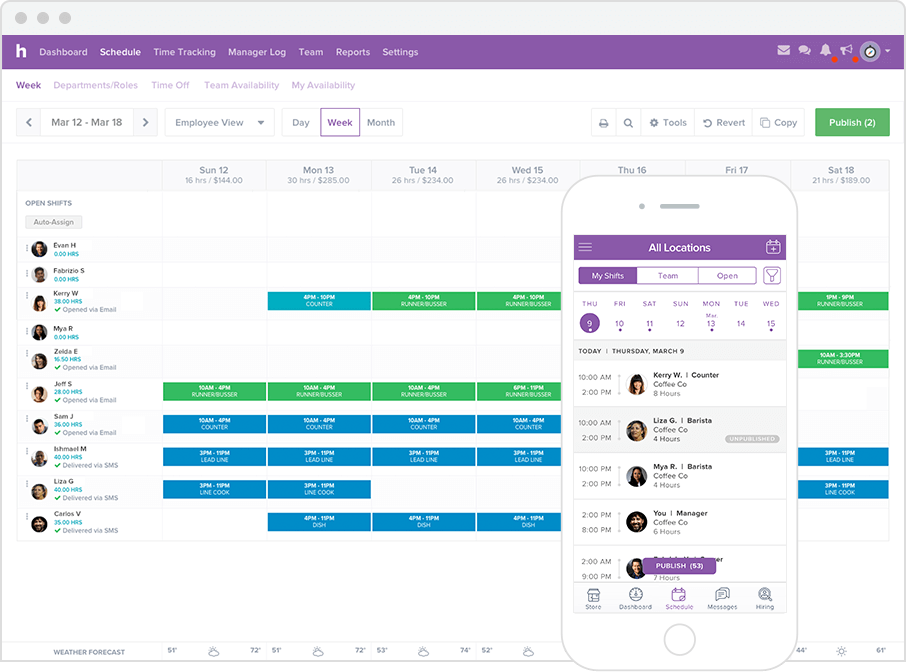
It’s a free employee scheduling software that helps you in generating a schedule in minutes. Moreover, you can get access to the schedule in your mobile device that allows you to modify the data from anywhere at any time. You can filter the schedule by time period, role or watch hours. With this software, you can easily copy the previous schedule or even use automatic scheduling that saves your time. Your team will always have an up-to-date schedule if you use Homebase. They can even request shift trades or update their availability, and a notification will be delivered to you asking for the approval. You can also set a PIN for quick clock-in, which will not only save the time of your employees but also ensure the security of your organization. In addition to that, if any employee forgets to clock-in, the manager can easily edit that. The mobile application offers offline services that make it convenient to use if your employees do not have access to the internet.
2. When I Work
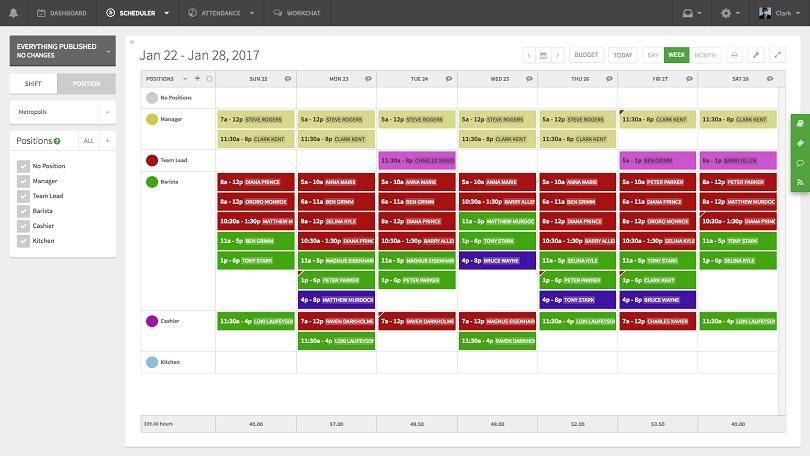
When I Work a free and open-source employee scheduling software that offers loads of features. It allows you to create the schedule for the entire week in just a few minutes that helps you to save hours every week. Also, you don’t have to worry if you have no idea how to create one as it provides templates that can be customized according to your desire. You can simply drag and drop shifts that make the process of employee scheduling hassle-free. Moreover, online scheduling can be done with the help of the mobile application that comes absolutely free with the software. Also, with this software, you can easily spot which employee is available and capable of doing a particular task. With a single click, you can publish the schedule, and a notification will be sent to all the employees instantly, which will help you to prevent the conventional method of calling the employees.
3. Deputy
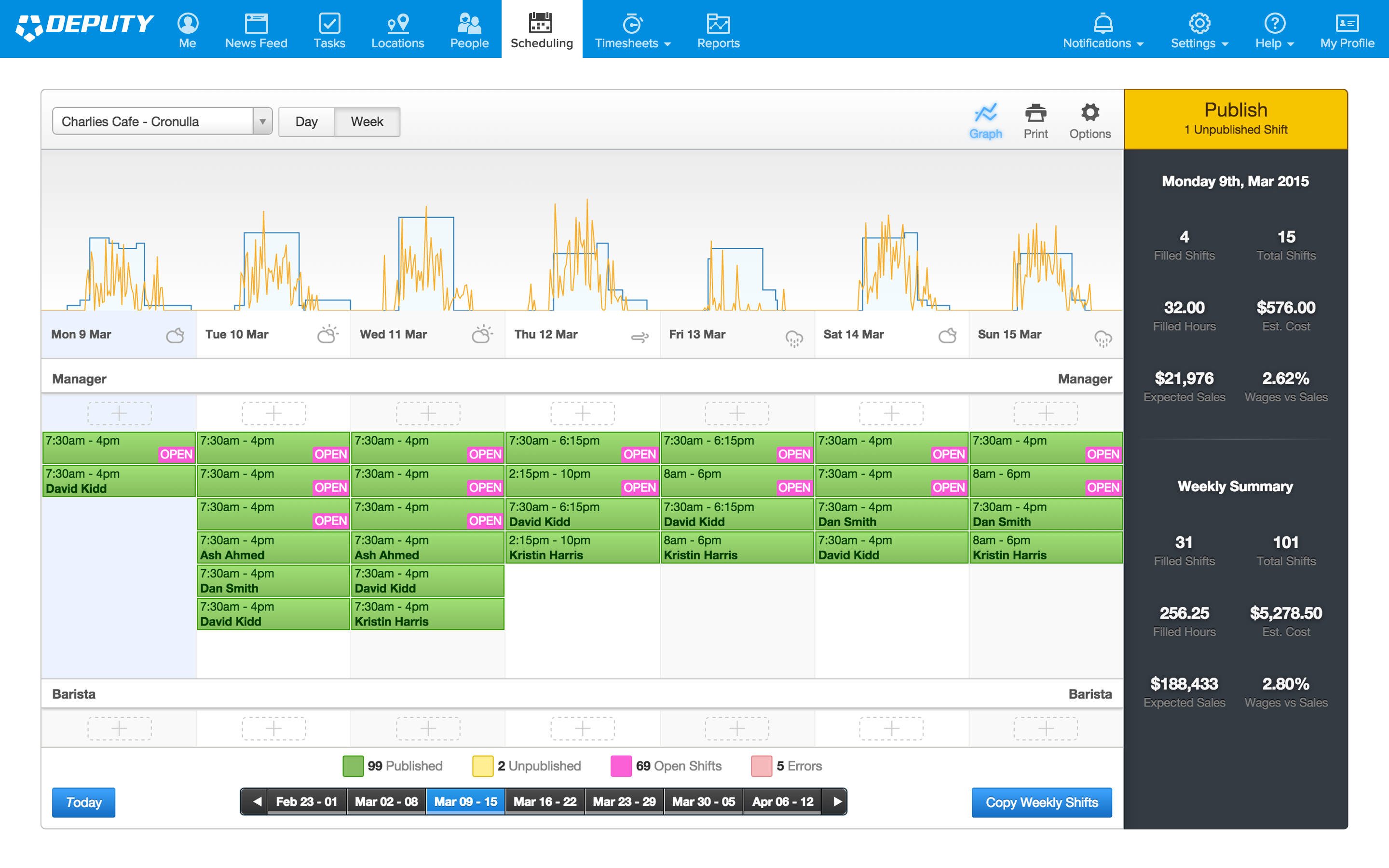
Employee scheduling is a vital part of running an organization efficiently, and a Deputy helps you to do that without putting much effort. With this software, you can save your money, time and energy as you can generate schedules for your employees with a single click. This software helps you to precisely evaluate the requirement for the labour for a specific task by using data from multiple demand signals, and it will assist you in building an efficient shift structure. The auto-scheduling feature makes sure that you will always have access to the right amount of employees at moments when you need them the most without taking help from third-party data such as events or bookings. You can check which team fits perfectly for a specific project by setting like shift equality, lowest cost, and matching past preferences. It also helps in streamlining timesheets by keeping track of which employee is currently on the shift.
4. Rippling
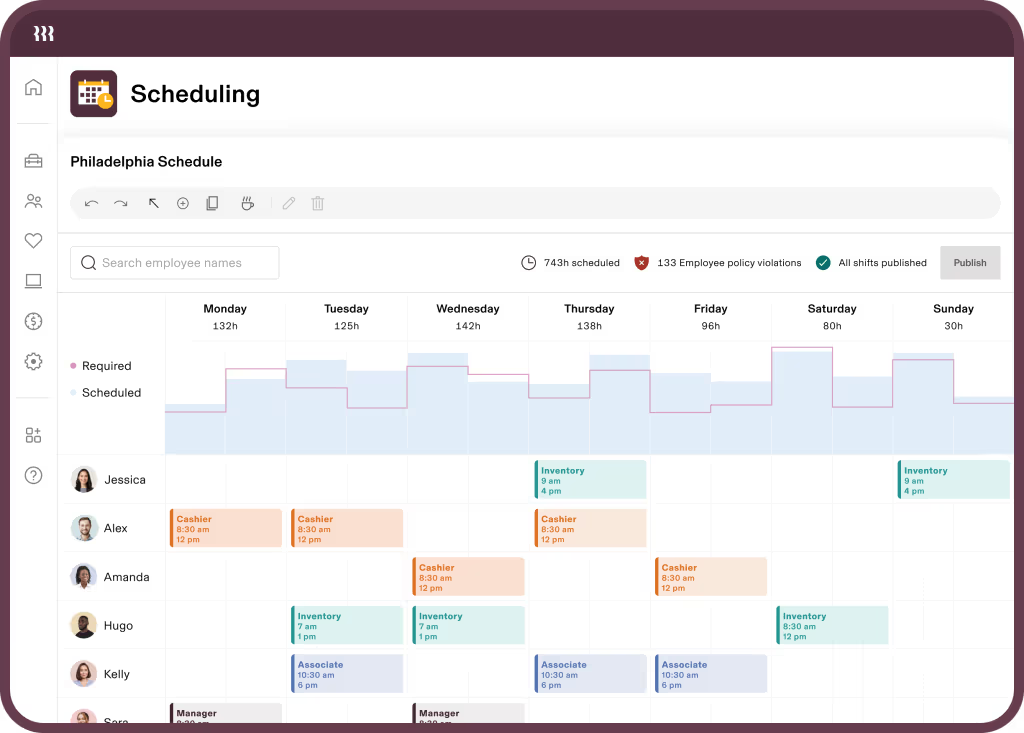
Rippling’s scheduling platform allows you to build, edit, and publish schedules in minutes, ensuring that your team is always staffed with the right skills to exceed customer expectations. It offers customizable scheduling rules, real-time notifications for employees about schedule changes, and the ability to track labor costs, attendance, and performance with just a few clicks. The platform also automates attendance tracking, provides flexibility for employees to manage their schedules, and prevents overstaffing or overspending by flagging shifts that could result in overtime. With automatic compliance enforcement for federal, state, and local labor laws, Rippling helps safeguard your business from costly mistakes while streamlining workforce management.
5. Shiftboard
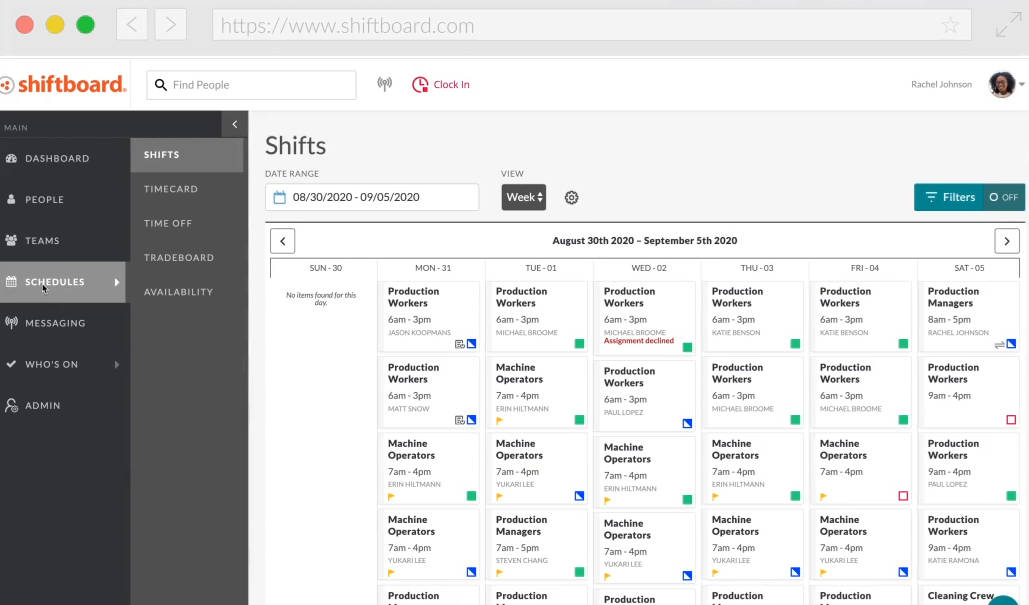
With this employee scheduling software, you can turn the process of scheduling into a strategic advantage as you will be able to improve the communication between the team, save labor costs and streamline operations. It will allow the manager to get rid of the spreadsheet and shift to innovative scheduling software. With this software, you can not only adjust shifts to fit complicated scheduling and overtime rules, but it also aids in reducing fatigue. This software can automatically change the shifts and also manage overtime. You can also auto-assign workers to optimize labor coverage. It will surely boost employee engagement as it helps streamline the communication between the employee and the manager. It also allows you to send the notification to all the employees at once or even send it to targeted ones only. Shiftboard also helps you to prevent employees from being scheduled whose credentials are expired.
6. Zoomshift

Unlike other employee scheduling software in this list, Zoomshift differentiates itself by focusing on providing an efficient way of creating and managing schedules for hourly employees. Considering hourly employees work in a different manner as compared to regular employees, this software takes care of that aspect by providing a calendar view, along with sending notifications. It also makes it easier for employees to set their availability, request time off, or even pick open shifts. Thanks to its reports, an organization can ensure there are fewer instances of early check-outs, unnecessary overtime, and missed attendance punches. It works on both web and mobile devices and offers a customized payroll report too.
7. Connecteam
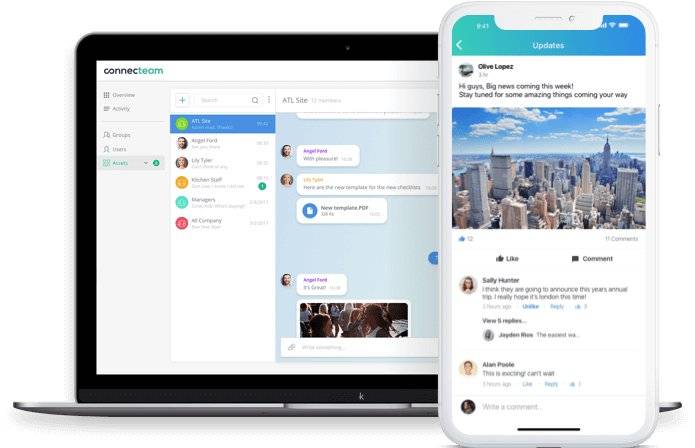
For an organization and team to work efficiently, it’s not just the employee scheduling that matters. And that’s what Connecteam ensures as it offers several other things on top of scheduling and communicating with employees. It offers a variety of options such as checklists, reports, and more to ensure that employees are communicated, while features like GPS, time tracking, timesheets, and the like make sure that the working hours are tracked well. The software can also provide reminders, status updates to employees along with offering training courses, knowledge centre, etc. to help everyone enhance their professional skills.
Benefits of Employee Scheduling Software
- Time Tracking: Employee scheduling software helps track how much time employees spend on specific tasks, allowing you to assess their efficiency, address attendance issues, and take corrective actions to improve productivity.
- Time Savings: The software automates scheduling, saving managers significant time that would otherwise be spent on preparing spreadsheets. This allows managers to focus on other important tasks, improving overall efficiency and productivity.
- Payroll Management: By balancing payroll costs and preventing unnecessary overtime, the software helps you identify the best-suited employees for specific tasks, ensuring work is completed on time without overspending.
- Recruitment Enhancement: The software streamlines the scheduling of recruitment sessions, saving time and allowing you to focus on the on-boarding process and other productive tasks.
- Improved Communication: The software fosters better collaboration among team members by providing dedicated forums and communication tools to enhance teamwork and interaction.
Key Takeaway
Managers spend so many hours generating a schedule for the employees which makes them stick to a single task. However, with the help of employee scheduling software, you can allow them to get rid of the scheduling tasks so that they can utilize their potential in work that matters. This move will not only save the labor cost for scheduling but also enhance the productivity of your organization.
