


A database is a structured collection of data that allows for information storage and management. It is often maintained using database management software. Most businesses nowadays require some sort of database. Free and open-source database software is usually more enticing to the average small company owner.
There is a plethora of database management software, making it hard to choose the perfect one. That is why we at SaaSworthy have put together a list of the top 7 free and open-source database management software in 2021. Read through the article to find out which is the best database management software for you.
Table of Contents
What is database management software?
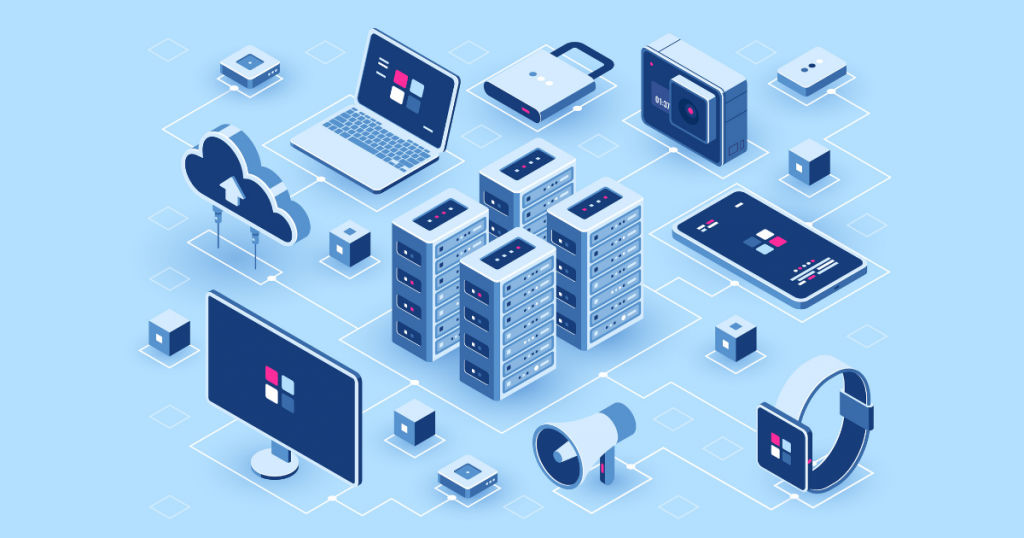
A database management software assists users in the management of SQL servers and database server architecture. Users can easily modify, control, inspect, and administer SQL servers and databases with the database management software. It is intended to extract data from databases.
To improve the efficiency of data querying and processing, data in a database is generally represented as rows and columns in tables. It will give a systematic approach to data management and make it easier to handle data. Database management software provides services such as managing stored data, managing backup and recovery, converting and displaying data, and managing data security.
What are the top 7 free and open-source database management software?
Now let’s talk about the top 7 free and open-source database management software. Here’s the list with top features, limitations, and other details.
1. Oracle Database
Oracle database management software aids in the management of data and the processing of essential transactions in an organized and simple manner. Oracle offers both on-premises and cloud-based database management solutions. These solutions are suitable for small, medium, and big businesses. It is the best database management software and is SaaSworthy’s top choice.
The various features of Oracle Database include –
- Oracle provides grid management, clustering, server management, and grid computing functionalities.
- Oracle provides APIs and pre-compilers, PL/SQL improvements, JDBC and web services, SQL language improvements, and other tools for application development.
- It includes content management abilities such as text improvements and intermedia improvements.
- Oracle Cloud is designed to support hyperscale large data, streaming workloads, and high-performance database workloads.
- In order to run Oracle cloud in your data center, it delivers services based on how you choose to work.
The limitations of Oracle Database are –
- Installing and configuring Oracle on Linux and Unix are complex.
- Backup and maintenance are time-consuming and need a high level of skill and knowledge.
Supported languages –
Java, C, C++, Visual Basic, COBOL, and Pl/SQL.
Supported platforms –
Windows, Unix, and Linux.
2. MongoDB
MongoDB is a free and open-source database management software with over 30 million downloads despite being released only in 2009. It is a NoSQL database that is document-oriented and used for high-volume data storage. It is one of the top free databases that comes under the NoSQL database family.
The various features of MongoDB include –
- It offers total deployment freedom for data migrations.
- It is optimized for exceptionally fast writes, making it an excellent caching solution for analytics data.
- It allows you to visualize, monitor, and alert on over 80 indicators that track the health of your cluster.
- You can easily map objects in your application code because it follows the document data model.
- It maintains tables in a relational database using rich JSON documents.
The limitations of MongoDB are –
- It is unsuitable for applications with complicated transactions.
- Empty fields, dead data, and data mismatches happen at times.
Supported languages –
Java, JavaScript, C, Python, C#, C++, Erlang, Clojure, D, PHP, Dart, Ruby, Delphi, Go, Lisp, Haskell, Lua, Smalltalk, Perl, PowerShell, ColdFusion, Prolog, R, Scala, Groovy, and MatLab.
Supported platforms –
Windows, Linux, Solaris, and OS X.
3. MySQL
MySQL is a relational database management software that is free and open-source. The software is intended to improve your databases’ security and scalability. MySQL is a pioneer, having been in the industry for over three decades. A pluggable storage engine, connectors, MySQL replication, partitioning, and a slew of additional features are included in the open-source community version.
The various features of MySQL include –
- The fundamental features are simple to understand, even if you don’t have experience in programming.
- MySQL supports a wide range of embedded applications, making it extremely flexible.
- It is compliant with current industry DBMS practices and is Instantly compatible with Apache web servers.
- Users have full potential to modify data thanks to the open-source nature.
- You can tailor the data development method to fit both small and large applications.
The limitations of MySQL are –
- Data processing in Linux OS can become complex.
- Queries remain stuck even after refreshing or restarting.
Supported languages –
Java, JavaScript (Node.js), C, C#, C++, Ada, Objective-C, PHP, Ruby, Delphi, Python, Tcl, Perl, D, Eiffel, Erlang, Haskell, OCaml, and Scheme.
Supported platforms –
Windows, Linux, Solaris, OS X, and FreeBSD.
4. MariaDB
MariaDB database management software is a clone of the MySQL database management software. It was built by MySQL’s original creators. MariaDB is enterprise-level software for database management system that allows businesses to store their data while also offering solutions to manage it successfully. It is a robust platform that can handle analytical, transactional, and hybrid workloads, as well as JSON, relational, and hybrid data formats.
The various features of MariaDB include –
- It has significant improvements in performance over MySQL, owing mostly to the Aria storage engine for complicated queries.
- It is one of the best database management software that supports Galera cluster technology.
- You don’t have to worry about predatory licensing or other issues because MariaDB is not controlled by any corporate organization.
- It has a variety of storage engines, including high-performance engines that may be combined with other relational database management systems.
- There are also more storage engines available for particular requirements, such as the ColumnStore for large data warehousing and Spider engine for distributed transactions.
The limitations of MariaDB are –
- It takes a lot of time for simple processes like deleting cache data.
- It lacks community support.
Supported languages –
Java, Python, C#, and C++.
Supported platforms –
Windows, Linux, and macOS.
5. PostgreSQL
PostgreSQL is an open-source database management software that is used in corporate environments. It is supported by an expert developer community that has contributed much to making it an extremely dependable database management software. It was launched in 1997 and is popular in communities such as Ruby, Python, and Go.
The various features of PostgreSQL include –
- It provides extensibility through external data wrappers, stored functions and procedures, and procedural languages.
- PostgreSQL can be linked with other data stores, such as NoSQL, to serve as a federated hub for polyglot databases.
- It offers native support for XML, key-value storage, and document storage (JSON-style).
- Useful resources, such as tutorials, are available to help beginners learn how to use the software.
- PostgreSQL provides support for indexing and a wide range of data types.
- It offers features for security and disaster recovery.
The limitations of PostgreSQL are –
- The native interface restricts data modification.
- The complex nature of the software makes inserting small datasets more time-consuming.
Supported languages –
Java, C, C++, .Net, PHP, Delphi, Python, Tcl, and Perl.
Supported platforms –
Windows, Linux, Solaris, OS X, FreeBSD, OpenBSD, NetBSD, HP-UX and Unix.
6. Microsoft SQL Server
SQL Server is a software for database management system created by Microsoft. SQL Server supports the standard SQL ANSI SQL. It has been a staple in the industry for more than 30 years. It includes development and administration tools, as well as Azure backup and restoration. Microsoft SQL Server is one of the most powerful database management software available.
The various features of Microsoft SQL Server include –
- It utilizes the developer network functionality to generate elaborate queries.
- It employs dynamic data masking, row-level security, comprehensive auditing, and transparent data encryption for security and compliance.
- It combines the capabilities of SQL Server and Spark to integrate organized and unstructured data.
- Without using any syntax, it generates a variety of tables, designs, and view data.
- It is compatible with non-relational data sources such as Hadoop.
- It has access to powerful, interactive Power BI reports, helping you make smarter decisions quicker.
The limitations of Microsoft SQL Server are –
- Long queries sometimes take much longer to execute than anticipated.
- A new firewall security system is urgently required.
Supported languages –
Java, JavaScript (Node.js), C++, Python, Delphi, Go, Visual Basic, Ruby, PHP, and R.
Supported platforms –
Windows, Ubuntu, and Linux.
7. Neo4j
Neo4j is an open-source database management software that debuted in 2007. It is a Java-based open-source NoSQL graph database. It stores your data as graphs rather than tables. Neo4j makes use of Cypher, a query language. It also provides tools for data discovery, analytics, and development.
The various features of Neo4j include –
- It has data transformation capabilities for converting vast amounts of tabular data into graphs.
- Memory caching for graphs benefits in compact storage and efficient scale-up.
- Because of double linking on the storage level between node and relationship, continuous-time traversals in the graph for a relationship in both breadth and depth are possible.
- When a new necessity occurs, you can materialize and leverage new relationships in Neo4j to shorten and speed up the domain data.
- It offers support for transactional applications and graph analytics and also has features for visualization and exploration.
The limitations of Neo4j are –
- It has a restriction on the number of Nodes, Relationships, and Properties it can support.
- When the data surpasses specific thresholds, scaling becomes a challenge.
Supported languages –
JavaScript, Java, Cypher Query Language, .Net, Groovy, Clojure, Perl, Elixir, Scala, Go, Haskell, PHP, Ruby, and Python.
Supported platforms –
Windows, OS X, Solaris, and Linux.
Conclusion
We hope this article provided you some insight regarding the various database management software available in the market. You should now be able to choose a database management software best tailored to your needs after weighing its pros and cons. Moreover, the user’s role should be the factor for selecting a database management software.
For more such informative articles on top software, visit SaaSworthy Blog.
Also read:
