

With well over 675million users, LinkedIn is, without a doubt, the largest social network for professionals. It’s a social platform for entrepreneurs, business owners, professionals, freelancers, employers, employees and the like. Unlike a casual social media network, LinkedIn primarily focuses on businesses. From a business owner’s perspective, what better place is there to promote their company or portfolio than on LinkedIn?
Marketing on LinkedIn however, works a tad differently than on other platforms. The strategy on LinkedIn is primarily about finding leads and prospects for your products or services. The Microsoft-owned social network offers its native suites of business solutions that can be used to promote and endorse businesses, brands, or run campaigns. However, there’s a host of third-party apps that can further simplify the process and help you do the marketing more efficiently.
The benefits of LinkedIn marketing tools
- Better analysis and insights into your target audience and how to promote your offerings effectively
- The ability to use advanced algorithms to better pursue your sales to appropriate prospects
- Find leads for your business relationships more effectively
- Build relations with suitable profiles for advantageous exchanges and collaborations
- Analyze personalities to have a better understanding of your target audience
- Effectively establish and promote your brand presence and refine your content outreach
- Automate certain processes saving you valuable time
Now that we’ve established why using LinkedIn marketing tools is a good idea, it’s time to take a look at the top options. The number of services and tools mentioned below have their own strengths, and assessing and differentiating one tool from the other can be confusing at first glimpse. To make it easier for you we have prepared this handy comparison chart to let you decide on the basis of your business needs.
|
LinkedIn marketing tools |
Pursuing leads |
Organizing data |
Cross-posting ability |
Multi-platform integration |
Analytics |
| LinkedIn Sales Navigator |
Yes |
Yes |
No |
No |
Yes |
|
Nimble |
Yes |
Yes |
Yes |
Yes |
Yes |
| LeadFuze |
Yes |
Yes |
No |
No |
Yes |
| Crystal |
Yes |
Yes |
No |
No |
Yes |
| IFTTT |
No |
No |
Yes |
Yes |
No |
|
Datanyze |
No |
Yes |
No |
No |
Yes |
| Discover.ly |
No |
No |
Yes |
Yes |
Yes |
| Dux-Soup |
No |
Yes |
No |
No |
Yes |
1. LinkedIn Sales Navigator
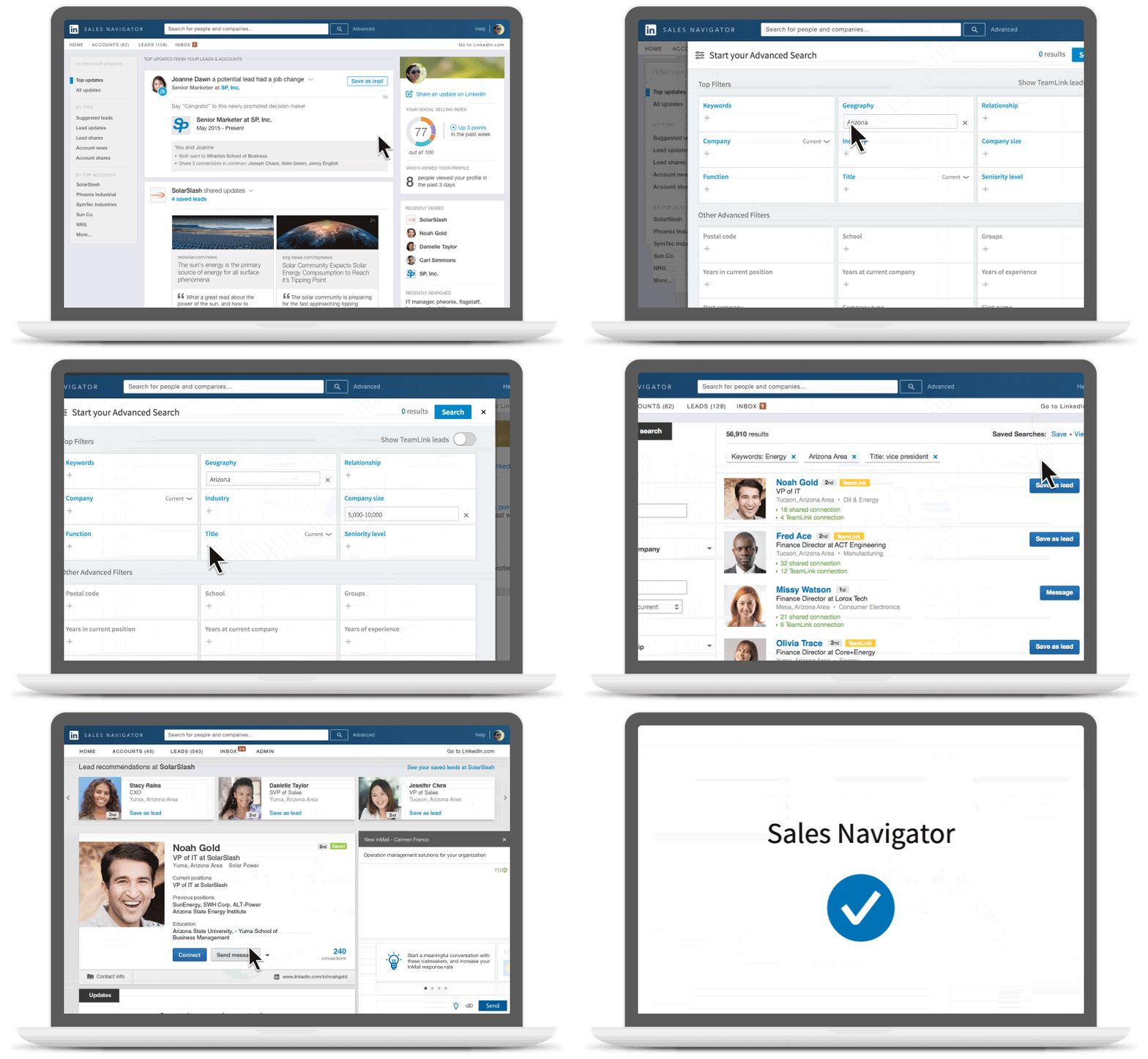
LinkedIn’s own homegrown marketing tool, the LinkedIn Sales Navigator offers solutions for marketers concentrating on sales. The suite helps bring sellers and buyers together through certain automated processes, such as connecting you with the best prospects according to your product offerings. Other significant features include the provision of sales insights that help you make better strategic decisions. Along with other handy tools such as profile visit indicators, real-time sales updates, seamless CRM integration, lead recommendations, and a powerful search functionality… overall, it’s one of the most comprehensive LinkedIn marketing tools.
2. Linked Helper
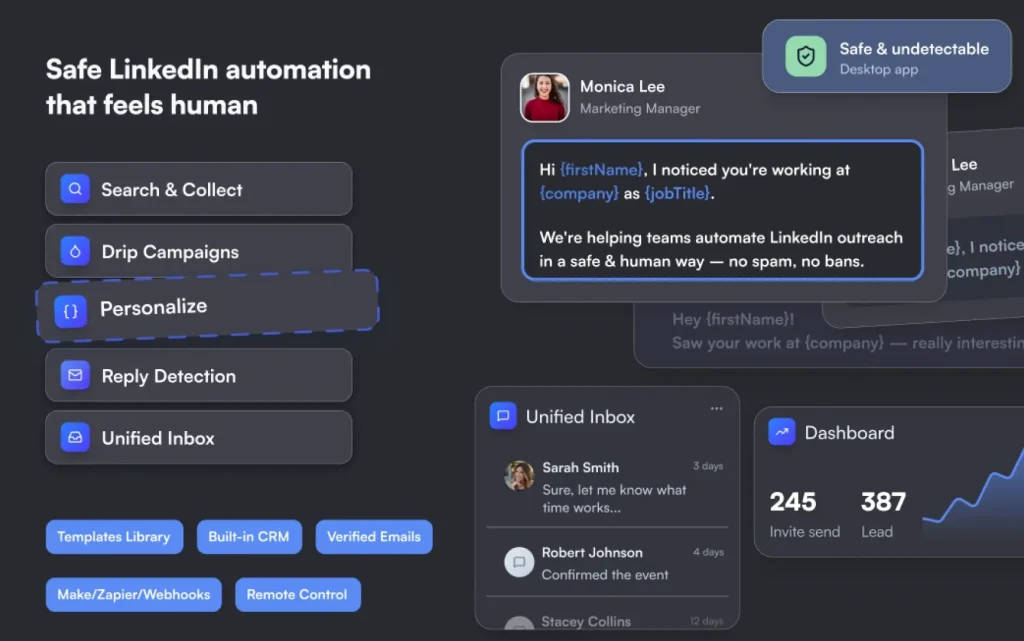
Linked Helper is a LinkedIn automation platform that puts account safety first, running every action at a human-like pace with randomized delays, smart daily limits, and a dedicated proxy for each profile. It’s built-in AI checks every lead against your ideal customer profile, writes personal invites and follow-ups based on what’s in each prospect’s profile, and drafts context-aware comments so you can warm leads up before the first message. You can chain profile visits, endorsements, connection requests, InMails, and follow-ups into campaigns that stop the moment someone replies. It works with Basic, Premium, Sales Navigator, and Recruiter accounts, finds verified emails and phone numbers for your leads, and sends everything to CRMs such as HubSpot, Salesforce, and Pipedrive.
3. Nimble
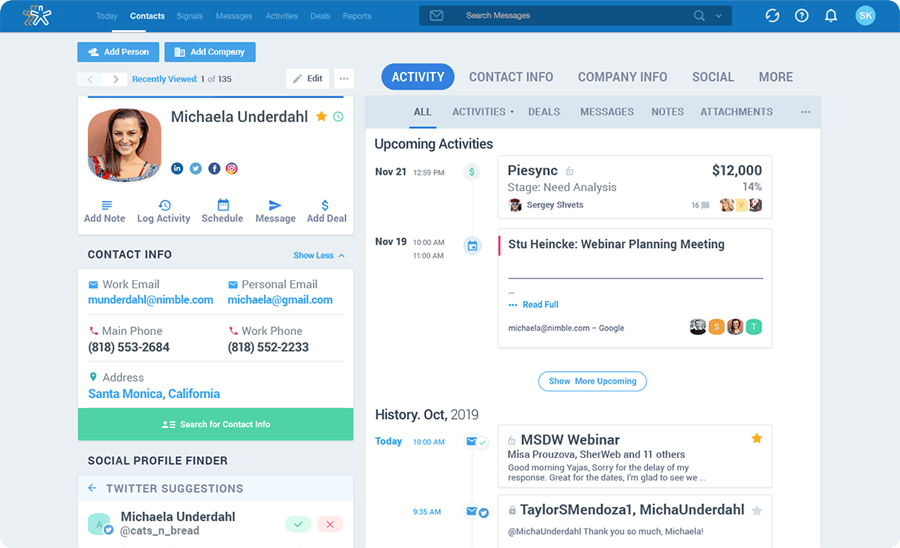
Nimble is a robust customer relationship manager (CRM) tool that enhances your LinkedIn marketing experience by organizing and managing your data neatly. The app provides a compact dashboard with all your CRM data in one place. The flagship features of this service include organizing contacts from multiple platforms under one place, unifying work history in the dashboard, integration, and support across multiple productivity suites; a helpful interactive interface to keep track of your team’s actions and performance thus effectively managing your sales process. All these essential features under one roof make nimble a popular choice.
4. LeadFuze
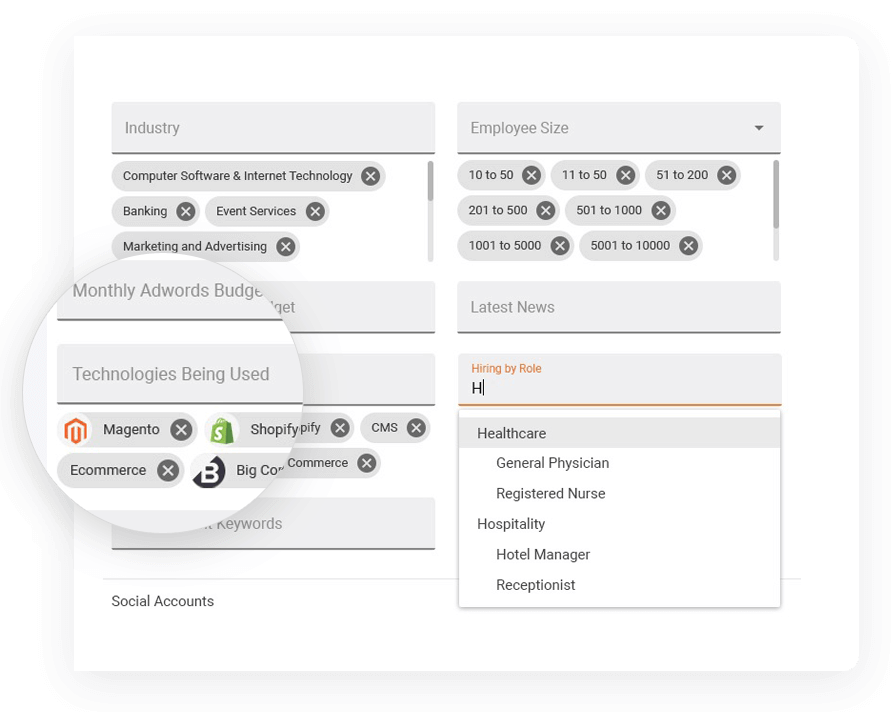
In the LinkedIn marketing space, finding quality leads can change the game. As the name implies, LeadFuze is the go-to solution for digging up quality leads. It makes the tedious process of finding fresh leads much easier, by providing the user with a resourceful search feature. Through search, marketers can come across new leads, LeadFuze also takes care of the rest by automating email communication and follow up with these leads. With the ability to gather contact information automatically, and seamless interactions with your contacts, the tool can save you a lot of time while boosting your productivity.
5. Crystal
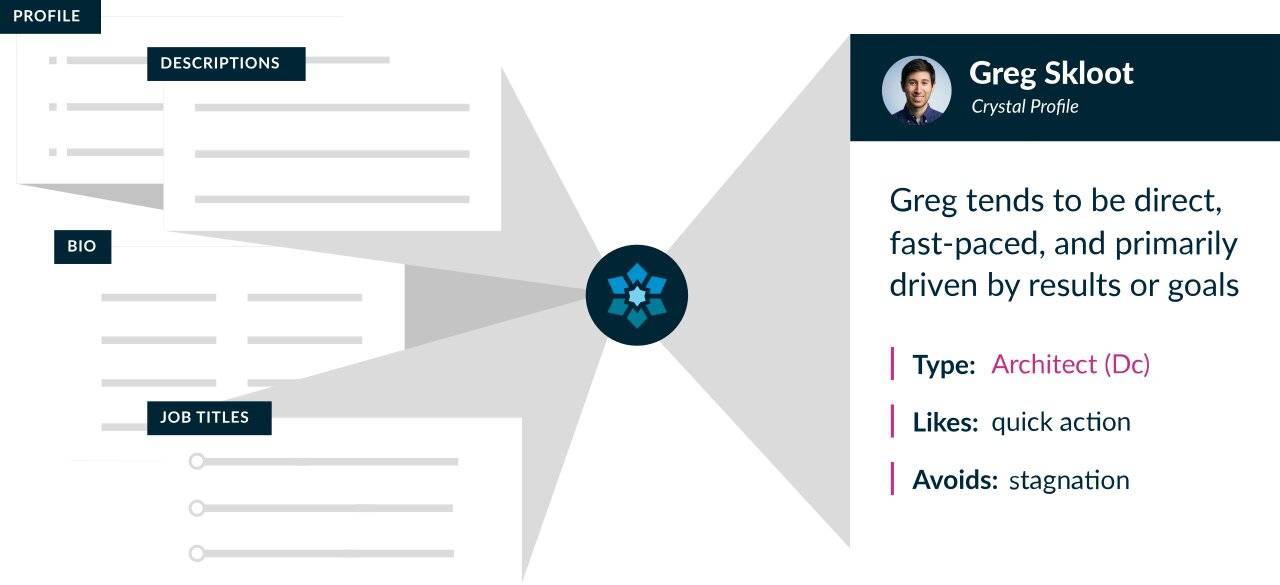
At initial glance, no two profiles on LinkedIn would appear drastically different to most of us but if you scratch the surface, they hide subtle things that can truly set them apart. For marketing, communication is the key; in order to reach your lead effectively, knowing their interests and associations can give you an upper hand. This is where Crystal can make a difference. The service can thoroughly analyze the personalities of your contacts and uncover valuable traits that can help you tailor your specific approach to them. Instead of a one-message-fits-all approach, this personalized tactic can win you plenty of good leads. Also, categorized data-driven information about your clients in one place can train you to be an expert in directing conversations.
6. IFTTT
IFTTT shortened for ‘If This, Then That’ is a social media aggregator and cross-posting tool. In short, it can help you unify your business activities across platforms. Let me explain, if you are promoting your portfolio on LinkedIn, chances are you are also doing that on other platforms or at least maintaining an active presence. It can be quite taxing to keep events and campaigns up to date on individual platforms, this is where IFTTT comes into the picture. It can automate the cross-platform promotion process for you through customizable ‘recipes’. A recipe here is a fancy term of a function you can set up for IFTTT to follow. To give you a practical example, let’s say you want your business-related tweets to show up on your LinkedIn business page as well, you can simply select that recipe, set a specific hashtag, and whenever that hashtag is used on Twitter, IFTTT will automatically cross-post that particular content on LinkedIn on your behalf. With over 160+ such as LinkedIn ‘recipes’, you are likely to find solutions for most of your social media strategy here.
7. Datanyze
LinkedIn is full of technology companies. If you want to market your technology-related product to these companies, it can be a great advantage if you know the existing technology choices of these companies. That’s where Datanyze can provide you with valuable insights. Datanyze is a leading technographics company that specializes in data compilation of technologies being used by corporations. It can show you real-time information about your target company’s technology preferences, which you can utilize to target your products accordingly. It also helps you discover valuable prospects and their contact information as well as assist you in quicker conversions.
8. Discover.ly
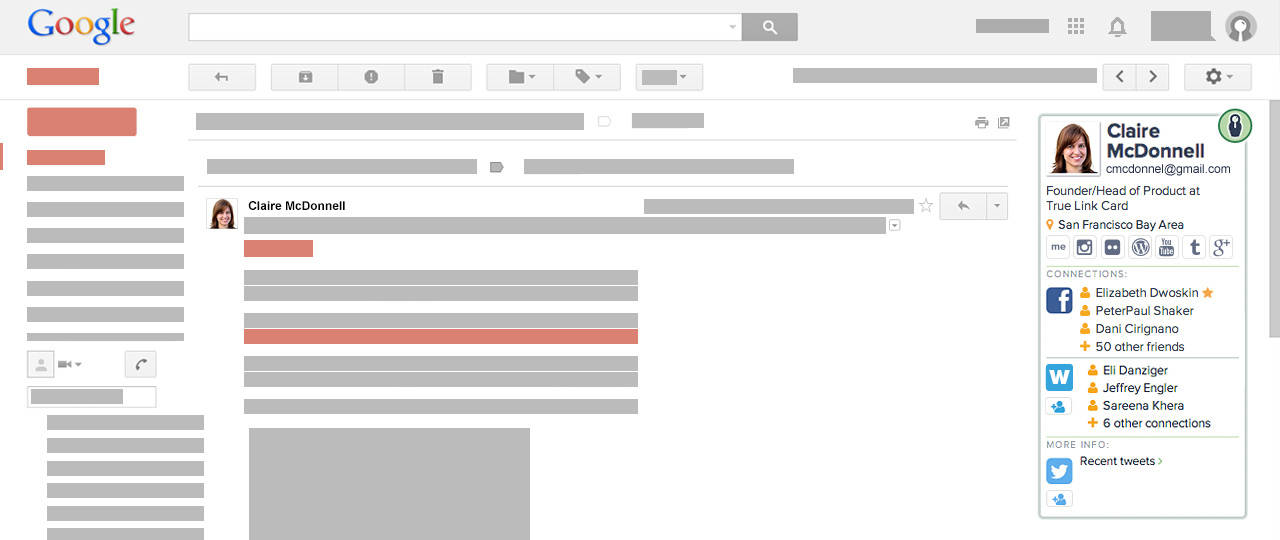
Social media coordination can be a challenge in the marketing industry. Manually keeping in touch with different matrices of each platform can take a lot of your valuable time. Discover.ly simplifies that by unifying all of your social media platforms together. It gives you nifty peeks of your other social media engagements and insights while working on one particular social platform. Available as a browser extension, it maintains its presence during your browsing experience to provide you with additional controls and information.
9. Dux-Soup
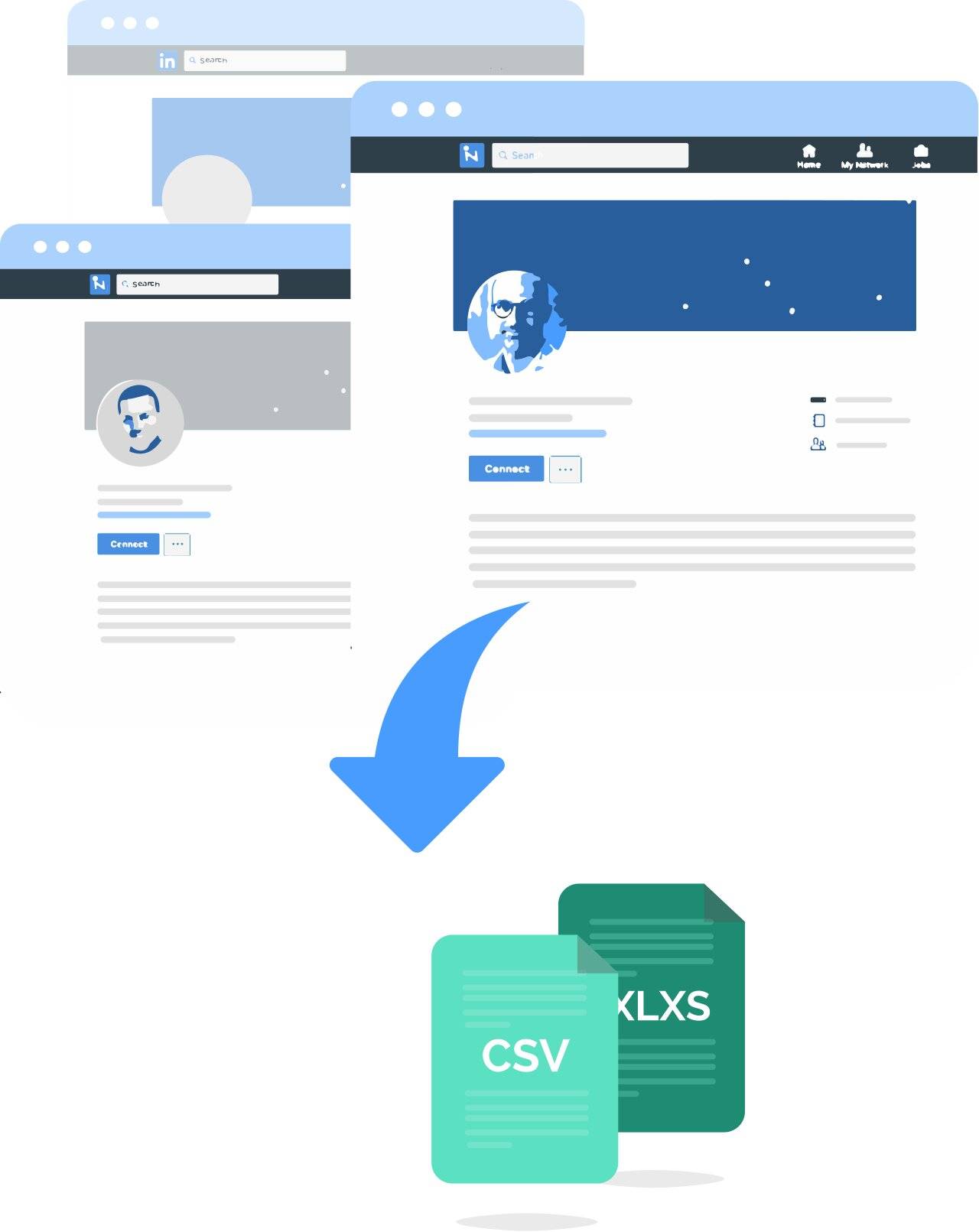
Designed specifically for LinkedIn, Dux-Soup is a nifty tool with automation at heart. It will automate a range of vital functions that would be otherwise time-consuming to perform manually. There are a plethora of functions that Dux-Soup can take care of, such as profile visits, profile tagging, endorsing, messaging your prospects, etc. automatically. You can download the progress into your database as .CSV files for later assessments as well.
Verdict
LinkedIn is a leading social media network for business owners, entrepreneurs and corporate individuals to interact, collaborate, and engage. Therefore, it can be quite a rewarding platform for you to promote your brand and its offerings. This is where these tools, each having their particular strengths, can greatly assist you in reaching new leads, finding prospects, increasing your conversions to new heights, and boost your business ambitions.
