

Graphics and 3D model maker tools are widely used today, both in multimedia as well in architecture. These 3D design tools are best in some crucial components in digital production. And this is the only reason why you need to choose such CAD programs after considering the most vital parameters.
But how do you do that?
Table of Contents
Criteria to choose the best 3D modeling software
1. Purpose: You will find a plethora of 3D modeling software that are specifically addressed to different fields. For example, there is a bunch of dedicated tools to create engineering designs, be it civil or mechanical. Plus, if you are a graphics designer, there are differences in the modeling tools to consider. Hence, the choice of the software should be driven by the purpose you are looking to fulfil.
2. Compatibility: Compatibility is a huge thing when it comes to choosing a modeling tool for 3D CAD online. This means, it should be compatible with the operating system that you use, especially when you are looking for a free 3D modeling software for beginners. Though most of the tools are available for all operating systems – Linux, Windows and Mac, it is recommended to have an initial check.
3. Price: 3D model maker tools are expensive, for sure. However, there are still some tools that are available for free but are equally professional. As a beginner, it is always good to start off with a free tool rather than paying a hefty sum for the commercial license.
4. User-friendliness: If you are a beginner at 3D modeling, you are better off starting with the one that is very user-friendly. After all, such tools are steep to learn at first.
What are 3D modeling tools used for?
3D modeling tools are used for various purposes. These span over many fields, including
5. Construction: The construction industry is barely complete without some 3D modeling tools. Be it interior decoration or shaping up a building from scratch, 3D CAD tools are the go-to tools.
6. Animation: This might not look so relevant but such 3D drawing and modeling tools are also used for animation of various characters and cartoons. The inbuilt features offered with several free 3D drawing tools are enough to create life-like animation with little knowledge in the field.
7. Simulation: As you might be knowing, simulation is considered to be a premium feature in 3D design tools. However, there is a long list of free tools in the category that offers the simulation feature, in case you need it.
Why should you choose free 3d modeling software
Free 3D modeling software are presently the talk of the town. Though people believe such free tools to be inferior to the paid ones, it is not entirely right. Free 3D modeling tools are equally rich in the features are extensive in their applications. Plus, most of them are very user-friendly to use owing to their simple layout.
Here are some free 3D modeling software that you can consider.
| Name | Compatibility | Premium pack | Online/Software |
Graphic simulation |
| Tinkercad | Web-based | No | Online | Yes |
| Vectary | Web-based | Yes | Online | No |
| SketchUp | Web-based | Yes | Online | No |
| MatterControl | Windows, Mac and Linux | No | Software | No |
| MeshMixer | Windows and Mac | No | Software | No |
| Onshape | PC and smartphone | Yes | Software | Yes |
| Fusion 360 | Web-based | Yes | Online | Yes |
| FreeCAD | Windows, Mac and Linux | No | Software | Yes |
| Sculptris | Windows, Mac | No | Software | Yes |
1. Tinkercad

Tinkercad is an amazing 3D CAD online tool for beginners. It is extremely easy to use and offers 3D drawing, electronics and simulation and code designing. It is a web-based tool and can be accessed by any PC, but requires active internet connection.
For the 3D designs, it is as simple as placing objects, moving them as per the will and adjusting them with others to produce a very detailed model. The produced 3D drawings can be printed as well as it supports all such printers that accept the STL format.
For electronics and circuits, you can either design like a beginner or use C++ or Codeblocks. It also supports simulation, which is a great thing to have in a 3D design tool. And lastly, you can use Codeblocks purely to create a stunning 3D model ground up. However, this makes it a little difficult for beginners, who are well off using the basic design tools.
2. Vectary
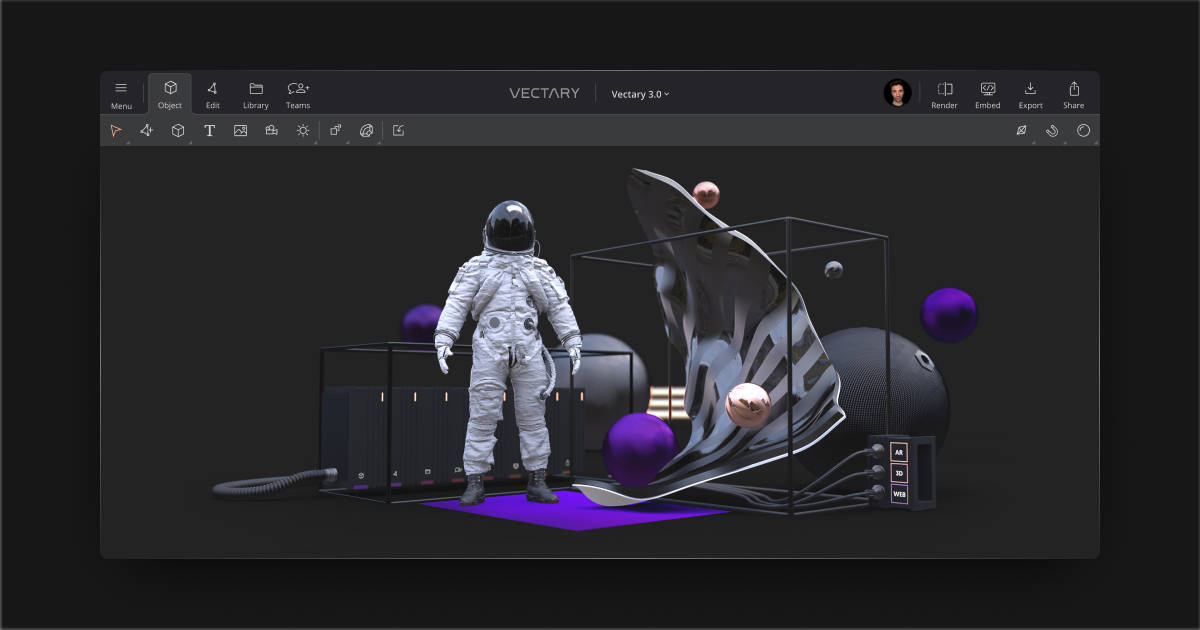
Vectary is a premium touch browser-based 3D graphics rendering tool. It does come with premium packs, but the free version is good to go too. It has a very professional-looking software that can help you turn your creative ideas into 3D drawings with a complete toolset.
You can create web designs, mockups, products and AR files in the browser. The designing tools are very simple and powerful at the same time. The layout and interface are simplified but thoroughly professional that can make the life of a new designer easy.
But that is not it. If you find yourself stuck at any particular designing part, you can share it with others who can leave notes and comments. This is enabled by the collaboration tool. And lastly, it has a lot of integrations with popular tools, like Shapeways, Sketchfab, etc, with the help of which you can export the model on the go.
3. SketchUp
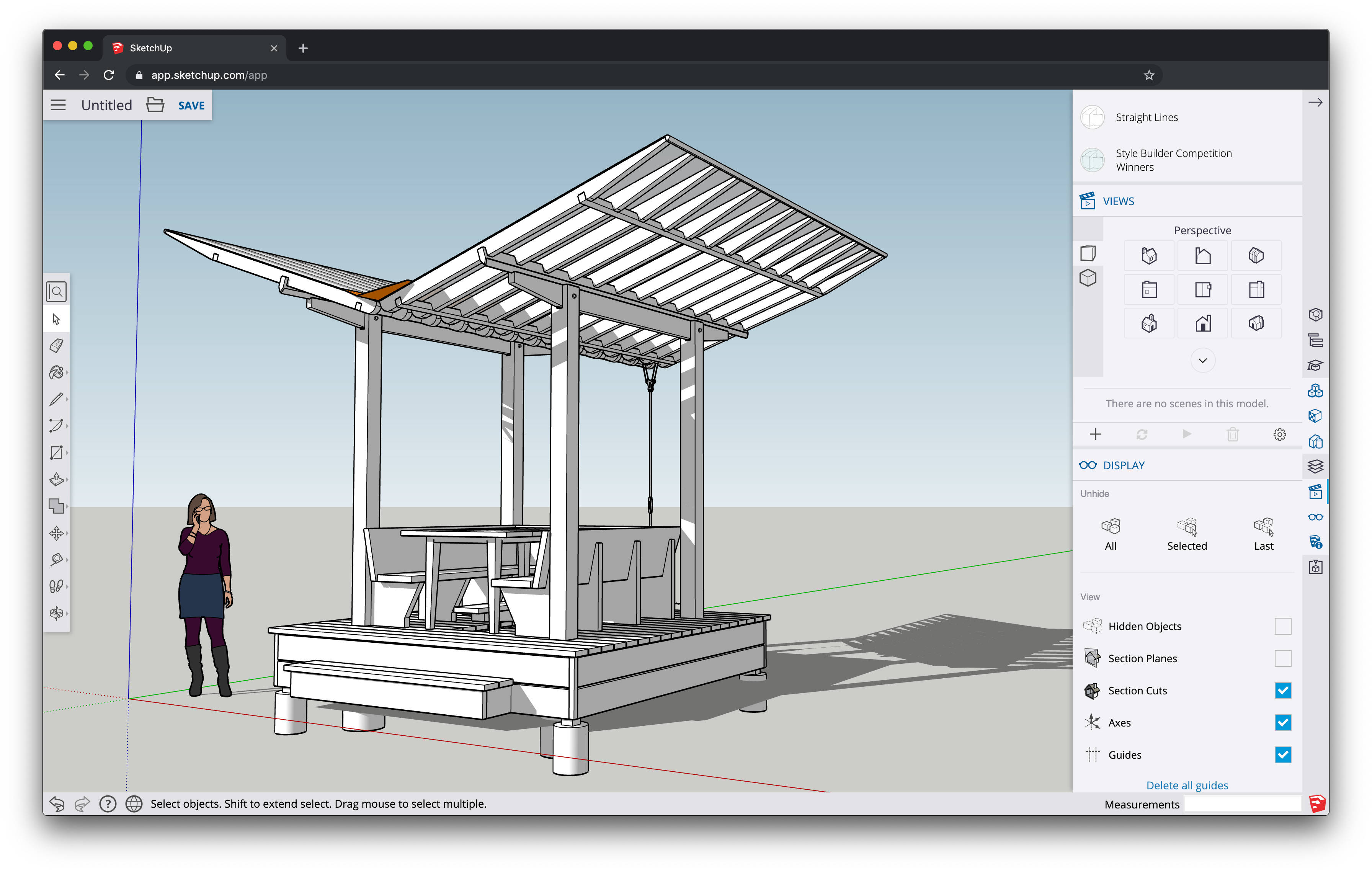
SketchUp is a free 3d modeling software for Mac, Windows and Linux alike since it is a web-based tool. It offers up to 10GB of cloud storage on Trimble Connect, which allows you to collaborate with your team and share projects. While working on any project, you can import file types of SKP, PNG, JPG, etc. Moreover, you can export the same formats too.
SketchUp also has a mobile app via which you can view the 3D models on mobile devices. Its 3D warehouse can be accessed by the users to add real-life context to the models. Being around for a fairly long period of time (since 2000), the 3D drawing tool has moulded itself into being one of the most flexible and easy-to-use apps.
With the addition of various plugins, the productivity of the users with SketchUp can be enhanced further.
4. MatterControl
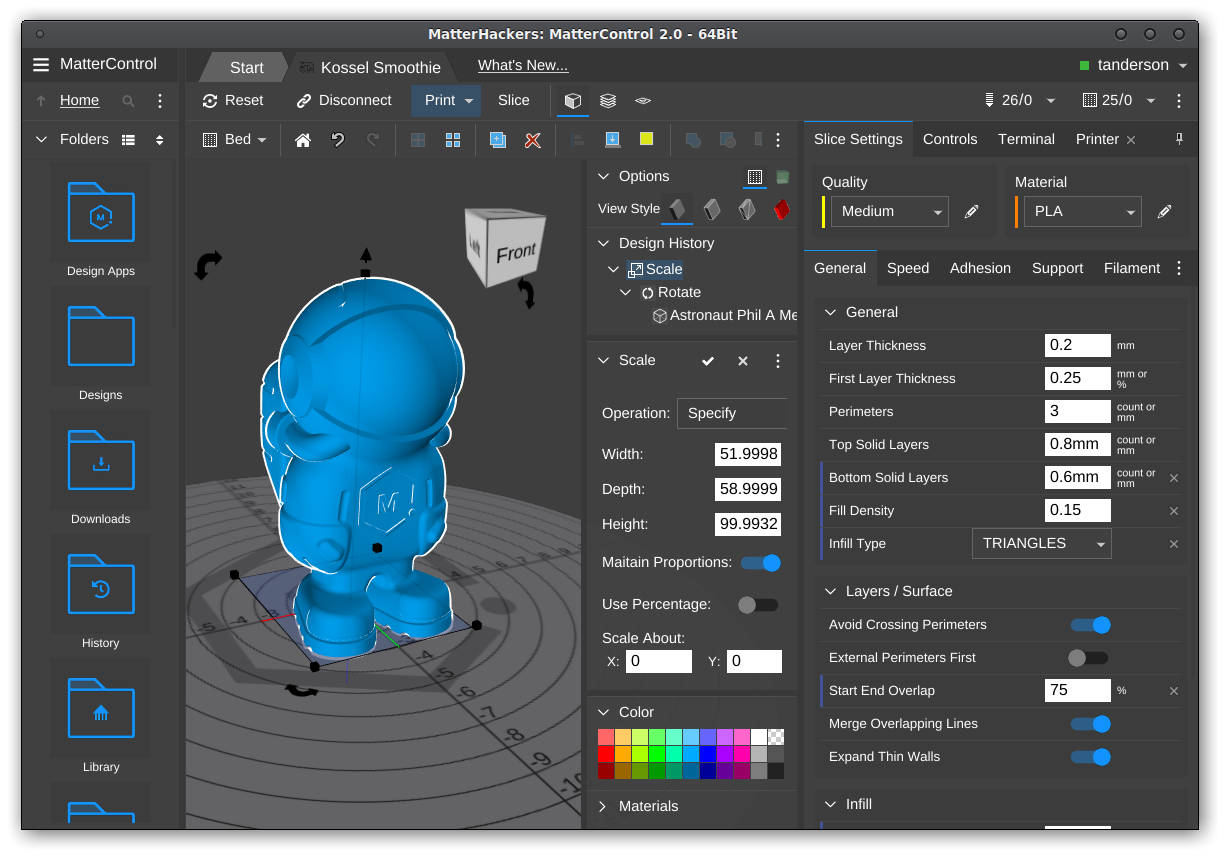
MatterControl is a free and open source 3D drawing software that comes free of cost. Because of its open source nature, it can run on all the popular platforms, Windows, Mac and Linux. It does not have premium packages, though the number of features aren’t compromised at all.
You can design blocks and drawings from scratch using the Design Tool. It is one of the first software for 3D printing that makes it possible to prepare, integrate design and print 3D models. Despite being free, it is a very powerful tool and gives the users the capabilities to design and print. The templates within the Design Tool are worth exploring too.
And lastly, with the help of the cloud sync, you will never be without any digital files. The files stored in the cloud can be accessed from almost anywhere you are accessing the tool from.
5. Meshmixer

Meshmixer can be well considered to be a state-of-art 3D drawing software that makes working fun. It is probably one of the best 3D design tools that are available as installable software for Windows and Mac.
Meshmixer has some notable tools that make it easier for the users, besides making the tool very robust and excellent. Some of the features that make Meshmixer a wonderful 3D drawing tool are drag-and-drop mesh mixing, great convert-to-solid tool for 3D printing, stability and thickness analysis and precise 3D positioning with the user of pivots.
Besides these, the other features that make the tool very extensive are 3D sculpting, hollowing, bridging, hole filling, interior channels and tubes, etc. Hence, with all of the features that are provided by a free 3D modeling tool in the form of Meshmixer, there is barely anything else the users would complain about.
Summing up
3D modeling software are often believed to be expensive. Though this notion does make sense greatly, there is a plethora of options available out there that do not cost a dime. However, all of this is offered many compromises on the features.
To sum things up on the list of 3D drawing tools, all the ones mentioned here are apt for usage. Though MatterControl and Meshmixer are available as installable software, they do not have graphics simulation.
On the other hand, Tinkercad is available as a web-based tool and has graphics simulation too, which is undoubtedly a great feature to have.
Hence, if you are looking to use a 3D drawing tool as a beginner, you can choose any of the web-based tools, since they do not have the compatibility issue.
