

MailChimp, developed by the Rocket Science Group in 2001, has become one of the most widely recognized email marketing platforms, especially popular among small and mid-sized businesses. While it originally launched as a paid product, MailChimp later introduced a free tier, making it an attractive entry point for businesses just starting their email marketing journey. The free plan lets users send up to 12,000 emails per month to a maximum of 2,000 subscribers, but it comes with limitations: a very limited selection of templates, basic customization options, and the risk of account suspension if unsubscribe rates spike.
Because of these constraints, many businesses eventually look for more flexible, scalable, and feature-rich alternatives to MailChimp. Below are some of the top options worth considering.
5 Alternatives to MailChimp
1. Emma
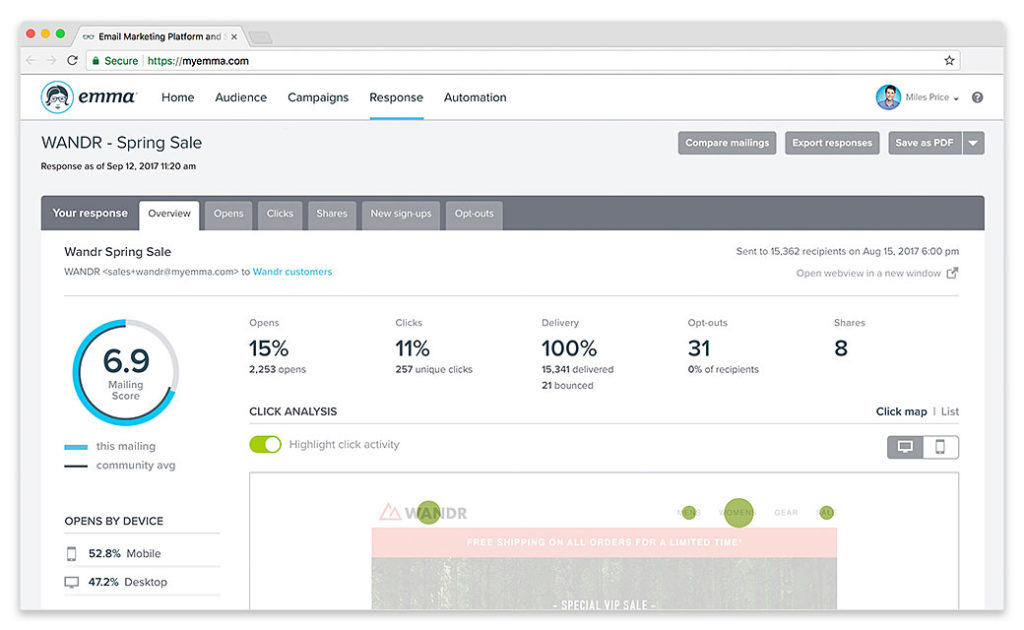
Emma delivers a flexible email marketing service and allows to create well-established email campaigns. Users can make use of the range of default templates and can design efficient mobile emails. This software is made with an easy user interface and provides real-time analytics feature. Emma is a paid software that can be integrated with famous e-commerce and CRM platforms. This software is available in three versions namely Pro, Plus and Enterprise and the cost varies based on the features offered.
Pros
-
Very clean, easy-to-use interface
-
Strong segmentation + personalization
-
Excellent mobile-optimized email templates
-
Real-time analytics
-
Good integrations with CRM and e-commerce tools
Cons
-
More expensive than many competitors
-
Advanced features locked behind higher tiers
-
Smaller integration ecosystem compared to Mailchimp or Constant Contact
Best For
-
Mid-sized businesses and agencies needing strong design tools + segmentation
-
Teams that want a polished UI and mobile-first templates
Pricing (Approx.)
-
Plus: ~$89/month
-
Pro: ~$159/month
-
Enterprise: Custom pricing
2. Constant Contact
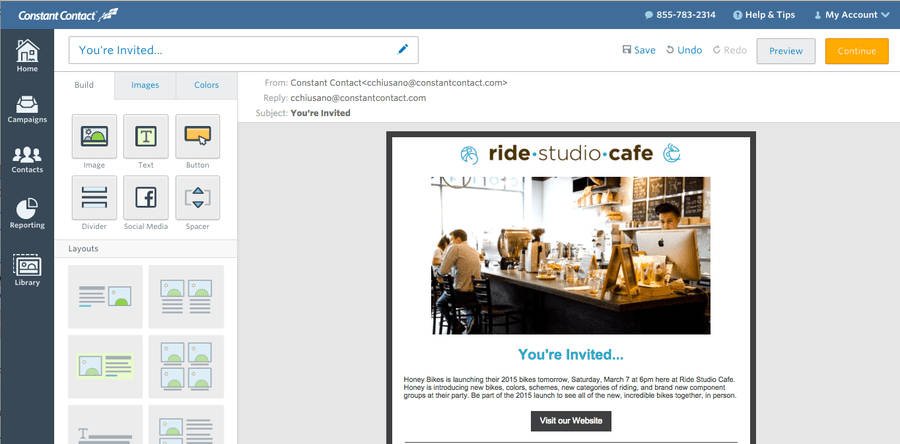
Constant Contact is a marketing application software that has an experience of over 15 years and has a loyal customer base of around 650,000 across the globe. The software is equipped with collective templates and allows to upload contacts in multiple ways. With Constant Contact, contacts from multiple databases can be gathered together as a single unified list. It allows the user to enable mobile email marketing and also has an image library along with list-building tools, which is an added advantage for the users. Customers can make use of the free trial version which is available for a period of 60 days in order to get a good idea.
Pros
-
Very beginner-friendly
-
Huge template library
-
Strong list-building tools
-
60-day free trial (rare among email tools)
-
Good support and training resources
Cons
-
Automation capabilities are limited compared to GetResponse
-
Reporting is basic
-
Pricing increases quickly with list size
Best For
-
Small businesses, local businesses, nonprofits
-
Users who value ease of use over advanced automation
Pricing (Approx.)
-
Lite: ~$12/month
-
Standard: ~$35/month
-
Premium: ~$80/month
3. GetResponse
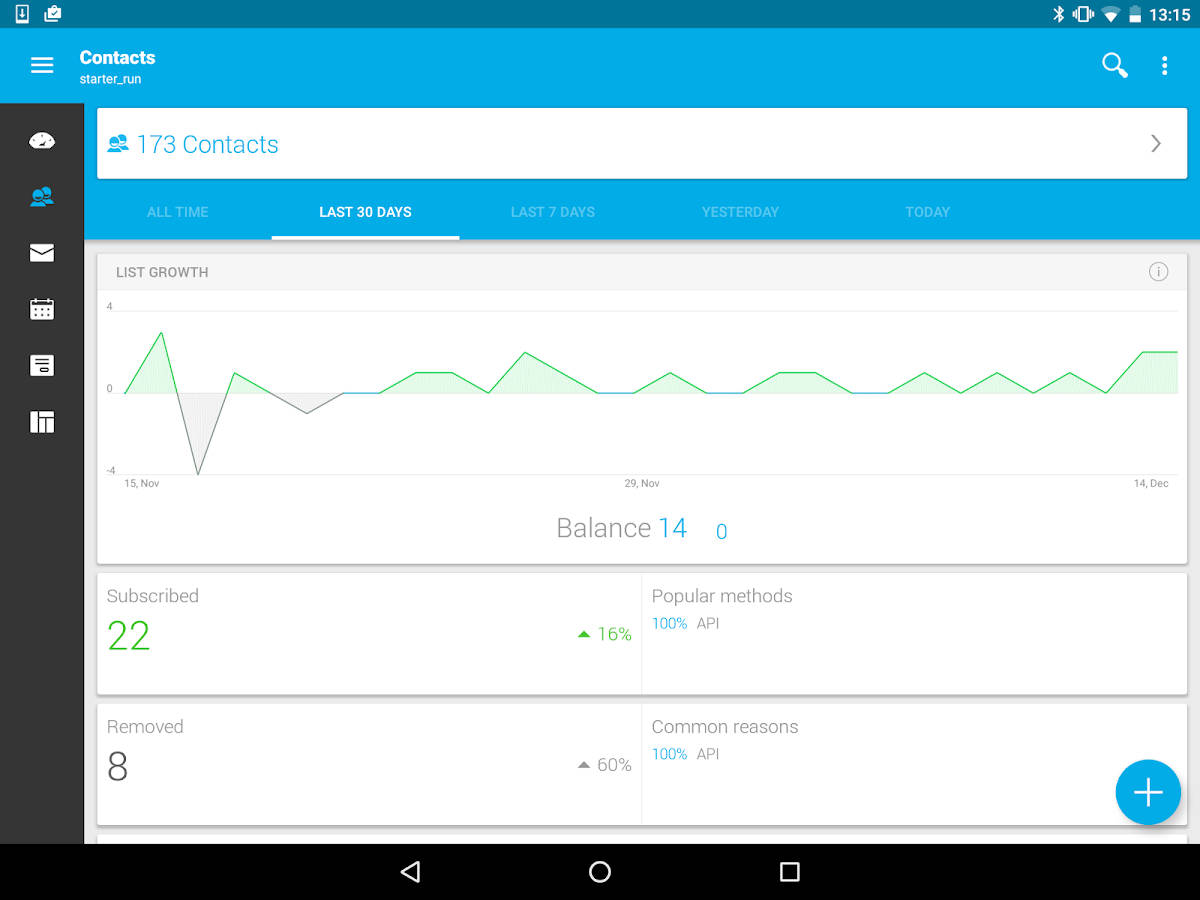
GetResponse is a simplified email marketing application by which you can create professional emails in a simpler way. Email intelligence is one of the best feature available in GetResponse and it can help you enhance the impact on campaigns. Moreover, this software allows you to track your efforts by which performance can be measured. GetResponse can be integrated with third-party solutions such as Google and Zendesk in order to provide subscribers list. There are four versions available for GetResponse such as Email, Pro, Max, and Enterprise, based on your estimated email contacts, you can choose one among these versions.
Pros
-
Strong automation workflows
-
Advanced analytics + “email intelligence”
-
Landing pages + webinar hosting included
-
Integrates with many third-party tools (Google, Zendesk, etc.)
-
Scales well for growing lists
Cons
-
UI can feel cluttered for beginners
-
Some features (webinars, automation) locked to higher tiers
-
Not as “simple” as Mailchimp for first-time users
Best For
-
Businesses looking for automation + funnels
-
Marketers running webinars or landing page campaigns
Pricing (Approx.)
-
Email Marketing: ~$19/month
-
Marketing Automation: ~$59/month
-
Ecommerce Marketing: ~$119/month
-
Max/Max2: Custom pricing
4. iContact Pro
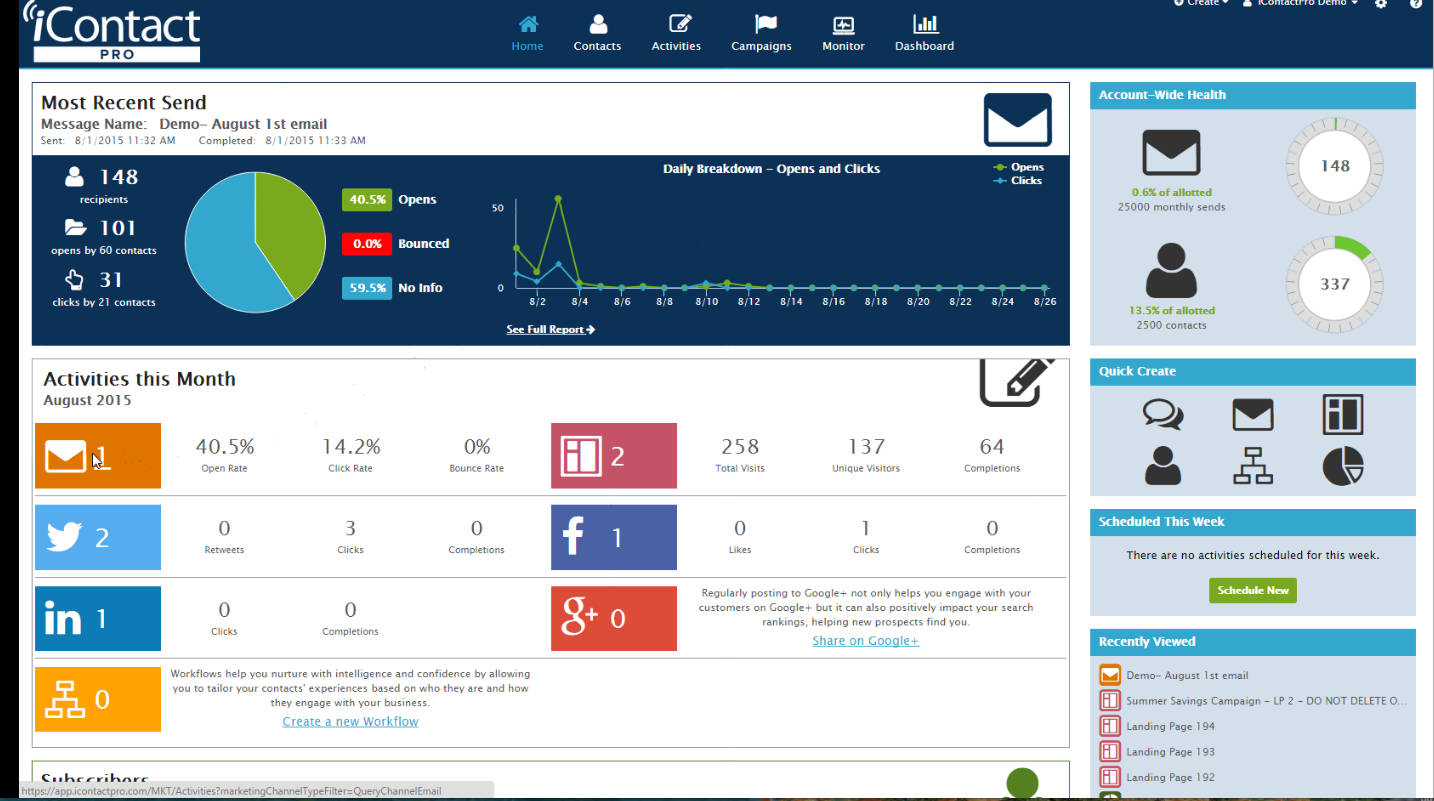
iContact Pro is an advanced and automated marketing suite that makes your email marketing much more effective. This is a cloud-based software that integrates social media management and provides automated marketing along with robust analytics. Email campaigns can be easily managed by deploying iContact Pro. Moreover, this software can be integrated with SalesForce by which sales processes can be managed efficiently. On the other hand, robust analytics allows the user to make effective strategic planning by which resource allocation for marketing can be decided. Depending on the number of subscribers, it offers three plans such as Email Marketing, Pro Automation and Premiere and offers better service in comparison to MailChimp.
Pros
-
Strong automation and workflows
-
Advanced analytics for strategy planning
-
Good Salesforce integration
-
Social media management included
-
Simple to manage email campaigns
Cons
-
Interface isn’t as modern as some competitors
-
Pricing can be steep at higher subscriber counts
-
Smaller ecosystem of integrations
Best For
-
Mid-sized businesses needing automation + Salesforce connection
-
Teams with multi-channel needs (email + social)
Pricing (Approx.)
-
Email Marketing: ~$15–$45/month
-
Pro Automation: ~$99/month
-
Premier: Custom pricing
5. AWeber
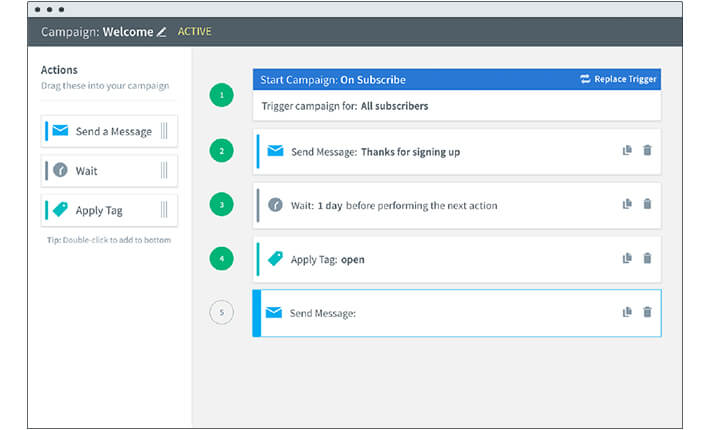
AWeber is an email marketing solution which delivers personalized emails to your customers and is very much suitable for small businesses. The software also lets you integrate with platforms such as WordPress, Magento and much more. The Autoresponder feature in Aweber makes customer interaction easier and allows the user to create personalized messages. Moreover, the software allows subscribers segmentation by which subscribers can be listed and grouped together in a database. Based on the number of subscribers, you can select any one the available plans and make use of Aweber to improve your email marketing programme.
Pros
-
Reliable deliverability
-
Strong autoresponders
-
Good subscriber segmentation
-
Integrates well with WordPress, Magento, etc.
-
Easier for beginners than GetResponse
Cons
-
Templates/designs feel outdated
-
Automation is limited compared to more modern tools
-
Pricing is not as competitive for large lists
Best For
-
Small businesses, solopreneurs
-
Users who rely heavily on autoresponders
-
Bloggers/creators using WordPress
Pricing (Approx.)
-
Free: Up to 500 subscribers
-
Pro: ~$20.00/month (scales with list size)
Mailchimp Alternatives — Comparison Table
| Tool | Pros | Cons | Best For | Pricing (Approx.) |
|---|---|---|---|---|
| Emma | • Easy UI • Great mobile-optimized templates • Real-time analytics • Strong segmentation |
• Expensive • Advanced features in higher tiers • Smaller integration ecosystem |
Mid-sized businesses & agencies needing polished design and segmentation | Plus: ~$89/mo Pro: ~$159/mo Enterprise: Custom |
| Constant Contact | • Beginner-friendly • Large template library • Strong list-building tools • 60-day free trial |
• Basic automation • Basic reporting • Price rises with list size |
Small businesses, local businesses, nonprofits | Lite: ~$12/mo Standard: ~$35/mo Premium: ~$80/mo |
| GetResponse | • Strong automation • Webinars & landing pages included • Advanced analytics • Wide integrations |
• UI can feel cluttered • Best features in higher plans • Learning curve vs. Mailchimp |
Automation-focused teams & marketers running funnels/webinars | Email Marketing: ~$19/mo Automation: ~$59/mo Ecommerce: ~$119/mo Max: Custom |
| iContact Pro | • Good automation • Strong analytics • Salesforce integration • Social media management included |
• UI not very modern • Pricey at scale • Fewer integrations |
Mid-sized teams needing automation + Salesforce | Email: ~$15–45/mo Pro Automation: ~$99/mo Premier: Custom |
| AWeber | • Great deliverability • Strong autoresponders • Good segmentation • Good WordPress integration |
• Older templates • Limited automation • Gets pricey for large lists |
Small businesses, solopreneurs, bloggers | Free: Up to 500 subs Pro: ~$20+/mo (scales) |
All of these software are cost-efficient and highly reliable, with a bundle of additional features available with them. When compared to MailChimp, some of them provide you with more built-in templates and allow you to develop a more effective professional marketing strategy.
FAQs
Which Mailchimp alternative offers the best automation capabilities?
GetResponse and iContact Pro are ideal for automation-heavy workflows. GetResponse provides visual automation workflows, webinar tools, and landing-page creation. iContact Pro offers automation with strong analytics and CRM (e.g., Salesforce) integration.
Which platform is most suitable for beginners or small businesses?
Constant Contact and AWeber are user-friendly, with simple interfaces and straightforward list-building tools. AWeber’s free plan for up to 500 subscribers makes it especially attractive for startups and small businesses.
Can I use these tools for sending e-commerce or transactional emails?
Yes, GetResponse supports e-commerce use cases (depending on the plan) and integrates with many e-commerce platforms. Emma also supports e-commerce integrations, but make sure to check the exact features in your chosen plan.
How do the pricing models of these tools scale with list size?
All these tools have pricing that increases as your subscriber list grows. Tools like GetResponse and AWeber scale linearly or in tiers with list size. Constant Contact’s cost can rise sharply with larger lists, so it’s important to evaluate projected list growth when choosing.
Which tool offers the best analytics and reporting?
- Emma: Real-time analytics, good for monitoring campaign performance.
- GetResponse: Advanced email intelligence + conversion tracking.
- iContact Pro: Deep analytics plus insights for strategic planning.
- Constant Contact and AWeber: More basic reporting, but sufficient for small to medium-sized businesses.
