

Whiteboard is the first to come to mind when discussing collaboration among teams. Teams can use the initial whiteboards of cooperation, which are physical, to think about ideas, plan drawing mockups, or provide information to coworkers. For a long time, whiteboards have served teams across the globe. But they work only when you have coworkers in the same area. As work becomes less remote, boards once used for writing are being replaced by digital counterparts. Since more and more companies support remote work, employees no longer have to be at the office daily during the week.
Although remote workers can enjoy numerous advantages – including reducing office costs such as stationery, rent and utilities, which can save time on commutes for employees, as well as reducing unnecessary office meetings, water cooler discussions and office politics- there are a few drawbacks. Unable to have your team together often results in skipping whiteboard meetings and slogging through emails back and forth to clarify something to your coworkers. As you might imagine, this usually results in an enormous mess! Numerous digital whiteboard applications have been released over the last decade to address this critical issue. Digital whiteboard software lets teams avoid the email chain and move directly to collaboration and brainstorming by offering them the space to brainstorm.
Therefore, without wasting time, let’s go through our digital whiteboard application one at one and find out which are the most notable. Let’s get started.
Table of Contents
What is Collaborative Whiteboard Software?
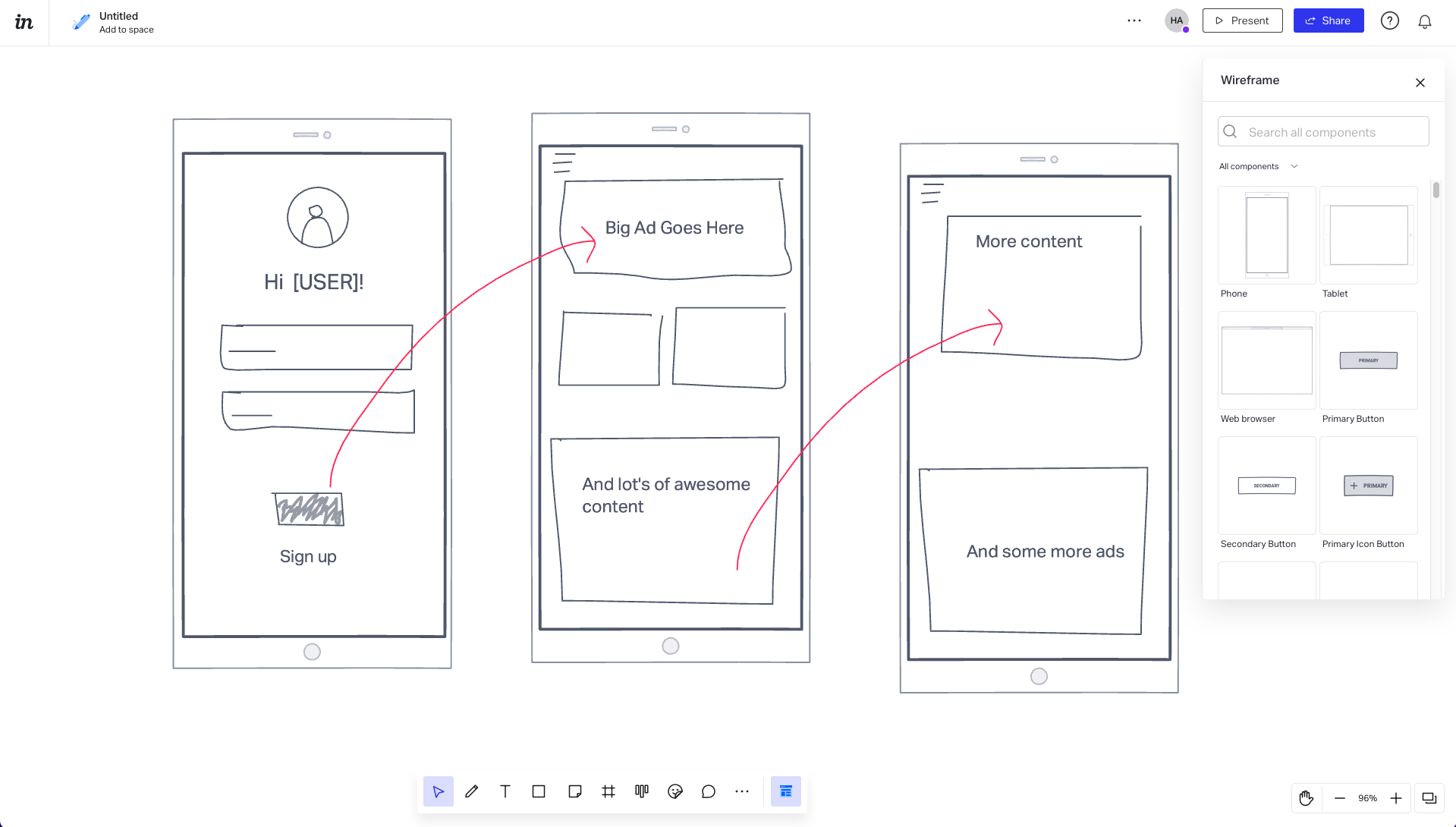
One of the software’s most significant advantages for virtual whiteboards is that it can visually manage and represent virtually any task. The result is more interesting for the people you’re working with and more accessible for those who work and learn differently. Collaboration whiteboard software, also described as digital, online, and virtual whiteboard software provides an electronic canvas that many participants can edit at once.
Collaborative whiteboards have numerous features that enhance the ability of users to communicate their ideas visually. These include brushes, colours, shapes, images, templates and shapes. These tools for collaboration are incredibly versatile, and companies can effectively use them for various uses. Some of the most popular services of this kind of software are, however, open to the management of projects, visualization of workflow meetings management, and brainstorming sessions. Let’s take a look.
Top 5 Collaborative Whiteboard Software Tools
Microsoft Whiteboard
Our list starts with Microsoft Whiteboard. Microsoft Whiteboard is a cloud-based whiteboard application designed to assist groups in drawing patterns, making table layouts, altering the content and simultaneously commenting on an online canvas. Pen-based interfaces allow users to create images, add sticky notes and draw, type and drag objects over the surface. The key characteristics of Microsoft Whiteboard include templates, collaboration, diagramming, drawing, and annotation features.
The app allows teams from different locations to exchange ideas and collaborate on a platform accessible via mobile devices. Its intuitive touch interface allows teams to work in the same virtual space in real-time or across multiple devices using the application or web browser.
Microsoft Whiteboard automatically saves all current tasks and allows users to return to where they have left off. Users can draw doodles that can be turned into lines, shapes and tables, which can be copied and pasted into other content and shared with colleagues across the organization, which allows collaboration and maximizing brainstorming sessions.
- Deployment – Cloud, SaaS, Web-Based.
- Platform – Windows.
- Top Features – API, Chat/Messaging, Collaboration Tools, Commenting/Notes, Customizable Templates, Diagramming Digital, Canvas, Drag & Drop.
- Free Trial Available
- Prize – Price not provided by the vendor.
- Best for – Chat/Messaging, Collaboration Tools, Commenting/Notes.
- Support – Email/Help Desk, FAQs/Forum, Knowledge Base.
- Overall Rating – 5/5 Stars
Jamboard
The second that comes on the list is Jamboard. Jamboard is a software for collaboration which allows businesses to build online workspaces that will enable them to create and share ideas. The platform lets users upload images, documents, slides, spreadsheets, and much more directly onto digital canvas via the internet and local drives. Jamboard comes with handwriting and shapes recognition capabilities, which allow administrators to convert signatures, notes and other information drawn on the board into digital formats. It provides a range of features, including access management, the latest files, drawing tools, sticky notes and many other features. Co-authoring features built into the software permit users to collaborate on various platforms to mark, add comments and upload files using a real-time whiteboard.
Jamboard lets users create flexible jams or workspaces, Add goals and project details, make suggestions using annotations, allocate tasks and invite team members to join meetings.
Team members can share documents and images of workspaces using URL hyperlinks or emails and import data via Google Drive and other G Suite applications.
- Deployment – Cloud, SaaS, Web-Based.
- Platform – Android, iPhone, iPad.
- Top Features – Access Controls/Permissions, Collaboration Tools, Commenting/Notes, Data Import/Export, Diagramming, Digital Canvas, Document Management, Document Storage.
- Free Version Available
- Prize – Price not provided by the vendor.
- Best for – Collaboration Tools, Commenting/Notes, Access Controls/Permissions.
- Support – Email/Help Desk, FAQs/Forum, Knowledge Base, Phone Support.
- Overall Rating – 4.8/5 Stars
MURAL
MURAL is third on the list. MURAL is an application for collaboration that aids businesses in planning and designing, brainstorming and analyzing ideas, and creating customized workflows that streamline group decision-making. The platform allows organizations to save documents in a centralized AES-256 secure repository and share information with team members. The MURAL software includes a thought canvas that allows participants to showcase ideas on a virtual board with sticky notes. They can also make frameworks, lists, methods diagrams, and flowcharts to coordinate duties and plan tasks.
It provides a range of functions like custom templates and ideas capture mind maps, the discovery of clients and debriefs after meetings, timeframe recommendations, and many more.
In addition, scheduling capabilities allow managers to set timers to tasks, invite users for role-based access to certain canvas sections, block the content and conduct polls to guarantee the prompt finalization of functions.
The capabilities for planning MURAL allow administrators to plan workshops, plan routes for customers and analyze methods to facilitate brainstorming sessions.
- Deployment – Cloud, SaaS, Web-Based.
- Top Features – API, Action Management, Activity Dashboard, Activity Tracking, Brainstorming, Chat/Messaging, Collaboration Tools, Commenting/Notes, Communication Management, Customizable Templates, Data Import/Export, Diagramming.
- Free Trial & Version Available
- Prize – Price not provided by the vendor.
- Best for – Activity Dashboard, Activity Tracking, API, Brainstorming.
- Support – Email/Help Desk, FAQs/Forum, Phone Support, Chat.
- Overall Rating – 4.7/5 Stars
Conceptboard
Conceptboard is a collaboration tool in the cloud that helps teams collaborate in different time zones. The platform has unlimited online whiteboards to develop products and projects, brainstorm ideas, host virtual meetings, and offer instant feedback. This virtual whiteboard provides functions like sticky notes, commentaries, freehand scrawls forms, @mentions and many more on an unlimited canvas, allowing remote teams to collaborate effectively in real-time.
The virtual workspace facilitates effective teamwork, regardless of time and location. Various conferencing tools are available, such as live chat in-app, live pointers and audio or video conferencing scenarios, including online meetings, interactive presentations, workshops and training. In-app and email notifications ensure that users remain informed of changes or feedback. Boards are synced across all devices, ensuring all users get the latest real-time updates. Content created using Conceptboard and uploaded onto a Board can be shared externally or internally.
User roles and access can be controlled to determine users’ access to what content. Conceptboard connects to third-party platforms, such as Trello, Google Drive, and Dropbox, to allow seamless workflows and data transfer.
- Deployment – Cloud, SaaS, Web-Based.
- Top Features – @mentions, Access Controls/Permissions, Action Item Tracking, Activity Dashboard, Activity Tracking, Activity/News Feed, Agenda Management, Agile Methodologies, Alerts/Notifications, Brainstorming, Chat/Messaging, Collaboration Tools, Commenting/Notes, Communication Management.
- Free Trial & Version Available
- Prize – $7/ Per month.
- Best for – Access Controls/Permissions, Activity Dashboard, Agile Methodologies, Alerts/Notifications.
- Support – Email/Help Desk, Knowledge Base, Phone Support, Chat.
- Overall Rating – 4.7/5 Stars
Miro
Miro is an online whiteboard platform that allows teams across the globe to collaborate effectively and brainstorm with digital sticky notes to organise and manage flexible workflows.
It’s a collaborative whiteboard platform suitable for groups of all sizes and is trusted by over 30 million users across the globe. Find the creative in all of us with an easy-to-use canvas, pre-designed UX templates, and wireframing.
Create a diverse and customer-focused environment by making your process more inclusive to the entire team. You can easily collaborate, brainstorm, and streamline communication using Miro. Explore the power of integrations with your most used software (InVision, Marvel, Sketch, Adobe, and more) and more than 250 pre-designed templates.
- Deployment – Cloud, SaaS, Web-Based.
- Platform – Windows, Mac, Android, iPhone, iPad.
- Top Features – Access Controls/Permissions, Action Item Tracking, Action Management, Activity Tracking, Activity/News Feed, Agenda Management, Agile Methodologies, Alerts/Notifications, Asset Library, Asset Sharing, Assignment Management, Attendee Management, Audio Calls, Backlog Management.
- Free Trial & Version Available
- Prize – Price not provided by the vendor.
- Best for – Agile Methodologies, Alerts/Notifications, API, Access Controls/Permissions.
- Support – Email/Help Desk, FAQs/Forum, Knowledge Base, 24/7 (Live Rep), Chat.
- Overall Rating – 4.4/5 Stars
Conclusions
Different companies offer various features in the whiteboard program they offer. Finding the best software with the appropriate features is much more accessible by knowing the most commonly used features and their functions.
