

Creating product videos traditionally required dedicated teams, expensive tools, and long production cycles. AI video generators have changed this workflow by helping teams turn scripts, documents, screen recordings, and prompts into professional videos faster.
However, the challenge is to find the right tool, as every platform offers a different mix of AI avatars, text-to-video capabilities, editing features, brand control, and pricing models.
In this guide, we review the leading AI video creation platforms we tested across real product and marketing workflows to identify which tools deliver the best results, where they fit best, and what limitations teams should consider before investing.
AI Video Generator Guide: Quick Insights
- What Are AI Video Generators: Tools that use AI to create videos from prompts, documents, scripts, images, and screen recordings.
- Key Features to Look For: Text-to-video, AI avatars, source input support, editing tools, branding options, and integrations.
- Business Benefits: Help product and marketing teams create demos, explainers, and campaigns faster with less manual effort.
- Top AI Video Generators: The best AI text-to-video generators are ngram, Synthesia, Runway, HeyGen, and VEED.io.
| Top AI Video Generation Tools Comparison | ||
| AI Video Generator | Best Use Cases | Recommended For |
| ngram | Product demos, documentation videos, and marketing content | Best for product teams |
| Synthesia | AI avatar-led training, onboarding, and internal communication videos | Best for enterprise communication |
| RunwayML | Creative AI video generation and cinematic visuals | Best for creative content |
| HeyGen | Avatar videos, translation, and multilingual communication | Best for global marketing teams |
| VEED.io | Social media videos, editing, and branded content | Best for content creators and small teams |
| Descript | Podcast editing, tutorials, and transcript-based video workflows | Best for text-based editing |
| Pictory | Blog-to-video conversion and content repurposing | Best for content marketing teams |
| InVideo AI | Prompt-based marketing videos and social media content | Best for quick video creation |
| LTX Studio | Storyboarding, creative concepts, and narrative videos | Best for storytelling workflows |
| Adobe Firefly Video | Commercial AI video creation and Adobe workflows | Best for creative professionals |
How We Evaluated the Best AI Video Generators
Choosing the best AI video generator requires more than looking at feature lists or pricing pages. We tested each AI video creation platform across real product and marketing workflows to understand how well they handle everyday business needs, where they perform best, and where they fall short.
Our Evaluation Criteria
We reviewed every AI video creation platform based on:
- AI video quality and consistency: Visual quality, generation consistency, scene accuracy, and output quality across multiple videos.
- Text-to-video performance: Accuracy when converting prompts or scripts into videos.
- AI avatars and voiceovers: Avatar realism, lip sync, and voice quality.
- Business content support: Ability to create videos from documents, PDFs, URLs, presentations, and screen recordings.
- Editing and branding: Storyboarding, editing flexibility, Brand Kits, and customization.
- Collaboration and integrations: Team features, APIs, and workflow automation.
- Pricing and licensing: Overall value, export quality, scalability, and commercial usage rights.
Our Testing Process
To compare every AI video generator under similar conditions, we used the same source material wherever possible and evaluated each platform across five common business scenarios:
- Product demonstration videos.
- Marketing campaign videos.
- Explainer videos.
- Internal training content.
- Short-form social media videos.
We also tested platform-specific workflows, including AI avatars, text-to-video generation, blog-to-video conversion, and screen recording automation. This helped us evaluate output quality, ease of use, editing flexibility, and suitability for different teams.
What Is an AI Video Generator?
An AI video generator is a software platform that uses artificial intelligence to create videos from inputs such as text prompts, scripts, documents, presentations, images, and screen recordings. These AI video generation tools automate tasks like scene creation, voice generation, editing, subtitles, and avatar creation.
Why Product and Marketing Teams Need AI Video Creation Platforms
Product and marketing teams use videos across the entire customer journey, from product launches and onboarding to campaigns, sales enablement, and customer education.
However, traditional video production often struggles to match today’s content demands. Creating a single video requires scripting, recording, editing, reviews, and design support, making it difficult to produce content quickly at scale.
Common Video Production Challenges
Below are some common challenges businesses face when creating videos at scale.
- Creating videos without dedicated resources: Many businesses rely on marketers, product managers, or subject matter experts to create videos alongside their existing responsibilities.
- Keeping product information accurate: Product teams need videos that match current features, interfaces, and workflows. Incorrect visuals or outdated information can create confusion for customers.
- Slow content turnaround: Traditional production workflows can take days or weeks, making it difficult to quickly create videos for product updates, campaigns, and customer requests.
- High production costs: Professional video production requires significant investment in equipment, editors, designers, and external agencies.
- Maintaining brand consistency: As more teams create content, keeping visuals, messaging, and presentation styles consistent becomes challenging.
- Producing content for multiple markets: Global teams need localized videos with different languages, voices, and messaging without repeating the entire production process.
Benefits of AI Video Generation Tools for Marketing, Sales, and Product Teams
AI video creation platforms help teams overcome these limitations by simplifying production workflows.
- Turn existing assets into videos: Teams can transform documents, presentations, product pages, and screen recordings into demos, explainers, and training videos.
- Create content faster: AI video creation platforms reduce the time required for scripting, editing, and revisions, helping teams respond quickly to business needs.
- Support sales and customer education: Product demos, onboarding videos, and feature explanations can be created faster to support customer conversations.
- Scale video production across teams: Templates, brand kits, and AI workflows allow different teams to create consistent videos without relying on specialized resources.
- Simplify global content creation: AI avatars, translation, and dubbing features help businesses adapt videos for different audiences and regions.
10 Best AI Video Generators for Product and Marketing Teams in 2026
To help you choose the best AI video generator, we tested the top platforms across real product and marketing workflows. Here’s how they compare in terms of features, performance, and business use cases.
| Top AI Video Generators Comparison at a Glance | |||||
| Tool | Best For | AI Avatars | Text-to-Video | Starting Price (Billed Monthly) | SaaSworthy Rating |
| ngram | Product documents and screen recordings to demo videos. | Yes | Yes | $23.20/Month | N/A |
| Synthesia | Enterprise training and avatar-led explainers. | Yes | Limited | $29/Month | 84% SW Score (4.2/5 stars) |
| RunwayML | Creative and cinematic AI video generation. | No | Yes | $15/Month | 96% SW Score (1.2/5 stars) |
| HeyGen | Multilingual avatar videos at scale. | Yes | Limited | $29/Month | 97% SW Score (4.9/5 stars) |
| VEED.io | AI editing and social media videos. | Yes | Yes | $24/Month | 93% SW Score (4.7/5 stars) |
| Descript | Transcript-based video editing. | No | Limited | $19/Month | 86% SW Score (1.8/5 stars) |
| Pictory | Blog and script-to-video creation. | No | Yes | $29/Month | 91% SW Score (3.7/5 stars) |
| InVideo AI | Template-driven marketing videos. | Yes | Yes | $25/Month | 92% SW Score (4.0/5 stars) |
| LTX Studio | Story-driven video production. | No | Yes | $19/Month | N/A |
| Adobe Firefly Video | Commercial-focused AI video generation. | No | Yes | $9.99/Month | N/A |
(*Pricing is based on publicly available plans and may change.)
1. ngram
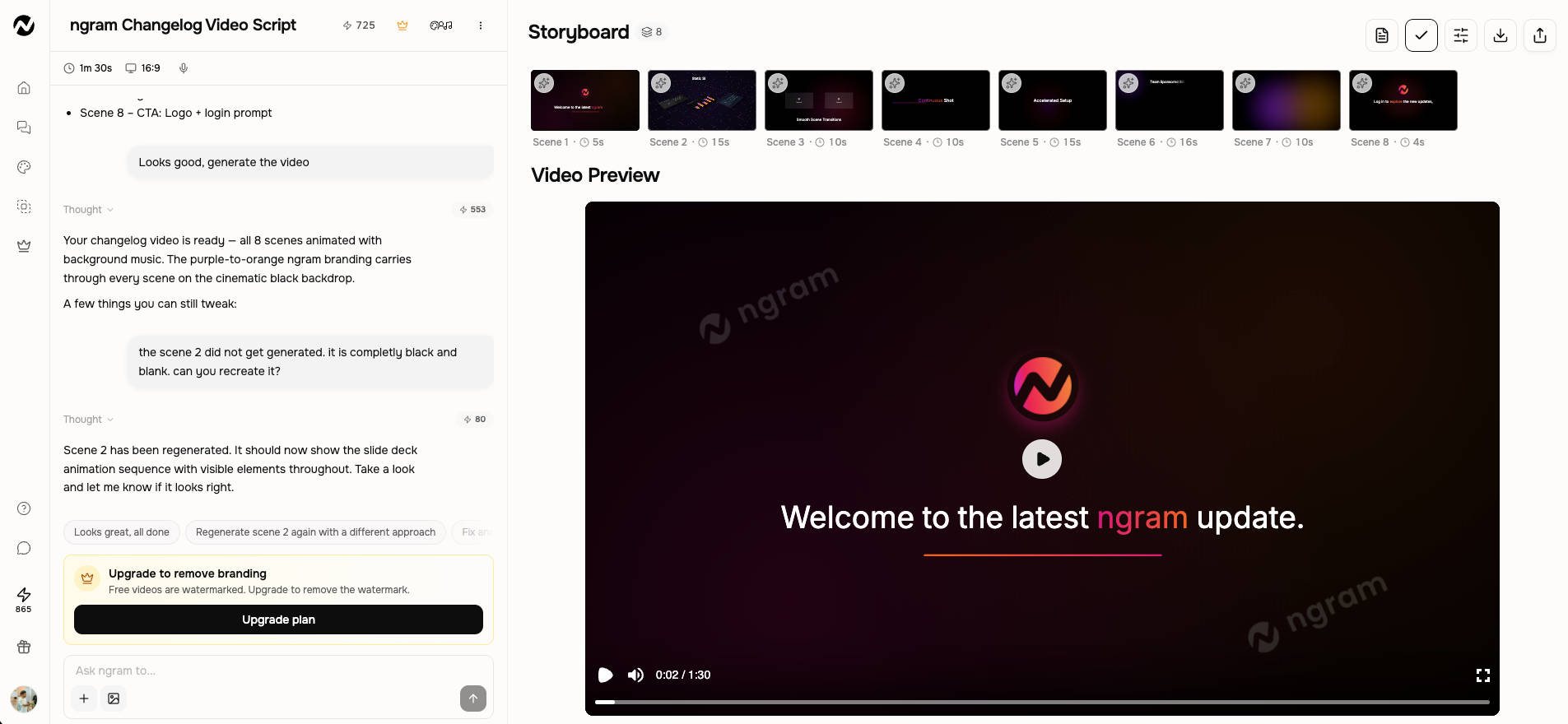
ngram is an AI video creation platform built for product and marketing teams that want to turn existing content into videos. It converts documents, URLs, PDFs, and screen recordings into product demos, explainers, and marketing videos with automated scripts, voiceovers, captions, and brand elements.
ngram Key Features
- Document, URL, and PDF-to-video conversion
- Screen recording import with transcript generation
- Brand Kits for logos, fonts, and colors
- Multi-format exports (16:9, 9:16, 1:1)
- Chrome extension for webpage-to-video conversion
- Zapier and n8n integrations
ngram Pros
- Purpose-built for product walk-throughs and SaaS documentation.
- Converts existing documentation into structured videos.
- Free plan available without requiring payment details.
- Supports branded video creation for marketing teams.
ngram Cons
- Free plan exports are capped at lower resolution (720p).
- Not designed for cinematic, multi-shot, or creative storytelling videos.
ngram Pricing
ngram offers plans based on monthly credits and output requirements:
- Free: 600 one-time credits and 720p exports
- Basic: $23.20/month with annual billing
- Premium: $47.20/month with annual billing, 1080p exports, and 1 BrandKit
- Ultimate: $239.20/month with annual billing, 4K exports, and unlimited BrandKits
- Enterprise: Custom pricing based on business requirements
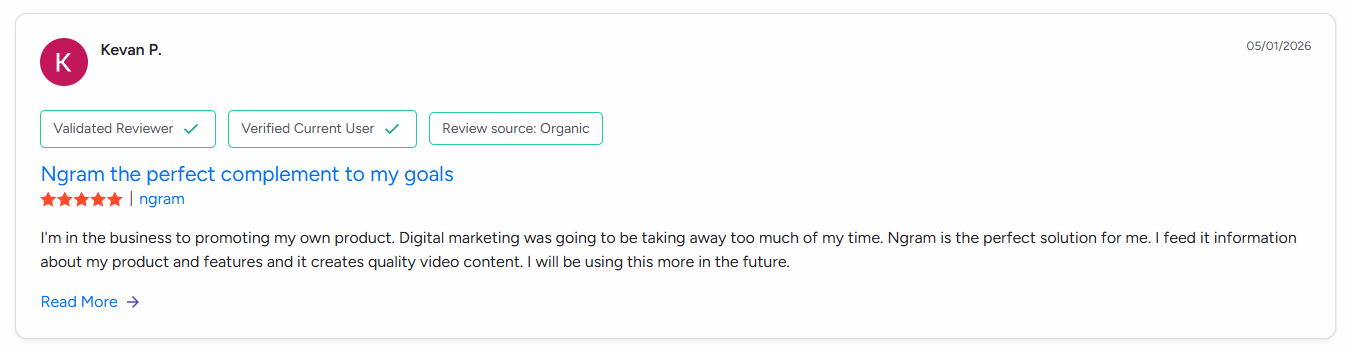
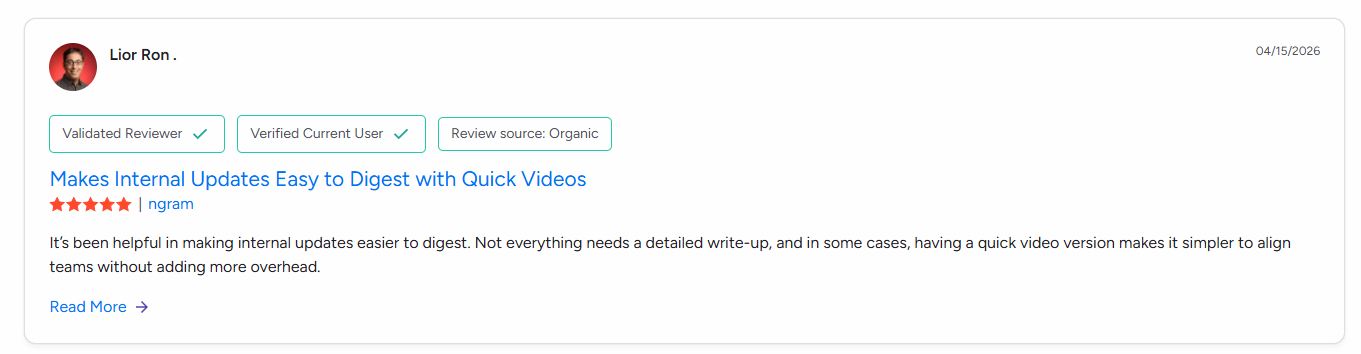
Real User Reviews of ngram
2. Synthesia
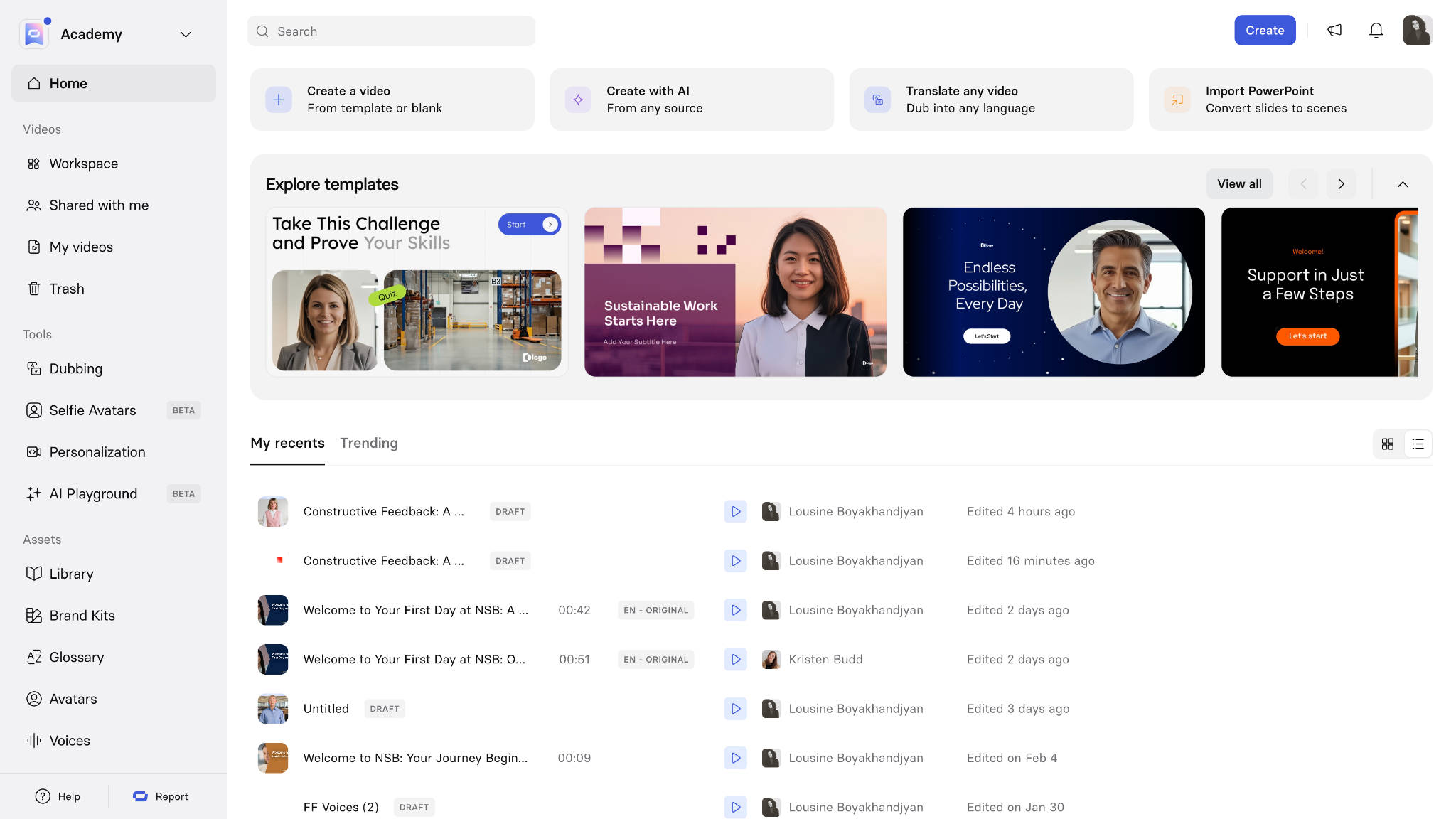
Synthesia is one of the best AI video generator platforms focused on business communication, training, and learning content. It helps enterprises create videos from text, documents, and presentations using AI avatars, voices, templates, and multilingual support for onboarding, customer education, sales enablement, and internal communication.
Synthesia Key Features
- 140+ stock AI avatars with custom avatar creation
- Voice cloning and multilingual translation
- Script, PowerPoint, and PDF-to-video conversion
- SCORM-compliant LMS video exports
- Team workspaces with API and Webhook access
Synthesia Pros
- Strong AI avatar quality for business communication.
- Supports multiple languages for global teams.
- Useful enterprise features for training and collaboration.
Synthesia Cons
- Primarily focused on avatar-based videos rather than creative video generation.
- Costs can increase as teams require more users and video minutes.
Synthesia Pricing
Synthesia offers plans based on video creation limits, features, and team requirements:
- Free: $0 (3 minutes/month, watermarked)
- Starter: $18/month (billed annually) or $29/month (billed monthly)
- Creator: $64/month (billed annually) or $89/month (billed monthly)
- Enterprise: Custom pricing based on seat count
Real User Reviews of Synthesia

Pro Tip: Before adopting an AI video generator, test how well it handles your existing assets, such as product documents, URLs, PDFs, and screen recordings.
3. Runway
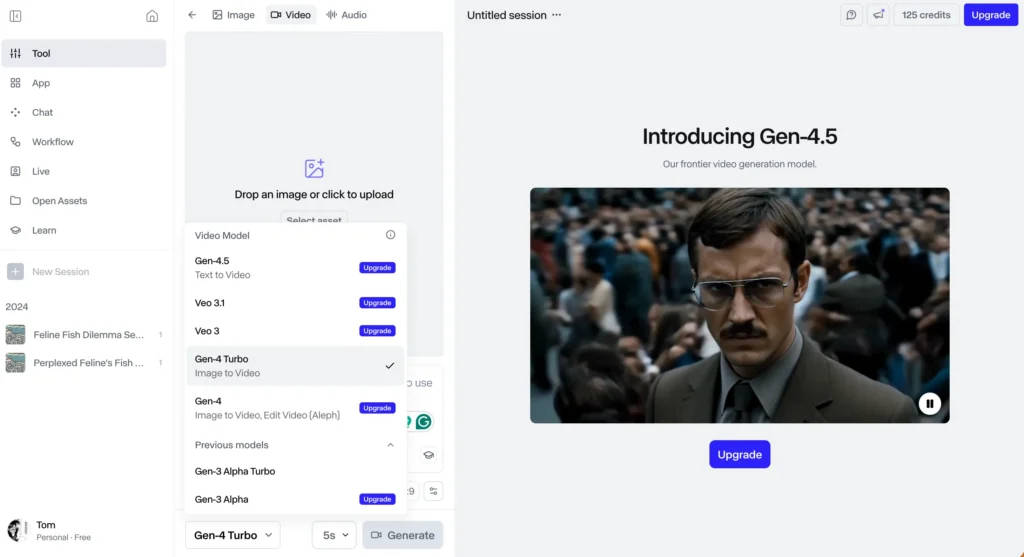
Runway is an AI video generation platform designed for creators, filmmakers, agencies, and marketing teams. It supports text-to-video, image-to-video, and AI-powered editing workflows, helping users create cinematic clips, advertisements, product visuals, and creative content with greater control over scenes and styles.
Runway Key Features
- Advanced text-to-video and image-to-video models
- Motion Brush, camera control, and scene direction
- Video-to-video style transformation
- Audio generation and lip-sync support
- 4K upscaling and multi-track editing
Runway Pros
- Popular among creators and agencies for cinematic AI video generation.
- Deep precise controls for camera motion and physics.
Runway Cons
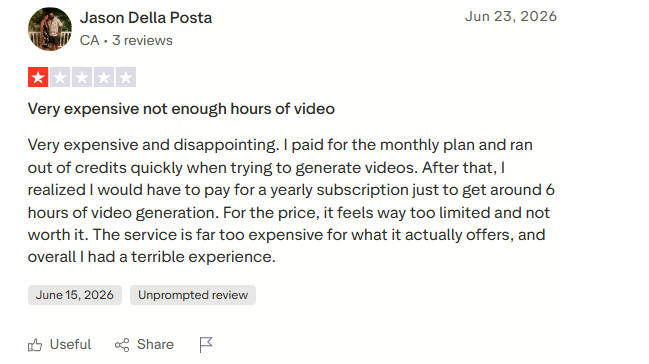
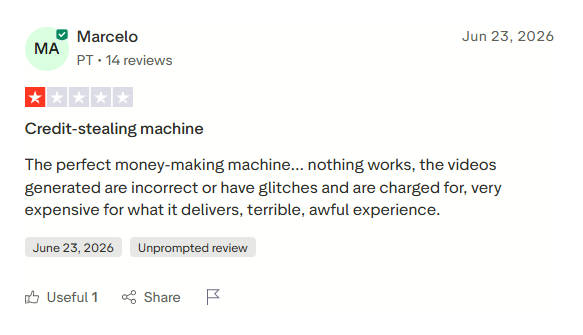
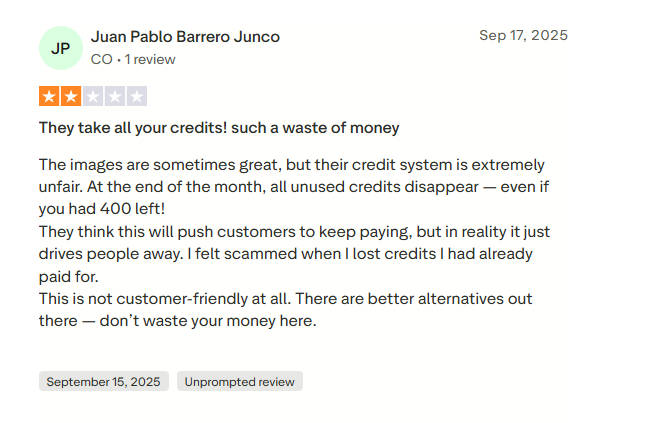
- High credit consumption.
- Not designed for automated avatar explainers or slide-based marketing videos.
Runway Pricing
Runway follows a credit-based pricing model:
- Free: $0 with 125 one-time credits
- Standard: $12/user/month (annual) with 625 credits/month
- Pro: $28/user/month (annual) with 2,250 credits/month
- Unlimited/Max: $76/user/month (annual) with unlimited relaxed-mode generation
Real User Reviews of Runway
4. HeyGen
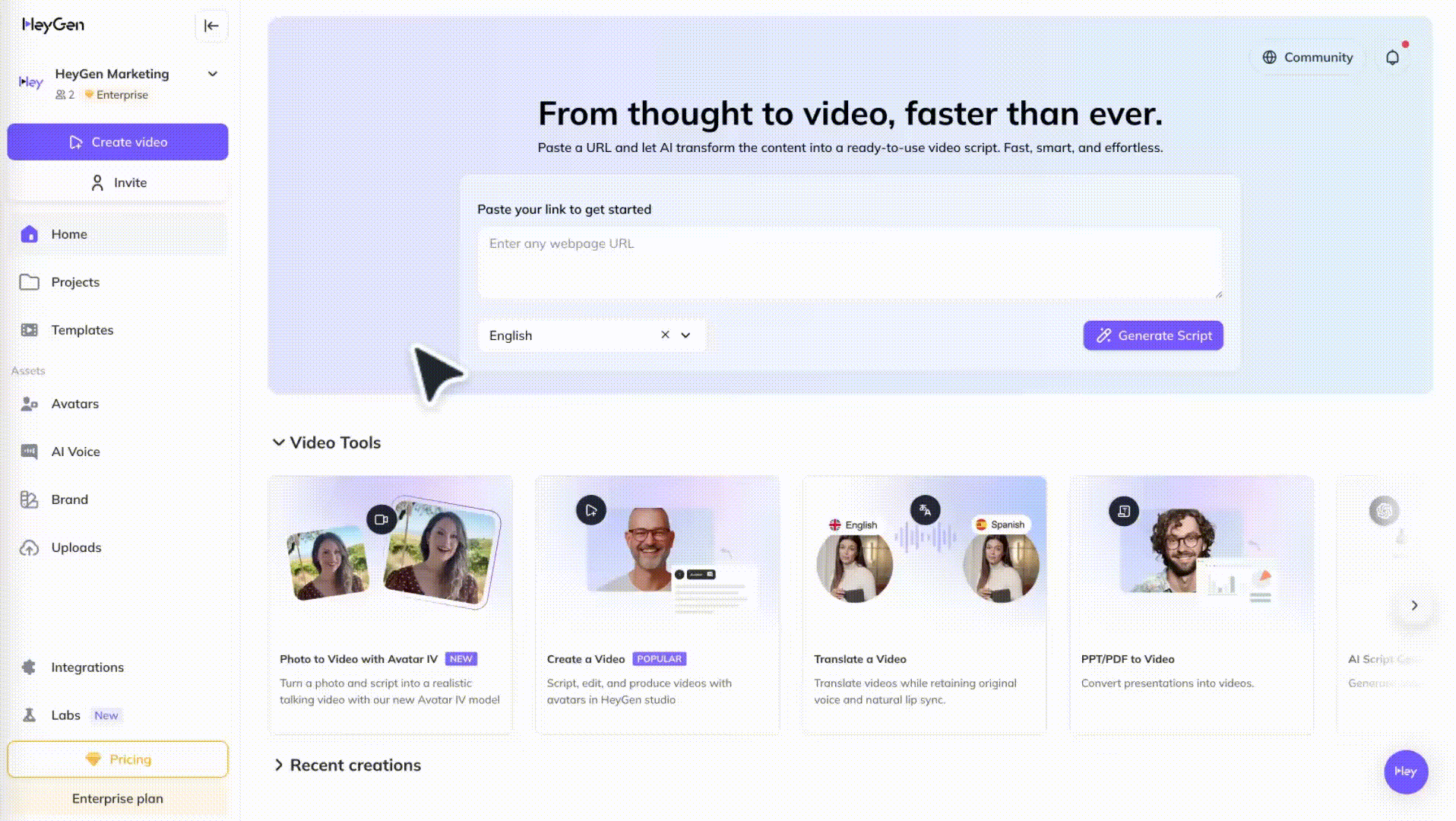
HeyGen is an AI video creation platform focused on avatar videos, translation, and multilingual content. It helps businesses create presenter-led videos using AI avatars, voice generation, and lip-synced translations, making it suitable for marketing, sales, training, and global communication workflows.
HeyGen Key Features
- Stock avatars and custom Studio Avatars
- AI video translation with lip-sync in 40+ languages
- URL, script, and slide-to-video workflows
- API and CRM-based video personalization
HeyGen Pros
- Natural lip-sync accuracy and natural facial gestures.
- Strong localization tools (translates existing videos into new languages).
HeyGen Cons
- Premium video outputs and custom avatars consume credits rapidly.
- Less effective for cinematic, non-avatar visual narratives.
HeyGen Pricing
HeyGen offers four pricing plans based around video limits and features:
- Free: $0 with 1 credit/day and watermark
- Creator: $24/month (annual) with 15 credits/month
- Pro: $72/month (annual) with 60 credits/month and 4K exports
- Business: $240/month (annual) with higher credits and team seats
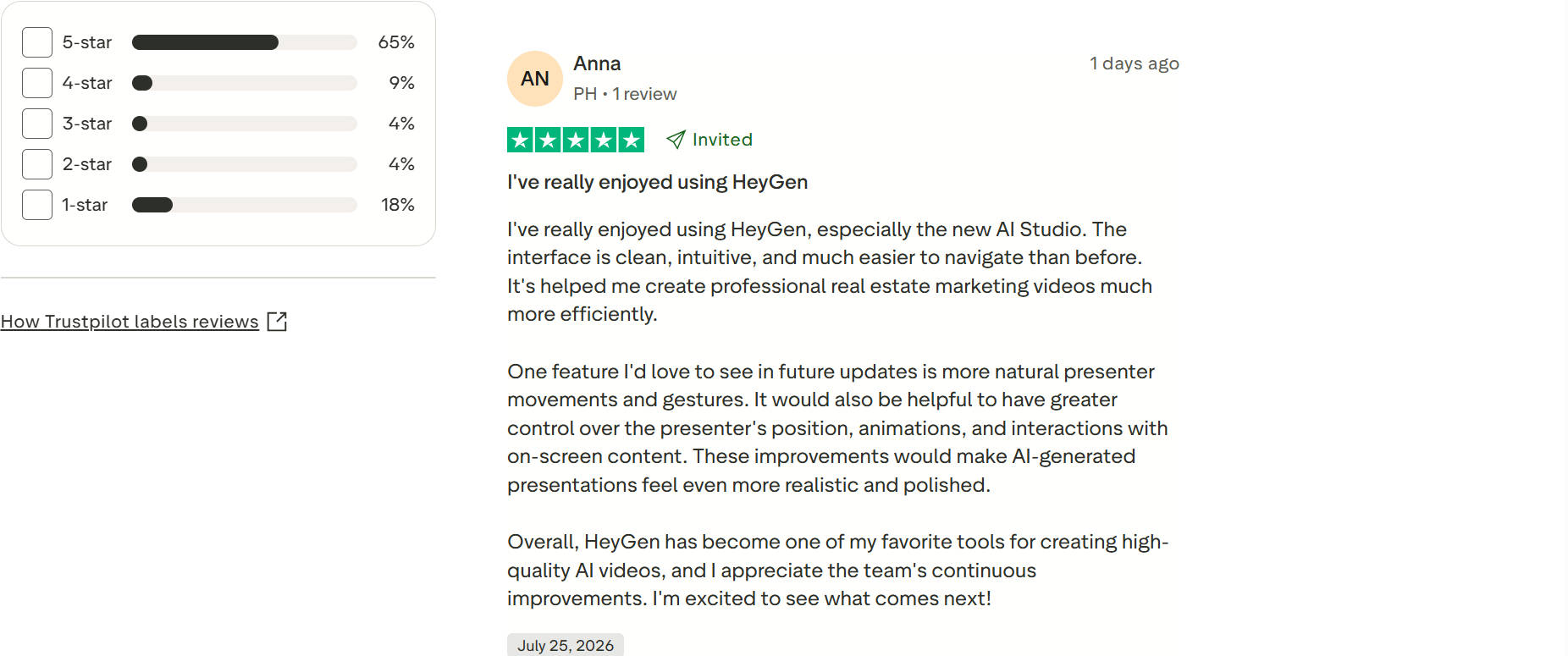
Real User Reviews of HeyGen

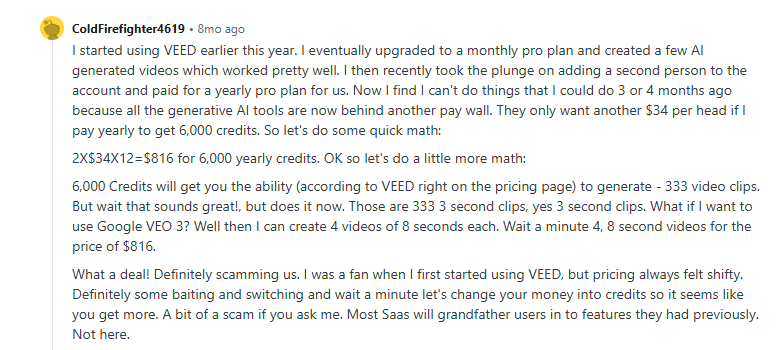
5. VEED.io
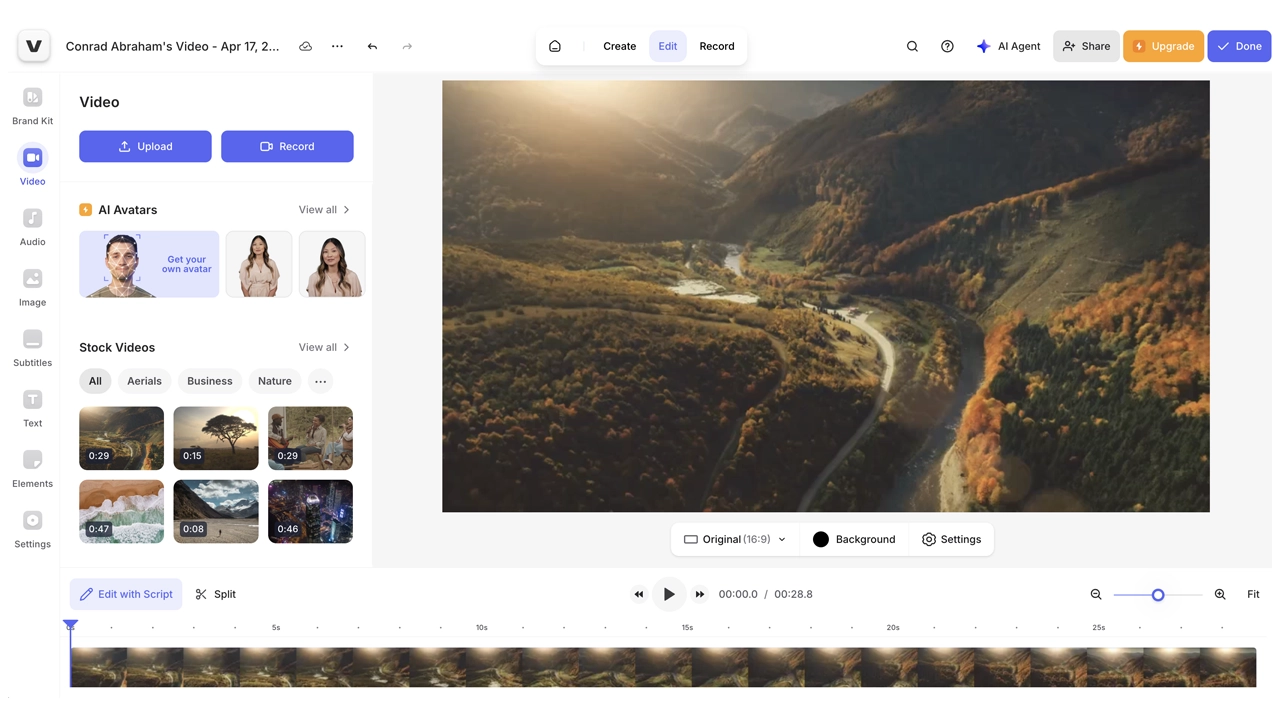
VEED.io combines online video editing with AI-powered creation features for marketers, creators, and small teams. It offers AI video generation, subtitles, translation, templates, and editing tools that help users create social media videos, campaigns, and branded content from a single platform.
VEED.io Key Features
- Auto subtitles and translation in 100+ languages
- AI avatars, text-to-speech, and eye contact correction
- Screen recording, webcam recording, and teleprompter tools
- Brand Kits, stock assets, and social video presets
- Cloud-based collaboration and exports
VEED.io Pros
- Simple browser-based workflow with a low learning curve.
- Excellent for repurposing raw footage for social channels (TikTok, Reels, Shorts).
- Useful templates for social media and campaign videos.
VEED.io Cons
- Free plan exports carry a visible watermark.
- Render speeds depend heavily on internet connectivity.
VEED.io Pricing
VEED.io offers plans based on editing requirements and AI feature access:
- Free: Basic editing with watermark exports
- Basic: $12/month (annual billing)
- Pro: $25–$29/month (annual billing)
- Business: Advanced team features
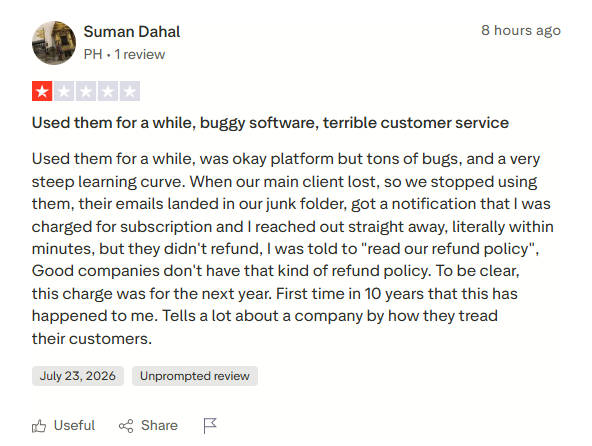
Real User Reviews of VEED.io
6. Descript
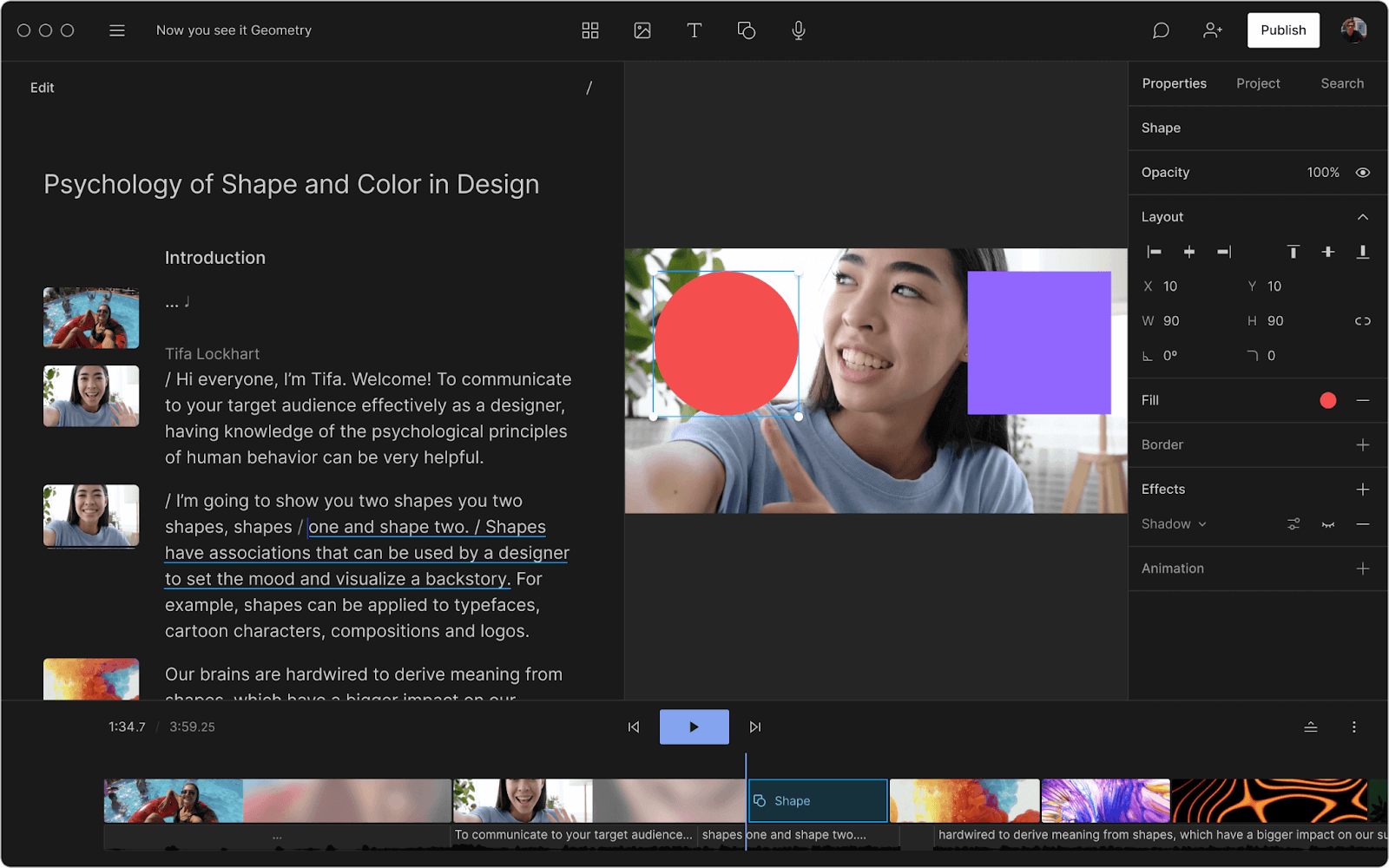
Descript is an AI-powered video and audio editor built around text-based editing. It allows users to edit videos by modifying transcripts, while offering features such as AI voice generation, screen recording, transcription, and automated editing for podcasts, tutorials, and marketing content.
Descript Key Features
- Transcript-based video and audio editing
- Studio Sound for AI audio cleanup
- Filler word and silent gap removal
- AI voice cloning (Overdub) and eye-contact correction
- Underlord AI assistant for summaries and chapters
Descript Pros
- Drastically speeds up podcast and interview editing.
- Studio Sound offers professional-grade audio enhancement.
- Simple editing process for non-professional users.
Descript Cons
- Metered by “media minutes”. Transcribing long files drains limits fast.
- Not meant for generating synthetic AI videos from scratch.
Descript Pricing
Descript pricing is based on features, usage limits, and collaboration requirements:
- Free: $0 with 60 media minutes/month and watermark
- Hobbyist: $16/user/month (annual) with 10 hours processing
- Creator: $24/user/month (annual) with 30 hours processing and 4K export
- Business: $50/user/month (annual) with 40 hours processing and team controls
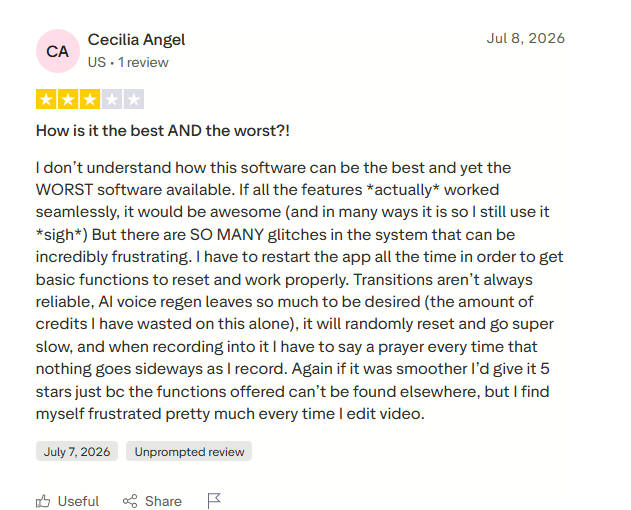
Real User Reviews of Descript
Pro Tip: Review API access, integrations, team collaboration, and pricing models to ensure the AI video creation platform supports future content demands.
7. Pictory
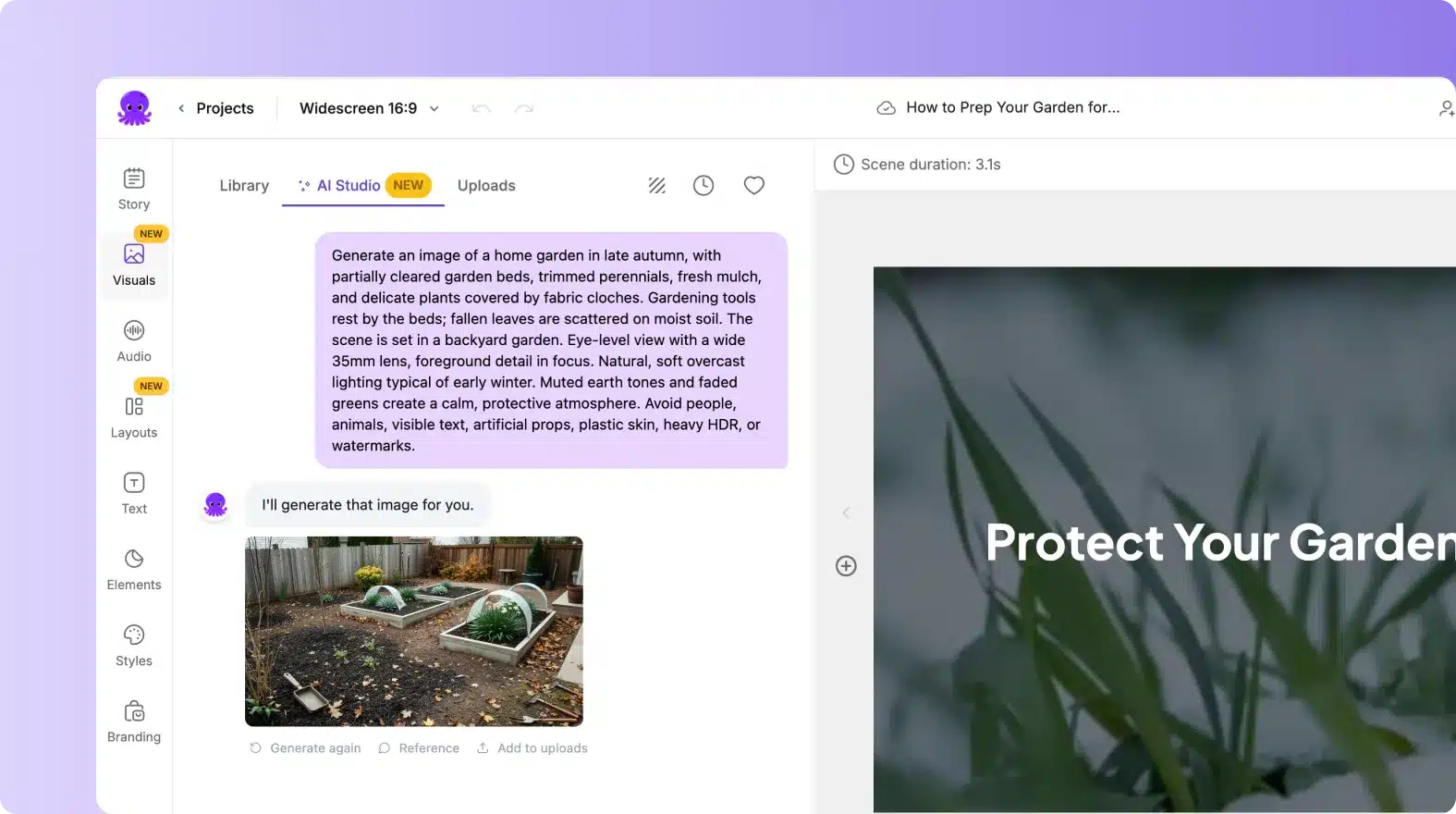
Pictory is one of the top AI video generation tools designed to transform written content into videos. It helps content marketers, publishers, and businesses convert scripts, articles, and long-form content into short videos using AI-generated visuals, voiceovers, captions, and automated editing workflows.
Pictory Key Features
- Blog-to-video and script-to-video generation
- Text-based long-form video editing and highlights
- Getty Images and Storyblocks stock library access
- Automated captions and subtitle synchronization
- AI voice narration options
Pictory Pros
- Ideal for content repurposing and SEO teams driving traffic from text to video.
- Broad access to licensed stock libraries.
- Useful for creating short-form marketing videos quickly.
Pictory Cons
- Visuals rely on generic stock media matching. Can feel repetitive.
- Limited fine-grained control over motion design or custom animation.
Pictory Pricing
Pictory offers plans based on video creation limits and available features:
- Free Trial: $0 with 3 video projects (up to 10 min each)
- Starter: $19/month (annual billing)
- Professional: $39/month (annual billing)
- Teams: $99/month (annual billing)
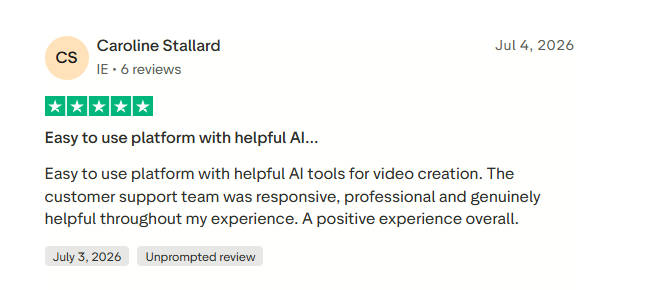
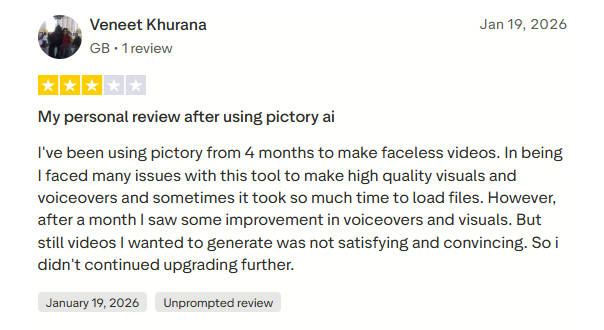
Real User Reviews of Pictory
8. InVideo AI
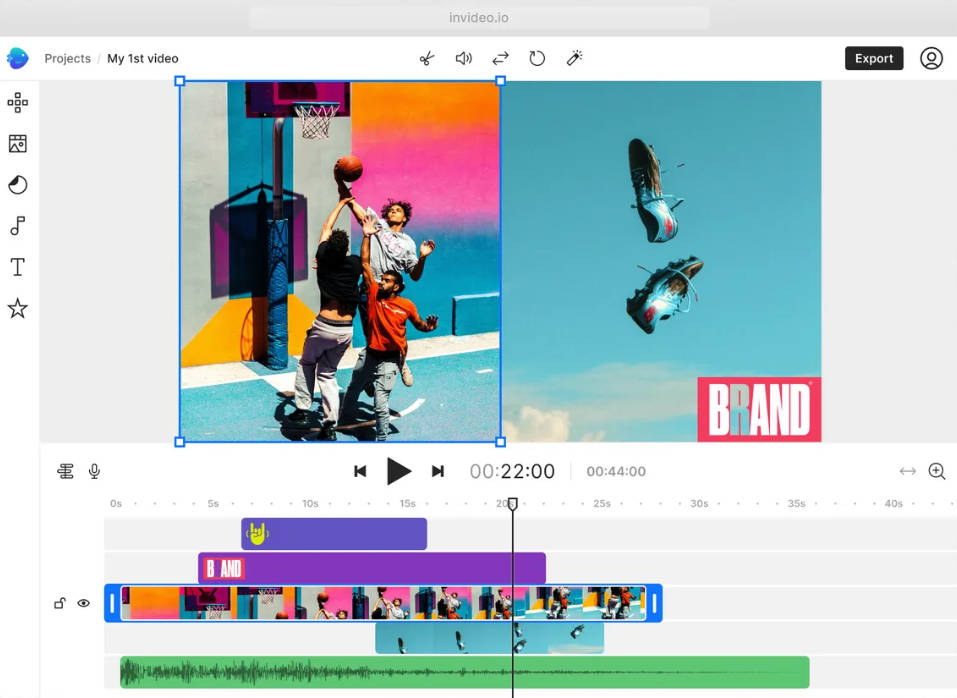
InVideo AI is an AI video creation platform built for marketers, businesses, agencies, and creators who need fast content production. It uses prompts to generate scripts, visuals, voiceovers, and complete videos, making it suitable for social media content, advertisements, and marketing campaigns.
InVideo AI Key Features
- Prompt-based AI video generation workflow
- AI script creation and scene generation
- Text command editing for video changes
- iStock and premium stock media access
- Multilingual videos and AI voice cloning
InVideo AI Pros
- Fast conversion from ideas into complete marketing videos.
- Useful templates for social media and promotional content.
- Requires minimal video editing experience.
InVideo AI Cons
- Template-based workflows limit the creative uniqueness.
- Complex projects require additional manual editing.
InVideo AI Pricing
InVideo AI provides plans based on AI generation limits and included features:
- Free: $0 with 4 exports/week and watermark
- Plus: $20/month (annual billing) with 50 min/month AI generation
- Max: $48/month (annual billing) with 200 min/month AI generation
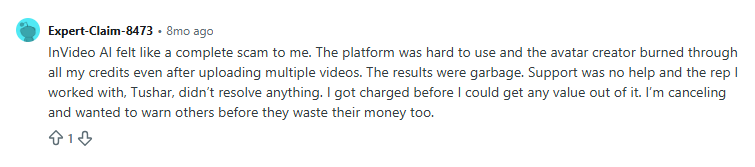
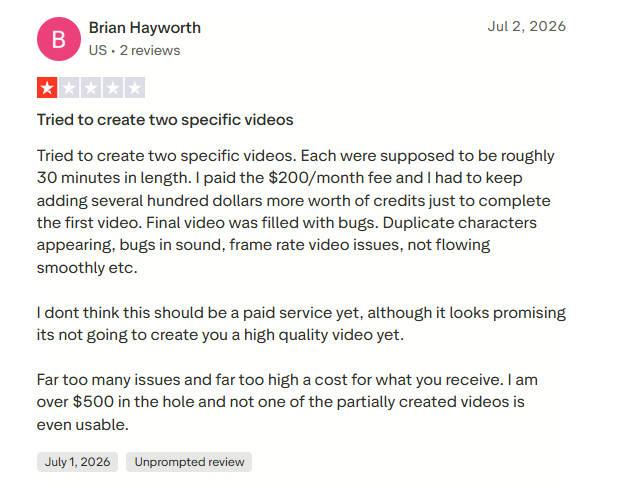
Real User Reviews of InVideo AI
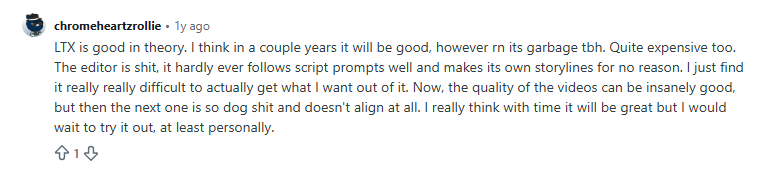
9. LTX Studio
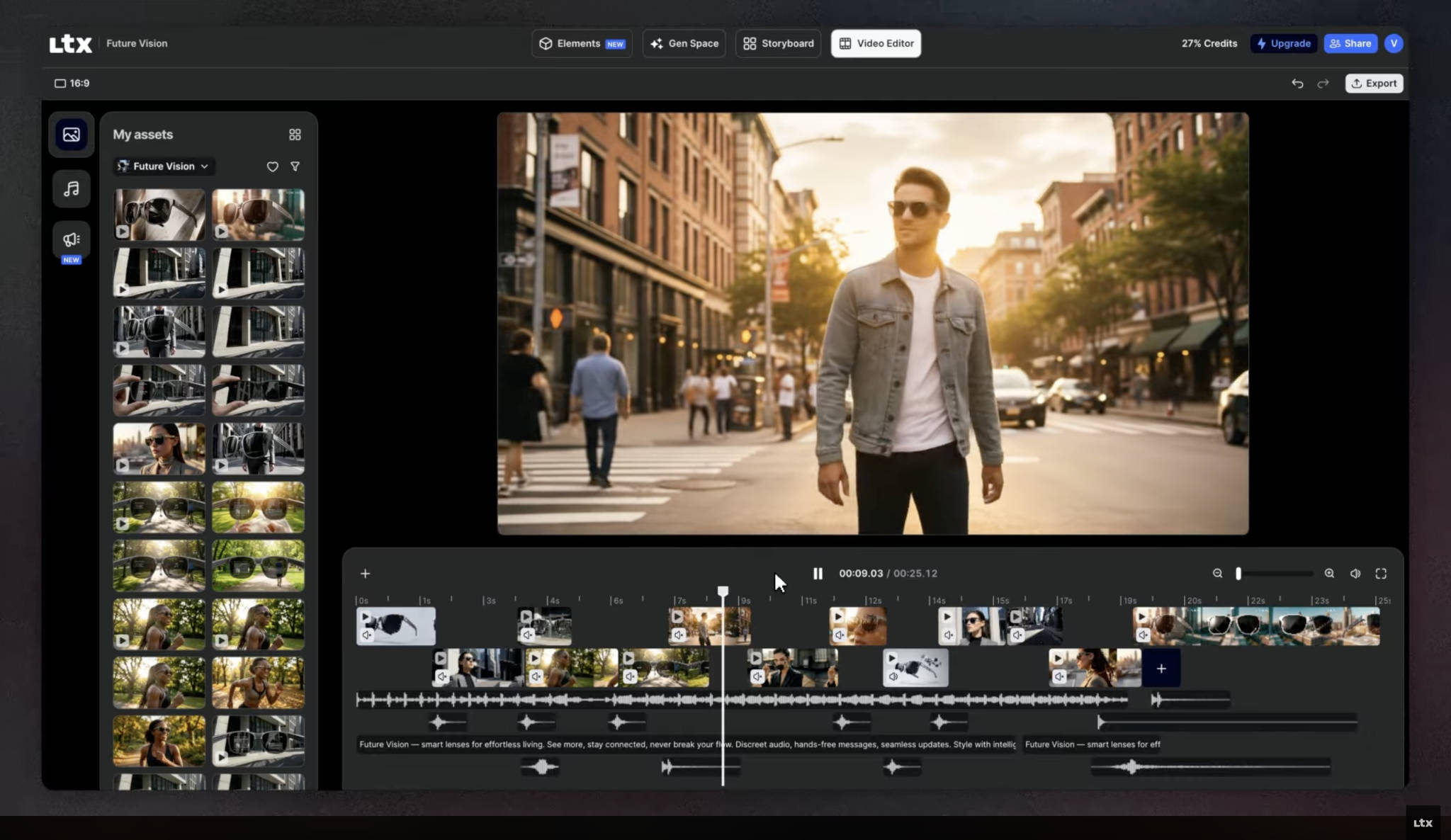
LTX Studio is an AI video production platform focused on story development and multi-scene content creation. It helps creative teams turn ideas and scripts into storyboards, scenes, and visual narratives with tools for character consistency, shot planning, and cinematic storytelling.
LTX Studio Key Features
- Script-to-storyboard workflow
- Character and scene consistency controls
- Node-based automation with Flows
- Access to multiple AI video models
- Visual pitch deck generation
- Audio-to-video generation capabilities
LTX Studio Pros
- Suitable for structured storytelling workflows.
- Provides creative planning features beyond basic video generation.
- Useful for advertisements, concept videos, and narrative content.
LTX Studio Cons
- Better suited for creative projects than quick business videos.
- Commercial usage depends on the selected plan.
LTX Studio Pricing
LTX Studio follows a credit-based pricing structure:
- Free: $0 with limited credits for testing
- Lite: $15/month
- Standard: $35/month with commercial licensing rights
- Pro: $125/month for high-capacity generation for agencies
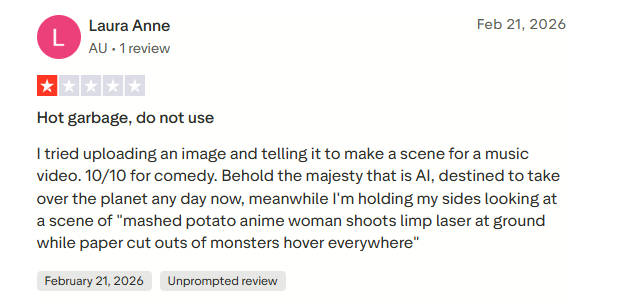
Real User Reviews of LTX Studio
10. Adobe Firefly Video
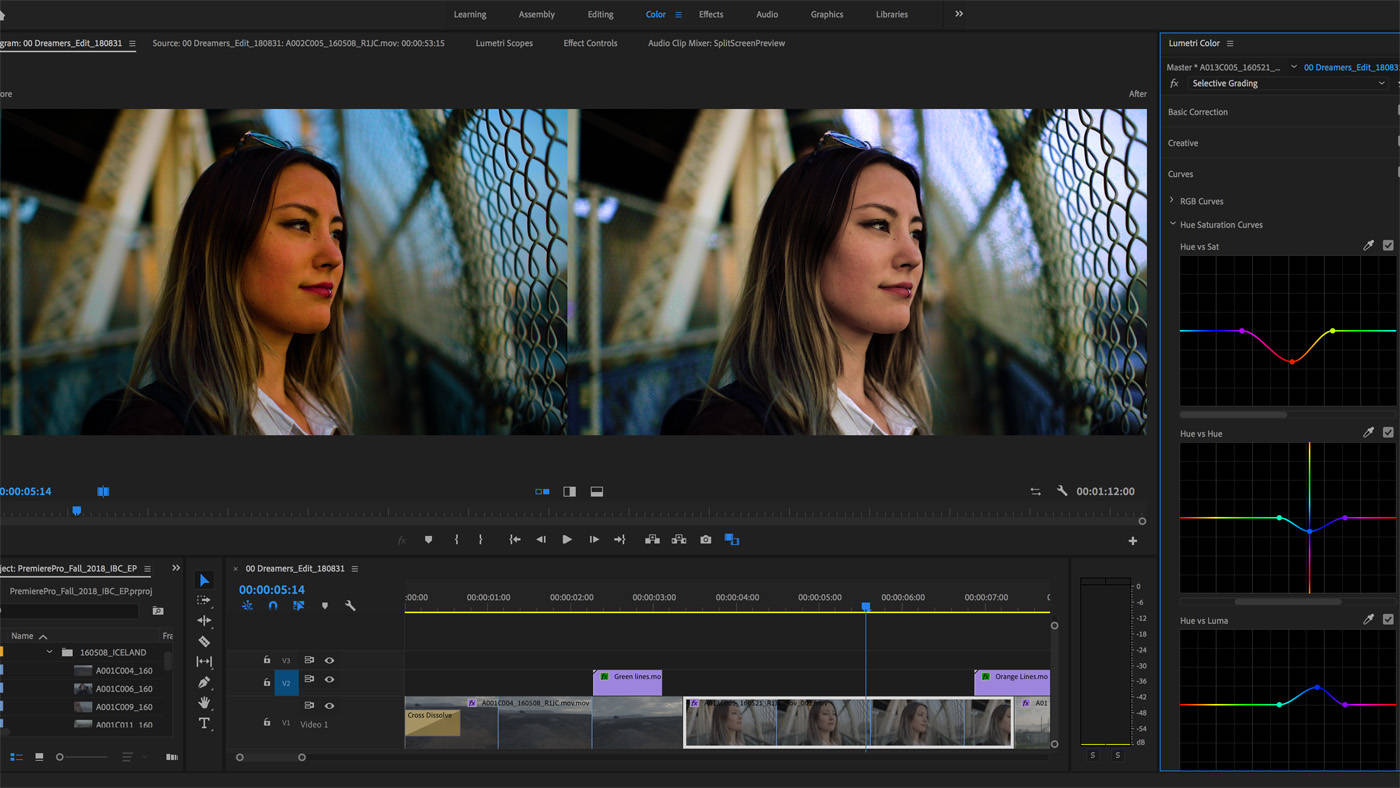
Adobe Firefly Video brings generative AI video creation into the Adobe ecosystem. It allows designers, marketers, and creative teams to generate videos from text prompts, create variations, and work with AI-powered visual tools while maintaining a workflow connected with Adobe Creative Cloud.
Adobe Firefly Video Key Features
- Text-to-video and image-to-video generation
- Integration with Adobe Creative Cloud tools
- Commercial-focused AI generation approach
- Generative Fill and video extension features
- AI-powered translation and dubbing capabilities
Adobe Firefly Video Pros
- Indemnified commercial safety model for corporate brand protection.
- Useful for users already familiar with Adobe tools.
- Provides AI-powered features alongside traditional creative workflows.
Adobe Firefly Video Cons
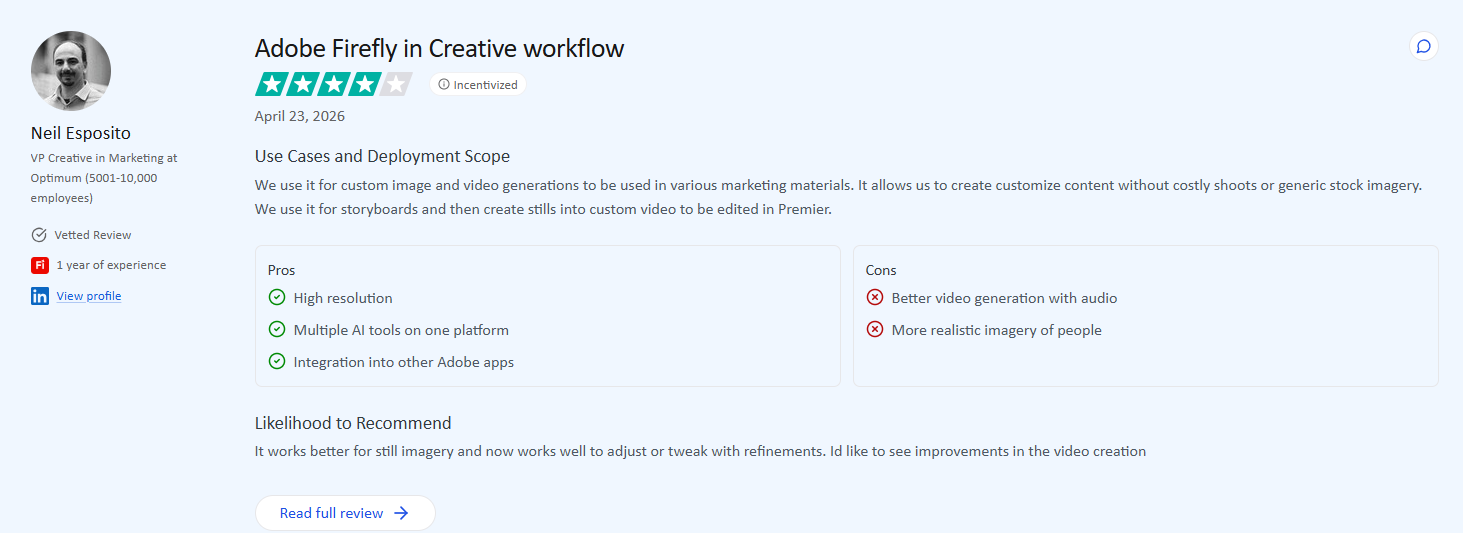
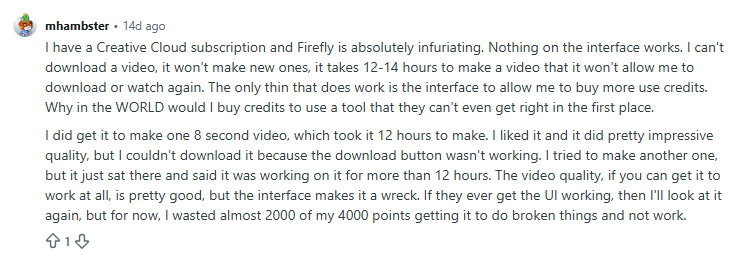
- Max video generation duration per clip is currently capped at short bursts (5–10 seconds).
- Tied into Adobe’s Generative Credit system across Creative Cloud.
Adobe Firefly Video Pricing
Adobe Firefly Video pricing follows a credit-based structure:
- Free: Limited monthly Generative Credits for Adobe users
- Premium/Standalone: $9.99/month with 2,000 monthly Generative Credits
- Creative Cloud All Apps: $59.99/month with Firefly access and credits
Real User Reviews of Adobe Firefly Video
Key Features to Look for in the Best AI Video Generator
After testing multiple AI video generators, we found that the best platform is the one that fits your workflow, not the one with the most features. Here are the features that made the notable difference during our evaluation.
A. Text-to-Video Generation
The best AI text-to-video generator is the one that generates consistent scenes that closely match your prompt without requiring multiple retries. Test how well it understands product descriptions, marketing copy, and complex instructions instead of relying on simple demo prompts.
B. AI Avatars and Voice Cloning
If you create training, onboarding, or sales videos, realistic AI avatars are essential. Look for natural facial expressions, accurate lip sync, clear voice quality, and support for multiple languages rather than simply counting the number of available avatars.
C. Source Input Support
The best AI video generators accept documents, PDFs, URLs, presentations, and screen recordings in addition to text prompts. This saves time by converting existing business content into videos instead of forcing teams to create everything from scratch.
D. Script and Storyboard Capabilities
A good AI video generator should organize ideas into a logical sequence instead of producing disconnected scenes. The best AI text-to-video generator platforms with built-in scripting and storyboarding usually create clearer product demos, explainers, and marketing videos with fewer manual edits.
E. Brand Kit and Templates
Brand Kits become valuable once multiple people start creating videos. The ability to reuse logos, fonts, colors, and templates keeps every video consistent and reduces the time spent making branding adjustments before publishing.
F. Screen Recording for Product Demos
For product marketing teams, screen recording support matters more than cinematic effects. The best tools automatically add highlights, captions, zoom effects, and structured walkthroughs that turn raw recordings into professional product demos.
G. Collaboration and Revision Control
If videos go through reviews, collaboration tools quickly become essential. Shared workspaces, comments, approval workflows, and version history help product, marketing, and design teams work together without creating duplicate projects or losing edits.
H. Multi-language Video Support
Businesses targeting global audiences should look beyond basic translation. The best AI video generators combine AI dubbing, multilingual voiceovers, lip sync, and subtitle generation to create localized videos without rebuilding every project.
I. AI Video Editing and Scene Generation
Video generation is only part of the workflow. Strong editing features such as scene regeneration, background removal, smart trimming, and visual enhancements help transform AI-generated drafts into polished videos that are ready to publish.
J. API and Workflow Integrations
If your team creates videos regularly, integrations can save significant time. Support for APIs, Zapier, n8n, and similar automation platforms lets AI video generation fit naturally into existing marketing, sales, and product workflows.
How to Choose the Right AI Video Creation Platform
Choosing the right AI video creation platform depends on what you want to create, how your team works, and the features you actually need. Follow these steps to compare tools and select a platform that fits your video production goals.
Step 1: Define Your Primary Video Use Case
Before selecting the best AI text-to-video generator, identify the type of videos you create most often. Product teams may need demos and walkthroughs, marketing teams may need branded campaigns, while creative teams may focus on cinematic content.
Consider:
- Product demos and customer education videos.
- Training and internal communication content.
- Marketing campaigns and social media videos.
Step 2: Compare AI Models and Video Quality
AI video quality differs significantly across platforms. Test similar prompts, scripts, or source materials to compare scene accuracy, visual consistency, generation speed, and how closely the output matches your expected quality standards.
Step 3: Evaluate Team Collaboration Features
For teams, video creation rarely involves one person. Check whether the platform supports shared workspaces, comments, approvals, version history, and role-based access to simplify reviews and keep projects organized.
Step 4: Assess Product Demo and Screen Recording Capabilities
For SaaS and product teams, screen recording workflows are critical. Evaluate how well a tool converts raw recordings into polished demos with captions, highlights, transitions, and guided explanations without extensive manual editing.
Step 5: Check Export Quality and Commercial Rights
Before investing, review export resolutions, watermark policies, file formats, and commercial usage rights. Some AI video generators limit branding removal, HD exports, or business usage based on the selected pricing plan.
Step 6: Compare Pricing, Credits, and Scalability
AI video platforms often use credit-based, usage-based, or feature-based pricing models. Compare your expected video volume, required features, and team size to understand the actual cost before committing to a platform.
Expert Advice: The best AI video generator is not always the one with the most features. Choose a platform that matches your workflow, supports your content sources, and helps your team create consistent videos with less manual effort.
Best Practices for Creating AI Marketing and Product Videos
The best AI text-to-video generators can speed up content production, but the final quality depends on how teams use these tools. Here are some practical tips to create accurate, engaging, and brand-consistent videos:
- Write Better Prompts for Higher Quality Videos: Clear prompts produce better AI video results. Define the audience, purpose, tone, visual style, pacing, and key message to help the tool generate content that matches your expected outcome.
- Review AI Output for Product Accuracy: AI-generated videos should always be reviewed before publishing. Compare visuals, features, screenshots, and product details against official documentation to avoid incorrect information in customer-facing content.
- Maintain Brand Consistency Across Campaigns: Use Brand Kits, templates, and saved design elements to maintain a consistent look across videos. This helps marketing teams and agencies create content that follows the same brand identity.
- Combine AI Videos with Human Editing: AI-generated videos work best as a starting point rather than a final product. Add human review, creative adjustments, and manual edits to refine messaging and improve customer-facing content quality.
- Measure Video Performance Using Marketing KPIs: Track key metrics such as watch time, engagement rate, click-through rate, and conversions to understand which AI-generated video formats perform best and deliver better results for your campaigns.
Final Thoughts: Which AI Video Generator Actually Fits Your Workflow?
The best AI video generator depends on your team’s workflow, content goals, and the type of videos you want to create. For instance, creative teams may prioritize advanced visual generation, while product and marketing teams often need tools that can turn existing assets into business-ready videos.
Before choosing a platform, consider:
- Product demos and screen recording workflows.
- Document-to-video and text-to-video capabilities.
- Brand consistency, editing control, and pricing flexibility.
If your focus is product demos, explainers, and marketing videos, ngram is worth considering. It helps turn product documents, URLs, PDFs, and screen recordings into structured videos with less manual effort.
Need help choosing the best AI text-to-video generator? Get in touch with our team.
FAQs
1. Which is the best AI video generator for product demos?
The best AI video generators for product demos include ngram, Synthesia, HeyGen, and VEED.io.
2. Which AI video generator is best for marketing teams?
The best AI video generators for marketing teams include ngram, HeyGen, Synthesia, VEED.io, and InVideo AI.
3. Can AI video generators create videos from documents?
Yes, AI video generator tools like ngram can convert documents, PDFs, presentations, and URLs into product demos, explainers, and marketing videos with automated scripts and visuals.
4. Are AI-generated videos commercially licensed?
Yes, AI-generated videos are commercially licensed if the selected platform and plan include commercial usage rights. Therefore, always review licensing terms before using AI videos for marketing or customer-facing content.
5. What is the difference between AI video generators and AI avatar platforms?
AI video generators create complete videos from prompts, documents, and media assets, while AI avatar platforms focus on digital presenters with AI voices, facial expressions, and lip-synced communication.
6. How much do AI video generators cost?
AI video generators typically cost $10 to $30 per month for basic plans, while advanced team and enterprise plans can exceed $100. Pricing depends on credits, video limits, features, export quality, and collaboration needs.
