

Sales is becoming less about manual hustle and more about smart automation. In 2025, sales teams that lean into automation and AI-powered workflows are closing more deals, shortening sales cycles, and improving rep productivity by up to 30%.
But the problem is that too many CRMs promise automation without actually delivering features that sales reps will use daily. This is where Nutshell CRM shines. Known for its balance of simplicity and power, Nutshell combines sales automation, marketing campaigns, AI intelligence, and seamless integrations into one platform that actually helps teams get more done.
In this guide, we’ll walk through 10 real-world automation strategies you can implement with Nutshell to transform your sales process. We’ll also share insights from real users, including Reddit discussions, to give you an unfiltered look at how sales professionals are thinking about CRM automation today.
Table of Contents
What is Nutshell CRM?
Nutshell is an all-in-one CRM designed for small to mid-sized businesses that need enterprise-level capabilities without the steep learning curve. It’s more than just a pipeline tracker. It’s a sales, marketing, and customer engagement engine.
Here’s what makes Nutshell unique:
- Sales Automation: Automated follow-ups, pipeline triggers, activity reminders, and task scheduling.
- Marketing & Engagement: Email marketing campaigns, drip sequences, segmentation, and performance analytics.
- AI Features: Built-in AI agents, AI chatbot creation, AI writing assistance for emails, and intelligent activity recommendations.
- Integrations: Two-way sync with Gmail and Outlook, Slack notifications, Zoom meeting integration, Google Workspace, and 100+ apps via Zapier.
Unlike some CRMs that silo sales and marketing, Nutshell keeps them under one roof so teams can work in sync.
10 Ways to Automate Your Sales Workflow in Nutshell
Intelligent Lead Assignment
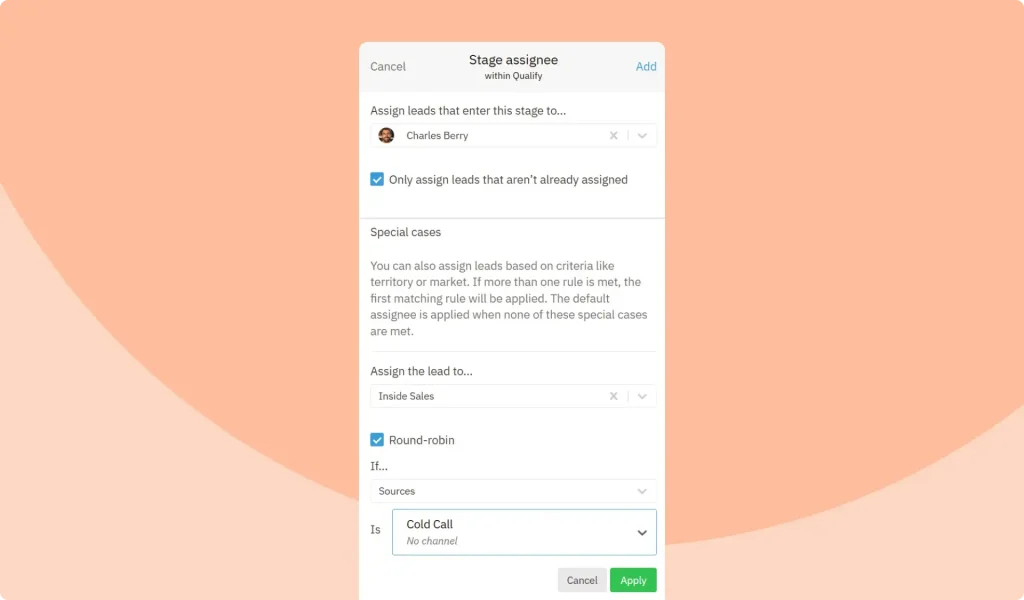
Manually distributing leads wastes time and risks losing hot opportunities. Nutshell’s intelligent lead assignment lets you create rules to automatically route leads to the right rep based on territory, deal size, industry, or custom fields. For instance, all California leads can instantly go to Rep A, while enterprise opportunities route directly to senior reps. On r/sales, reps often complain about losing deals to inbox delays — this automation removes that bottleneck.
Pipeline-Triggered Workflows
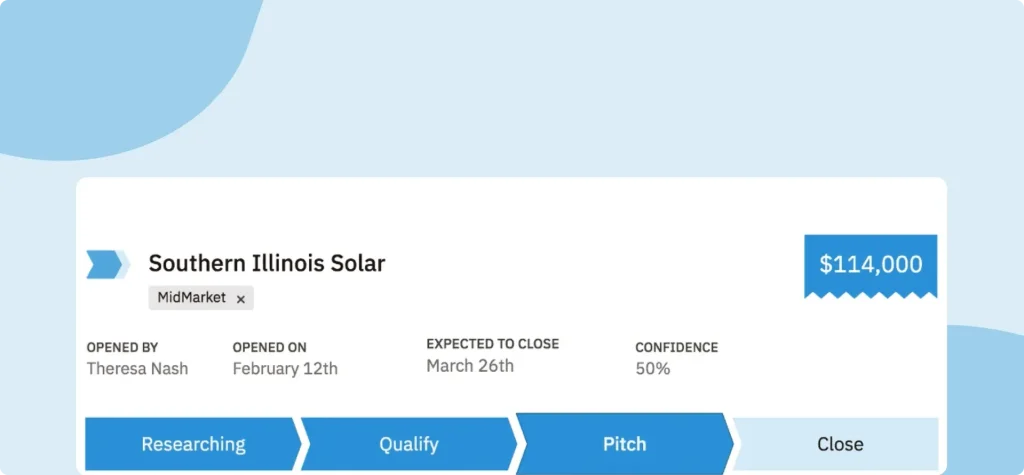
Consistency drives sales success, and Nutshell ensures that by triggering tasks and alerts as deals advance through the pipeline. When a deal reaches Demo Scheduled, for example, the system can auto-assign a task to share follow-up resources. If a deal enters Negotiation, a Slack notification can instantly involve a manager. These automated workflows prevent steps from being skipped, keep reps accountable, and give leadership visibility into deal progression without constant manual check-ins.
Automated Follow-Ups That Never Slip
Missed follow-ups kill deals quickly, but Nutshell automates reminders so no opportunity is forgotten. For example, after a rep sends a proposal, the system can automatically schedule a “Follow up in 48 hours” task. If no reply comes through, it can trigger a reminder or a pre-written follow-up email. On r/CRM, sales teams frequently call follow-up automation their highest ROI feature, saving hours weekly while increasing close rates significantly.
Personalized Email Templates at Scale
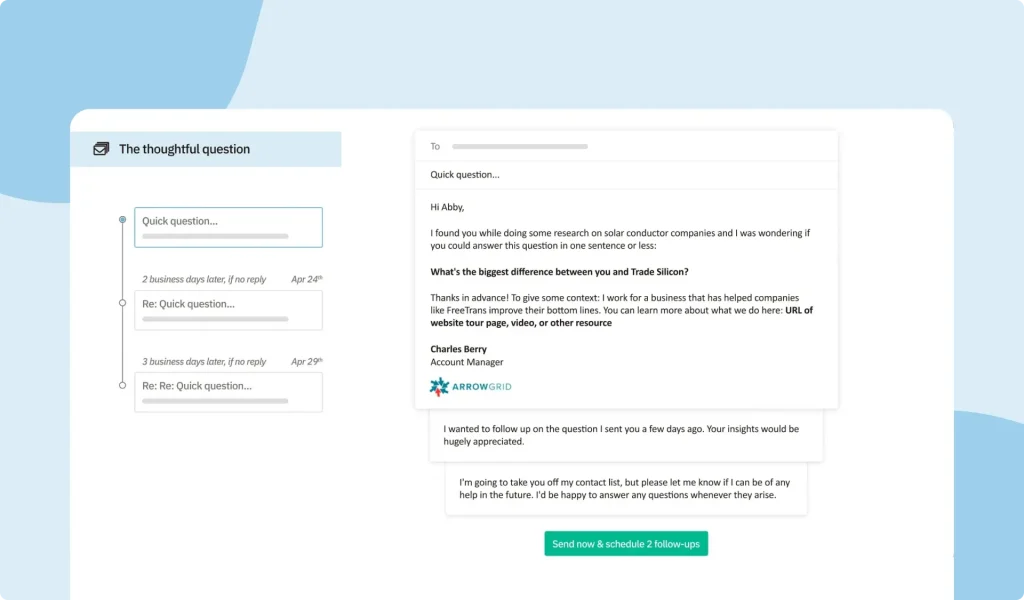
Personalization drives results, but rewriting emails repeatedly drains productivity. Nutshell offers dynamic templates with merge fields like {FirstName}, {Company}, and {Last Contact Date}, allowing reps to send tailored outreach at scale. Its built-in AI assistant helps refine messages by adjusting tone, improving clarity, or shortening text for mobile users. This blend of automation and personalization ensures fast, effective communication that still feels human, helping reps engage prospects without sacrificing authenticity.
Automated Meeting Scheduling
Back-and-forth scheduling emails slow down deals. Nutshell solves this with a built-in meeting scheduling tool, plus Google and Outlook calendar integrations, enabling prospects to book meetings directly. Appointments are automatically logged in the CRM and linked to the right contact and deal. Beyond scheduling, Nutshell can auto-assign a “prep checklist” task once a meeting is confirmed, ensuring reps arrive prepared. This automation eliminates friction, reduces no-shows, and keeps all scheduling data seamlessly organized within the workflow.
Activity & Deadline Reminders
Sales reps handle countless deals, making it easy to miss deadlines or forget important activities. Nutshell’s reminders ensure nothing falls through the cracks by auto-notifying reps of milestones. Examples include sending check-in reminders every 30 days for key accounts or triggering contract renewal alerts two weeks before expiration. These automated nudges improve retention rates, prevent customer churn, and ensure that reps always stay on top of critical sales activities.
Email & Calendar Sync with Gmail/Outlook
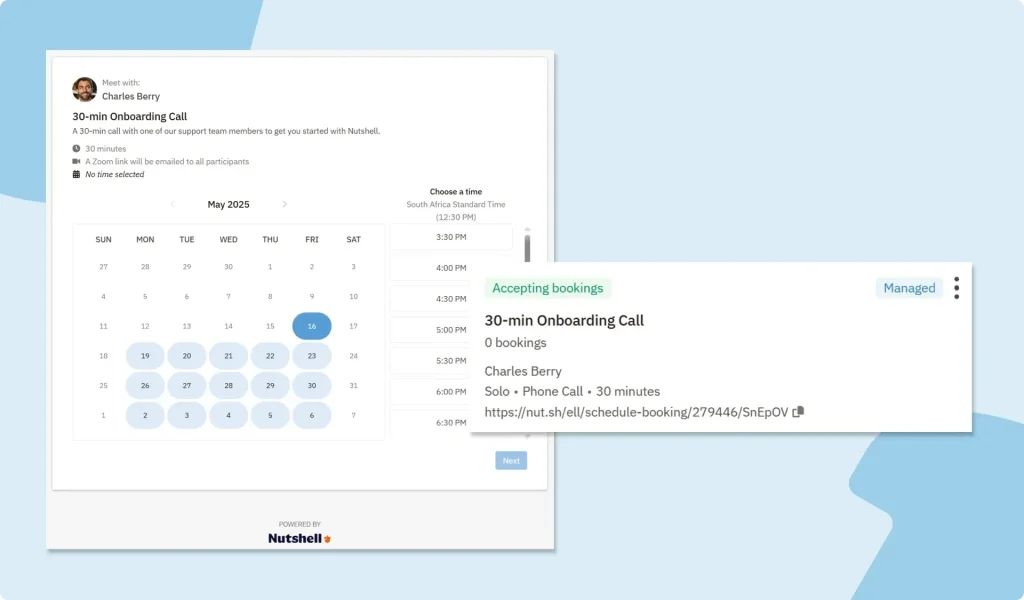
Manual data entry wastes time and creates errors. Nutshell integrates seamlessly with Gmail and Outlook for two-way syncing, automatically logging every email and meeting. Instead of manually setting up appointments, prospects can book a time directly through Nutshell’s built-in meeting scheduling tool. Once a meeting is booked, it’s instantly created, synced to the rep’s calendar, and linked to the correct deal. This ensures every interaction is captured without extra effort, giving teams full visibility into communications and eliminating the need for tedious copy-paste tasks.
Slack Notifications for Team Awareness
Sales is a team effort, and visibility drives momentum. With Nutshell’s Slack integration, automated notifications keep everyone aligned. For instance, when a $50K deal enters the Negotiation stage, a notification can be posted in the #sales-wins channel. This boosts morale and ensures managers stay updated without lengthy meetings. On r/salesops, teams report CRM-to-Slack notifications cut status updates by 20–30 percent, freeing up time for selling while keeping leadership in the loop.
Nurture Campaigns That Run on Autopilot
Not every lead is ready to purchase right away. Nutshell’s marketing automation lets you build nurture campaigns that warm up cold or early-stage leads automatically. For example, new leads might enter a three-step email series: a welcome message, a case study, and a demo invite. These campaigns run in the background, engaging prospects consistently without manual effort. By the time a sales rep connects, the lead is already educated and sales-ready.
AI-Powered Insights and Prioritization
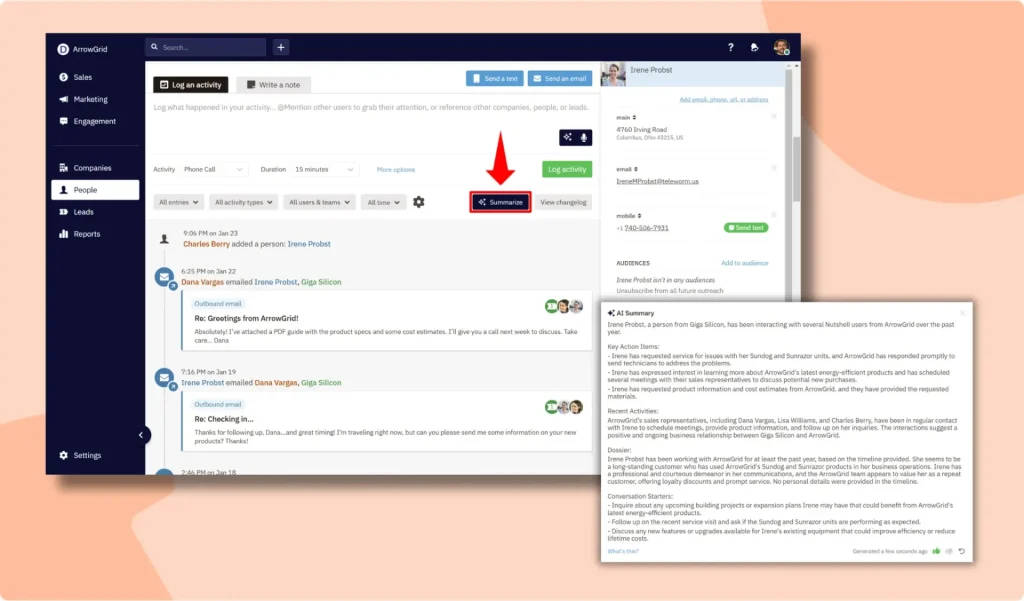
Automation isn’t just about speed; it’s about smarter selling. Nutshell’s AI tools help design effective pipelines, recommend the next best action, and even optimize email copy for better engagement. This ensures reps spend time on the highest-value opportunities instead of chasing dead ends. By combining predictive insights with automated prioritization, Nutshell helps teams close more deals, shorten cycles, and improve productivity across the sales organization.
Competitor Comparison: Nutshell vs. HubSpot vs. Pipedrive
SaaSworthy Insights on Nutshell CRM
Best for Small Teams Seeking Quick Impact
Nutshell stands out for SMBs that need automation, integrated marketing, and AI capabilities in a simple, easy-to-adopt platform. Its Foundation plan (~$16/user/month) already delivers strong value, combining sales pipelines, marketing automation, and AI tools without overwhelming teams.
What Redditors Say About CRM Automation
Across r/sales, r/CRM, and r/salesops, sales reps agree that:
-
- Time savings: Automation frees 4–5 hours weekly per rep.
- Error prevention: “Automation ensures deals don’t slip because I forgot to follow up.”
- Integrations matter: Without Gmail, Slack, or Zoom sync, CRMs go unused.
- AI skepticism with curiosity: Reps want AI that enhances productivity, not robotic responses.
Nutshell aligns with these pain points. Its Gmail/Outlook integration, automation depth, and human-friendly AI make it appealing for small sales teams who don’t want enterprise bloat.
Expert Verdict
Nutshell hits the sweet spot between simplicity and power. Unlike Salesforce or HubSpot, it won’t overwhelm teams with complex onboarding or enterprise-level costs. Instead, it delivers:
- Automation depth rivaling enterprise tools
- Integrated marketing features many CRMs leave out
- AI that’s practical and easy to use
For SMBs, Nutshell is one of the most cost-effective, adoption-friendly CRMs available in 2025.
SaaSworthy Verdict
If your goal is to sell smarter with automation and AI while staying budget-friendly, Nutshell is the clear winner.
FAQs
Can I use Nutshell to automate both sales and marketing?
Yes. Nutshell combines CRM with marketing automation, so you can run drip campaigns, nurture leads, and trigger sales tasks from the same system.
Does Nutshell’s AI replace sales reps?
No. AI is used to enhance rep productivity. From writing better emails, to scoring leads, and suggesting next steps, but not to replace human selling.
Can I integrate Nutshell with tools my team already uses?
Yes. Nutshell integrates with Gmail, Outlook, Slack, Zoom, QuickBooks, Google Workspace, and more.
How does automation improve deal close rates?
By ensuring no follow-up or task falls through the cracks, automation increases consistency. Sales studies show that consistent follow-ups improve close rates by up to 25%.
What makes Nutshell different from HubSpot or Salesforce?
While HubSpot and Salesforce are powerful, they’re often complex and expensive. Nutshell offers the automation depth SMBs need, but in a simpler and more affordable package.
Final Note: Automation is no longer optional; it’s the backbone of modern sales. With Nutshell CRM, teams can save time, work smarter with AI, and deliver a consistent buyer experience from first touch to closed deal.
