

Laser-engraved woodcuts, personalized gifts, and intricate art pieces are some of the biggest creative trends in 2025. To bring these ideas to life, you need reliable laser engraver software that combines precision with ease of use. The right software not only helps in creating detailed designs but also ensures compatibility with different laser engraving machines. In this guide, we highlight the 10 best free laser engraver software in 2025, along with paid alternatives worth exploring. From beginner-friendly design tools to advanced engraving software with professional features, this list will help you choose the best option for your projects.
Table of Contents
Top 10 Laser Engraver Software in 2025
LaserGRBL
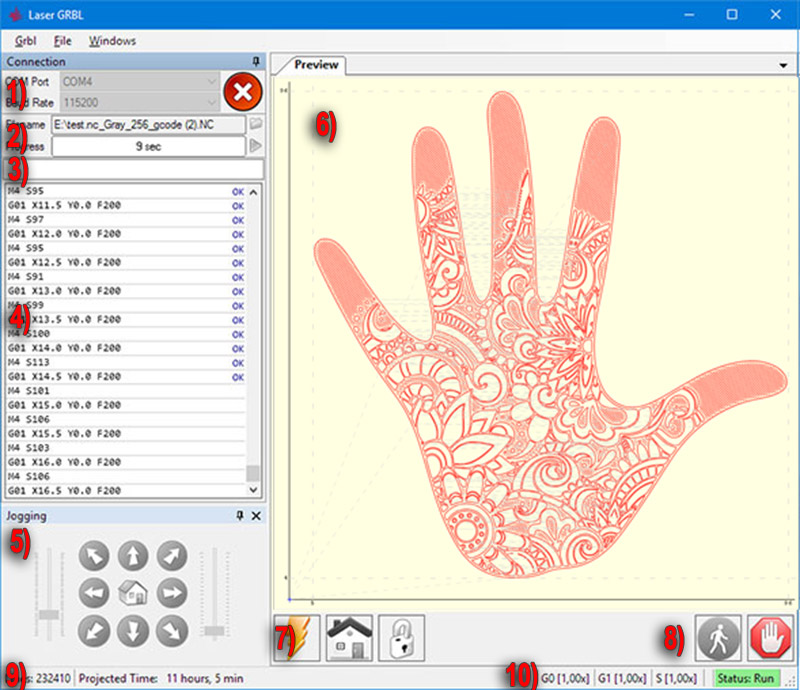
LaserGRBL is one of the best open-source software which is free to use. The software is specifically designed and made for image laser engraving. The software comes with all the basic functionalities for the users. Users can upload images, work on them, and directly send them to laser engravers for engraving and printing.
Top Features:
- It seamlessly converts greyscale images into stunning laser engravings and is specially made for image laser engraving.
- Users can easily customize specific actions on the image by using the customizable action buttons available in the software.
- Laser GRBL also provides various schemes of color specifically made for use on different color glasses.
Pros:
- Laser GRBL offers a very interactive and user-friendly interface for its users.
- It is designed in a way that connects and optimizes easily with various laser machines with Grbl v1.1 and Grbl v0.9 standards.
- It is designed to keep safety considerations in mind during the printing and engraving process.
Cons:
- It lacks certain design tools that are advanced and used by professionals.
- It also does not provide any air assistance during the process as it is not integrated with the software
Pricing:
As Laser GRBL is an open-source software or platform, it is completely free to use by any user and does not have any hidden cost.
LightBurn
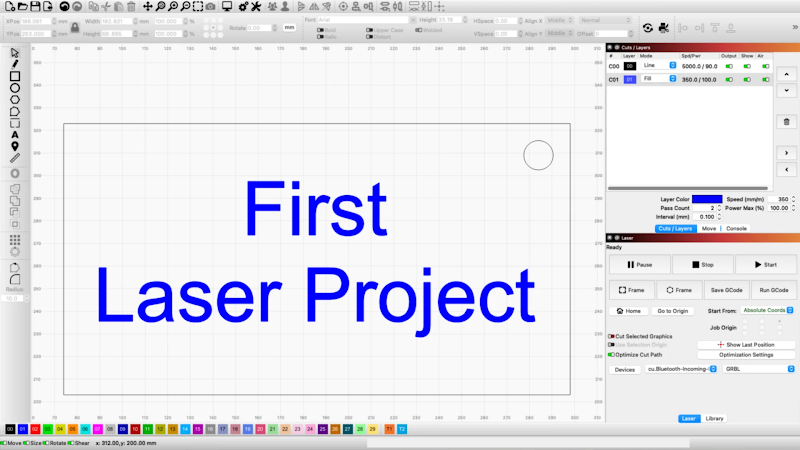
LightBurn is another great Laser Engraving Software available in the market. Though it is a paid software, it offers an extensive range of features for its users which makes it a great option for engraving professionals. The software is made for engravers and laser cutters and is versatile software in the world of engraving.
Top Features:
- LightBurn is considered an advanced software with design tools that offer its users vector editing capabilities, allowing users to create powerful designs.
- To make the alignment and positioning of the engraving accurate, LightBurn provides seamless integrated support for the camera.
- LightBurn allows its users to easily manage libraries and settings for various materials from the software.
Pros:
- It is designed in a way that helps to streamline your work with its easy-to-use and simple user interface.
- You can directly import a vector image in the software as well as directly create an image.
- It helps the users save both effort and time by making everything a one-step job of both engraving and cutting in a single step.
Cons:
- LightBurn does not provide any free version for people with a budget.
- It can be difficult for beginners with things like vector processing, G-code, and laser settings.
Pricing:
LightBurn does not have any free version for its users, however, it does provide a 30-day free trial for its users. There is a one-time fee of $60 for the LightBurn paid version with all the advanced functionalities.
T2Laser
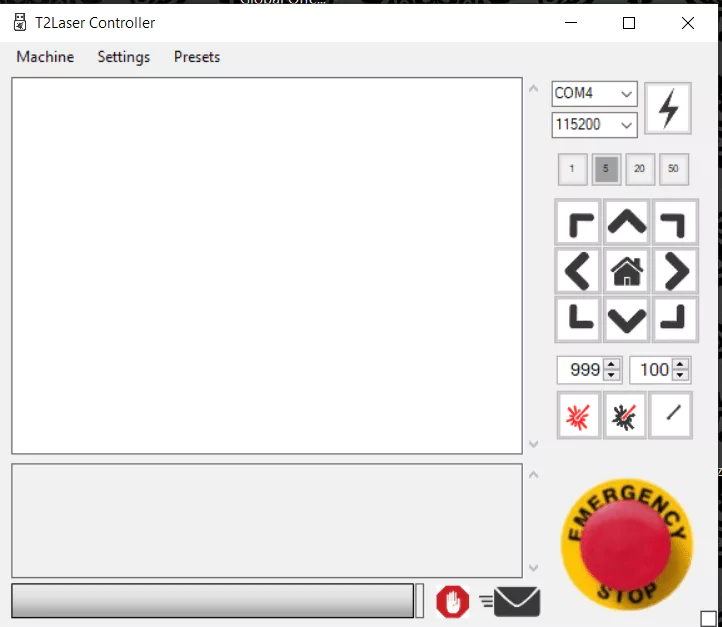
If you are an engraver or a laser cutter, T2Laser can be one of the best choices for Laser Engraver software in the engraving industry. It is a versatile software made for engravers and cutters. It works seamlessly with any Grbl-based laser or any CNC system. You can engrave photos, clipart, logos, or anything you want with its all-in-one featured-packed system.
Top Features:
- It allows its users to work on both vector images and true greyscale images with seamless and accurate precision.
- T2Laser can process images with ease and it also offers some basic sketch features along with editing options for its users.
- With Grayscale images, users can get stunning results with its well-optimized and advanced photo engraving algorithms.
Pros:
- Users can easily convert a raster image format to a vector image format with T2Laser.
- It offers multiple design styles and a range of flexible options for filling for its users.
- It offers a straightforward and easy-to-use user interface for its users to learn easily.
Cons:
- T2Laser is a paid software and all the functionalities work in the paid version only.
- In comparison with other software, T2Laser does not have any extensive community support.
Pricing:
T2Laser provides a free trial of 30 days with no restrictions for its users. The paid version will cost you a one-time purchase of $39.95.
LaserWeb

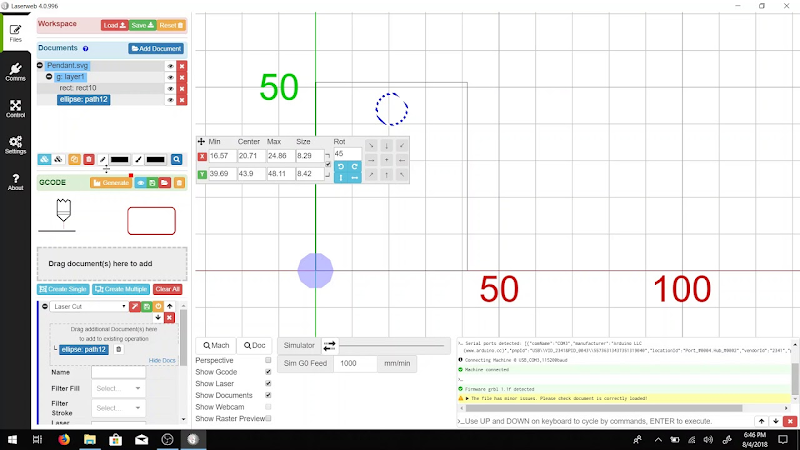
LaserWeb is one of the most famous software that is used for generating GCODE from various file formats like SVG, DXF, PNG, JPG, and Bitmap. It is mostly used for CNC milling and also primarily used for laser engraving purposes for precise control. It is compatible with various laser cutters and engravers available in the market.
Top Features:
- LaserWeb is an open-source platform with multi-platform compatibility and support for both Windows and Mac OS.
- It is known for its precision in converting vector images into GCODE for laser-cutting purposes.
- LaserWeb software allows its users with real-time control during the process of laser engraving or cutting.
Pros:
- As it is open-source, it is referred to as highly customizable software.
- You can get the entire library of help and resources with its active community of users.
- It has multiple integration options and supports multiple laser controllers and hardware integration.
Cons:
- Users may need technical knowledge to easily operate and navigate the software.
- It lacked various advanced features when compared to its competitors.
Pricing:
LaserWeb is a completely free and open-source software with an active online community and can be used by anyone online.
Also read: 7 Best Free Vinyl Cutting Software (2024)
SolveSpace
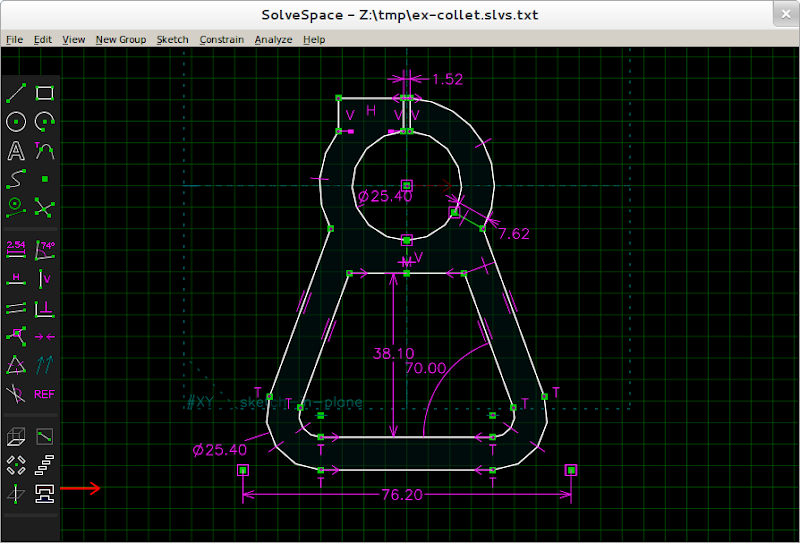
SolveSpace is one of the best free laser engraver software on the market today. It is a CAD tool for 2D/3D on a free and open-source platform and hence is accessible to all types of users. You can modify, stimulate, and create designs that are mechanical making it compatible for various platforms across various systems.
Top Features:
- It has a proper section for sketching for its users. You can easily create different forms of shapes, TrueType font text, and smooth filling.
- It also offers amazing dimensions along with ratios and symmetry, parametric modeling options, and arithmetic expressions.
- One can easily build solid models with software like 2D and 3D using lathes, extrudes, or helixes.
Pros:
- It is a lightweight and open-source platform making it super easy to use and operate for users.
- Users can easily integrate and use shortcuts of the keyboard to perform any specific action on the software.
- One of the pros of SolveSpace is that it does not require any installation or any load time.
Cons:
- Users report that it gets slow when you work on complex designs and projects.
- It allows basic modeling but lacks certain advanced features for users.
Pricing:
As SolveSpace is free and open-source software, it remains free forever for all types of users and can be used by anyone on the internet.
CypCut
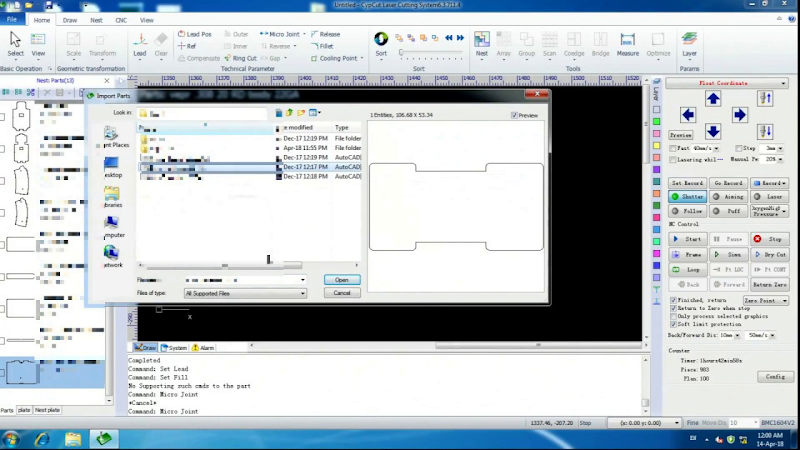
CypCut is a famous software used for versatile nesting and laser cutting. CypCut software is designed for various applications and easily combines nesting, drawings, and workpiece cutting, everything under one common system. It is made for engraving and cutting hard materials like stainless steel, copper, or aluminum.
Top Features:
- CypCut is known for seamlessly integrating NEST, CAM, and CAD, along with functionalities of workpiece cutting, nesting, and drawing.
- It also offers great functionalities for tune cutting and sheet metal cutting requirements, supporting hard metal cutting.
- It also has certain advanced features that make the processing more efficient with functionalities like Circle Center, Fast Cutting, Smooth Microjoint, etc.
Pros:
- CypCut offers a very easy-to-use and straightforward user interface for editing and creation.
- It also offers efficient nesting and fly-cutting functionalities to enhance productivity.
- It is also a cost-effective solution when it comes to thin sheet aluminum and stainless steel cutting capabilities
Cons:
- It offers certain advanced functionalities, however, they are not as extensive as premium software.
- The learning curve can be steep for users as there are several functionalities for users to learn.
Pricing:
CypCut provides a free version for its users with essential features. The cost of the software will depend upon the type you select, CYPCUT FSCU 8000, 5000, 4000, 3000, 2000, and 1000 range around $150 to 6,700 per set.
Also read: Top 5 Marketing Automation Tools in 2024: Mastering Efficiency and Engagement
EZCAD
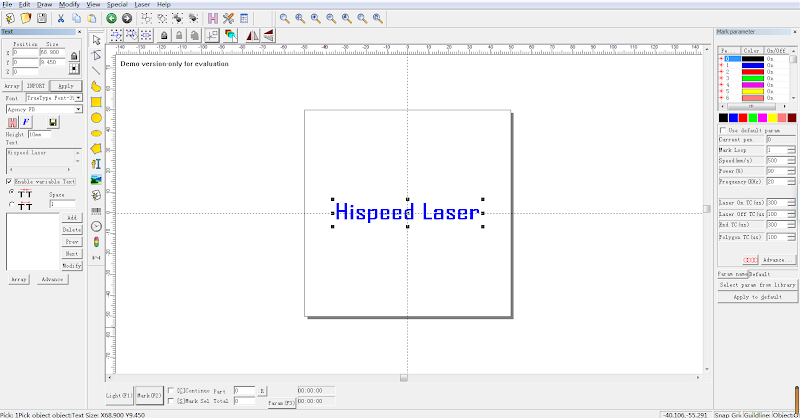
EZCAD is one of the most powerful laser software available in the laser engraving industry today. You can easily mark, etch, and do graving with the help of this software with ease. It can control multiple types of laser and helps you with the laser process with fine precision and accuracy. You can also choose between EZCAD 2 and EZCAD 3 as per your needs and requirements.
Top Features:
- EZCAD allows its users to control the laser parameters and allows accurate adjustment easily including focus, frequency, power, etc.
- It is also compatible and capable of making barcodes, and serial numbers for tracking any product.
- It provides an option to its users to do printing and engraving of variable data as well such as QR codes and batch numbers.
Pros:
- It offers a straightforward and easy-to-use user interface and control over parameters.
- The software also offers features to edit and create text in the system itself.
- For high-quality engraving, it also offers enhancement of high-quality images.
Cons:
- As it is software that is specialized, the learning curve is steep for new users and beginners.
- It also lacks certain features that are required and expected in premium software.
Pricing:
EZCAD is a premium engraving software available in the market and it costs between $50- $420 for the various versions it provides.
LaserCut 5.3
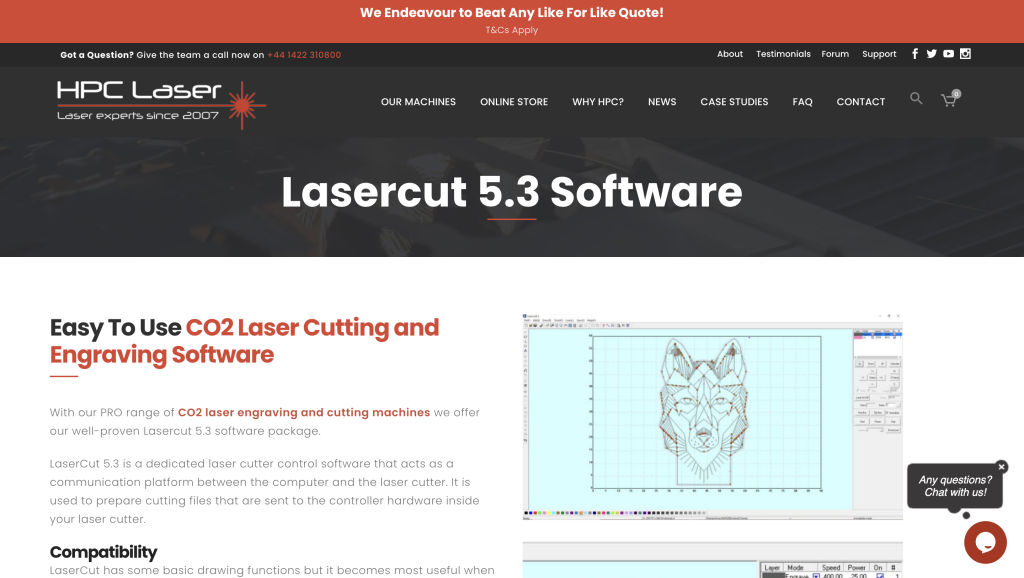
LaserCut 5.3 is yet another great software available in the engraving industry for laser engraving masterpieces. It is a powerful and versatile machine control system that makes engravings and cuts with precision.
Top Features:
- It has a feature that can generate machine-readable codes. Those G-CODES help in precise cutting and control.
- It is suitable and compatible with various materials like metal, wood, or even glass engravings.
- It has a feature that allows its users to select grid sizes from pre-defined grid sizes of engravings.
Pros:
- It offers intuitive controls that are easy to use and has a user-friendly interface.
- It is a versatile software that caters to the needs of both big professionals and beginners.
- It sets and gives highly accurate and precise cuts and engraves.
Cons:
- The learning curve is very steep for users who are new to the software.
- Some users are limited and it requires prior Java knowledge for optimal usage.
Pricing:
LaserCut 5.3 software by HPC is designed specifically for HPC engravers and cutters. The information about the cost of the software is not public and will depend upon the machine you have and the compatibility. The price of entry-level machines starts at $2000.
TurboCAD
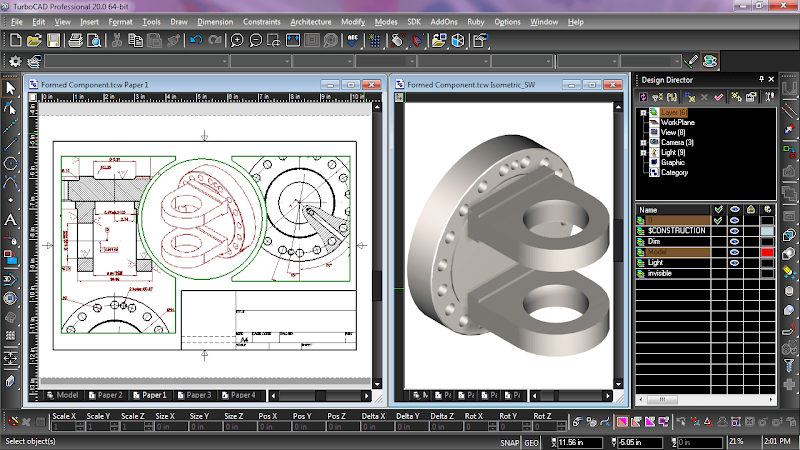
TurboCAD is a versatile software that can be used for laser engraving and offers multi-platform support. One can easily create 3D and 2D designs and draft them with ease using this software. It can be tailored to various design needs.
Top Features:
- It can easily handle most modeling requirements for both 3D and 2D models.
- It has an interface that has features similar to AutoCAD with command lines, keystrokes, etc.
- You can create visualizations of your designs and render them in high quality.
Pros:
- It has an easy-to-use interface and can be used by both beginners and professionals.
- To enhance productivity it also offers smart design tools for the users.
- One can easily share the designs via various file formats that it supports.
Cons:
- For optimal utilization the learning curve is steep.
- Some users have reported glitches while performing a few heavy tasks.
Pricing:
TurboCAD is a versatile software and has various versions, the TurboCAD Platinum version starts at $1499.99. The professional version is priced at $999.99 and the lowest-priced version is the TurboCAD Designer version at $99.99.
InkSpace
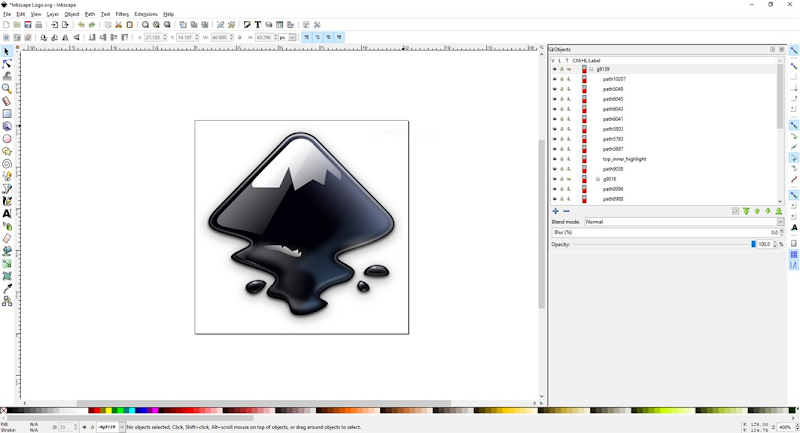
InkSpace is famous for its vector graphics design creations and editing capabilities. Inkspace is a powerful open-source and free platform and can be used for creating and editing designs that can be printed and engraved using a laser engraving or a cutting machine.
Top Features:
- InkSpace is a versatile tool and offers features through which you can create objects, curves, and strokes.
- It provides a layering option and you can simply move, arrange, scale, and rotate things in the software.
- You can create intricate designs using InkSpace by intersecting, combining, or subtracting paths.
Pros:
- It is versatile, has various tool options, and supports multiple file formats.
- It has robust text editing features like multi-line text, text in a shape, etc.
- You can easily render images in the SVG format and it has live rendering options as well.
Cons:
- It has a feature-rich interface and hence learning can be time-consuming.
- It lacks certain features that premium paid software has.
Pricing:
InkSpace is an open-source software and hence it is free forever for all its users online.
Best Laser-Graver Software in 2025
| Software Name | Pricing | Best for |
| LaserGRBL | Free |
Image laser engraving
|
| LightBurn | $60 (one-time fee) (30-day trial available) |
Advanced engraving professionals
|
| T2Laser | $39.95 (one-time fee) (30-day trial available) |
Laser engraving and cutting
|
| LaserWeb | Free |
GCODE generation
|
| SolveSpace | Free | CAD design |
| CypCut | Varies ($150 – $6,700 per set) |
Nesting and laser cutting
|
| EZCAD | $50 – $420 |
Laser marking and engraving
|
| LaserCut 5.3 | Information not public |
Laser engraving and cutting
|
| TurboCAD | $99.99 – $1,499.99 |
3D and 2D design
|
| Inkspace | Free |
Vector graphics design
|
FAQs
Can we use Adobe Illustrator as a Laser software?
Yes, Adobe Illustrator can be easily used as a laser engraving software. As it allows its users to create and edit certain designs and art pieces on the software directly. You can also save and import those images in any format and send them to laser engraving machines for cutting purposes.
What features should we look for when choosing a free Laser Engraving Software?
The list of features that a free laser engraving software should have depends on your specific requirements and purpose in using that software. However, there are a few features mentioned below that you should always keep in mind while choosing a free laser engraving software.
- Easy to use.
- Compatible with multiple file formats.
- Basic tools for editing.
- Compatibility with various devices.
