

The tech evolution has shown us an exponential growth in taking pictures and selfies using smartphones and cameras. However, the need for photo editing software on a PC is robust due to its advanced tools and techniques. Photo editing software is used to change the focus of an image, highlight your key elements and transform an ordinary picture into something incredible.
Photo editing can look like a simple process but involves a variety of features as shown below.
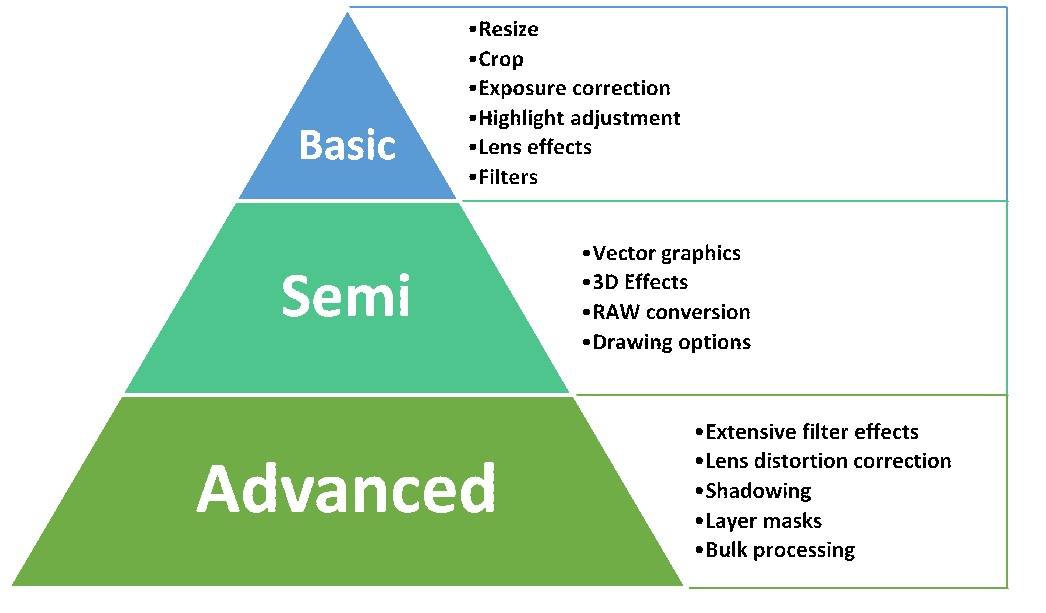
Photographers and professional designers prefer to have all the features but they are available only in premium software which comes with a high cost and complexity. Whereas casual users like beginners, enthusiasts, hobbyists, designers, social media influencers and selfie lovers would prefer basic and semi-advanced features that are available in plenty of free photo-editing software.
Here, we list the top free and open source photo editing software in the market which can be beneficial for such casual users.
Top Open Source Photo Editing Software for PC
1. GIMP
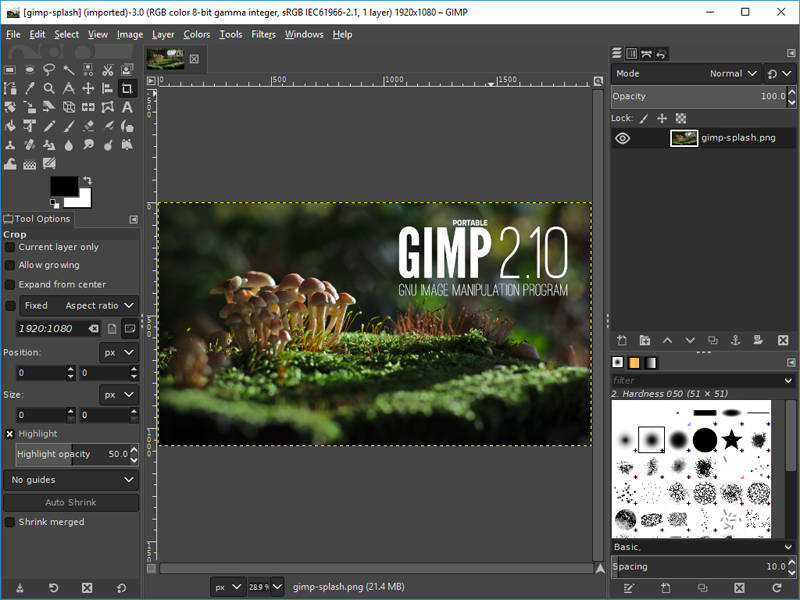
GIMP(the GNU Image Manipulation Program) is the best free and open-source photo editing software in the market. It’s got a ton of features for image-enhancing which will give many of the professional software a run for its money. The interface is beginner friendly and also has advanced tools for expert users.
The GIMP toolkit features various customization tools, custom brushes, selection masks, smart selection tools and also supports third-party plugins. Its community of users and developers provide regular updates and great support. GIMP supports almost all image formats and can be installed on all operating systems including Windows, Mac, and Linux.
2. Inkscape
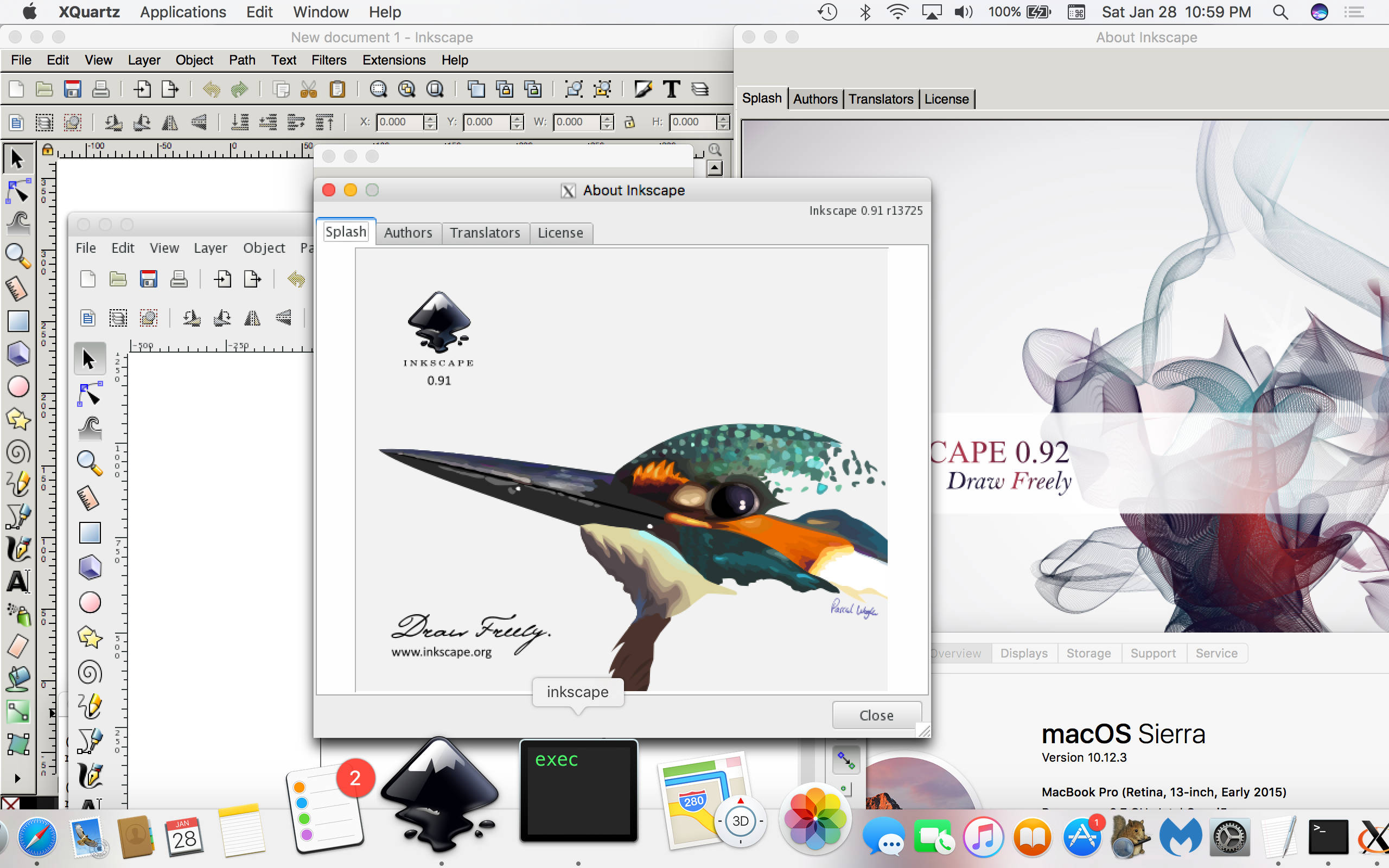
Inkscape is an open-source vector graphics and photo editing software perfect for budding photographers. Inkscape is unique because it uses Scalable Vector Graphics (SVG), an open XML-based W3C standard, as the native format to edit all files. Inkscape is used across a wide variety of industries (marketing/branding, engineering/CAD, web graphics, cartooning) and individual uses.
Inkscape supports some exclusive features like Cloning, Drawing & Calligraphy tools, Overlay text support, Object creation & Manipulation in addition to the basic editing tools and operations on paths. It also supports SVG Rendering and exporting of different file formats. Inkscape is best suited for illustrators, designers or artists because of its flexible drawing capabilities.
Top Free Photo Editing Software for PC
3. PhotoScape

PhotoScape is a simple, fun and easy to use photo editing software that enables you to fix and enhance photos. It provides various photo-related features like Photo Viewer, Editor, Cut Out, Batch, Collage, Combine, Create GIF, Color Picker, Screen Capture, RAW images and more.
It is compatible with Windows, Mac and supports photo extensions too.
Pictures from Photoscape can be easily shared with social media because of its features like Face recognition, 1000+ Instagram filters & effects, Object recognition and 1000+ Frame support. It can also be linked to a printer and supports 30 different languages. The interface is user-friendly and it is well suited for beginners and intermediates.
4. InPixio
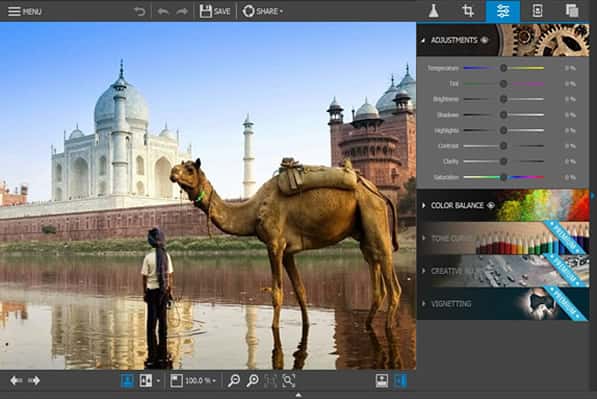
InPixio is a free photo editing software which is easy to use and understand. InPixio supports a wide range of impressive features like Blur tool, Filter & Effects, Test overlays, vignetting, batch mode and personal presets. It also supports a number of designs and frames to showcase the theme of your photos.
InPixio provides all the basic editing tools that beginners can ever need. Sharing pictures on social media or sending as postcards to family and friends is easier because of the inbuilt integrations in InPixio. It is compatible with Windows, Mac and also has a large community of users who offer support.
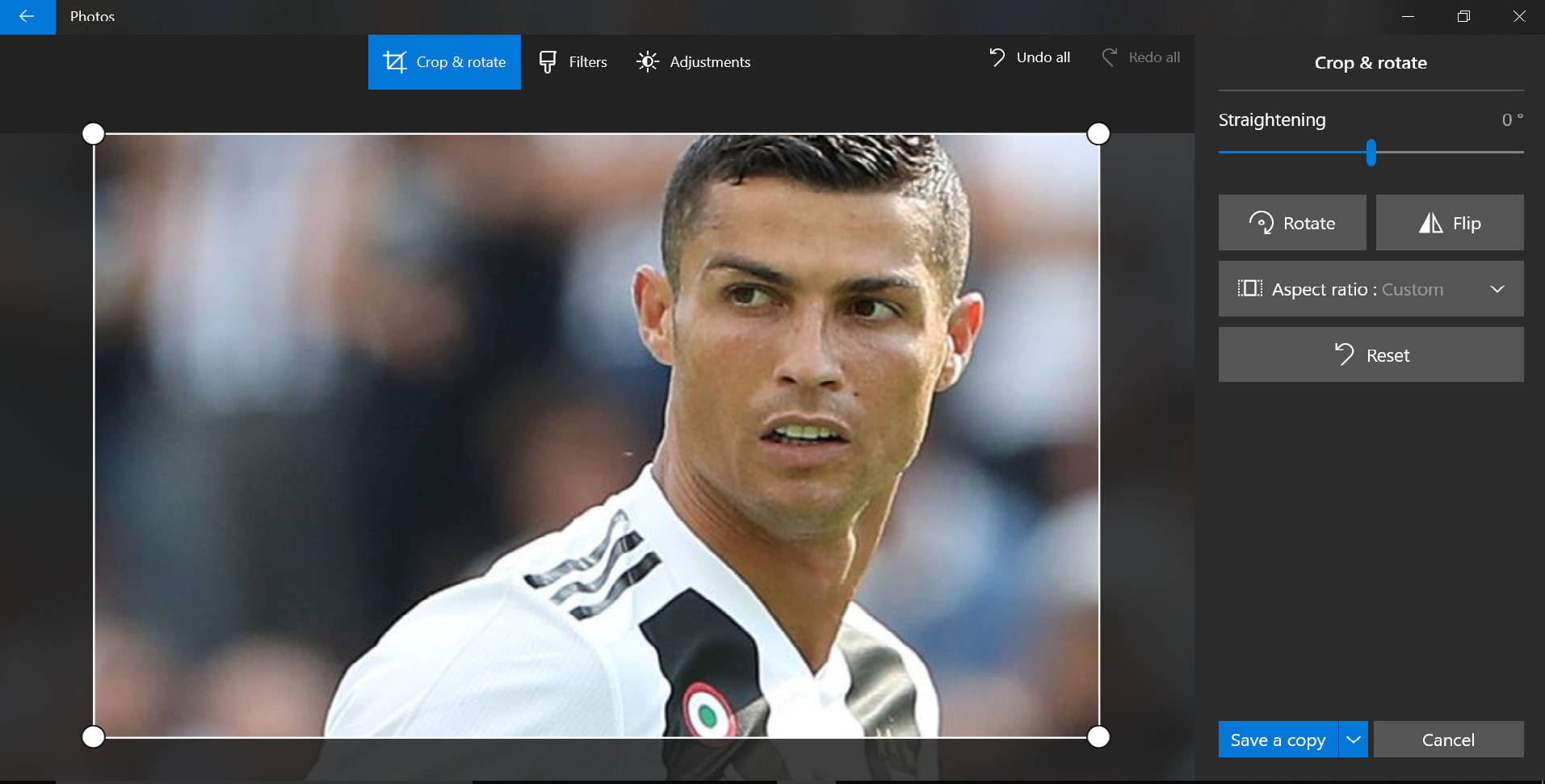
Microsoft Photos app is included with Windows 10 for free. It offers a multitude of editing tools and may surprise some users with its capabilities. It has many features like image correction, auto-tagging, blemish removal, red-eye reduction, and face recognition which are important for posting in social media these days. It offers raw camera file support and can even automatically create albums based on dates and locations of the photos.
Microsoft Photos can search based on detected object types, like “tree” or “cat” and can add 3D effects. Video remix can be used to instantly create a video from photos and it has a capable video editor too. It is compatible with Windows, Mobile, Xbox, Surface Hub, and Holographic Lens. In addition to that, the images can also be shared in all your devices using OneDrive.
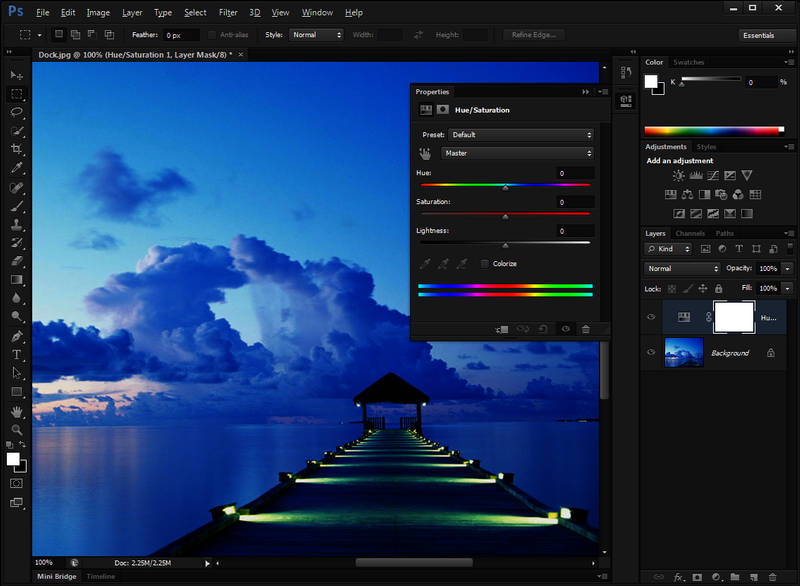
Adobe Photoshop Express is the one-stop shop for your quick, powerful, and fabulous photo editing needs. It has an easy to use interface provides seamless switching between various edits. Your original photo is not lost during editing because it has ‘Undo’ and ‘Redo’ feature to help you get the desired look. Photoshop Express covers all basic features like crop, resize, effects, filters, adjustment, correction and also offers a few advanced features like RAW & TIFF photo support and JPEG quality output.
Photoshop Express Collage gives you flexibility and control – can edit files and make collages from your device, Adobe Creative Cloud, Dropbox, Facebook, or Google Photos. Sharing photos through Social media, WhatsApp, email or SMS to family and friends can be done instantly. It can be installed in Windows, and smartphones and also available in 30 languages.
7. Pixlr Editor
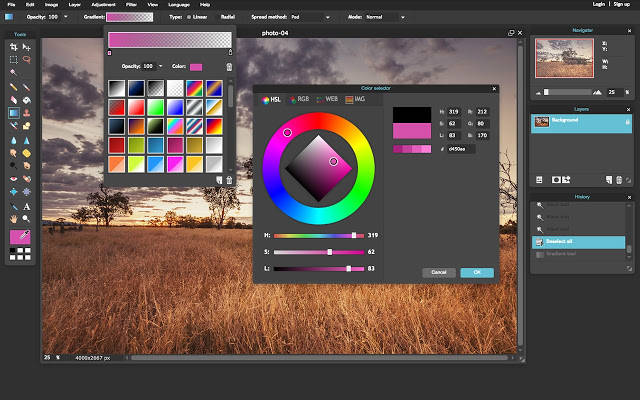
Pixlr Editor is the top browser-based free photo editing software. It needs a reliable internet connection to work and this free web app is almost as powerful as other desktop photo editors. Unlike other browser-based tools that lets you only to crop, size, & tweak the image, Pixlr offers advanced features including access to layers, masks, clone stamps, and selection tools. It is compatible with any web browser supporting Flash.
Pixlr Editor is a favorite among many advertising and e-commerce agencies because of its advanced editing tools and the ability to connect to social media easily. The interface is similar to GIMP and it allows you to scroll through all of your past edits. Though Pixlr has a lot of advanced features, it is not beginner friendly like others on the list.
8. PhotoPos Pro
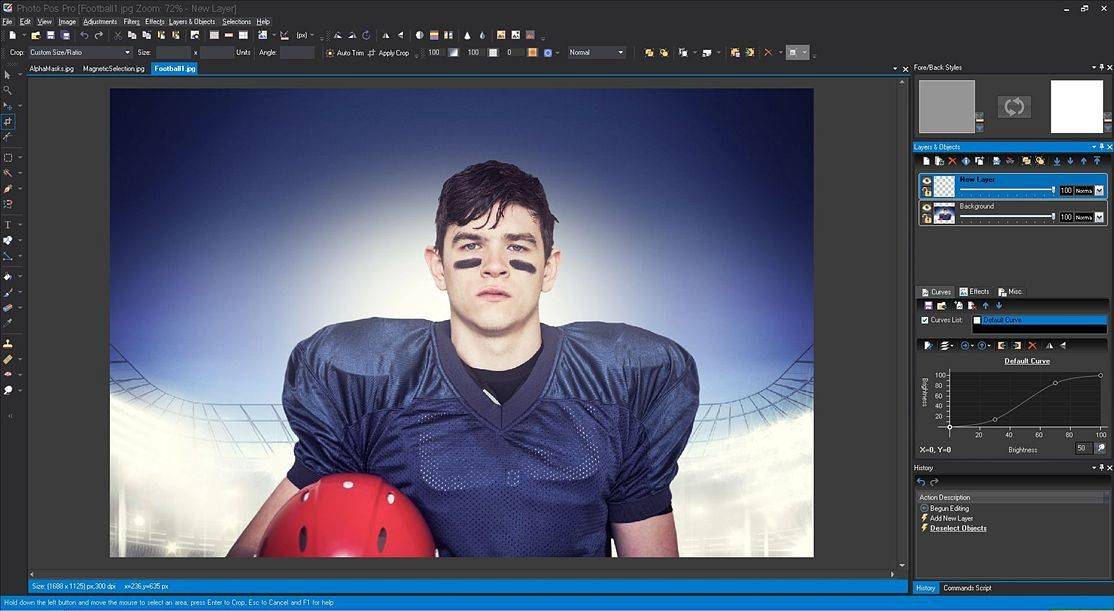
PhotoPos Pro is another top-quality free photo editor with advanced image-enhancing tools. It can convert any image into stunning artwork, easily create, edit, enhance, print, and manipulate your digital photos and easily create eye-catching graphics.
Photo Pos Pro supports many advanced features for object removal, background editor, photo effects, text tools and more. It also offers tons of frames & collages, cloning options, and support for bulk processing while refining a whole folder of photos. The edited photos can be saved at a maximum resolution of 1,024 x 2,014 pixels, which is good enough for most casual users. The user interface is smarter and easily accessible to beginners and experts.
9. PhotoPad
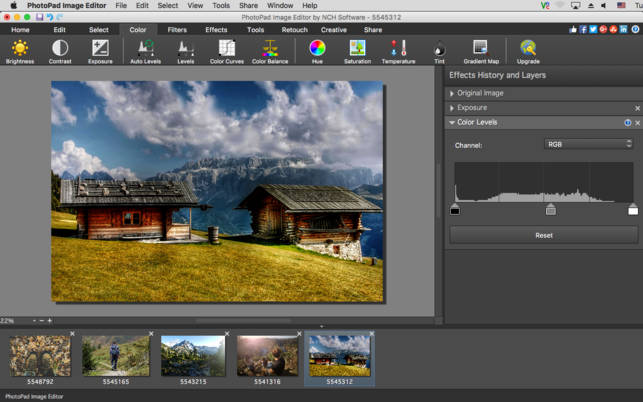
PhotoPad is a simple free photo editing software from NCH Software. It supports all major image formats and has lots of features of image manipulation like cropping, resizing, rotating, color fixing, light, color balancing and more. It can merge multiple exposures of an image and can create amazing HDR output.
PhotoPad is the perfect tool to easily create photo collages, effects, photo books and many more. It also supports background replacement process and can edit RAW images. Because of the simple interface, it lets you edit photos like a pro without having much experience. The only disadvantage is that the free version is available for non-commercial use only.
10. Paint.NET

Paint.net is the last and simplest option on the list. The user interface is intuitive and offers a ton of features like layers, adjustment, user-created plugins, unlimited undo option, various special effects, and other tools. It also supports a brilliant 3D rotate function useful for recomposing images. Paint.net is better than Microsoft Paint in functionality and has more advanced features as well.
Paint.net is simple enough that even beginners can understand it easily. It is ideal for casual tasks that don’t need advanced knowledge of editing. It also has a friendly, passionate, and ever-expanding online community which provides friendly help, tutorials, and plugins.
Bottomline
These are some of the top free and open source photo editing software. All these software covers the basic features and some have unique features like vector graphics, object search and more. Make sure the software you choose satisfies all your editing needs.
