

An Image Converter is a kind of file converter that converts one image file format (like jpg, bmp, tif, etc.) into another format. Whether you’re designing a website, writing a blog post, or sharing your latest photography shots, sometimes you’ll find yourself with a handful of images that need to be processed and converted. There are plenty of image converter tools out there, but many of them require a long installation process, and most are limited to one particular operating system.
Online Image Converters are a good solution if you want to escape that lengthy process to convert your images. Unlike with the installable image converter programs which mostly supports Windows and macOS, the online image converters can be used on any operating system that has a web browser. In a lot of cases, it’s just faster and more convenient to use free online tools because they’re accessible from anywhere at any time.
Online image converter software plays their crucial role by converting an image into any desired format on a day-to-day basis. Not just converting formats, an image converter software is also capable of tweaking image attributes, such as color, quality, brightness, contrast, etc. There are loads of image converter tools available online, so we decided to refine this list by comparing and picking the best ones for you. Take a look at our comparison – we have used the following criteria to find the best online image converters:
Number of Input & Output Formats supported, Size Limit, Mobile Compatibility, Editing Options, API Support and Cloud Storage.
|
Name |
Size Limit |
No. of Input Formats |
No. of Output Formats |
API |
Editing Options |
Mobile Compatible |
Cloud Support |
Free/Paid |
|
CloudConvert |
UL |
200+ |
12 |
✔ |
✔ |
✔ |
✔ |
Paid |
|
Zamzar |
2GB |
200+ |
16 |
✔ |
✔ |
✔ |
✔ |
Paid |
|
Online-Convert |
8GB |
150+ |
12 |
✔ |
✔ |
✔ |
✘ |
Paid |
|
Convertio |
UL |
100+ |
90 |
✔ |
✘ |
✔ |
✔ |
Paid |
|
FixPicture |
UL |
400+ |
6 |
✘ |
✔ |
✘ |
✘ |
Free |
|
Raw.Pics.io |
UL |
100+ |
12 |
✘ |
✔ |
✔ |
✘ |
Paid |
|
Aconvert |
200MB |
200+ |
80 |
✔ |
✔ |
✔ |
✔ |
Free |
|
FileZigZag |
2GB |
15 |
50 |
✔ |
✘ |
✔ |
✔ |
Paid |
|
Online-Converting |
50MB |
250+ |
90 |
✘ |
✔ |
✘ |
✘ |
Free |
|
Go2Convert |
50MB |
200+ |
64 |
✘ |
✔ |
✘ |
✔ |
Free |
|
convert-my-image |
UL |
16 |
12 |
✘ |
✔ |
✘ |
✘ |
Free |
|
FreeFileConvert |
300MB |
100+ |
56 |
✘ |
✘ |
✘ |
✘ |
Free |
|
Online-Utility |
10MB |
100+ |
70 |
✘ |
✘ |
✘ |
✘ |
Free |
|
Batch Photo |
10MB |
8 |
65 |
✘ |
✔ |
✘ |
✘ |
Free |
|
FreeConvert |
200MB |
50 |
7 |
✘ |
✘ |
✔ |
✘ |
Free |
|
Convert Online Free |
200MB |
9 |
11 |
✘ |
✘ |
✘ |
✘ |
Free |
|
Go4Convert |
100MB |
20 |
12 |
✘ |
✔ |
✘ |
✘ |
Free |
|
Jina Convert |
25MB |
100+ |
11 |
✘ |
✘ |
✘ |
✘ |
Free |
|
Imverter |
20MB |
100+ |
14 |
✘ |
✔ |
✘ |
✘ |
Free |
|
i-2-Img |
15MB |
50+ |
16 |
✘ |
✘ |
✘ |
✘ |
Free |
Online Image converter freeware only offers simple and basic features while the premium version certainly has more professional features, with better support. Both free and paid version support basic features like edit images, resize, add effects, limited conversion size but only paid versions allows you to better features like unlimited size limit, conversions, API access and cloud storage in most cases. In addition, the paid version of most online image converters offers much more in terms of speed, priority and customer support.
Here is our list of the best online image converter software programs:
Table of Contents
CloudConvert
CloudConvert is one of the best tools for any kind of image conversion. It can also connect your cloud account (Dropbox, Google Drive or OneDrive) and save your images easily. CloudConvert supports 200+ image inputs, all popular output formats with batch converting and folder monitoring. The CloudConvert API offers the full functionality of CloudConvert and makes it possible to use the conversion services in your own applications.
In the free plan, you get 25 conversion minutes per day, 1 GB max file size and low priority if there’s high traffic in their site. In the premium plans, you get unlimited conversion minutes, file size, also high priority and support.
Advantages
- Easy to use Interface
- Works from any web browser in all OS (including mobile phones)
- Supports converting images from PC, URLs and Cloud Storage
- Supports file conversion too
Zamzar
Zamzar is one of the top online image converters that supports conversion of 200+ image and graphics formats. Zamzar is not just an image converter, it is also a multipurpose converter which supports over 1200 different conversions – Video, Audio, Music, eBook and CAD files.
In the free plan, you get only 200MB max file size, 25 conversions per day with no cloud storage or API support. In the premium plans, you get up to 2GB file size, unlimited conversions with cloud storage and API support.
Advantages
- Supports bulk conversion and 1200 different file conversions
- One of the easier-to-use image converters
- Can handle images as big as 2GB
- Supports uploading images from PC, URLs and save results to PC, Cloud Storage or emails

Online-Convert
Online-Convert it is yet another online image converter that converts to a variety of popular target formats. You can also apply effects or enhance images during conversion. Just select your output format, upload image, and optional effects, your image will be converted instantly within a couple of seconds.
In the free plan, you get 100MB max file size, normal conversion speed, and no developer API access. In the premium plans, you can get up to 8GB file size, high conversion speed, and developer API access.
Advantages
- Quick and secured image conversion
- Supports QR code output which helps easier mobile transfer
- API Access is free but only for a limited time
- Unlimited conversions, even in the free plan
Convertio
Convertio is a powerful image converter which can convert to 90 different target formats. From our comparison with other online image converters, we can say that Convertio offers the highest number of output formats for image conversion. Convertio also offers Optical Character Recognition (OCR) which can convert scanned documents and images into Editable Word, Pdf, Excel and Txt output formats. API access and Cloud Storage is also free to use but with limited capabilities.
In the free plan, you get 1GB max file size, a normal priority, and limited OCR, API and Cloud Storage. In the premium plans, you can get unlimited file size, high priority, and more OCR, API and Cloud support.
Advantages
- Supports 90 different output formats
- Additionally supports 2500 different file conversions
- Offers Optical Character Recognition (OCR) to convert documents into images
- Free API and Cloud Storage (with limited features)
FixPicture
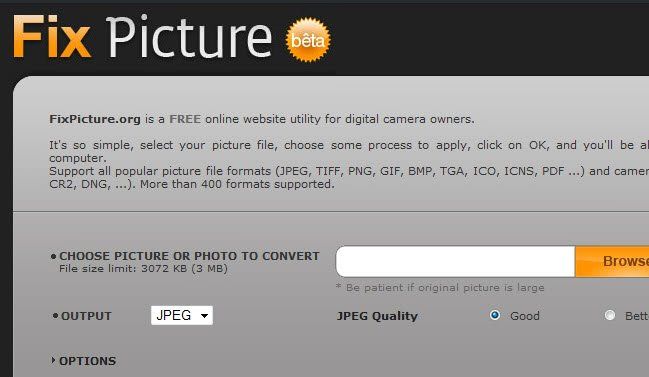
Fix Picture is one of the best free online image converters which is super simple and useful. It supports a whopping 400+ image formats including many of the raw formats from high-end cameras and converts to popular output formats. FixPicture supports the highest number of input formats when compared with other online image converters. There are no paid plans since it is totally free.
Advantages
- Over 400 supported image formats
- Unlimited size limit for image conversion (Though the website states that 3MB is the limit, it allows higher file sizes too)
- Options for resizing, adding effects and selecting image quality
- Simple User Interface
- Totally free to use
Conclusion
Most of these online image converters offer similar features but each has their unique attraction as to why you should use them. Some support a greater variety of conversion formats while others may have exclusive API and OCR access. Check them out and let us know if we’ve missed some better alternative that should’ve made the list.
