

The significance of navigation cannot be overstated. It’s easy to see why users favor sites that follow best practices for website navigation. It can assist users in swiftly and simply finding the content they need. Therefore, navigation is a crucial component of the user experience and your website strategy.
Today, we’ll look into website navigation design in depth so you can construct a system that works for your users. We’ll also look at optimal practices for website navigation. Let’s get this party started. Website navigation is a set of user interface elements that help visitors to find material and functions on a website. These elements can include copy, link text and buttons, and menus.
That final time mentioned is perhaps the most important in good website navigation, so let’s briefly define a menu in website design.
Table of Contents
What Exactly is a Navigation Menu on a Website?
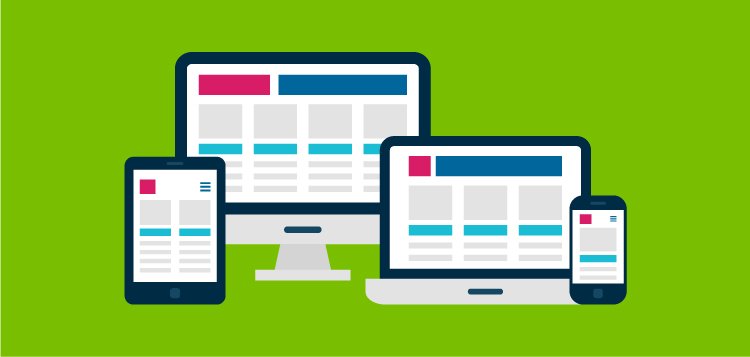
A website navigation menu is a well-organized list of connections to other online pages, typically those on the same site. Navigation menus appear across a website in page headers or sidebars, allowing visitors to rapidly reach the most useful pages. While assisting visitors in moving from one web page to another is important, it is not the only one. Navigation also assists visitors in understanding the relationships that exist between individual pages on a website. So how does that actually work in practice? Let’s dissect it.
According to IA analyst Nathaniel Davis in an essay for UXmatters, navigation is the tip of the iceberg of a website’s information architecture (IA). Parts of this iceberg can be found beneath the water’s surface. The research, strategy, management, and organization that went into building the website’s IA. Above the surface is the navigation interface, most often represented as a series of hypertext links and a search bar.
As a result, your website’s IA is not apparent in the navigation interface but serves as its base. This gives visitors the impression that the information is linked and categorized to fulfill their requirements and expectations, but it never exposes all of the spreadsheets and diagrams that went into recognizing and structuring those links among your content.
What Exactly is Website Sub-Navigation?
Sub-navigation, often known as local navigation, is the interface via which site users can find lower-level categories of a site’s IA. Typically, these are sub-categories of the primary navigation links.
Consider the nonprofit website for the Nashville Zoo. “Support” is a navigation item in the primary navigation menu. When you hover over that item, a sub-navigation menu displays several options for donating to the zoo. This is an excellent ad since visitors can easily discover what they’re searching for, but the menu does not appear to be overwhelming at first glance. It’s a win-win situation.
What Should be Included in a Navigation Bar?
Because your site contains a large number of pages, selecting which are important enough to be included in the universal navigation can be difficult. Orbit Media recommends keeping your navigation to a maximum of seven elements for SEO and user experience.
But how can you start narrowing the pitch? Your company’s stakeholders may have different perspectives about what is and is not nav-worthy, but keep the user experience in mind. Finally, consider your website visitors when deciding which path to take. Here are some approaches you may take to begin determining what your website visitors want to see on your menu.
1. Sorting Cards
Card sorting is a basic user experience strategy that allows you to enter your website visitors’ heads and create the navigation from their perspective. No prior UX experience is required to participate in this activity.
To begin, invite people from outside your organization to participate in a 20-minute activity. Place a stack of index cards on the table, one for each important page on your website.
Then, ask the participant to arrange the cards however they see fit. Look for patterns in how your participants categorize your site’s pages and ask them how they would name each category. This is a really effective method for determining what people find intuitive.
2. Accountability Reports
Following that, attribution reporting can help your website navigation design. If your marketing analytics software supports it, this is ideal for determining what should be included in your main navigation.
This report links the amount of newly made contacts to their interactions with your company, allowing you to better understand the content and functionality on your website that converts visitors into leads.
3. Flow of Users
If you don’t have an attribution report, you may still discover which pages on your site are important by using the Google Analytics Users Flow report. This report does not distinguish between standard and customer traffic, but it emphasizes how visitors traverse your site experience.
According to Google, “the Users Flow report is a graphical representation of the paths visitors took through your site, from the source, through the various pages, and where they exited your site along their paths.”
How should your navigation items be arranged?
In webpage navigation, order is important. According to cognitive tests, web page users remember links on either end of the menu the most vividly. The primacy and recency effects refer to the phenomenon that words given first or last in a list tend to pull more heavily on viewers’ attention spans. Hence, for your website, you’ll want to be very deliberate about what you put in these locations. Consider what is most important to your average visitor.
Web strategist Andy Crestodina writes on Neil Patel’s blog, “Place your most critical stuff at the beginning of the navigation and the least important items at the end.”
Website Navigation Examples
NWP
Another eCommerce site featuring a horizontal navigation bar is NWP. But, unlike Propa Beauty, NWP’s navigation bar is a unified menu. Only the primary navigation links are visible when the website loads. As you mouse over “Shop,” a dropdown menu displays, detailing the various sub-categories of apparel available on the site.
The Shade Room
The Shade Room also has two types of navigation menus. A normal horizontal header appears at the top of the page. Take note of the hamburger button to the right of this header. A secondary navigation interface to the right emerges when you click this button. This serves as a lightbox popup, blocking some of the text and dimming the remainder of the background, and contains additional navigation links for navigating the site.
Conclusion
This article must have helped you to understand the crux of website navigation. However, if there are only two things you can take away from this article, we suggest these two: the golden rule of web navigation. Don’t make them think. As these website navigation examples demonstrate, the more obvious it is, the better. Steve Krug, a usability expert, has based a whole book on this sentiment. Use these best practices for website navigation to help users explore your site without feeling frustrated or confused. Finally, as goes with everything that you want to perform well, maintain consistency.
Website navigation design is no exception to this rule. This is an important best practice for website navigation because it may make or break a user’s experience. Maintain consistency in the format and style of your navigation interface. This is all about matching the visitor’s present knowledge and expectations.
