
Close Menu
  • Categories
    • Top Software
    • Statistics
    • Research Reports
    • Guides
    • Software Reviews
    • SaaS Talks
  • Resources
    • SW Score Methodology
    • SaaS Terms Glossary
  • Browse Software
Facebook X (Twitter) Instagram
SaaSworthy Blog | Top Software, Statistics, Insights, Reviews & Trends in SaaSSaaSworthy Blog | Top Software, Statistics, Insights, Reviews & Trends in SaaS
  • Categories
    • Top Software
    • Statistics
    • Research Reports
    • Guides
    • Software Reviews
    • SaaS Talks
  • Resources
    • SW Score Methodology
    • SaaS Terms Glossary
  • Browse Software
SaaSworthy Blog | Top Software, Statistics, Insights, Reviews & Trends in SaaSSaaSworthy Blog | Top Software, Statistics, Insights, Reviews & Trends in SaaS
Home»Free and Open-Source Software»Five Best Free HTML Editors that are as Powerful as the Paid Ones
Free and Open-Source Software

Five Best Free HTML Editors that are as Powerful as the Paid Ones

SaaSworthy TeamBy SaaSworthy Team4 Mins ReadFebruary 9, 2018
Facebook Twitter LinkedIn Reddit Email
Table of Contents
  1. Types of HTML Editors
  2. Best free HTML editors – Textual
  3. Notepad++
  4. Coffeecup
  5. Eclipse
  6. Best free HTML editors – WYSIWYG
  7. BlueGriffon
  8. SeaMonkey
  9. Ready to code?

If you have ever tried to write a code, even one line of it, you must know how important it is to be careful about the tags and markups. A small error may break the design, or in some cases can bring the whole website down.

But that’s the thing with HTML, even seasoned coders can end up making mistakes. That is where an HTML editor comes into the picture. While there are some powerful HTML editors that need you to buy a license, many free HTML Editors are also available, most of which are as powerful as the paid ones, if not more.

Codes can be written with any word processor, even notepad, but the benefit of using an HTML editor is that it offers a set of tools that help you to avoid mistakes and improve the overall quality of your code.

Table of Contents

  • Types of HTML Editors
  • Best free HTML editors – Textual
  • Notepad++
  • Coffeecup
  • Eclipse
  • Best free HTML editors – WYSIWYG
  • BlueGriffon
  • SeaMonkey
  • Ready to code?

Types of HTML Editors

Essentially, there are two types of HTML editors – Textual and WYSIWYG.

Textual HTML Editor: A textual HTML editor needs you to write code line-by-line. It is used mostly by the expert coders who need more control over the code. By following the standard practices, you can easily keep your code clean with the textual editors.

WYSIWYG HTML Editor: WYSIWYG is the short form of ‘What you see is what you get’. Which means you can see how your code will appear at the front end before making it live. Most of the WYSIWYG HTML editors allow ‘drag-and-drop’, which means you place the elements using your mouse and the required codes will be written automatically. This kind of editor is pretty easy to use and preferred mostly by the new learners.

Pro tip: If you have just started to learn to code, it is advisable to use textual editors as much as possible. The best way to learn coding it to do more of it, not to find ways of avoiding it.

Best free HTML editors – Textual

Notepad++
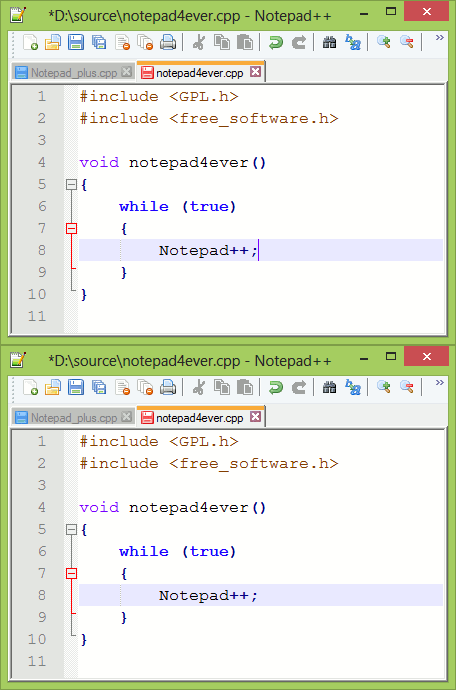
Notepad++

If you are used to working on the Notepad in Windows, you will find the Notepad ++ quite familiar. It replaces the former with some powerful additions like line numbers, color codings, coding hints etc. It is the most useful free HTML editor available for the Windows users.

Coffeecup
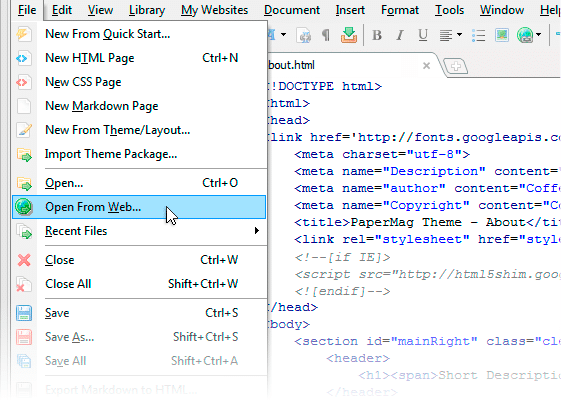
Coffeecup

Coffeecup is a feature-rich and simple-to-use free HTML editor. Inbuilt features like pre-included responsive layouts, built-in form items and FTP upload make it a great option for newbies and experts alike. However, there are various features, like WYSIWYG editor, Code Cleaner, Spell-check tool etc., for which you will need to buy a license for just $49.

Eclipse
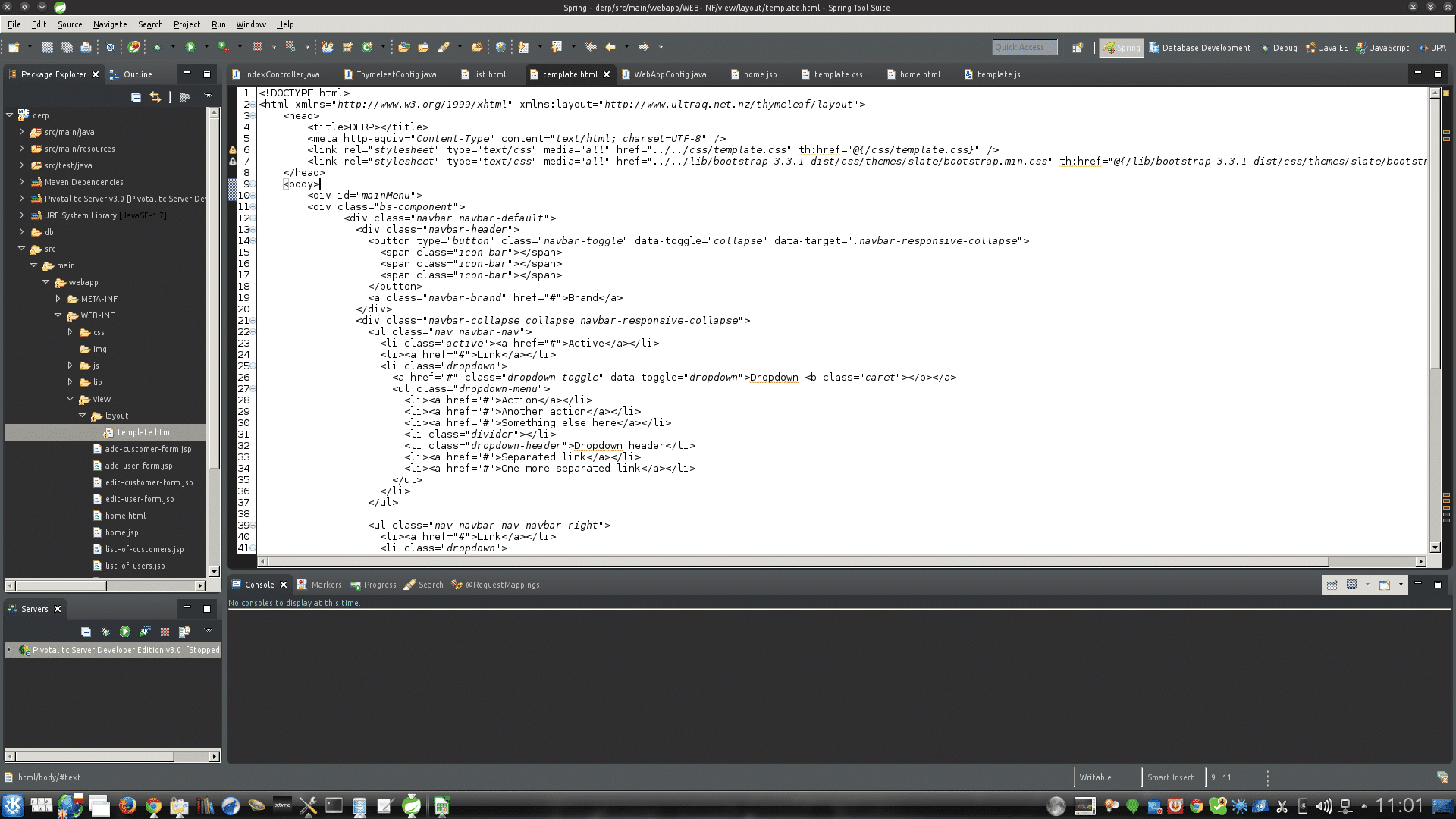
Eclipse

Eclipse is a great option if you code with various languages on different platforms. It offers a very complex development environment. More features can be added with the help of plugins. Recommended if you are creating complex apps on PHP, Java, JavaScript. A plugin is also available for developing mobile apps.

Best free HTML editors – WYSIWYG

BlueGriffon
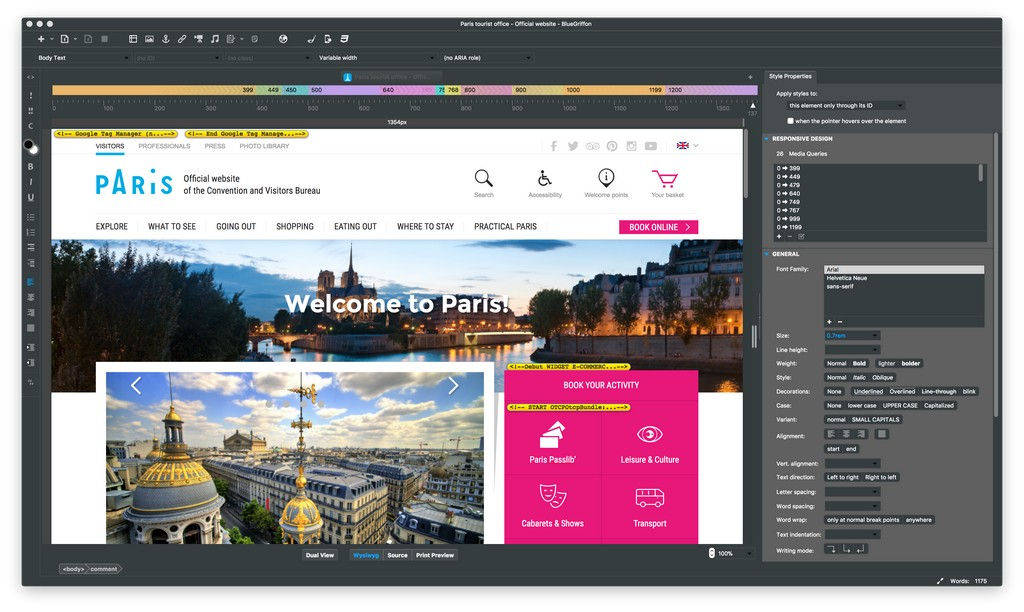
Bluegriffon

BlueGriffon is a great option if you are looking for a free WYSIWYG HTML editor. It shows both source code as well as WYSIWYG, so that you can maintain a balance between clean coding and visual appearance of your website. It is powered by Gecko, the rendering engine that powers the Mozilla Firefox. 

The free version has enough features to get you covered. You can, however, opt for a paid version that brings features like Responsive Design, Mobile Viewer, Word count warnings, Project manager etc.

SeaMonkey
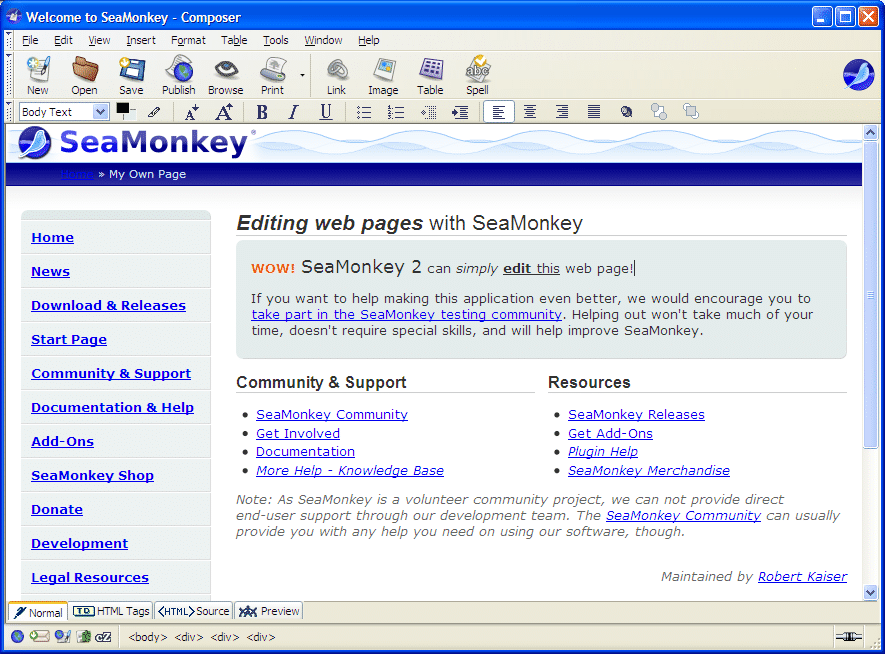
Seamonkey

It comes directly from the house of Mozilla, the makers of Firefox browser. Seamonkey is not just an HTML editor but an “all-in-one internet application suite”. It includes a browser, email client, IRC chat and RSS reader along with a WYSIWYG code editor.

Ready to code?

We can keep talking about HTML editors all day, but these are the ones handpicked because of the popularity and features they offer. Moreover, deciding which one stands best for you will need a bit of trial and error.

My favorite is Notepad ++ because of its simplicity and useful features like code tracking and hints. If you are just starting to learn and have Windows OS on your PC, I would recommend the same for you as well.

Next Article Top 5 Free and Open Source CAD Software for Developers and Designers
SaaSworthy Team

Related Posts

Top 5 Free Webinar Software That You Can Use in 2026

March 10, 2026

8 Best Open Source Accounting Software for Businesses

November 10, 2025

7 Best Email Finder Tools to Try in 2025

January 16, 2025

Top Incident Management Software in 2025

November 23, 2024
Editor's Picks

NinjaOne Acquires Dropsuite to Unify Backup and Endpoint Management

July 11, 2025

Gusto Pricing Explained: Which Plan Is Right for Your Business in 2026?

April 7, 2026

ClickUp Pricing Plans & Features (2026): Is It Still the Best All-in-One Work Platform?

April 6, 2026

Top 50 Onboarding Statistics for 2026

March 11, 2026

45 Key Remote Work Statistics To Look Out For

March 12, 2026

Best Employer of Record (EOR) Services for February 2026

February 18, 2026

Freshdesk Pricing Plans 2026: Which Plan Is Right for Your Support Team

February 3, 2026

Employer of Record vs PEO: Which Service Is Right for You?

January 19, 2026

Talkroute Review 2025: Is This the Virtual Phone System Your Business Needs?

July 10, 2025

Comet vs Dia: The Rise of AI Browsers

July 21, 2025
Recent Posts

Best Work Tracking Software for Productivity, Time Management & Team Performance in 2026

July 6, 2026

Best AI Dropshipping Tools in 2026

June 30, 2026

Best ManageEngine Alternatives for Modern IT Teams in 2026

June 30, 2026

Top 10 Atera Alternatives for Modern MSPs (2026 Guide)

June 27, 2026

QuickBooks Time Pricing Plans 2026: Complete Guide

June 25, 2026

10 Best Reputation Management Tools for Monitoring and Improving Brand Reputation (2026)

June 25, 2026

Top 5 Screen Recording Software for PC in 2026

June 24, 2026

Top 10 SSO Solutions for Secure and Seamless User Authentication in 2026

June 23, 2026

10 Best 3D Modeling Software Solutions for Designers, Engineers & Creators in 2026

June 19, 2026

Best HRIS for Different Company Sizes & Industries in 2026 | Top HR Software Picks

June 19, 2026

Subscribe now!

Power up your business growth through innovation! Subscribe to our monthly newsletter for cutting-edge SaaS insights and to stay ahead of the curve with the latest trends in software

About
  • Home
  • All Categories
  • Blog
  • SW Score Methodology
  • SaaS Terms Glossary
Vendors
  • Get Listed
Legal
  • Privacy Policy
  • Terms of Use
  • Cookie Policy
SaaSworthy
Facebook X (Twitter) LinkedIn Instagram

[email protected]

©2026 SaaSworthy.com

Type above and press Enter to search. Press Esc to cancel.