MEET CLARA - THE AI BEHIND SMARTER SOFTWARE CHOICES

Jobber |
86% SW Score The SW Score ranks the products within a particular category on a variety of parameters, to provide a definite ranking system. Read more 
View Details
|
Featured
90% SW Score The SW Score ranks the products within a particular category on a variety of parameters, to provide a definite ranking system. Read more 
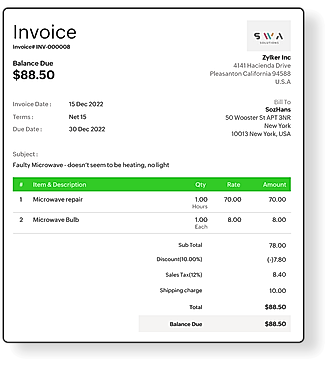
Zoho FSM |
| Description | Fulcrum is a platform to create custom forms and deploy to mobile devices for mobile data collection. The software offers drag-and-drop builder conditional skip logic, and more. Convert your paper forms to digital in just minutes. Generate reports in PDF format to send to customers and stakeholders. Small, Medium and Large companies make use of the software. Read more | Fielda is a mobile data collection platform that enables you to exchange all of your spreadsheet and paper-based data collecting with a mobile data collection tool that is simple to use and customize. It assists you in the management of assets and the completion of inspections in a more efficient and error-free manner. Fielda is a mobile data gathering software that is smart, intuitive, and simple to use for any organization that collects and manages data. It is built exclusively for data gathering, allowing your team to collect field asset information, take asset images, use GIS maps, and construct workflows while on the move. The platform mixes reporting, mobile data collecting, automated processes, and GIS to make your field operations easier. You can develop an infinite number of forms or checklists, manage processes, and communicate data in real-time with the rest of the team with Fielda’s no-code platform. You can set data gathering methods and boost business insights inside your firm by customizing them. Additionally, the platform assists you in developing unique work assignments and notification processes. Read more | Zoho FSM is a field service solution for managing installations, repairs, and maintenance. It streamlines everything from service requests to invoicing and feedback. With tools for work order management and customer data, it keeps your tasks organized and simple. The dispatch console on Zoho FSM optimizes scheduling with Gantt, Grid, and Calendar views, while live location tracking ensures jobs are assigned to the right agents based on their skills. Scheduled maintenance tools make recurring work orders and service plans effortless, and technicians can update checklists or record data on-site with job sheets. Zoho FSM also streamlines billing by converting work orders into custom invoices through the Zoho Financial Suite. Advanced reporting and intuitive dashboards provide clear insights into performance, helping businesses stay ahead. Plus, the mobile app empowers field agents to manage appointments and invoices on the go. Zoho FSM takes the hassle out of managing field services, allowing you to deliver exceptional customer experiences while boosting efficiency. It’s your partner in driving growth and operational success, leaving you more time to focus on what matters most to your business and customers. Read more |
| Pricing Options |
|
|
|
| SW Score & Breakdown |
|
86% SW Score The SW Score ranks the products within a particular category on a variety of parameters, to provide a definite ranking system. Read more
|
90% SW Score The SW Score ranks the products within a particular category on a variety of parameters, to provide a definite ranking system. Read more
|
| SaaSworthy Awards | # 12 Most Popular |
Not Available
|
Not Available
|
| Organization Types Supported |
|
|
|
| Platforms Supported |
|
|
|
| Modes of Support |
|
|
|
| API Support |
|
|
|
| User Rating |
|
|
|
| Rating Distribution |
|
|
|
| User Sentiments |
Ease of use, Customizable forms, Offline functionality, Excellent customer support Map Functionality needs improvement, Syncing issues, Limited reporting features, Lack of advanced features like line/polygon drawing |
Not Available
|
Not Available
|
| Review Summary |
Overall, Fulcrum users appreciate its user-friendly interface, customizable features, and ability to streamline data collection and management. Many reviewers highlight its strengths in digitizing forms, creating mobile-friendly surveys, and providing real-time data access. However, some users mention occasional glitches, a learning curve for advanced features, and limited offline functionality. Additionally, pricing concerns and perceived value for money are brought up in a few reviews. |
Not Available
|
Not Available
|
| Read All User Reviews | Read All User Reviews | Read All User Reviews |
AI-Generated from the text of User Reviews
| Pricing Options |
|
|
|
|
Pricing Plans
Monthly Plans
Annual Plans
|
Essentials $22.00 $28.00 per user / month Professional $30.00 $38.00 per month Enterprise Custom |
Fielda Custom |
Free Free Standard $25.00 $30.00 per month Professional $35.00 $45.00 per month |
|
View Detailed Pricing
|
View Detailed Pricing
|
View Detailed Pricing
|
Get personalized recommendations from our experts on call
Trusted by more than 5 Million users across the globe.
Thank you for the enquiry. One of our software analysts will contact you soon.
| Screenshots |

+ 4 More
|

+ 9 More
|
+ 5 More
|
| Videos |

|

+ 1 More
|

+ 1 More
|
| Company Details | Located in: St. Petersburg, Florida - 33701 | Located in: Nashville, TN | Located in: Pleasanton, CA - 94588 |
| Contact Details |
+1 (727) 538-0545 |
(615) 465-8287 |
+1 877 834 4428 |
| Social Media Handles |
|
|
|

Looking for the right SaaS
We can help you choose the best SaaS for your specific requirements. Our in-house experts will assist you with their hand-picked recommendations.

Want more customers?
Our experts will research about your product and list it on SaaSworthy for FREE.